melonDS RSS
open_in_new https://melonds.kuribo64.net/rss.php
The latest news on melonDS.
Feed Info
[2026-10-05T04:27:53.570Z] Updated feed with 10 items
[https://melonds.kuribo64.net/rss.php]
groups = Blogs
Copy Link
Grid View
List View
Flow View
blarg -- by Arisotura
I'm still alive.
Main reason for the lack of updates is, well, same old. Job taking up a lot of time. Emotional work taking up a bunch of the remaining time.
Desire for new projects, too. "Hey, this looks like an interesting problem, let's solve it!" - that's my brain in a nutshell.
Maybe a different emulator?
-
As far as melonDS is concerned, I'm most likely going to leave it aside until November. I'll hopefully be able to take a decision.
I atleast know what I don't want: I don't want to just abandon melonDS and leave it to whoever. At this point, it's a bit like a brand name, melonDS has a reputation within the scene... If it were to be picked up by the wrong kind of people, that could destroy its reputation.
But then again, that's life. Emulator projects come and go, like everything else.
We have DualSOUP, Jakly's attempt at cycle-accurate DS emulation. By its essence, it's already going beyond the structural limitations of melonDS. So, a very interesting project. There's potential to push the limits of DS emulation. And if it succeeds, it might even motivate a rewrite of melonDS to overcome the aforementioned structural limitations.
I think that if melonDS is to continue existing, there needs to be some changes to how it's run.
I need a way to offload the pressure I feel from this project. A way to make it not depend so much on my involvement, so that it doesn't halt if I decide to work on something else. So that I feel freer.
A way to deal with the aspects of project management I'm less good at (hi, issue and PR backlogs), so that I don't feel so much guilt from having those pile up.
I would need to expand the team, to involve the community more.
I guess I'd like to run some kind of recruitment drive. Issue is, I wouldn't know how to run such a thing. I'm not a recruiter by any means, and it's hard for me to trust other people with a project I consider mine.
I guess there would be various possible roles to fulfill. Development, whether focused more on the emulator core or on the frontend. Managing issues and PRs. User support on Discord or the forum. Managing the wiki, whenever I actually get that going. Maybe posting on this blog, too.
For now, those are just vague ideas. I most likely won't do anything of note until November. Either way, I'll keep you informed.
 melonDS RSS
7 days ago
melonDS RSS
7 days ago
Motivation, motivation... -- by Arisotura
Yeah, I haven't been great at this. I told myself I would work on 2D filters, since it's one of the last things to do... then I ran into a bit of a wall: I need my filters to have alpha support, but the filter shaders I can find don't support it. I would need to spend some time figuring out how they work and how I can add that in based on other references (there is code for xBRZ or HQX filters with alpha support, but not in the form of shaders).
And I, well, didn't feel the desire to continue...
Maybe it's the nature of software development in itself. Unless you're working on a smaller, simpler project, you're never really done, and especially not with a project like melonDS. What started as a way to pass time has become a full commitment, in a way.
By comparison, my job has been a lot simpler, and better suited to my brain too. When you set out to repair something, it's a project with a clear end. Most of what I deal with is also fairly simple, but sometimes there are more complicated cases, requiring more time and research. For example, those HMI lamp ballasts I'm working on: they are quite complex. This has been an ongoing project for a while now.
Maybe it's the fact that the project still largely rests on my shoulders. While bigger projects like Dolphin or PCSX2 may have a bigger team and more of a workflow in place, things aren't really like that here...
I'll just quote Generic, because he put it well:
[18:55]Generìc "Yes, we can!": I think I stated this before, but how I see it melonDS never went through the professionalisation many other projects went through
[18:58]Generìc "Yes, we can!": just look at other projects (even with just a single maintainer) setting milestones, systematically "triaging" issues and so on
[19:00]Generìc "Yes, we can!": also tests
[19:01]Generìc "Yes, we can!": and throuroughly adoption of new fangled C++ features
[19:03]Generìc "Yes, we can!": if it wasn't for Nadia putting so much effort into the build system through the whole time, the codeblocks project file would still be the way to build melonDS
I feel bad about having so many issues, pull requests, etc, staying open and rotting in the backlog. At the same time, I just don't have the brain power to review every single PR alone.
And to make matters worse, now we have people submitting AI-generated code, which is problematic from several standpoints: code quality (AI tends to make a mess and not really understand what it's doing, and someone who's using AI isn't likely to understand those things any better), plagiarism, the usual ethical and environmental problems with AI too...
I like the idea of open source, but for a project of this caliber, it feels that we should have more of a system in place, with a bigger team, clearer roles... a proper organization.
One where different people with different skillsets and preferences can complement eachother. For example, while I enjoy researching the DS hardware, or figuring out why a game isn't working as it should, stuff like build systems can quickly feel very frustrating to me. As Generic put it, if it weren't for Nadia handling that work, we might not have nightly builds today, for example.
And it would be nice to have more of this... ideally, lack of involvement from me shouldn't feel like the project is stalled, like it does now.
I don't want to abandon melonDS. The project is going to be 10 years old, it's a lot of history, fun and less fun times, and I've grown to love it. At the same time, it's nice to work on other projects sometimes, and it would be nice to do so without the guilt of abandoning melonDS...
Maybe it's also the changing nature, I mean, what it's like to work on the project. The early days were a lot of hardware research, implementation, debugging; it was a lot of fun, as evidenced by the release rate I had, but I can't recapture that now. I still have ideas for melonDS features, but at this point it feels more like regular software development.
For a while, I've had the idea of adding a wiki to our site. The wiki would serve as a reference for user-facing things pertaining to melonDS: compatibility info, tutorials and FAQs for things like online play, and so on. It would also be one way to get the community involved: provided there is enough demand, we could have a sub-team dedicated to the wiki.
This became part of the bigger website work I want to do, but haven't yet had the motivation to start. I want to move the server to a better host. I want to make the blog easier to navigate, with categorization by date or by tags, maybe a search... I want to make it easier to use for those who post, too.
And it's like everything else. I have all those ideas, but it starts to feel "too much", too many big things to do, I don't know where to start and feel overwhelmed, and nothing gets done.
I've been all over the place here, but at this point I think I want to focus on one thing: trying to recruit more of the regulars into the team, and get some organization going. Or at the very least, finding ways to feel less pressure from this project...
melonDS RSS
3 months ago
Bit of plans -- by Arisotura
As far as melonDS is concerned, my last work was all about CPU timings... and I couldn't yet find an elegant way to handle them. I had some kind of caching in mind, but it's still less than ideal. Code fetch timings could be cached, but data fetch timings aren't really predictable, and there are other mechanics coming into play. What I had in mind was a sort of graph system, but I don't know how well it would work in practice.
This will be for later though.
I didn't foresee how much time and energy starting this job would take me. Things are starting to even out now. Same story for my psyche, things are falling into place, but there's still work...
Anyway.
Plans.
I will try to finish the work I was doing with the new OpenGL renderer. It was mostly dealing with things like VRAM streaming, and adding a "Golden Sun hack".
I could also try and see if I can build something for 2D layer filtering, but I might postpone that.
When I'm satisfied with what I have, I'll release melonDS 1.2.
Sound good?
melonDS RSS
4 months ago
Expect slowdown -- by Arisotura
A bit of a status update since the last post...
"I've been taking a bit of a break from melonDS lately... mental health reasons, a silly side project, the usual stuff."
More of the same stuff, but add to it that I've been getting started in this new job.
While it's been nice to have time to myself in order to deal with mental health matters, unemployment gets old after a while, so I was eager to finally start this job.
If you remember, I've had a foretaste of it back in December, too. I've seen my ADHD self thrive in that setting. The job is largely about repairing A/V equipment. This feels like a much better fit for my brain than a regular developer job. I like to code, but that's not all I do: I also like to build, repair things, and in general, understand how systems work (or design them). I consider code to be much of the same, but it's all inside a computer instead of being a physical object, so it lacks the "doing things with my hands" aspect.
A related example here: last year, I repaired buttons on a vacuum tube radio as part of a larger project. This is the kind of small project where I have a blast: using my brain to figure out a solution, actually implementing it with my hands, doing my best to adapt to how things actually work out... It makes me feel alive like nothing else.
But I digress. The flip side of this is that the longer work day and commute time leave me with less time at home. On the other hand, this job is a particular arrangement where I'll be working half of the year, which will definitely give me time for my personal projects, including melonDS. Just, won't be now. The first work period is going to be 6 months.
-
This also means having to balance work and mental health.
I feel better equipped to handle this, and I can envision the possibility of long term happiness. But there's still a long way to go. I also find this interesting. Probably because there's the same "figuring out how a system works" aspect, but with my own psyche. Instead of being cold logic, it's very emotion-driven.
I find the whole topic very interesting too! I would write about it (not here), I like to write about things and I feel that it could inspire other people, but I don't want to get too personal either.
-
This most likely means there won't be much progress on melonDS until November, atleast from me.
Part of me wants to figure out something for ARM9 timings. But realistically, I should focus on finishing what needs to be finished for melonDS 1.2. Polishing the OpenGL renderer. Maybe furthering the codebase cleanup. Those things.
I'll do my best.
melonDS RSS
5 months ago
A bit of a status update -- by Arisotura
I've been taking a bit of a break from melonDS lately... mental health reasons, a silly side project, the usual stuff.
Regardless, I've been rethinking my plans for melonDS.
I think I might postpone the timing work to melonDS 1.3. It's bigger than anticipated. I want to address some other issues, most notably finishing the new OpenGL renderer, and release melonDS 1.2. There's also some codebase cleanup I want to do.
Regarding the timing work, it's going to take some planning, and possibly a larger rework.
As I've said, the ARM7 is simple enough. Things are pretty much sequential, and the only extra complexity comes from main RAM burst termination delays.
The ARM9 is where it gets hard. We deal with mechanics like cache streaming, write buffering, ability to keep running code while the bus is in use... All sorts of mechanics which highlight the limits in melonDS's current model.
For example, take the LDM and STM instructions. They do multiple consecutive memory accesses in a row. They're commonly used to push registers to the stack and pop them back, or to quickly clear or copy large blocks of memory.
There are several issues arising from this. Depending on the base address, a LDM/STM instruction might cross the boundary between two memory regions, or two MPU regions on the ARM9. STM, when accessing I/O registers, might also cause a bus stall between two memory writes (for example, if it starts a DMA transfer...).
melonDS was built on top of a plain old interpreter. We read one instruction word from memory, we use a lookup table to figure out what we should do, we do it, then we move on to the next instruction, and so on. This model treats individual instructions as atomic: there is no way to account for all possibilities with LDM and STM, for example. Or atleast, not easily.
So an idea I have in mind is to try a different model for CPU emulation. A sort of cached interpreter.
The idea is to turn DS code into an intermediate representation which not only enables faster execution, but also gives us more freedom. For example, the aforementioned LDM/STM could be turned into discrete memory accesses, or optimized into larger accesses if possible.
Another reason would be timing calculations. Some of them, like interlocks, can be annoying to resolve, but only really need to be resolved once, so a cached interpreter could have them precalculated.
At this stage, this is only a basic idea, but it's something I want to experiment with.
melonDS RSS
5 months ago
New demo: Emulator Examination -- by Arisotura
Emulator Examination is a DS demo which has been released recently, and has been programmed by PoroCYon.
I figured this would be an opportunity to write about something other than CPU timings for once! But first, a video of this demo, comparing the hardware results against melonDS.
This demo bends the DS hardware in creative ways. You can read PoroCYon's writeup here, but I figured I would write about my perspective too.
First of all, this is a DSi demo, which limits the opportunities for emulator comparison. As of now, melonDS and NO$GBA are the only emulators with some degree of DSi support. The demo will still run on a DS, but you'll be limited to the first test, since this one isn't DSi-exclusive.
Now, let's see what we got here.
First, we have an eyesight test. At first, I had no real idea what was going on here. Basically, the PPU mode is changed in the middle of a scanline, which causes very specific glitches.
The interesting part is that this mirrors how hardware reverse-engineering works: doing unintended things with the hardware, observing the results and figuring out the logic behind them, can offer insight into how the hardware works beneath the surface. It can also confuse you to shit (hi, 3D GPU).
However, this effect is unlikely to ever work correctly in melonDS. Emulating it requires understanding and accurately modelling how the PPU works at a cycle level, while melonDS employs a scanline-based renderer. And since no games out there try to modify PPU registers during a scanline, there are no provisions for supporting that.
This would be right up Jakly's alley, with DualSOUP. fleroviux has done a lot of research on the GBA PPU's cycle-level operation, which will likely be helpful for this.
The second test displays an animated rainbow pattern on a monitor. What's causing melonDS to struggle so much with it?
My immediate observations were that: 1) it uses timer-driven NDMA transfers, and 2) it uses custom DSP code, hence the poor performance.
The first part wouldn't be very difficult to implement. I have never implemented this NDMA transfer mode because I haven't yet encountered a use case for them, and haven't yet gotten around to write test ROMs, but it's probably not very difficult - just not high priority.
The second part is where this stops. This is more racing-the-beam shenanigans: the DSP sets up a DMA transfer to the first entry of the BG palette, and that's how the rainbow effect is created. So even with proper support for timer-driven NDMA, it still wouldn't render properly on melonDS.
The third test simulates a basic hearing test: it produces beeps that match the little 3D animation. melonDS outputs nothing at all.
This one is cheeky. I had a feeling I knew what was going on there, and I was right.
I talked about the DSi audio hardware here. The DSi uses a TI audio amplifier slash touchscreen controller. This chip has quite a bunch of audio processing features, one of them being... making beeps. There's a bunch of registers for this: you set the desired length in samples, some values derived from the desired frequency, and it will output a sine wave.
When I looked at the console output in melonDS, I could see repeated accesses to unknown TSC registers, and sure enough, those are the beep registers.
It brings back memories: the Wii U gamepad uses a similar audio amplifier chip, and it also has those beep registers. When I started reverse-engineering the audio system there, I used those to validate that the audio amplifier was configured correctly.
Anyway, this is... interesting. On one hand, it would be interesting to try to emulate this. On the other hand, it wouldn't be terribly useful - nothing else ever uses the beep registers. But it's within the realm of what I consider feasible in melonDS.
In a similar vein, the current TSC support in melonDS is pretty lackluster, but once again, nothing ever changes the TSC configuration outside of specific situations (like entering DS mode). The TSC is configured once and everything else, like volume control, is done by other components. Even the audio frequency switch is implemented by changing the TSC input clock - none of the TSC configuration is affected.
The fourth and final test is a series of CPU tests. But wait, how could melonDS fail those so egregiously?
The DSi embeds a new wifi card based on the Atheros 6k chipset. Unlike the old DS wifi card, which is powered by a fixed-function chip, this Atheros wifi card is powered by an Xtensa CPU. Modern wifi cards work similarly: you have an embedded CPU functioning as the brain of the system, controlling the 802.11 radio, the power management systems, and the various other peripherals. This CPU runs firmware which exposes a high-level interface to the host driver, and handles all the complex low-level details.
In this case, our demo is running custom code on the wifi card's Xtensa CPU.
Hence why it's utterly and completely failing. It's interesting that they were able to even get past this test in the video-- when I tested the demo on melonDS 1.1, it would get stuck on the last subtest.
It's a bit of a shitty situation, here.
On one hand, it would be an interesting technical challenge to get this running.
On the other hand, I'm not looking forward to emulating the entire wifi card. And even if we ignore that, the DSP situation should tell you why the wifi card firmware is HLE'd.
Then we get to the credits screen, which uses more beam-racing to do a shimmer effect. Because of course.
All in all, I appreciate the display of creativity in how the hardware is used. It's always interesting to figure out how those things work.
At the same time, this shows the limits to emulation. It's a balancing act between what is fun and what is practical to do with a given approach.
For example, see the fourth test up there, the whole "running custom code on the wifi card" bit. If games were doing that on a regular basis, and with enough variety, it would make sense to emulate that entire CPU.
Compare to the DSP situation. We have low-level DSP emulation, but it's slow. Even if there could be room for optimization, there's only so much we can do when emulating an entire subsystem. On the flip side, all the games that use the DSP use a limited set of ucodes, which makes HLE feasible. The issue is that it fails to cover custom ucodes, like our demo here is using. For this, it would make sense to look into some sort of recompilation, JIT or AOT (ahead of time). While commercial games were constrained to a limited set of official ucodes, homebrew has no such limitation. HLE wouldn't be practical unless specific ucodes became common (for example, by becoming part of homebrew toolkits).
As far as the wifi card is concerned, it's a no-brainer: every game is going to use the same wifi firmware, which was already set up by the DSi firmware, so it just makes sense to HLE it.
So, basically, while there's room for improvement in melonDS, I doubt it will ever run this demo 100% correctly.
melonDS RSS
6 months ago
The timings saga, ep 2 -- by Arisotura
At this point, this might as well be its own little saga... albeit not as exciting as the local multiplayer one, atleast on the surface. What is exciting, though, is the possibility to deal with timing issues once and for all.
Maybe not. We can't get it 100% perfect without cycle accuracy. But we can get as close as possible, and then see how much leeway we have. It should be easier to figure this out with a more correct model. When your timing model is fundamentally inaccurate, you can tweak the numbers, but that's a game of whack-a-mole: it fixes some bugs and causes other bugs. This is what the "Enable Advanced Bus-level Timings" option in DeSmuME does. The cache timing constants in melonDS, if they could be modified by the end user, would yield similar results.
Fun fact, melonDS's current timing model is flawed. Due to a few bugs, it doesn't even work as intended. But even if it did, it would still be inaccurate.
DesperateProgrammer's cache PR, aka PR #1955, is a pretty solid base for cache emulation. I think it's a good sign that it alone has showed promising results, despite being based on the same fundamentally flawed timing model.
Anyway, enough talking. Let's see where we're at today.
So far, I'm mostly done with ARM7 timings. I've been collecting timing numbers, figuring out the logic behind those with Jakly's help (thanks there!), and implementing it. In my timing tests, melonDS yields the same numbers as hardware, so that's nice. It feels pretty satisfying when you figure out the logic and everything clicks into place.
I still need to doublecheck everything, and do actual real-world timing tests, to make sure I have everything right.
However, as far as CPU timings are concerned, the ARM7 is only the appetizer.
The timing model is fairly simple. The ARM7 doesn't have internal memory and only has one bus, and everything runs at the same frequency, so most timings are fairly straightforward.
Things get more complex when main RAM is involved.
To understand how this works, it's helpful to consider how the RAM itself works. There are atleast two possible RAM chips for the DS, as well as different, bigger RAM chips found in devkits and such. Since those are likely to have different limitations, the DS's memory controller needs to adhere to the lowest common denominator in order to ensure consistent operation.
GBAtek states that the access time for main RAM is 8 cycles, but the reality is more complicated. There is a setup time and a termination time. The former means that when accessing the RAM, there will be some latency before it begins to return data (or to accept data, when writing). At this point, it's possible to access multiple consecutive addresses in a burst. When ending a burst, there is a minimum delay before you can access the RAM again: that's the termination time.
The interesting part is that after a main RAM access, the ARM7 is free to do other things during the burst termination time, as long as it doesn't try to access main RAM again - in that case, it would have to wait.
There are also other limitations and edge cases. For example, there is a limit on how long a burst can last. In practice, though, this particular limitation only matters for DMA. On the ARM7, consecutive data fetches (ie. LDM) are limited to 16 words, which isn't enough to hit the burst limit. Code fetches can hit it under very specific circumstances which are highly unlikely to occur in real world situations. And it doesn't apply to the ARM9 at all.
That's about it, though. The other memory regions are pretty straightforward timings-wise.
There is only one thing that's really missing to ARM7-side timings, besides the holy grail of main RAM conention, and that is audio DMA. The audio hardware accesses memory periodically, either to read sample data or to write captured data. Those memory accesses will incur stalls on the ARM7, and probably on DMA too.
Audio memory accesses are done in bursts of 4 words, through the FIFO system. melonDS emulates this part already, but ignores the timing aspect of it. Emulating this bit correctly would require deeper research into how the audio hardware operates and when it accesses memory.
Of course, I don't know how truly important it is, but it's worth keeping in mind. There are also several timing-related issues on the ARM7 side in DSi mode: the faster SPI clock isn't supported yet, timings for SD transfers are a big fat guess, I2C transfers and AES operations are instant.
So now, let's get to the main course: the ARM9.
The ARM9 is much more important, since that's where all the game logic runs. It's also more complex.
I've been banging my head against the numbers I've collected from my timing tests, trying to figure out the logic behind them. Jakly has been very helpful here, too.
Atleast, we've figured out the logic behind memory read instructions. It appears that the ARM9 can try to initiate the next code fetch early, but this doesn't always work as intended - sometimes resulting in weird extra latency, because every bus access must go through buffering.
The ARM9 also introduces us to interlocks.
For example, if you run a LDR instruction (32-bit memory read) on the ARM7, the CPU will retrieve the data from memory, then spend one more cycle storing that data into the desired register.
The ARM9 works the same way, except it will attempt to save time by starting the next instruction before LDR is actually done storing its result. But what if the next instruction tries to use the same register that LDR is supposed to write to? That's an interlock - this next instruction will need to wait for LDR to actually finish.
This is something that will need a great deal of testing. Supposedly, the ARM9 has "fast paths" meant to avoid interlocks in certain situations, so we need to figure out where this applies.
Also, fun observation: sometimes the ARM9 is just as hacky as the rest of the console!
Take LDRD, for example. This is a new instruction that has been added to the ARM9. It functions as a 64-bit memory read: it reads two words from memory to a pair of registers.
I have observed LDRD's timing characteristic long and hard, and it is evident to me that LDRD is basically LDR with a second memory read duct-taped at the end. This also means that the second memory read is nonsequential, which makes it inefficient.
By comparison, its counterpart STRD (64-bit memory write) seems more sane.
In general, all the memory write instructions seem sane - they don't have to worry about interlocks. I think the rest isn't too difficult - the instructions that don't touch memory are pretty straightforward. I haven't yet looked into the CP15 (system coprocessor) operations, though.
The issue with the ARM9 is going to be everything pertaining to memory. The caches. The separate busses. All that. For example, the ARM9 can continue running during a DMA transfer as long as it doesn't try to use the external bus. melonDS's very crude implementation of bus stalls doesn't support that.
This also brings me to the JIT.
At this point, it's a balancing act. There is a feeling that the JIT hinders further accuracy improvements. Understandable... the JIT is fundamentally inaccurate. To get a speed benefit, the JIT needs to operate on large enough code blocks, which doesn't mesh well with the way melonDS's scheduler works.
On the other hand, it seems pretty evident to me that removing the JIT would be massively unpopular. I'm against it.
I need to get more familar with the JIT's inner workings. At this point, I know the basic idea of how a JIT works, but I've never actually written one, which is a bit ironic for someone in my position.
What interests me is to see how far we can go with timings in the JIT. I imagine that a lot of the overall CPU timing model could be handled at compile time. On the other hand, I don't think emulating the ARM9 caches in the JIT would work terribly well, performance wise. This makes me wonder how much performance there would be to gain from a cached interpreter approach.
Food for thought.
melonDS RSS
6 months ago
Actual status update on timings -- by Arisotura
As promised.
Timings work is underway. I'm mostly done collecting numbers, minus stuff like CP15 operations and any special cases that might crop up. I started fixing up ARM7 timings.
Thing is, timings work isn't always easy. Collecting timing numbers is one thing, understanding the logic behind them is another thing entirely. Geometry engine timings, which I've worked on years ago, are a prime example of this: when you submit a display list to the geometry engine, the total execution time isn't simply the sum of each command's execution time. The reason for this is that the geometry engine has a pipeline: it can execute certain commands in parallel. It took me a lot of testing and number collecting to understand the logic behind it.
If the geometry engine, a simple 3D command processor, is already like that, you can imagine what a full-fledged CPU is going to be like. This is why CPU timings are an area of melonDS that has been more or less neglected for so long.
On the flip side, the DS isn't like older consoles such as the GameBoy or the NES, where games might rely on very precise timings in order to get the best out of the system's limited power, and they might crash if a certain event occurs 2 cycles too late. On the DS, from what I've seen, it's more about timings at the macro level, ie. how long a bigger operation takes. For example, consider a DMA transfer to copy a screen-sized bitmap, that is, 24576 words. A difference of 1 cycle in the initial DMA setup time doesn't matter, but a difference of 1 cycle per word transferred quickly adds up. Like here.
So, what are ARM7 timings like?
The ARM7 has a 3-stage pipeline, which means it can execute an instruction while decoding the next one and fetching the one after. So, for a lot of instructions, the execution time is capped by the access time for the memory region we're executing from. Some instructions may need more cycles to execute. Load and store instructions are also particular, since they access memory.
Different memory regions have different access times, depending on their data bus width and the type of memory access. Most of the available memory regions are integrated into the DS SoC, so they can be accessed in one cycle. VRAM has a 16-bit bus, so 32-bit accesses are broken into two 16-bit accesses and take two cycles.
External memory, however, has its own rules. There is a notion of nonsequential and sequential accesses. Basically, the memory being accessed may require a setup time for an initial access, but may be able to chain subsequent accesses in a faster way. The ARM7 makes use of this when fetching code: as long as a given instruction doesn't require extra cycles, the next one may be fetched in a sequential memory access, resulting in faster execution. Instructions like LDM and STM, which can load or store several words in a row, also make use of this.
Rules for the GBA slot ROM region are simple: the nonsequential and sequential access times are configured in EXMEMCNT. The data bus is 16-bit, so 32-bit accesses are broken down into two 16-bit accesses, where the second one is always sequential. The wifi card uses a similar interface, so the rules are the same.
Main RAM, however, is more complicated. To understand how the timings there work, you have to know how those RAM chips operate.
I mentioned my little Wii U gamepad project before, and it's relevant here: it involves a FPGA-based SPI FLASH emulator, which uses SDRAM to store firmware code. I first tried using spispy, but since it wasn't up to the task, I ended up making my own - including a simple SDRAM controller.
The DS and DSi use FCRAM, which is a bit different: from my understanding, you address FCRAM by sending the full address in one go, instead of having to send separate row and column addresses. Besides that, FCRAM seems to work in a fairly similar way.
For example, SDRAM supports burst modes: you send the address once and access several data units in a row (in my case, 16-bit units). Since burst accesses are typically constrained to a given memory block (which appears to be 32 bytes for the DS), a smart memory controller needs to know when to prepare the next burst ahead of time. There is also a delay to terminating a burst.
Furthermore, the DS also seems to have a hard limit on how long a main RAM burst can last. Presumably, since main RAM is shared, this serves to avoid having one side hogging it for too long.
So basically, when main RAM is involved, access times aren't just a matter of "how long does this particular access takes", the context around it has to be taken into consideration to some extent.
There is also, of course, the issue of main RAM contention: basically, when both ARM9 and ARM7 are trying to access main RAM at the same time, the memory controller will delay priorize one of the two, based on the EXMEMCNT priority setting. In practice, this setting seems to always be set to give priority to the ARM7.
The issue here is apparent if you consider how melonDS works. Basically, execution is split into bursts. The scheduler determines how long a burst should last: the length is based on the time until the next scheduled event, and capped at 64 cycles. The ARM9 is run for this many cycles, then the ARM7 is run until it has caught up, then scheduled events are executed if needed; rinse and repeat.
It is less accurate than running everything in a tight lockstep, but it's also way more efficient. In practice, DS games don't rely on extremely tight synchronization between the two CPUs, so doing things this way is fine.
However, it makes it impossible to model things such as main RAM contention. There is simply no way to tell whether the two CPUs are going to be accessing main RAM at the same time. It could be estimated based on heuristics, but that would be a big fat hack.
In practice, I don't yet know if anything relies on main RAM contention, besides the infamous DSi menu loader. That's a bit of a special case, since the ARM9 runs with caches off, and the two CPUs are actively competing for main RAM access. In most games, the ARM7 runs its code from internal WRAM, and the ARM9 has caches; however caches aren't perfect, and the sound hardware may be accessing main RAM too. I don't know how much main RAM contention matters in games, given this.
Then, since we're talking about the ARM9, there's this too.
Timings there are even more complicated. First, the ARM9 runs at 67 MHz, or 134 MHz on the DSi, but the bus still runs at 33 MHz. This means that when the ARM9 needs to access any memory outside of its own caches and TCM, additional delays are incurred: in hardware terms, crossing clock domains requires additional buffering.
Atleast, from what I've observed, setting the ARM9 clock to 67 MHz on the DSi yields identical timings to the DS, so there's that. However, setting it to 134 MHz results in several differences, so I have to figure out the logic behind that.
Then, the ARM9 is also a more complex beast in itself.
The caches can greatly help performance, considering how slow main RAM is. However, they also add complexity to the overall timings. For example, upon a cache miss, an entire cache line needs to be loaded, however the CPU may continue running while this happens, as long as it doesn't try to use the bus. That's what they call cache streaming. There's also a write buffer, which has its own mechanics too.
The ARM9 also has a longer pipeline, with 5 stages. This means some instructions may need more time to properly write their results to the CPU registers. Jakly said that there are special paths where a given instruction may send its result to the next instruction early if needed, but this doesn't cover every possible case.
For example, take the QADD instruction. It's a signed 32-bit addition with a sticky overflow flag. This instruction takes 1 cycle to execute, however it needs one extra cycle to actually write back its result to the destination register. So if the next instruction tries to use that register, it needs to wait one extra cycle.
I don't know all the details there. Jakly is more knowledgeable than I am, so I'll probably be relying on her to help figure out all the logic. The challenge is to implement it in a way that doesn't result in overbearing complexity and is optimizable to some extent.
As I said, at this point, I'm fixing up ARM7 timings. According to my tests, melonDS wasn't that far off, but the ARM7 still needs some fixes. I'll also need a lot more testing, in real world situations, not just specific instruction sequences repeated many times.
We'll also have to see what to do with the JIT. Surely, a lot of the overall timing model can be precomputed when compiling code blocks, so the JIT would have a decent advantage there. But I'm not sure about the more dynamic things, like the ARM9 caches. I'll have to see with Generic. But not before I've fininshed making all this work in the interpreter.
All in all, fun shit.
melonDS RSS
6 months ago
New direction for melonDS -- by Arisotura
[POST IS AN APRIL FOOLS JOKE]
It has appeared to us that after nearly 10 years of development, we are still very far from having a perfect DS emulator... thus, something has to be done. After all, you can't keep doing the same thing and expect different results, can you?
So we have been looking at those AI coding assistants.
We have seen Windows 11, and how the use of AI has helped turn it into a truly reliable, performant and user-friendly OS. We were originally doubtful about AI, as we always are towards any new technology, but we have to admit, it's pretty good.
So I first gave it a try.
I told Claude about the issues I was currently facing in melonDS, the timings work, and how difficult it all is. Claude offered a solution that at first seemed quite unorthodox, but actually makes a whole lot of sense.
After all, timing issues exist because timings exist. If you remove timings, no timing issues! That's pretty smart.
I offered to let Claude remove all timings from melonDS. It isn't perfect yet, but I observe that most problematic games are now running to some extent. I'm fairly confident that with more refining, we can solve the issue of timings once and for all.
The downside is that getting rid of timings basically means melonDS will be running everything as fast as possible, which requires quite a strong CPU. But not too strong, or your games will be running too fast. I haven't yet figured out how to make the framerate limiter work smoothly with timing-less emulation, but once again I'm confident Claude will come up with a genius solution.
And of course, we aren't going to stop at just timings. There is probably so much of melonDS that could be greatly simplified like that. I'm thinking of wifi emulation, for example.
If Claude doesn't manage on its own, we could also hire multiple AI agents and make them work as a team. Costs may be an issue, but for now we're doing well on that front. After all, it's true that AI consumes a lot of energy, but we believe that the cause of perfect DS emulation is worth this sacrifice.
So, sure this is an unexpected development, but I believe it will be great for melonDS and for DS emulation as a whole.
melonDS RSS
6 months ago
Chronicles of Timings: Tales of Destruction -- by Arisotura
Ah, timings. The infamous Horseman of Timings.
This post is going to be about a decision I'm taking for melonDS, but first, I'll write about my recent research regarding two old timing issues. I found it very interesting to dig into those games and figure out how they work.
1. Corrupted FMV audio in Over The Hedge - Hammy Goes Nuts
Basically, you start a game, and you have a bit of a video introducing the plot of the game... except the audio is covered in high-pitched beeps and loud screeching.
I first found that the game runs a video/audio decoder on the ARM9, which appears to have been largely written in ASM. The audio decoder writes its output in main RAM, where it gets sent to the audio hardware.
The way it works is interesting. The audio buffer size is calculated based on the length of the audio track, the audio frequency, and other parameters. In this case, the length is 30 blocks, one block being 128 samples. Then, the decoder is run until the buffer is filled to a certain point (23 blocks). At this point, audio playback is started. The ARM7 also starts a periodic alarm which will notify the ARM9 every time one block worth of audio has been played.
The alarm notification is used to run the audio decoder when needed. However, the audio decoder works in terms of bigger chunks: one chunk typically contains 6 blocks worth of audio. So the decoder attempts to process that many blocks in one go, but it stops processing new blocks when the output buffer is full.
The catch is that, as far as I can tell, when blocks are skipped, there is no logic to compensate for that. The next time the audio decoder runs, it will start working on the next chunk no matter what. Since the decoding process relies not only on the current input but also the previous output, skipping blocks breaks it. And that's what is happening on melonDS.
In this situation, the ARM9 needs to run slowly enough that it doesn't get too far ahead of audio playback, and doesn't fill the output buffer entirely.
2. Freeze during tutorials in Sonic Chronicles - The Dark Brotherhood
This is another problematic one. This game uses interactive videos to explain new combat mechanics, but those seem to give emulators quite the trouble. On melonDS, the freeze has manifested in different ways as timings were changed in one way or another, but it has remained so far, even though the recent changes to cartridge emulation helped.
The first observation was that the game crashes pretty badly: it jumps to a completely bogus address (the value of which is actually an ARM instruction), which means emulation derailed pretty bad. The crash comes from using an out-of-bounds index in a jump table.
Looking at the code where this happens, it appears that we are, once again, dealing with hand-written ASM. It is a bizarre system with long chains of jumps and loops. It is likely related to the tutorial videos, some kind of script interpreter or decoder, but its exact function isn't relevant to the crash. The crash occurs because garbage is being fed into the system.
After a bunch of backtracking, I was able to figure out what's going on.
This whole system loads video scripts from the ROM and feeds them into the bizarre interpreter, where presumably they get turned into what appears onscreen. (I'm not sure if the term "scripts" is correct, but for the explanation's sake.) The two operations are staggered: the loader starts loading the next script from the ROM, and while that is underway, will execute the current script.
To know where to load the next script, the loader needs to know how long the current script is. This is where the issue lies: the loader runs as soon as the previous script ends, and thus, may run while the current script is still being loaded, but doesn't check for that situation. It first determines the current script's length, then sets up the ROM transfer for the next script, which will wait for any previous transfer to finish. Due to this order of operations, there is a chance the loader will try to read the current script's length before it has been loaded. You guess how that goes.
This is a very similar problem to the above one: the ARM9 needs to run slow enough to never get too far ahead of the ROM transfer. In fact, since the ARM9 is mostly busy writing to memory, this seems to require data cache emulation.
There are other well-known timing issues, like the DSi Sound App crash, but I had already documented that one, so I won't do that again.
Notice a common trend? Those all stem from shoddy programming. The bugs go unnoticed because things happen to work on hardware, by pure luck. The same code on a modern system would inevitably crash, leading to the bugs being found and fixed. But, unlike modern systems, the DS has very deterministic timings.
So what do we do? We have been beating around the bush for too long here, and it's time to do something.
Basically, to emulate the ARM9 caches.
I was going to make an attempt at data cache emulation to see how it would go, when I was informed that there is already an old PR for cache emulation.
(to DesperateProgrammer: I'm sorry!! should have dealt with this way sooner)
I merged it into a separate branch, and fixed a couple bugs. So far, the results are encouraging. The first issue in this post seems to be entirely fixed. The second issue persists, but it's getting further in. The DSi Sound App is also functional.
I think the cache logic itself is good, but there are other improvements to be done as far as ARM9 timings are concerned. It will take some reworking, as the way melonDS handles memory timings isn't great. Of course, there's also room for optimization, but let's not get ahead of ourselves - get things working first, optimize later.
When I get this to a satisfactory state, I will compare performance against stock melonDS. I can see 3 possible profiles to compare: no cache emulation (stock melonDS), instruction cache only, both caches. Depending on how this turns out, there may or may not be options for different cache emulation profiles.
For example, I could imagine instruction cache emulation becoming the baseline. Since instruction fetches are very predictable, the instruction cache is a minor performance hit. Data fetches, however, are far more unpredictable, so data cache emulation might hurt performance too much to be part of the baseline. We'll see.
With this, we can hope to finally vanquish the Horseman of Timings. Well, not quite, there's still main RAM contention, but hopefully nothing beyond the DSi menu loader relies on that.
melonDS RSS
7 months ago
Fixes, and future of melonDS -- by Arisotura
Things have been difficult lately, mental health wise. However, despite this, we're still on a pretty good upward trend on that front.
Anyway, I mentioned the cartridge interface in the previous post, so I've been doing an accuracy-oriented revamp of this. I've already been through the technical details, so instead, I'll post about the outcome of this.
This fixes the freeze in Surviving High School, and likely other DSiWare titles.
This also fixes Rabbids Go Home: in DS mode, the antipiracy no longer kicks in, so the game Just Works(tm). Also, turns out this game skips the antipiracy check when running on a DSi, so that's why it was working fine in DSi mode.
I've had reports that this also fixes the crash in The World Ends With You, so that's great.
I've also been able to figure out why several games crash in DSi mode. Namely, games that aren't DSi-enhanced, but were built against recent SDK.
The code for reading the ROM retrieves the correct value for the ROMCTRL register from the ROM header, at 0x027FFE60. When running on a DSi, that address is adjusted to 0x02FFFE60, to account for the larger main RAM. Technically, 0x02FFFE60 would also work on the DS, due to mirroring; however, since it's not within any MPU region, trying to access it causes a data abort.
The issue was due to missing support for the SCFG access registers. Those registers allow to block access to specific DSi I/O ranges, which serves to implement DS backwards compatibility or restrict access to specific hardware components (for example, blocking cartridge games from accessing the NAND). In this case, games read SCFG_A9ROM and determine that they're running in DSi mode if the value is non-zero, but if access to SCFG registers is disabled, the value will be zero.
This brings me to ideas I have in mind for melonDS, and the direction things are going to go.
When making my changes to cartridge emulation, I ran into an issue with cart DMA transfers, which broke atleast one game. It's fixed now, but it highlights shortcomings in the way DMA triggers are done in melonDS. That code wasn't great in the first place, and it was modelled after DS DMA. Then when DSi support was added, the required support for NDMA was duct-taped to the existing system.
It does the job, but it's not great.
It also highlights some suboptimal practices: using magic numbers instead of enums, for example. It tends to make the code harder to read.
Since we're talking about the codebase, it's no secret that I'm not a fan of how it has evolved in some aspects. The big 1.0 refactor has exacerbated some of those issues, as making the codebase support something it wasn't originally meant for (running multiple DS instances within one process) required a major overhaul.
For example: originally, some components in melonDS were modelled as C++ classes when they needed to be instantiated more than once (for example, the 2D renderers). The rest were simple namespaces. But suddenly, everything had to be remodelled as a class. We ran into issues due to the naming convention used in melonDS.
So we're going to fix that by making changes to the naming convention. This is something that can be done progressively, since unlike the 1.0 refactor, it doesn't leave the codebase in a broken state until it's complete. However, it's going to have implications for people who have currently open pull requests. This change will definitely take some planning.
I also want to use proper enums and make the code more readable, as I said. I also want to organize the source directory better, which I've already been doing: for example, I put the DSP HLE modules in their own subdirectory, I also did the same to the various NDS cartridge implementations, ...
This sort of stuff isn't very exciting to the end user, but to us, it can make a big difference - making the codebase easier to read, easier to maintain, and overall more pleasant to work with. Some areas of the codebase kind of kill my motivation when I have to touch them.
I also have other things in mind for melonDS.
For example, I'm brainstorming ideas to make DSi emulation a smoother experience. We're at a point where we could remove the "experimental" disclaimer that's on it, but there's still a lot to do.
Since the NAND is mostly a FAT volume, I'd like to experiment with syncing that to a folder, like we do for DLDI and such. I want to experiment with such things as bigger NAND images, a smoother process for launching DSiWare titles, and so on. I'm even pondering what it would take to build a NAND from scratch, and ideas like a custom DSi menu.
Launching things is something that could use an overhaul in general. On the DS, games can only ever be launched through the cartridge interface, so melonDS was built around this. However, on the DSi, they can also be loaded from the NAND (DSiWare), or even from the SD card (homebrew, CFW, ...). melonDS still doesn't really offer good support for this.
Which brings me to the UI.
I have some ideas in mind for a more flexible configuration system. Currently, melonDS applies the same configuration to every game you run, and it's becoming apparent that it's too limited for the various possibilities the DS offers.
One idea is a game list interface, like Dolphin or PCSX2. The main concern with such an UI would be how to make it work well when our minimum window size is 256x384. But such an interface could offer a way to set up per-game configuration, cheats and such, all which are kind of cumbersome to do with the current UI.
Another possibility could be profiles: whether those would be emulator-wide or per-game, I don't know yet, but they could be a way to support loading different settings, different save files, and so on.
We could even support custom screen layouts, stuff like rendering two melonDS instances within one window simulating split-screen multiplayer, etc...
We could also try to implement Retroachievements in a nice way with such an interface, seeing as that feature is popular request.
Many ideas, but it takes time to code any of this. So I don't know how far we'll get.
Oh, and, the OpenGL renderer. I've been taking a break from that stuff, but I want to try to add filtering before the 1.2 release.
Last thing I want to talk about: timings.
I want to try to address the known timing issues in some way.
The problem is mostly when CPU timings are involved. With things like cartridge transfer timings, it's generally not that hard once you understand the logic behind the timings, and model it decently accurately. CPU timings, on the other hand, are something else entirely: they rely on a lot of different factors. In the DS, you have the ARM9 caches, shared main RAM, various ways the ARM9 itself can save a few cycles here and there...
Fully modelling the complexity of CPU timings would require cycle-accurate emulation. melonDS is not cycle-accurate, and was never built for that. However, Jakly is attempting cycle-accurate DS emulation in DualSOUP. I'm definitely interested to see whether cycle-accurate DS emulation can be achieved at playable speeds with current hardware, so I'm following this project with great interest.
The melonDS approach so far is to figure out the underlying logic and try to get close - because if you don't understand that logic, then any attempts you make end up in a game of whack-a-mole. I remember trying to understand the logic behind ARM9 timings, but realizing the sheer complexity, and not really getting anywhere.
However, one thing we can do is add in instruction cache emulation. There have been attempts at this and they seem to fix some issues, like for example the DSi Sound App.
Why specifically the instruction cache? The ARM9 has two caches: an instruction cache and a data cache. The former is used when fetching program code, and the latter is used when accessing data in memory.
Emulating the instruction cache is actually feasible with little to no performance loss, because instruction fetches are very predictable: they're sequential unless a branch is taken. Thus, it's possible to only check the cache upon cache line boundaries and branches, and assume that every other fetch is a cache hit. Emulating the data cache is worse for performance because data fetches are unpredictable, so every memory access needs to be checked against the cache.
So I think this is worth considering for melonDS 1.2.
That's about it for now. Have fun!
melonDS RSS
7 months ago
The DS cartridge interface: endless fun -- by Arisotura
Depending on your definition of fun, of course.
This is a bit of a pace change from all the recent OpenGL stuff: this is going to be some hardware infodumping slash juicy technical post. It all started with this bug report: Bug: Surviving High School (DSiWare) not booting.
Basically, this DSi game gets stuck on a black screen. This bug report piqued my interest, and oh boy, I had no idea what kind of rabbit hole it would be.
I first started by doing what I do in order to troubleshoot emulation bugs: track where each CPU is hanging around at, dump RAM, throw it into IDAPro. This gives me an idea what the game is doing, and hopefully provides a lead on the bug. Another possibility is to try modifying the cache timing constants to probe for a timing bug, but this made no difference here.
In this situation, the ARM9 was running an idle loop, but the ARM7 was stuck in an endless loop. Backtracking from this, I found that the game was reading the cartridge's chip ID, comparing it against the value stored at 0x02FFFC00, and panicking because the two were different. This code isn't atypical for a DS game...
But... wait?!
This game is a DSiWare title! There is no cartridge here.
No idea why it's reading the cartridge chip ID. Maybe the game was intended to be released in physical form? But in this case, the chip ID stored at 0x02FFFC00 is zero. When no cartridge is inserted, melonDS returns 0xFFFFFFFF instead of zero, hence one part of the bug.
Changing melonDS to return zero when no cartridge is inserted would fix the bug, but only when there's indeed no cartridge. If there's one, it will fail. This is because when booting a DSiWare title, the DSi menu forcefully powers off the cartridge if there's one inserted. melonDS doesn't emulate this bit.
This was the start of a longer journey, which ended up becoming its own branch, again. I don't like the way the cartridge code in melonDS has evolved over time.
On one hand, it was built quickly to answer simple needs in simpler times, and things were kind of just piled together. The object-oriented implementation of different cartridge types was a good idea, but they were kind of jammed into one code file, which turned into a bit of a mess.
With DSP HLE, I started experimenting with using subdirectories for specific areas of the emulator, rather than just dumping all the code files into one directory. I thought that doing the same for the cartridge code, after splitting it into separate files, was a good idea. Other areas of the emulator could use this kind of reorganization too, but one thing at a time.
On the other hand, the cartridge interface implementation in melonDS is technically wrong. This is where the fun begins.
In the DS, the cartridge interface is the piece of hardware that sits between the CPU and the cartridge. It can operate in two modes: ROM and SPI. ROM mode uses all the data lines to transfer one byte per cycle, and is typically used to access the ROM. SPI mode uses two data lines as a SPI interface, and is typically used to access the save memory.
The cartridge interface's registers are exposed to both ARM9 and ARM7, but only one CPU may use it at a given time - which CPU gets access is selected by bit 11 in EXMEMCNT. This is a rather important detail - if you happen to remember the old times, we've had a rather evil bug related to this.
I assumed that the cart interface was one set of registers, one hardware block, and that it was accessible to either one or the other CPU. But that's not how this works, actually.
Each CPU has its own register set, and its own cart interface hardware block. Technically, both sides are always functional, and can run transfers at the same time. The EXMEMCNT access right setting merely controls which one is connected to the actual cartridge - the other one will just be reading 0xFF bytes.
Another detail that is wrong is timings.
The way communication works in ROM mode is that you send a 8-byte command to the cartridge, and optionally send or receive data. For example, to retrieve the cart's chip ID, you send a command with the first byte set to 0xB8, then receive one data word: the chip ID.
Since the interface transfers one byte per cycle, it takes 8 cycle to transmit the full command, and 4 cycles per data word transferred. Since the cart's ROM chip may need extra time to fulfill the command, It is also possible to configure delays before the data transfer, and between each 512 bytes of data. The delays are specified in cycles. The duration of a cycle can be either 5 or 8 system cycles (ie 33.51 MHz).
Cartridge transfer delays in melonDS were modelled based on this. However, the model is missing one simple fact, and this ends up making cart transfers slower than they should be.
Jakly figured out that there is buffering involved. Basically, when a data word is transferred from the cartridge, it is placed in a buffer where it may be read out (at 0x04100010), and the DRQ signal is raised to notify the CPU (or DMA). However, the buffer can actually store two words worth of data, so when one data word is available, the interface can start transferring another word, rather than having to wait for the CPU to read out the data.
This buffering scheme is definitely worth implementing. In melonDS, the lack of buffering ends up adding about 400 cycles per 512 bytes of data transferred.
I remember that Rabbids Go Home suffers from a related issue. Basically, the game runs several ROM transfers and measures how long they take. The total needs to fall within a certain range, or the anti-piracy kicks in and the game freezes. So implementing buffering into melonDS might fix this.
I've also been finding out that write transfers (when transferring data to the cartridge) suffer from a couple hardware bugs, too. For example, under certain specific circumstances, the cart interface may accidentally send out one data word despite the buffer being empty. Some of this is worth documenting, but not necessarily worth emulating, atleast for now.
Then you have the DSi, which has two cartridge interfaces.
Yes, you read this right.
Basically, the DSi was planned to have two cartridge slots. In the end, Nintendo didn't like it, so it was scrapped.
The functionality is still part of the retail DSi. The second cartridge interface is completely functional. It even appears that the retail SoC has the required signals for a second cart slot, but they aren't connected to anything on the motherboard.
So how does this all work?
The second cart interface has the same register layout as the first one. The registers may be found at 0x040021A0 instead of 0x040001A0 (and 0x04102010 instead of 0x04100010 for the transfer buffer). There are also new IRQ lines for it (IRQ 26 and 27, instead of 19 and 20 respectively), a new DMA trigger line, and a separate CPU access setting in EXMEMCNT (bit 10). This cart interface can't be used with old DMA, but NDMA has an adequate trigger mode for it (0x05).
Register SCFG_MC was added to control the cartridge slots. Each cartridge may be turned on or off in software. This is used to reset the cartridge - initializing a DSi cartridge requires a reset, but the original interface provided no way to do that in software. SCFG_MC also serves to turn off the cartridge when loading DSiWare, for example.
An empty cartridge slot is also forced off by hardware. The nonexistant second slot is considered to always be empty, so it is always off.
It's also worth noting that the on/off status applies to the cartridge itself. The cart interface is functional regardless, but it will read 0x00 bytes if the cart is off.
SCFG_MC also provides another setting to swap the two cartridge interfaces. The point would be that games could be loaded from either cart slot without needing to know which slot is in use, and it would also guarantee backwards compatibility with DS games. This setting merely swaps the address at which each cart interface appears, as well as the IRQ lines and all.
So all in all, this requires some foundational changes to the way cartridge stuff is emulated in melonDS. As well as a lot of hardware testing to figure out every detail, answer every question that is raised along the way, and so on.
But, I hope, the improved accuracy will be worth it.
melonDS RSS
7 months ago
Little status update -- by Arisotura
So yeah, it's been a while since the new OpenGL renderer was merged in...
Haven't been very active with melonDS since then. I've mostly been taking a well-deserved break from all this intensive coding.
Real life is catching up, too. Mental health stuff. Things coming up that I have to take care of.
Add a minor Hytale addiction to the mix, and... yeah.
I'm going to post a few notes about the future of melonDS at large.
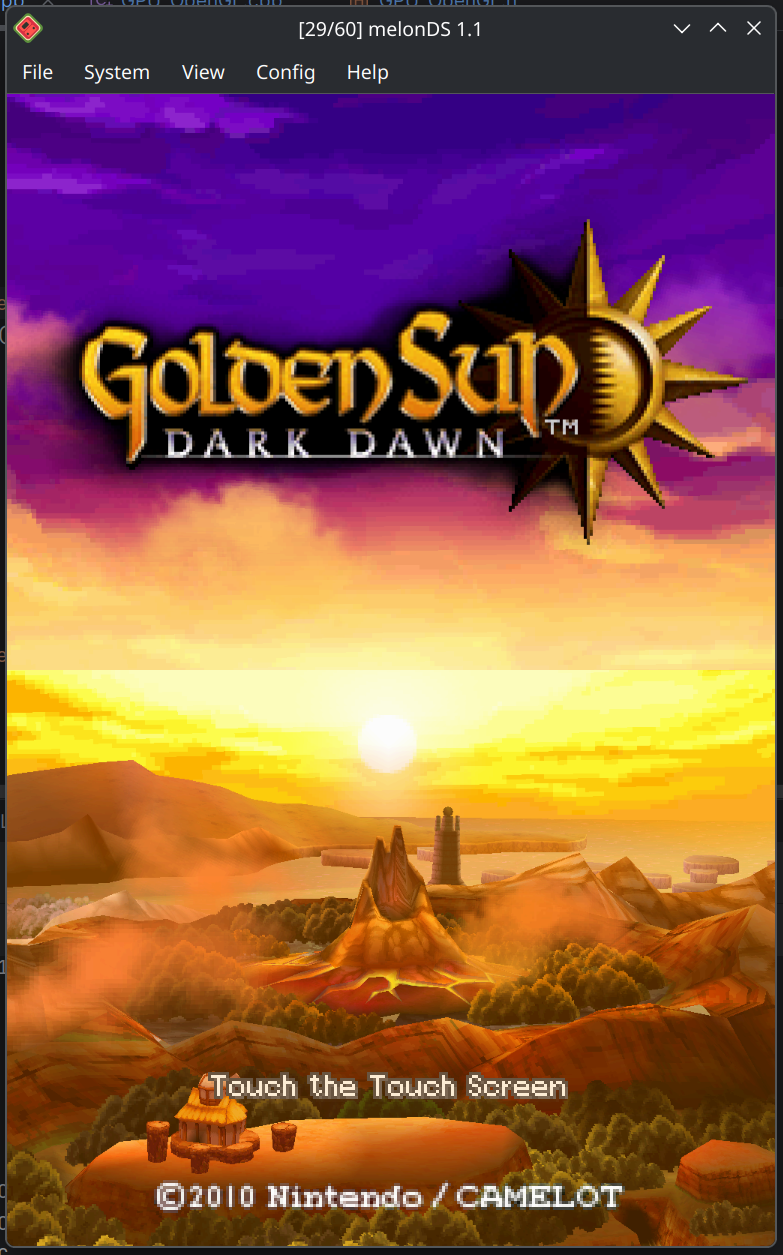
First, I've been toying with a Golden Sun hack for the OpenGL renderer.
(click for full-size version)
Flicker-free hi-res. When I had first attempted it, there was some flickering, which was caused by color conversion issues that have since been fixed, so I figured I could give it another try.
It is a gross hack, but a nice proof of concept regardless. It doesn't address the performance issue (which will need a separate fix), but it fixes up the upscaling issue by replicating what Golden Sun does in a high-level manner.
I could envision adding a more refined version of this hack into the renderer. After all, the OpenGL renderer is a big hack in itself - upscaling is not something the DS can do. As long as the accurate path (in this case, the software renderer) is hack-free, this can slide.
Next, I've also been working on the melonDS site.
One of my ideas is to add a wiki, which would keep all melonDS-related information, help pages, and such, in a less awkward way than this site does. I made a test run locally with Dokuwiki - so far, I ported the melonDS site skin to it, and added a custom authentication plugin, so that it functions with the same user accounts as the rest of the site.
I'm not quite sure whether to keep going with this, or use Mediawiki... I think Dokuwiki will be fine for what this is, and I'd prefer something that's light on the server.
I also have some plans in mind to get the community more involved into melonDS related affairs. The wiki, the documentation aspect, is one of them.
I also have ideas in mind for the main site (which you are currently looking at), but I haven't yet done any work there. I want to rework the home page, to better present melonDS and what it's good for, make it more clear which version is the latest release, and so on. I might move the blog to a separate page, maybe only include certain posts on the homepage...
I also want to add better ways to search the blog. Categorization, sorting by date, maybe a search function. This stuff didn't feel very necessary back in 2016, but now the blog has been operating for nearly 10 years, and there's a lot of content. It can get hard to look for a specific post.
Which also brings me to quality-of-life enhancements to the blog itself. Some kind of formatting toolbar or reference - as it is now, you can use basic BBCode in comments, but there is no reference as to what is possible. Maybe Markdown support would be good to have, instead. I don't know. What I definitely want to add, however, is attachment support, much like what the board has had for a while. It wouldn't be meant for user comments, but would greatly help when writing posts with images and such.
Web development is my least favorite area, so I've been giving myself time to develop those ideas before I actually make attempts (or, in other words, being lazy :P ).
Another idea would be to make the IRC/Discord chats more prominent, so you don't have to look into the forum to find them.
Which brings me to the other point of concern coming up: Discord.
If you've been following the news, you might know that they plan to add age verification. Which is basically a thinly veiled pretext to collect your ID or face.
I could envision a few outcomes to this:
1. In the face of public outcry, Discord backs off, and the status quo is maintained... atleast for now.
2. People move en masse to another chat platform.
3. People complain for a while but just adapt to the new situation, due to the lack of good alternatives.
4. A mix of 2 and 3, with people moving to different chat platforms.
Seeing as I'm present in several different servers, I'm not exactly looking forward to having to maintain presence on several different chat platforms due to this. But having to provide identifying information to Discord isn't appealing either. It's not like they don't have a track record of security breaches.
At this point, I don't yet know what to do with the Kuribo64 Discord server. I intend to wait and see, to go with the flow. So far, we don't really have a good alternative to Discord in mind. Moving will inevitably cut off some of the community, and I want to minimize that.
Seeing as we are still present on IRC, this may pick up some activity, who knows. But the problem with IRC is that of accessibility, especially when compared to Discord. You miss activity when you're not connected, unless you use a BNC (which requires a server to run it on). You can't edit or delete posts. You can't embed files either, you have to use an external service for that. As far as user-facing features go, you get what comes with your client of choice.
IRC however has the advantage of being decentralized. Unlike a platform like Discord, "IRC" is not owned by one big entity, because IRC is just the protocol. If your IRC server of choice starts enshittifying, you move to a different server, and that's it - it's nothing like moving to a whole different platform.
If only there was a modern version of IRC, that could address the shortcomings...
So, yeah. Wait and see, I guess.
That's it for now. When those things advance more, I'll keep you updated.
melonDS RSS
8 months ago
blackmagic3 merged! -- by Arisotura
After much testing and bugfixing, the blackmagic3 branch has finally been merged. This means that the new OpenGL renderer is now available in the nightly builds.
Our plan is to let it cool down and potentially fix more issues before actually releasing melonDS 1.2.
So we encourage you to test out this new renderer and report any issues you might observe with it.
There are issues we're already aware of, and for which I'm working on a fix. For example, FMVs that rely on VRAM streaming, or Golden Sun. There may be tearing and/or poor performance for now. I have ideas to help alleviate this, but it'll take some work.
There may also be issues that are inherent to the classic OpenGL 3D renderer, so if you think you've encountered a bug, please verify against melonDS 1.1.
If you run into any problem, we encourage you to open an issue on Github, or post on the forums. The comment section on this blog isn't a great place for reporting bugs.
Either way, have fun!
melonDS RSS
8 months ago
Golden Sun: Dark Destruction -- by Arisotura
It's no secret that every game console to be emulated will have its set of particularly difficult games. Much like Dolphin with the Disney Trio of Destruction, we also have our own gems. Be it games that push the hardware to its limits in smart and unique ways, or that just like to do things in atypical ways, or just games that are so poorly coded that they run by sheer luck.
Most notably: Golden Sun: Dark Dawn.
This game is infamous for giving DS emulators a lot of trouble. It does things such as running its own threading system (which maxes out the ARM9), abusing surround mode to mix in sound effects, and so on.
I bring this up because it's been reported that my new OpenGL renderer struggles with this branch. Most notably, it runs really slow and the screens flicker. Since the blackmagic3 branch is mostly finished, and I'm letting it cool down before merging it, I thought, hey, why not write a post about this? It's likely that I will try to fix Golden Sun atleast enough to make it playable, but that will be after blackmagic3 is merged.
So, what does Golden Sun do that is so hard?
It renders 3D graphics to both screens. Except it does so in an atypical way.
If you run Golden Sun in melonDS 1.1, you find out that upscaling just "doesn't work". The screens are always low-res. Interestingly, in this scenario, DeSmuME suffers from melonDS syndrome: the screens constantly flicker between the upscaled graphics and their low-res versions. NO$GBA also absolutely hates what this game is doing.
So what is going on there?
Normally, when you do dual-screen 3D on the DS, you need to reserve VRAM banks C and D for display capture. You need those banks specifically because they're the only banks that can be mapped to the sub 2D engine and that are big enough to hold a 256x192 direct color bitmap. You need to alternate them because you cannot use a VRAM bank for BG layers or sprites and capture to it at the same time, due to the way VRAM mapping works.
However, Golden Sun is using VRAM banks A, B and C for its textures. This means the standard dual-screen 3D setup won't work. So they worked around it in a pretty clever way.
The game renders a 3D scene for, say, the top screen. At the same time, this scene gets captured to VRAM bank D. The video output for the bottom screen is sourced not from the main 2D engine, but from VRAM - from bank D, too. That's the trick: when using VRAM display, it's possible to use the same VRAM bank for rendering and capturing, because both use the same VRAM mapping mode. In this situation, display capture overwrites the VRAM contents after they're sent to the screen.
At this point, the bottom screen rendered a previously captured frame, and a new 3D frame was rendered to VRAM, but not displayed anywhere. What about the top screen then?
The sub 2D engine is configured to go to the top screen. It has one BG layer enabled: BG2, a 256x256 direct color bitmap. VRAM bank H is mapped as BG memory for the sub 2D engine, so that's where the bitmap is sourced from.
Then for each frame, the top/bottom screens there are swapped, and the process is repeated.
But... wait?
VRAM bank H is only 32K. You need atleast 96K for a 256x192 bitmap.
That's where this gets fun! Every time a display capture is completed, the game transfers it to one of a set of two buffers in main RAM. Meanwhile, the other buffer is streamed to VRAM bank H, using HDMA. Actually, only a 512 byte part of bank H is used - the affine parameters for BG2 are set in such a way that the first scanline will be repeated throughout the entire screen, and that first scanline is what gets updated by the HDMA.
All in all, pretty smart.
The part where it sucks is that it absolutely kills my OpenGL renderer.
That's because the renderer has support for splitting rendering if certain things are changed midframe: certain settings, palette memory, VRAM, OAM. In such a situation, one screen area gets rendered with the old settings, and the new ones are applied for the next area. Much like the blargSNES hardware renderer.
The renderer also pre-renders BG layers, so that they may be directly used by the compositor shader, and static BG layers don't have to be re-decoded every time.
But in a situation like the aforementioned one, where content is streamed to VRAM per-scanline, this causes rendering to be split into 192 sections, each with their own VRAM upload, BG pre-rendering and compositing. This is disasterous for performance.
This is where something like the old renderer approach would shine, actually.
I have some ideas in mind to alleviate this, but it's not the only problem there.
The other problem is that it just won't be possible to make upscaling work in Golden Sun. Not without some sort of game-specific hack.
I could fix the flickering and bad performance, but at best, it would function like it does in DeSmuME.
The main issue here is that display captures are routed through main RAM. While I can relatively easily track which VRAM banks are used for display captures, trying to keep track of this through other memory regions would add too much complexity. Not to mention the whole HDMA bitmap streaming going on there.
At this rate it's just easier to add a specific hack, but I'm not a fan of this at all. We'll have to see what we do there.
Still, I appreciate the creativity the Golden Sun developers have shown there.
melonDS RSS
8 months ago
Becoming a master mosaicist -- by Arisotura
So basically, mosaic is the last "big" feature that needs to be added to the OpenGL renderer...
Ah, mosaic.
I wrote about it here, back then. But basically, while BG mosaic is mostly well-behaved, sprite mosaic will happily produce a fair amount of oddities.
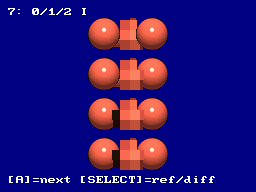
Actual example, from hardware:
I had already noticed this back then, as I was trying to perfect sprite mosaic, but didn't quite get there. I ended up putting it on the backburner.
Fast forward to, well, today. As I said, I need to add mosaic support to the OpenGL renderer, but before doing so, I want to be sure to get the implementation right in the software renderer.
So I decided to tackle this once and for all. I developed a basic framework for graphical test ROMs, which can setup a given scene, capture it to VRAM, and compare that against a reference capture acquired from hardware. While the top screen shows the scene itself, the bottom screen shows either the reference capture, or a simple black/white compare where any different pixels immediately stand out.
I built a few test ROMs out of this. One tests various cases, ranging from one sprite to several, and even things like changing REG_MOSAIC midframe. One tests sprite priority orders specifically. One is a fuzzing test, which just places a bunch of sprite with random coordinates and priority orders.
I intend to release those test ROMs on the board, too. They've been pretty helpful in making sure I get the details of sprite mosaic right. Talking with GBA emu developers was also helpful.
Like a lot of things, the logic for sprite mosaic isn't that difficult once you figure out what is really happening.
First thing, the 2D engine renders sprites from first to last. This kind of sucks from a software perspective, because sprite 0 has the highest priority, and sprite 127 the lowest. For this reason, melonDS processed sprites backwards, so that they would naturally have the correct priority order without having to worry about what's already in the render buffer. But that isn't accurate to hardware. This part will be important whenever we add support for sprite limits.
What is worth considering is that when rendering sprites, the 2D engine also keeps track of transparent sprite pixels. If a given sprite pixel is transparent, the mosaic flag and BG-relative priority value for this pixel are still updated. However, while opaque sprite pixels don't get rendered if a higher-priority opaque pixel already exists in the buffer, transparent pixels end up modifying flags even if the buffer already contains a pixel, as long as that pixel isn't opaque. This quirk is responsible for a lot of the weirdness sprite mosaic may exhibit.
The mosaic effect itself is done in two different ways.
Vertical mosaic is done by adjusting the source Y coordinate for sprites. Instead of using the current VCount as a Y coordinate, an internal register is used, and that register gets updated every time the mosaic counter reaches the value set in REG_MOSAIC. All in all, fairly simple.
Horizontal mosaic, however, is done after all the sprites are rendered. The sprite buffer is processed from left to right. For each pixel, if it meets any of a few rules, its value is copied to a latch register, otherwise it is replaced with the last value in the latch register. The rules are: if the horizontal mosaic counter reaches the REG_MOSAIC value, or if the current pixel's mosaic flag isn't set, or if the last latched pixel's mosaic flag wasn't set, or if the current pixel has a lower BG-relative priority value than the last latched pixel.
Of course, there may be more interactions we haven't thought of, but these rules took care of all the oddities I could observe in my test cases.
Now, the fun part: implementing this shit into the OpenGL renderer is going to be fun. As I said before, while this algorithm makes sense if you're processing pixels from left to right, that's not how GPU shaders work. I have a few ideas in mind for this, but the code isn't going to be pretty.
But I'm not quite there yet. I still want to make test ROMs for BG mosaic, to ensure it's also working correctly, and also to fix a few remaining tidbits in the software renderer.
Regardless, it was fun doing this. It's always satisfying when you end up figuring out the logic, and all your tests come out just right.
melonDS RSS
9 months ago
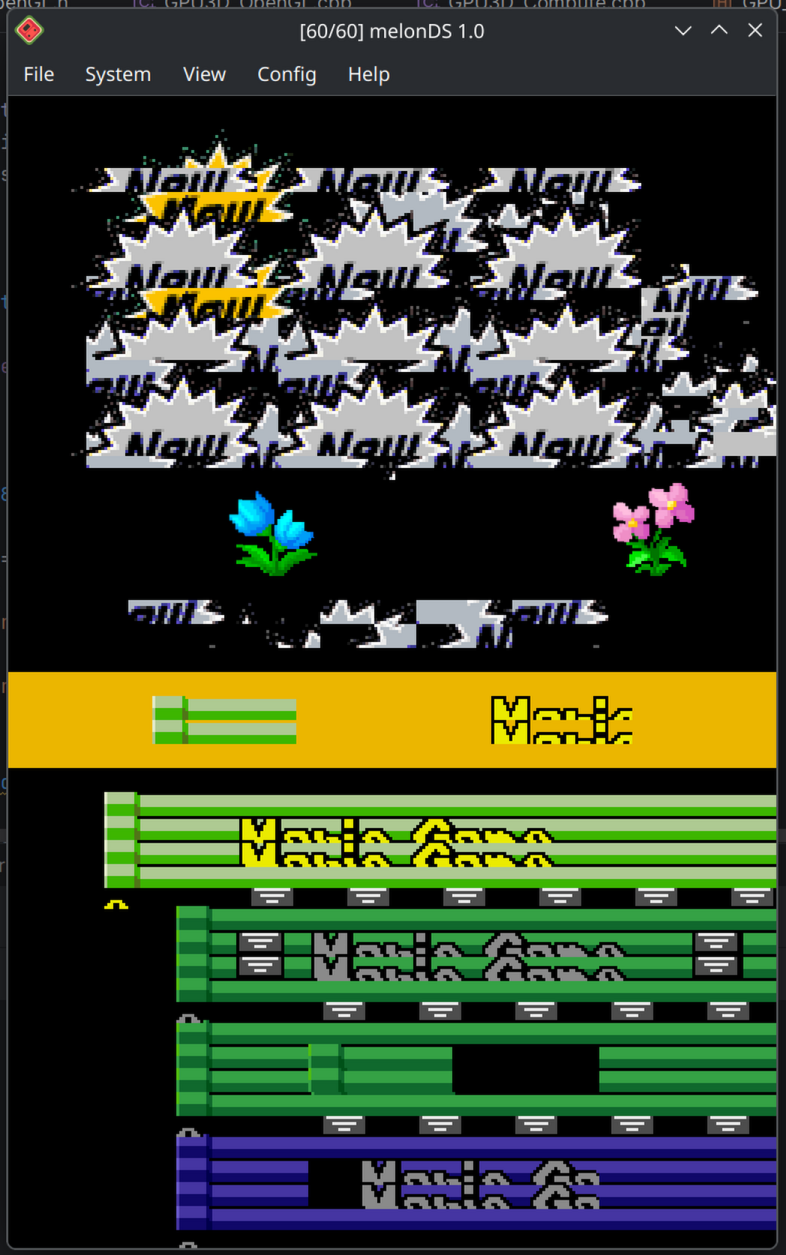
blackmagic3: refactor finished! -- by Arisotura
The blackmagic3 branch, a perfect example of a branch that has gone way past its original scope. The original goal was to "simply" implement hi-res display capture, and here we are, refactoring the entire thing.
Speaking of refactor, it's mostly finished now. For a while, it made a mess of the codebase, with having to move everything around, leaving the codebase in a state where it wouldn't even compile, it even started to feel overwhelming. But now things are good again!
As I said in the previous post, the point of the refactor was to introduce a global renderer object that keeps the 2D and 3D renderers together. The benefits are twofold.
First, this is less prone to errors. Before, the frontend had to separately create 2D and 3D renderers for the melonDS core, with the possibility of having mismatched renderers. Having a unique renderer object avoids this entirely, and is overall easier to deal with for the frontend.
Second, this is more accurate to hardware. Namely, the code structure more closely adheres to the way the DS hardware is structured. This makes it easier to maintain and expand, and more accurate in a natural kind of way. For example, implementing the POWCNT1 enable bits is easier. The previous post explains this more in detail, so I won't go over it again.
I've also been making changes to the way 2D video registers are updated, and to the state machine that handles video timing, with the same aim of more closely reflecting the actual hardware operation. This will most likely not result in tangible improvements for the casual gamer, but if we can get more accurate with no performance penalty, that's a win. Reason is simple: in emulation, the more closely you follow the original hardware's logic and operation, the less likely you are to run into issues. But accuracy is also a tradeoff. I could write a more detailed post about this.
If there are any tangible improvements, they will be about the mosaic feature, especially sprite mosaic, which melonDS still doesn't handle correctly. Not much of a big deal, mosaic seems seldom used in DS games...
Since we're talking about accuracy, it brings me to this issue: 1-byte writes to DISPSTAT don't work.
A simple case: 8-bit writes to DISPSTAT are just not handled. I addressed it in blackmagic3, as I was reworking that part of the code. But it's making me think about better ways to handle this.
As of now, melonDS has I/O access handlers for all possible access types: 8-bit, 16-bit, 32-bit, reads and writes. It was done this way so that each case could be implemented correctly. The issue, however, is that I've only implemented the cases which I've run into during my testing, since my policy is to avoid implementing things without proper testing.
Which leads to situations like this. It's not the first time this happens, either.
So this has me thinking.
The way memory reads work on hardware depends on the bus width. On the DS, some memory regions use a 32-bit bus, others use a 16-bit bus.
So if you do a 16-bit read from a 32-bit bus region, for example, it is internally implemented as a full 32-bit read, and the unneeded part of the result is masked out.
Memory writes work in a similar manner. What comes to my mind is the FPGA part of my WiiU gamepad project, and in particular how the SDRAM there works, but the SDRAM found in the DS works in a pretty similar way.
This type of SDRAM has a 16-bit data bus, so any access will operate on a 16-bit word. Burst modes allow accessing consecutive addresses, but it's still 16 bits at a time. However, there are also two masking inputs: those can be used to mask out the lower or upper byte of a 16-bit word. So during a read, the part of the data bus which is masked out is unaffected, and during a write, it is ignored, meaning the corresponding bits in memory are untouched. This is how 8-bit accesses are implemented.
On the DS, I/O regions seem to operate in a similar fashion: for example, writes smaller than a register's bit width will only update part of that register. However, I/O registers are not just memory: there are several of them which can trigger actions when read or written to. There are also registers (or individual register bits) which are read-only, or write-only. This is the part that needs extensive testing.
As a fun example, register 0x04000068: DISP_MMEM_FIFO.
This is the feature known as main memory display FIFO. The basic idea is that you have DMA feed a bitmap into the FIFO, and the video hardware renders it (or uses it as a source in display capture). Technically, the FIFO is implemented as a small circular buffer that holds 16 pixels.
So writing a 32-bit word to DISP_MMEM_FIFO stores two pixels in the FIFO, and advances the write pointer by two. All fine and dandy.
However, it's a little more complicated. Testing has shown that DISP_MMEM_FIFO is actually split into different parts, and reacts differently depending on which parts are accessed.
If you write to it in 16-bit units, for example, writing to the lower halfword stores one pixel in the FIFO, but doesn't advance the write pointer - so subsequent writes to the same address will overwrite the same pixel. Writing to the higher halfword (0x0400006A) stores one pixel at the next write position (write pointer plus one), and advances the write pointer by two.
Things get even weirder if you write to this register in 8-bit units. Writing to the first byte behaves like a 16-bit write to the lower halfword, but the input value is duplicated across the 16-bit range (so writing 0x23 will store a value of 0x2323). Writes to the second byte are ignored. Writes to the third byte behave like a 16-bit write to the upper halfword, with the same duplicating behavior, but the write pointer doesn't get incremented. Writing to the fourth byte increments the write pointer by two, but the input value is ignored.
You can see how this register was designed to be accessed in either 32-bit units, or sequential 16-bit units, but not really 8-bit units - those get weird.
Actually, this kind of stuff looks weird from a software perspective, but if you consider the way the hardware works, it makes sense.
So this is another area of melonDS that likely warrants some refactoring and intensive testing. Would be great to finally close all the gaps in I/O handling once and for all. But this won't be part of blackmagic3 - it's way beyond the scope.
As far as blackmagic3 is concerned, we're getting pretty close now. I still need to add mosaic support, the various bits like "forced blank", and do a bunch of cleanup, optimization, ...
As a bonus, have an "epic fail" screenshot.
Between things like this, and melonDS crashing in RenderDoc due to uninitialized variables, it's been a bit rocky to get the renderer working again...
melonDS RSS
9 months ago
OpenGL renderer: status update, and "fun" stuff -- by Arisotura
First of all, we wish you a happy new year. May 2026 be filled with success.
Next, well... DS emulation, oh what fun.
It all started as I was contemplating what was left to be done with the OpenGL renderer. At this point, I've mostly managed to turn this pile of hacks into an actual, proper renderer. While there's still a lot of stuff to verify, clean up, optimize, the core structure is there. It may not support every edge case, but I believe it will do a pretty decent job.
The main remaining things to do are: add mosaic, add the "forced blank" and POWCNT1 2D engine enable flags, and restructure the 2D rendering code. As it turns out, those things are somewhat interconnected.
Mosaic was discussed here. Basically, it applies a pixelation effect to 2D graphics. BG mosaic shouldn't be difficult to add to the OpenGL renderer, but sprite mosaic is going to be tricky, because the way it works makes sense if you're processing pixels from left to right, but that's not how GPU shaders work. It will probably require some shitty code to get it right.
"Forced blank" is a control bit in DISPCNT. What it does is force the 2D engine to render a blank picture, which allows the CPU to access VRAM faster.
POWCNT1 made an appearance here. This register has enable bits for the two 2D engines, which have a bit of a similar effect to the aforementioned "forced blank" bit. However it's not quite the same.
For example, I was testing all those features to make sure I understood them correctly before implementing them, and it highlighted some shortcomings in melonDS's software renderer.
Take affine BG layers. The way they work is that you have reference point registers (BGnX and BGnY) determining which point of the layer will be in the screen's top-left corner, then you have a 2x2 matrix (BGnPA to BGnPD) which transforms screen coordinates to layer coordinates. This is how arbitrary rotation and scaling is created. It is similar to mode 7 on the SNES.
Reference point registers have a peculiarity, though. They are stored in internal registers which are updated at every scanline, and reloaded at the end of the VBlank period (ie. before a new frame). When you write to one of the reference point registers, the value goes in both the internal register and the reload register. This means that if you write to those registers during active display, the values you write set the origin point for the next scanline, not for the first scanline. It's important to get this right, as games may modify the reference point registers with HDMA to do fun effects.
The part melonDS currently misses, is that those reference point registers are updated even if the DISPCNT "forced blank" bit is set. However, they don't get updated if the 2D engine is entirely disabled via POWCNT1.
This means that, say you were to toggle the 2D engine on and off during active display, affine layers would end up displaced, but this wouldn't occur with the "forced blank" bit. It's a bit of an extreme edge case, I don't know of any games that do that, but you never know what they might do...
Mosaic also works in a similar way. Vertical mosaic is implemented with counters which are updated at every scanline, and reset at the end of the VBlank period. The counters simply alter the base Y position used to render BG layers or sprites.
There's also an amusing difference in how they work, which can show if you change the MOSAIC register during active display. For both BG and sprite mosaic, the counter gets reset when it reaches the target value in MOSAIC. However, for BG mosaic, that target value is copied to an internal register, while for sprite mosaic it is always checked directly against MOSAIC. This means that if the counter happens to be greater than the new target value, it will count all the way to 15 and wrap to 0, resulting in some pretty tall "pixels". BG mosaic doesn't exhibit this quirk due to the internal register.
Anyway, similarly to the affine reference point registers described above, messing with POWCNT1 can also cause the 2D engine not to reset its mosaic counters before a new frame, which can cause the mosaic effect to shimmer vertically.
It is also likely that windows are affected in similar ways, but I haven't checked them yet.
All in all, I don't think this research of edge cases is going to be very useful for emulating commercial games, but it's always interesting and helps understand how the hardware is laid out, how everything interacts, and so on. It also helps cover some doubts that are inevitably raised while implementing new features.
Which brings me to the last item: restructuring the 2D renderer code.
The way the renderer code in melonDS was laid out was originally fairly simple: GPU had the "base" stuff (framebuffers, VRAM, video timing emulation), GPU3D had the 3D geometry engine (transforms and lighting, polygon setup), GPU3D_Soft had the 3D rendering engine (rasterizer), and GPU2D received anything pertaining to 2D rendering.
However, things have evolved since then.
While the 3D side was made to be modular, to eventually allow for hardware renderers, the 2D side was pretty much, well, set in stone. It wasn't made to be replaced.
melonDS followed the design of older DS emulators. In the past, it made sense to use OpenGL for 3D rendering, because at a surface level, the DS's 3D functionality maps fairly well to it. However, 2D rendering is another deal entirely. The tile engines do not map well to OpenGL. If today, it's possible to leverage shaders to implement a lot of the functionality on the GPU, this was unthinkable in 2005. So it makes sense the old DS emulators were designed this way: OpenGL for 3D graphics, software scanline-based renderer for 2D graphics.
However, it's not 2005 anymore. In the past, Generic restructured the 2D renderer code to make it modular, so he could implement better renderers for his Switch port.
And now, I'm doing the same thing. As I've discussed before, my old approach to OpenGL rendering was a hack - it allowed me to reuse the old 2D renderer with minimal modifications, but it was pretty limited, which is why I've since changed gears, and started implementing an actual OpenGL renderer.
And I'm not a fan of how things work now. Right now, the emulator frontend is responsible for creating appropriate 3D and 2D renderers and passing them to the core. It allows to support platform-specific renderers (like the Deko3D renderers on the Switch), but I don't like that it's technically possible to create mismatched renderers. Because the renderer I'm working on is only compatible with the OpenGL-based 3D renderers, it makes no sense to be able to mix and match them. My idea was to have a general renderer object which includes both, and avoids this possibility.
This also brings me to another fact: the rendering pipeline in melonDS doesn't accurately model DS hardware. I mean, it does its job quite well, but the way the modules are laid out doesn't really match the DS. I've been aware of this for years, but at the time it was easy to ignore - but now, it's more evident than ever.
Basically, in the DS, you find the following basic blocks (bar the 3D side):
* 2D engines A and B: those are the base tile engines. They composite BG layers and sprites, with effects such as blending, fade, windows, mosaic.
* LCD controller (LCDC): receives input from the 2D engines and sends it to the screens. It can apply its own fade effect (master brightness). It also handles VRAM display, the main memory display FIFO, and display capture.
The split is pretty clear if you observe which features are affected or not by POWCNT1. And it makes it clearer than ever, for example, that display capture is not part of 2D engine A, and doesn't belong in GPU2D.
Thus, it appears that restructuring this code properly will kill two birds with one stone.
This code restructuring may not sound very exciting, but it's good to have if it helps keep things clear, and often, adhering to the hardware's basic layout makes it easier to model things accurately.
As a bonus: since I was busy testing things on hardware, we went down the DS hardware rabbit hole again, and ended up testing things related to the VCOUNT register.
You might be already aware if you follow this blog, but: on the DS, the VCOUNT register is writable. This register keeps track of the vertical retrace position, but it is possible to modify it. The typical use is for syncing up consoles during local multiplayer, but it can also be used to alter the video framerate. The basic way it works is that writing to VCOUNT sets the value it will take after the current scanline ends.
melonDS has basic support for this, but we haven't dared dig into the details. And for good reason.
A few fun details, for example.
VCOUNT is 9 bits wide. The range is 0-262. You would think that if you write a value outside this range, it would detect the error, right?
Right?
Hahahahahahahahahahahahaahahaahh.
In typical DS fashion, this register accepts whatever values. You can set it to anything between 263 and 511. It will just keep counting until 511, and wrap to 0. We even found out that doing so can suppress the next frame's VBlank IRQ. Things like this happen because many video-related events are tied to VCOUNT reaching specific values.
Basically, the writable VCOUNT register is an endless rabbit hole of weirdness, and I'm not sure how much of it is realistic to emulate. VCOUNT affects not only the rendering logic, but also the signal that gets sent to the LCDs. Some manipulations can cause weird scanline effects, or cause the LCDs to fade out. How would one even emulate that? Even if we ignore the visual effects, we might need to look at the LCD sync signals with an oscilloscope to figure out what is happening.
melonDS RSS
9 months ago
Merry Christmas from melonDS -- by Arisotura
I know, I'm one day late.
There won't be anything very fancy for now, though. I haven't worked much on melonDS lately. Over the last week, my training period has been intense, and the long commute didn't help either. However, that went quite well, so I'm hopeful.
Another thing is, there isn't much more to show at this point.
What remains to be done is a bunch of cleanup, optimization work, and adding certain missing features, like proper chunked rendering if certain registers are changed mid-frame. Much like what the blargSNES hardware renderer does. Basically, turning this whole experimental setup into a finished product. It's always nice, but it doesn't really make for interesting screenshots.
As far as the 3D renderers are concerned, my work is mostly finished. I have ideas to improve the regular OpenGL renderer, but that's beyond the scope of the blackmagic3 branch for now. I could mention some, though: for example, attempting to add proper interpolation, instead of the "improved polygon splitting" hack. There would be some other old issues to fix in order to bring both OpenGL renderers closer to the software renderer, too.
With all this, I hope to be able to release melonDS 1.2 by early 2026. We'll see how this goes.
Either way, merry Christmas, happy new year, and all!
melonDS RSS
9 months ago
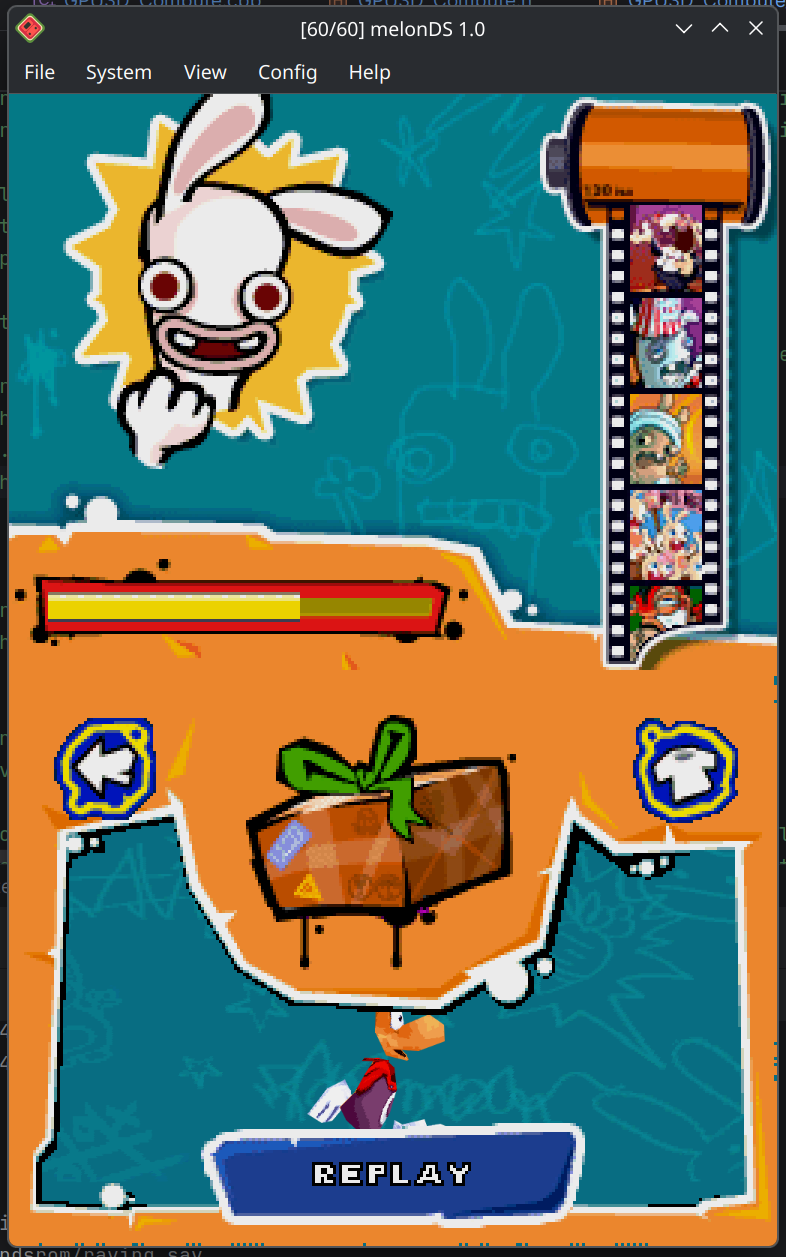
Why make it simple when it can be complicated? -- by Arisotura
First, a bit of a status update. I'm about to begin a training period of sorts, that will (hopefully!) lead to an actual job next year. It looks like a pretty nice job for me, too!
So that part is sorted out, for now.
Next, the OpenGL renderer is still in the works, although I've been taking a bit of a break from it.
But hey, when you happen to be stuck on a train for way longer than planned, what can you do? That's right, add features to your renderer! The latest fun feature I added is also the reason behind this post title.
The DS's 3D renderer has registers that set the clear color and depth, and a bunch of other clear attributes - basically what the color/depth/attribute buffers will be initialized to before drawing polygons. Much like glClearColor() and glClearDepth().
However, you can also use a clear bitmap. In this case, two 128K "slots" of texture VRAM (out of a total of 4) will be used to initialize the color and depth buffers: slot 2 for the color buffer, slot 3 for the depth buffer. The bitmaps are 256x256, and they can be scrolled. It isn't a widely used feature, but there are games that use it. As far as melonDS is concerned, the software renderer supports it, but it had always been missing from the OpenGL renderers.
Since I was busy adding features to the compute shader renderer, I thought, hey, why not add this? Shouldn't be very difficult. And indeed, it wasn't. But the game I used to test it threw me for a loop.
This is Rayman Raving Rabbids 2. In particular, this is the screen that shows up after you've played one of the minigames. The bottom screen uses the clear bitmap feature - without it, the orange frame layer won't show up at all.
When I was debugging my code, I looked at my clear bitmap textures in RenderDoc, and expected to find the orange frame in the color texture, but there was nothing. For a while, I thought I had missed something, because I expected that layer to be in there. But it wasn't the case.
That layer is actually a 2D layer (BG1). The clear bitmap feature is used to block the 3D scene (including the blue background) where the orange frame would appear. To do this, they just use a depth bitmap. There's nothing mapped to texture slot 2, so the color bitmap is all zeroes (and therefore completely transparent).
I also noticed the glitchy pixels on the right and bottom edges, and that had me chasing a phantom bug for a while - not a bug in melonDS, the edges of the clear bitmap are just uninitialized. It looks like someone at Ubisoft goofed up their for loops.
This made me wonder why the developers went for this approach, given how much VRAM it takes up.
When they could just have, you know... changed the priority orders to have BG1 cover the 3D scene. No need for a clear bitmap!
Another possibility was to draw this orange frame with the 3D engine. This would even have enabled them to add a shadow between it and the background, like they did on the top screen... maybe that was what they wanted to go for.
But this is the viewpoint of someone who knows the DS hardware pretty well, so... yeah. I realize not all developers would have this much knowledge. And hey, I won't complain -- the diversity in approaches helps test more possible use cases!
I could also talk about why I was messing with the compute shader renderer in the first place.
Remember this? That was my little render-to-texture demo.
I wanted to try adding support for hi-res capture textures in the 3D renderers. Reason why I started with the compute renderer is that it already has a texture cache, and thus does texturing in a clean way.
On the other hand, the regular OpenGL renderer just streams raw DS VRAM to the GPU and does all the texture addressing and decoding in its fragment shaders. It's the lazy approach to texturing: it works, it's simple to implement, but it's also suboptimal. It's a lot of redundant work done on the GPU that could be avoided by having it precomputed (ie. what the texture cache does), and it makes it harder to add support for things like texture filtering.
So, you guess: I want to backport the texture cache to the regular OpenGL renderer before I start to work on that one. There are also other improvements I want to make in there, too.
The texture cache could even benefit the software renderer, too.
Anyway, fun shit!
melonDS RSS
10 months ago
Hardware renderer progress -- by Arisotura
Hey hey, little status update! I've been having fun lately.
The hardware renderer has been progressing nicely lately. It's always exciting when you're able to assemble the various parts you've been working on into something coherent, and it suddenly starts looking a lot like a finished product. It's no longer just something I'm looking at in RenderDoc.
Those screenshots were taken with 4x upscaling (click them for full-size versions). The last one demonstrates hi-res rotscale in action. Not bad, I dare say.
It's not done yet, though, so I'll go over what remains to be done.
Mosaic
Shouldn't be very difficult to add.
Except for, you know, sprite mosaic. I don't really know yet how I'll handle that one. The way it works is intuitive if you're processing pixels left-to-right within a scanline, but this isn't how a modern GPU works.
Display capture
What was previously in place was a bit of a hack made to work with the old approach, so I will have to rework this. Atleast now I have the required system for tracking VRAM banks for this. But the whole part of capturing video output to OpenGL textures, and reusing them where needed, will need to be redone.
I also need to think of a way to sync hi-res captures back to emulated VRAM when needed.
Of course, support for this also needs to be added to the 3D renderers, for the sake of render-to-texture. Shouldn't be too difficult to add it to the compute renderer, but the old OpenGL renderer is another deal. I had designed that rather lazily, just streaming raw VRAM to the GPU, and never improved it. I could backport the texture cache the compute renderer uses, but it will take a while.
Mid-frame rendering
I need to add provisions in case certain things get changed mid-frame. I quickly did it for OAM, as shown by that iCarly screenshot above. The proof of concept works, but it can be improved upon, and extended to other things too.
The way this works is similar to the blargSNES hardware renderer. When certain state gets modified mid-frame, a section of the screen gets rendered with the old state - that section goes to the top of the screen, or wherever the previous section ended if there was any. Upon VBlank, we finish rendering in the same way.
There are exceptions for things that are very likely to be changed mid-frame (ie. window positions, BG scroll positions), and are relatively inexpensive to deal with. It's worth noting that on the DS, it's less frequent for video registers to be changed mid-frame, because the hardware is more flexible. By comparison, in something like a SNES game, you will see a lot more mid-frame state changes.
Either way, time will tell what is worth accounting for and what needs to be optimized.
Filtering
Hey, let's not forget why we came in here in the first place.
Hopefully, with the way the shaders are structured, it shouldn't be too hard to slot in filters. Bilinear, bicubic, HQX, xBRZ, you name it.
What I'm not too sure about is how well it'll work with sprites. It's not uncommon for games to splice together several small sprites to form bigger graphical elements, and I'm not sure how that'll work with filtering. We'll see.
Misc. things
The usual, a lot of code cleanup, optimization work, fixing up little details, and so on.
And work to make the code nicer to work with, which isn't particularly exciting.
This gives you a rough idea of where things are at, and what's left to be done. To conclude, I'll leave you with an example of what happens when Arisotura goofs up her OpenGL calls:
Have fun!
melonDS RSS
10 months ago
Hardware rendering, the fun -- by Arisotura
This whole thing I'm working on gives me flashbacks from blargSNES. The goal and constraints are different, though. We weren't doing upscaling on the 3DS, but also, we had no fragment shaders, so we were much more limited in what we could do.
Anyway, these days, I'm waist-deep into OpenGL. I'm determined to go further than my original approach to upscaling, and it's a lot of fun too.
I might as well talk more about that approach, and what its limitations are.
First, let's talk about how 2D layers are composited on the DS.
There are 6 basic layers: BG0, BG1, BG2, BG3, sprites (OBJ) and backdrop. Sprites are pre-rendered and treated as a flat layer (which means you can't blend a sprite with another sprite). Backdrop is a fixed color (entry 0 of the standard palette), which basically fills any space not occupied by another layer.
For each pixel, the PPU keeps track of the two topmost layers, based on priority orders.
Then, you have the BLDCNT register, which lets you choose a color effect to be applied (blending or fade effects), and the target layers it may apply to. For blending, the "1st target" is the topmost pixel, and the "2nd target" is the pixel underneath. If the layers both pixels belong to are adequately selected in BLDCNT, they will be blended together, using the coefficients in the BLDALPHA register. Fade effects work in a similar fashion, except since they only apply to the topmost pixel, there's no "2nd target".
Then you also have the window feature, which can exclude not only individual layers from a given region, but can also disable color effects. There are also a few special cases: semi-transparent sprites, bitmap sprites, and the 3D layer. Those all ignore the color effect and 1st target selections in BLDCNT, as well as the window settings.
In melonDS, the 2D renderer renders all layers according to their priority order, and keeps track of the last two values for each pixel: when writing a pixel, the previous value is pushed down to a secondary buffer. This way, at the end, the two buffers can be composited together to form the final video frame.
I've talked a bit about how 3D upscaling was done: basically, the 3D layer is replaced with a placeholder. The final compositing step is skipped, and instead, the incomplete buffer is sent to the GPU. There, a compositor shader can sample this buffer and the actual hi-res 3D layer, and finish the work. This requires keeping track of not just the last two values, but the last three values for any given pixel: if a given 3D layer pixel turns out to be fully transparent, we need to be able to composite the pixels underneath "as normal".
This approach was good in that it allowed for performant upscaling with minimal modifications to the 2D renderer. However, it was inherently limited in what was doable.
It became apparent as I started to work on hi-res display capture. My very crude implementation, built on top of that old approach, worked fine for the simpler cases like dual-screen 3D. However, it was evident that anything more complex wouldn't work.
For example, in this post, I showed a render-to-texture demo that uses display capture. I also made a similar demo that renders to a rotating BG layer rather than a 3D cube:
And this is what it looks like when upscaled with the old approach:
Basically, when detecting that a given layer is going to render a display capture, the renderer replaces it with a placeholder, like for the actual 3D layer. The placeholder values include the coordinates within the source bitmap, and the compositor shader uses them to sample the actual hi-res bitmap.
The fatal flaw here is that this calculation doesn't account for the BG layer's rotation. Hence why it looks like shit. Linear interpolation could solve this issue, but it's just one of many problems with this approach.
Another big issue was filtering.
The basic reason is that when you're applying an upscaling filter to an image, for each given position within the destination image, you're going to be looking at not only the nearest pixel from the source image, but also the surrounding pixels, in an attempt at inferring the missing detail. For example, a bilinear filter works on a 2x2 block of source pixels, while it's 4x4 for a bicubic filter, and as much as 5x5 for xBRZ.
In our case, the different graphical layers are smooshed together into a weird 3-layer cake. This makes it a major pain to perform filtering: say you're looking at a source pixel from BG2, you'd want to find neighboring BG2 pixels, but they may be at different levels within the layer cake, or they may just not be part of it at all. All in all, it's a massive pain in the ass to work with.
Back in 2020, I had attempted to implement a xBRZ filter as a bit of a demo, to see how it'd work. I had even recorded a video of it on Super Princess Peach, and it was looking pretty decent... but due to the aforementioned issues, there were always weird glitches and other oddball issues, and it was evident that this was stretching beyond the limits of the old renderer approach. The xBRZ filter shader did remain in the melonDS codebase, unused...
-
So, basically, I started working on a proper hardware-accelerated 2D renderer.
As of now, I'm able to decode individual BG layers and sprites to flat textures. The idea is that doing so will simplify filtering a whole lot: instead of having to worry about the original format of the layer, the tiles, the palettes, and so on, it would just be matter of fetching pixels from a flat texture.
Here's an example of sprite rendering. They are first pre-rendered to an atlas texture, then they're placed on a hi-res sprite layer.
This type of renderer allows for other nifty improvements too: for example, hi-res rotation/scaling.
Next up is going to be rendering BG layers to similar hi-res layers. Once it's all done, the layers can be sent to the compositor shader and the job can be finished. I also have to think of provisions to deal with possible mid-frame setup changes. Anyone remember that midframe-OAM-modifying foodie game?
There will also be some work on the 3D renderers, to add support for things like render-to-texture, but also possibly adding 3D enhancements such as texture filtering.
-
I can hear the people already, "why make this with OpenGL, that's old, you should use Vulkan".
Yeah, OpenGL is no longer getting updates, but it's a stable and mature API, and it isn't going to be deprecated any time soon. For now, I see no reason to stop using it immediately.
However, I'm also reworking the way renderers work in melonDS.
Back then, Generic made changes to the system, so he could add different 2D renderers for the Switch port: a version of the software renderer that uses NEON SIMD, and a hardware-accelerated renderer that uses Deko3D.
I'm building upon this, but I want to also integrate things better: for example, figuring out a way to couple the 2D and 3D renderers better, and generally a cleaner API.
The idea is to also make it easier to implement different renderers. For example, the current OpenGL renderer is made with fast upscaling in mind, but we could have different renderers for mobile platforms (ie. OpenGL ES), that are first and foremost aimed at just being fast. Of course, we could also have a Vulkan renderer, or Direct3D, Metal, whatever you like.
melonDS RSS
10 months ago
melonDS 1.1 is out! -- by Arisotura
As promised, here is the new release: melonDS 1.1.
So, what's new in this release?
EDIT - there was an issue with the release builds that had been posted, so if your JIT option is greyed out and you're not using a x64 Mac, please redownload the release.
DSP HLE
This is going to be a big change for DSi gamers out there.
If you've been playing DSi titles in melonDS, you may have noticed that sometimes they run very slow. Single-digit framerates. Wouldn't be a big deal if melonDS was always this slow, but obviously, it generally performs much better, so this sticks out like a sore thumb.
This is because those titles use the DSi's DSP. What is the DSP, you ask? A specific-purpose (read: weird) processor that doesn't actually do much besides being very annoying and resource-intensive to emulate. They use it for such tasks as downscaling pictures or playing a camera shutter sound when you take a picture.
With help from CasualPokePlayer, we were able to figure out the 3 main classes of DSP ucodes those games use, determine their functionality, and implement HLE equivalents in melonDS. Thus, those wonderful DSP features can be emulated without utterly wrecking performance.
DSP HLE is a setting, which you will find in the emulation settings dialog, DSi-mode tab. It is enabled by default.
Note that if it fails to recognize a game's DSP ucode, it will fall back to LLE. Similarly, homebrew ucodes will also fall back to LLE. There's the idea of adding a DSP JIT to help with this, but it's not a very high priority right now.
DSi microphone input
This was one of the last big missing features in DSi mode, and it is now implemented, thus further closing the gap between DS and DSi emulation in melonDS.
The way external microphone input works was also changed: instead of keeping your mic open at all times, melonDS will only open it when needed. This should help under certain circumstances, such as when using Bluetooth audio.
High-quality audio resampling
The implementation of DSP audio involved several changes to the way melonDS produces sound. Namely, melonDS used to output at 32 KHz, but with the new DSi audio hardware, this was changed to 47 KHz. I had added in some simple resampling, so melonDS would produce 47 KHz audio in all cases. But this caused audio quality issues for a number of people.
Nadia took the matter in her hands and replaced my crude resampler with a high-quality blip-buf resampler. Not only are all those problems eliminated, but it also means the melonDS core now outputs at a nice 48 KHz frequency, much easier for frontends to deal with than the previous weird numbers.
Cheat database support
If you've used cheats in melonDS, surely you've found it inconvenient to have to manually enter them into the editor. But this is no more: you can now grab the latest R4 cheat database (usrcheat.dat) for example, and import your cheat codes from that.
The cheat import dialog will show you which game entries match your current game, show the cheat codes they contain, and let you select which codes to import. You can also choose whether to clear any previously existing cheat codes or to keep them when importing new codes.
melonDS's cheat code system was also improved in order to fully preserve the structure found in usrcheat.dat. Categories and cheat codes can now have descriptions, categories have an option to allow only one code in them to be enabled, and codes can be created at the root, without having to be in a category.
The cheat file format (.mch) was also modified to add support for this. The parser is backwards-compatible, so it will recognize old .mch files just fine. However, new files won't be able to be recognized by older melonDS versions.
The cheat editor UI was also revamped to add support for the new functionality, and generally be more flexible and easier to work with. For example, it's now possible to reorder your cheat codes by moving them around in the list.
Compute shader renderer fix
Those of you who have tried the compute shader renderer may have noticed that it could start to glitch out at really high resolutions. This was due to running out of tile space.
We merged FireNX70's pull request, which implements tile size scaling in order to alleviate this problem. This means the renderer should now be able to go pretty high in resolution without issues.
Wayland OpenGL fix
If you use Wayland and have tried to use the OpenGL renderers, you may have noticed that it made the melonDS window glitchy, especially when using hiDPI scaling.
I noticed that glitch too, but had absolutely no idea where to start looking for a fix. So I kinda just... didn't use OpenGL, and put that on the backburner.
Until a while ago, when I felt like trying modern PCSX2. I was impressed by how smoothly it ran, compared to what it was like back in 2007... but more importantly, I realized that it was rendering 3D graphics in its main window alongside UI elements, that it uses Qt and OpenGL just like melonDS, and that it was flawless, no weird glitchiness.
So I went and asked the PCSX2 team about it. Turns out they originally took their OpenGL context code from DuckStation, but improved upon it. Funnily enough, melonDS's context code also comes from there. Small world.
In the end, the PCSX2 folks told me about what they did to fix Wayland issues. I tried one of the fixes that involved just two lines of code, and... it completely fixed the glitchiness in melonDS. So, thanks there!
BSD CI
We now have CI for FreeBSD, OpenBSD and NetBSD, courtesy Rayyan and Izder456. This means we're able to provide builds for those platforms, too.
Adjustments were also done to the JIT recompiler so it will work on those platforms.
Fixing a bunch of nasty bugs
For example: it has been reported that melonDS 1.0 could randomly crash after a while if multiple instances were opened. Kind of a problem, given that local multiplayer is one of melonDS's selling points. So, this bug has been fixed.
Another fun example, it sometimes occured that melonDS wouldn't output any sound, for some mysterious reason. As it was random and seemingly had a pretty low chance of occuring, I was really not looking forward to trying to reproduce and fix it... But Nadia saved the day by providing a build that exhibited this issue 100% of the time. With a reliable way to reproduce the bug, I was able to track it down and it was fixed.
Nadia also fixed another bug that caused possible crashes that appeared to be JIT-related, but turned out to be entirely unrelated.
All in all, melonDS 1.1 should be more stable and reliable.
There's also the usual slew of misc bugfixes and improvements.
However, we realized that there's a bug with the JIT that causes a crash on x86 Macs. We will do our best to fix this, but in the meantime, we had to disable that setting under that platform.
Future plans
The hi-res display capture stuff will be for release 1.2. Even if I could rush to finish it for 1.1, it wouldn't be wise. Something of this scope will need comprehensive testing.
I also have more ideas that will also be for further releases. I want to experiment with RTCom support, netplay, a different type of UI, ...
And then there's also changes I have in mind for this website. The current layout was nice in the early days, but there's a lot of posts now, and it's hard to find specific posts. I'd also want the homepage to present information in a more attractive manner, make it more evident what the latest melonDS version is, maybe have less outdated screenshots, ... so much to do.
Anyway, you can grab melonDS 1.1 on the downloads page, as usual.
You can also donate to the project if you want, that's always appreciated.
melonDS RSS
11 months ago
Hi-res display capture: we're getting there! -- by Arisotura
Sneak peek of the blackmagic3 branch:
(click them for full-res versions)
Those are both dual-screen 3D scenes, but notice how both screens are nice and smooth and hi-res.
Now, how far along are we actually with this?
As I said in the previous post, this is an improved version of the old renderer, which was based on a simple but limited approach. At the time, it was easy enough to hack that on top of the existing 2D engine. But now, we're reaching the limits of what is possible with this approach. So, consider this a first step. The second step will be to build a proper OpenGL-powered 2D engine, which will open up more crazy possibilities as far as graphical enhancements go.
I don't know if this first step will make it in melonDS 1.1, or if it will be for 1.2. Turns out, this is already a big undertaking.
I added code to keep track of which VRAM blocks are used for display captures. It's not quite finished, it's missing some details, like freeing capture buffers that are no longer in use, or syncing them with emulated VRAM if the CPU tries to access VRAM.
It also needs extensive testing and optimization. For this first iteration, for once, I tried to actually build something that works, rather than spend too much time trying to imagine the perfect design. So, basically, it works, but it's inefficient... Of course, the sheer complexity of VRAM mapping on the DS doesn't help at all. Do you remember? You can make the VRAM banks overlap!
So, yeah. Even if we end up making a new renderer, all this effort won't go to waste: we will have the required apparatus for hi-res display capture.
So far, this renderer does its thing. It detects when a display capture is used, and replaces it with an adequate hi-res version. For the typical use cases, like dual-screen 3D or motion blur, it does the job quite well.
However, I made a demo of "render-to-rotscale-BG": like my render-to-texture demo in the previous post, but instead of rendering the captured texture on the faces of a bigger cube, it is simply rendered on a rotating 128x128 BG layer. Nothing very fancy, but those demos serve to test the various possibilities display capture offers, and some games also do similar things.
Anyway, this render-to-rotscale demo looks like crap when upscaling is used. It's because the renderer's shader works with the assumption that display capture buffers will be drawn normally and not transformed. The shader goes from original-resolution coordinates and interpolates between them in order to sample higher-resolution images. In the case of a rotated/scaled BG layer, the interpolation would need to take the BG layer's transform matrix into account.
I decided to postpone this to the second step. Just think of the possibilites the improved renderer would offer: hi-res rotation/scale, antialiasing, filtering on layers and sprites, ...
And the render-to-texture demo won't even work for now. This one is tricky, it will require some communication between the 2D and 3D renderers. It might also require reworking the way texturing is done: for example my old OpenGL renderer just streams raw VRAM to the GPU and lets the shader do the decoding. It's lazy, but it was a simple way to get texturing working. But again, a proper texture cache here would open up more enhancement possibilities. Generic did use such a cache in his compute shader renderer, so it could probably serve for both renderers.
That's about it for what this renderer can do, for now. I also have a lot of cleanup and tying-loose-ends to do. I made a mess.
Stay tuned!
melonDS RSS
11 months ago
Display capture: oh, the fun! -- by Arisotura
This is going to be a juicy technical post related to what I'm working on at the moment.
Basically, if you've used 3D upscaling in melonDS, you know that there are games where it doesn't work. For example, games that display 3D graphics on both screens: they will flicker between the high-resolution picture and a low-resolution version. Or in other instances, it might just not work at all, and all you get is low-res graphics.
It's linked to the way the DS video hardware works. There are two 2D tile engines, but there is only one 3D engine. The output from that 3D engine is sent to the main 2D engine, where it is treated as BG0. You can also change which screen each 2D engine is connected to. But you can only render 3D graphics on one screen.
So how do those games render 3D graphics on both screens?
This is where display capture comes in. The principle is as follows: you render a 3D scene to the top screen, all while capturing that frame to, say, VRAM bank B. On the next frame, you switch screens and render a 3D scene to the bottom screen. Meanwhile, the top screen will display the previously captured frame from VRAM bank B, and the frame you're rendering will get captured to VRAM bank C. On the next frame, you render 3D graphics to the top screen again, and the bottom screen displays the capture from VRAM bank C. And so on.
This way, you're effectively rendering 3D graphics to both screens, albeit at 30 FPS. This is a typical use case for display capture, but not the only possiblity.
Display capture can receive input from two sources: source A, which is either the main 2D engine output or the raw 3D engine output, and source B, which is either a VRAM bank or the main memory display FIFO. Then you can either select source A, or source B, or blend the two together. The result from this will be written to the selected output VRAM bank. You can also choose to capture the entire screen or a region of it (128x128, 256x64 or 256x128).
All in all, quite an interesting feature. You can use it to do motion blur effects in hardware, or even to render graphics to a texture. Some games even do software processing on captured frames to apply custom effects. It is also used by the aging cart to verify the video hardware: it renders a scene and checksums the captured output.
For example, here's a demo of render-to-texture I just put together, based on the libnds examples:
(video file)
The way this is done isn't very different from how dual-screen 3D is done.
Anyway, this stuff is very related to what I'm working on, so I'm going to explain a bit how upscaling is done in melonDS.
When I implemented the OpenGL renderer, I first followed the same approach as other emulators: render 3D graphics with OpenGL, read out the framebuffer and send it to the 2D renderer. Simple. Then, in order to support upscaling, I just had to increase the resolution of the 3D framebuffer. To compensate for this, the 2D renderer would push out more pixels.
The issue was that it was suboptimal: if I pushed the scaling factor to 4x, it would get pretty slow. On one hand, in the 2D renderer, pushing out more pixels takes more CPU time. On the other hand, on a PC, reading back from GPU memory is slow. The overhead tends to grow quadratically when you increase the output resolution.
So instead, I went for a different approach. The 2D renderer renders at 256x192, but the 3D layer is replaced with placeholder values. This incomplete framebuffer is then sent to the GPU along with the high-resolution 3D framebuffer, and the two are spliced together. The final high-resolution output can be sent straight to the screen, never leaving GPU memory. This approach is a lot faster than the previous one.
This is what was originally implemented in melonDS 0.8. Since this rendering method bypassed the regular frame presentation logic, it was a bit of a hack - the final compositing step was done straight in the frontend, for example. The renderer in modern melonDS is a somewhat more refined version of this, but the same basic idea remains.
There is also an issue in this: display capture. The initial solution was to downscale the GPU framebuffer to 256x192 and read that back, so it could be stored in the emulated VRAM, "as normal". Due to going through the emulated VRAM, the captured frame has to be at the original resolution. This is why upscaling in melonDS has those issues.
To work around this, one would need to detect when a VRAM bank is being used as a destination for a display capture, and replace it with a high-resolution version in further frames, in the same way was the 3D layer itself. But obviously, it's more complicated than that. There are several issues. For one, the game could still decide to access a captured frame in VRAM (to read it back or to do custom processing), so that needs to be fulfilled. There is also the several different ways a captured frame can be reused: as a bitmap BG layer (BG2 or BG3), as a bunch of bitmap sprites, or even as a texture in 3D graphics. This is kinda why it has been postponed for so long.
There are even more annoying details, if we consider all the possibilities: while an API like OpenGL gives you an identifier for a texture, and you can only use it within its bounds, the DS isn't like that. When you specify a texture on the 3D engine, you're really just giving it a VRAM address. You could technically point it in the middle of a previously captured frame, or before... Tricky to work with. I made a few demos (like the aforementioned render-to-texture demo) to exercise display capture, but the amount of possibilities makes it tricky.
So I'm basically trying to add support for high-resolution display capture.
The first step is to make a separate 2D renderer for OpenGL, which will go with the OpenGL 3D renderers. To remove the GLCompositor wart and the other hacks and integrate the OpenGL rendering functionality more cleanly (and thus, make it easier to implement other renderers in the future, too).
I'm also reworking this compositor to work around the original limitations, and make it easier to splice in high-resolution captured frames. I have a pretty good roadmap as far as the 2D renderer is concerned. For 3D, I'll have to see what I can do...
However, there will be more steps to this. I'm acutely aware of the limitations of the current approach: for example, it doesn't lend itself to applying filters to 2D graphics. I tried in the past, but kept running into issues.
There are several more visual improvements we could add to melonDS - 2D layer/sprite filtering, 3D texture filtering, etc... Thus, the second step of this adventure will be to rework the 2D renderer to do more of the actual rendering work on the GPU. A bit like the hardware renderer I had made for blargSNES a decade ago. This approach would make it easier to apply enhancements to 2D assets or even replace them with better versions entirely, much like user texture packs.
This is not entirely unlike the Deko3D renderer Generic made for the Switch port.
But hey, one step at a time... First, I want to get high-resolution capture working.
There's one detail that Nadia wants to fix before we can release melonDS 1.1. Depending how long this takes, and how long I take, 1.1 might include my improvements too. If not, that will be for 1.2. We'll see.
melonDS RSS
11 months ago
Happy birthday melonDS! -- by Arisotura
Those of you who know your melonDS lore know that today is a special day. melonDS is 9 years old!
...hey, I don't control this. 9 is brown. I don't make the rules.
Anyway, yeah. 9 years of melonDS. That's quite the achievement. Sometimes I don't realize it has been so long...
-
As far as I'm concerned, there hasn't been a lot -- 2025 has had a real shitty start for me. A lot of stuff came forward that has been really rough.
On the flip side, it has also been the occasion to get a fresh start. I was told about IFS therapy in March, and I was able to get started. It has been intense, but so far it has been way more effective than previous attempts at therapy.
I'm hopeful for 2026 to be a better year. I'm also going to hopefully get started with a new job which is looking pretty cool, so that's nice too.
-
As far as melonDS is concerned, I have several ideas. First of all, we'll release melonDS 1.1 pretty soon, with a nice bundle of fixes and improvements.
I also have ideas for further releases. RTCom support, netplay, ... there's a lot of potential. I guess we can also look at Retroachivements, since that seems to be popular request. There's also the long-standing issues we should finally address, like the lack of upscaling in dual-screen 3D scenes.
Basically, no shortage of things to do. It's just matter of actually doing them. You know how that goes...
I also plan some upgrades to the site. I have some basic ideas for a homepage redesign, for updating the information that is presented, and presenting it in a nicer way... Some organization for the blog would be nice too, like splitting the posts into categories: release posts, technical shito, ...
I also have something else in mind: adding in a wiki, to host all information related to melonDS. The FAQ, help pages specific to certain topics, maybe compatibility info, ...
And maybe, just maybe, a screenshot section that isn't just a few outdated pics. Maybe that could go on the wiki too...
-
Regardless, happy birthday melonDS! And thank you all, you have helped make this possible!
melonDS RSS
11 months ago
The joys of programming -- by Arisotura
There have been reports of melonDS 1.0 crashing at random when running multiple instances. This is kind of a problem, especially when local multiplayer is one of melonDS's selling points.
So I went and tried to reproduce it. I could get the 1.0 and 1.0RC builds to crash just by having two instances open, even if they weren't running anything. But I couldn't get my dev build to crash. I thought, great, one of those cursed bugs that don't manifest when you try to debug them. I think our team knows all about this.
Not having too many choices, I took the 1.0 release build and started hacking away at it with a hex editor. Basic idea being, if it crashes with no ROM loaded, the emulator core isn't the culprit, and there aren't that many places to look. So I could nop out function calls until it stopped crashing.
In the end, I ended up rediscovering a bug that I had already fixed.
The SDL joystick API isn't thread-safe. When running multiple emulator instances in 1.0, this API will get called from several different threads, since each instance gets its own emulation thread. I had already addressed this 2.5 months ago, by adding adequate locking.
I guess at the time of 1.0, it slipped through the cracks due to its random nature, as with many threading-related bugs.
Regardless, if you know your melonDS lore, you know what is coming soon. There will be a new release which will include this fix, among other fun shit. In the meantime, you can use the nightly builds.
melonDS RSS
11 months ago
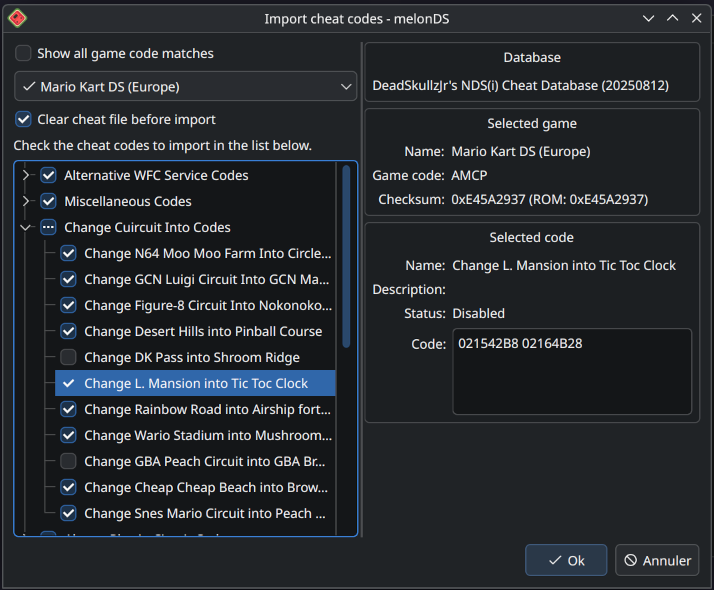
Sneak peek -- by Arisotura
Just showing off some of what I've been working on lately:
This is adjacent to something else I want to work on, but it's also been in the popular request list, since having to manually enter cheat codes into melonDS isn't very convenient: would be much easier to just import them from an existing cheat code database, like the R4 cheat database (also known as usrcheat.dat).
It's also something I've long thought of doing. I had looked at usrcheat.dat and figured the format wasn't very complicated. It was just, you know, actually making myself do it... typical ADHD stuff. But lately I felt like giving it a look. I first wrote a quick PHP parser to make sure I'd gotten the usrcheat.dat format right, then started implementing it into melonDS.
For now, it's in a separate branch, because it's still quite buggy and unfinished, but it's getting there.
The main goal is complete, which is, it parses usrcheat.dat, extracts the relevant entries, and imports them into your game's cheat file. By default, it only shows the game entry which matches your game by checksum, which is largely guaranteed to be the correct one. However, if none is found, it shows all the game entries that match by game code.
It also shows a bunch of information about the codes and lets you choose which ones you want to import. By default, all of them will be imported.
This part is mostly done, besides some minor UI/layout bugs.
The rest is adding new functionality to the existing cheat code editor. I modified the melonDS cheat file format (the .mch files) to add support for the extra information usrcheat.dat provides, all while keeping it backwards compatible, so older .mch files will still load just fine. But, of course, I also need to expose that in the UI somehow.
I also found a bug: if you delete a cheat code, the next one in the list gets its code list erased, due to the way the UI works. Not great.
I'm thinking of changing the way this works: selecting a cheat code would show the information in disabled/read-only fields, you'd click an "Edit" button to modify those fields, then you'd get "Save" or "Cancel" buttons... This would avoid much of the oddities of the current interface.
The rest is a bunch of code cleanup...
Stay tuned!
melonDS RSS
11 months ago
Not much to say lately... -- by Arisotura
Yeah...
I guess real life matters don't really help. Atleast, my mental health is genuinely improving, so there's that.
But as far as my projects are concerned, this seems to be one of those times where I just don't feel like coding. Well, not quite, I have been committing some stuff to melonDS... just not anything that would be worthy of a juicy blog post. I also had another project: porting my old SNES emulator to the WiiU gamepad. I got it to a point where it runs and displays some graphics, but for now I don't seem motivated to continue working on it...
But I still have some ideas for melonDS.
One idea I had a while ago: using the WFC connection presets to store settings for different altWFC servers. For example, using connection 1 for Wiimmfi, connection 2 for Kaeru, etc... and melonDS would provide some way of switching between them. I don't know how really useful it would be, or how feasible it would be wrt patching requirements, but it could be interesting.
Another idea would be RTCom support. Basically RTCom is a protocol that is used on the 3DS in DS mode to add support for analog sticks and such. It involves game patches and ARM11-side patches to forward input data to RTC registers. The annoying aspect of this is that each game seems to have its own ARM11-side patch, and I don't really look forward to implementing a whole ARM11 interpreter just for this.
But maybe input enhancements, be it RTCom stuff or niche GBA slot addons, would make a good use case for Lua scripting, or some kind of plugin system... I don't know.
There are other big ideas, of course. The planned UI redesign, the netplay stuff, website changes, ...
Oh well.
melonDS RSS
12 months ago
Fix for macOS builds -- by Arisotura
Not a lot to talk about these days, as far as melonDS is concerned. I have some ideas, some big, some less big, but I'm also being my usual ADHD self.
Anyway, there have been complaints about the macOS builds we distribute: they're distributed as nested zip files.
Apparently, those people aren't great fans of Russian dolls...
The issue is caused by the way our macOS CI works. I'd have to ask Nadia, but I think there isn't really an easy fix for this. So the builds available on Github will have to stay nested.
However, since I control this site's server, I can fix the issue here. So now, all the macOS builds on the melonDS site have been fixed, they're no longer nested. Similarly, new builds should also be fixed as they're uploaded. Let us know if anything goes wrong with this.
melonDS RSS
about 1 year ago
blarg -- by Arisotura
I'm still alive.
Main reason for the lack of updates is, well, same old. Job taking up a lot of time. Emotional work taking up a bunch of the remaining time.
Desire for new projects, too. "Hey, this looks like an interesting problem, let's solve it!" - that's my brain in a nutshell.
Maybe a different emulator?
-
As far as melonDS is concerned, I'm most likely going to leave it aside until November. I'll hopefully be able to take a decision.
I atleast know what I don't want: I don't want to just abandon melonDS and leave it to whoever. At this point, it's a bit like a brand name, melonDS has a reputation within the scene... If it were to be picked up by the wrong kind of people, that could destroy its reputation.
But then again, that's life. Emulator projects come and go, like everything else.
We have DualSOUP, Jakly's attempt at cycle-accurate DS emulation. By its essence, it's already going beyond the structural limitations of melonDS. So, a very interesting project. There's potential to push the limits of DS emulation. And if it succeeds, it might even motivate a rewrite of melonDS to overcome the aforementioned structural limitations.
I think that if melonDS is to continue existing, there needs to be some changes to how it's run.
I need a way to offload the pressure I feel from this project. A way to make it not depend so much on my involvement, so that it doesn't halt if I decide to work on something else. So that I feel freer.
A way to deal with the aspects of project management I'm less good at (hi, issue and PR backlogs), so that I don't feel so much guilt from having those pile up.
I would need to expand the team, to involve the community more.
I guess I'd like to run some kind of recruitment drive. Issue is, I wouldn't know how to run such a thing. I'm not a recruiter by any means, and it's hard for me to trust other people with a project I consider mine.
I guess there would be various possible roles to fulfill. Development, whether focused more on the emulator core or on the frontend. Managing issues and PRs. User support on Discord or the forum. Managing the wiki, whenever I actually get that going. Maybe posting on this blog, too.
For now, those are just vague ideas. I most likely won't do anything of note until November. Either way, I'll keep you informed.
melonDS RSS
7 days ago
Motivation, motivation... -- by Arisotura
Yeah, I haven't been great at this. I told myself I would work on 2D filters, since it's one of the last things to do... then I ran into a bit of a wall: I need my filters to have alpha support, but the filter shaders I can find don't support it. I would need to spend some time figuring out how they work and how I can add that in based on other references (there is code for xBRZ or HQX filters with alpha support, but not in the form of shaders).
And I, well, didn't feel the desire to continue...
Maybe it's the nature of software development in itself. Unless you're working on a smaller, simpler project, you're never really done, and especially not with a project like melonDS. What started as a way to pass time has become a full commitment, in a way.
By comparison, my job has been a lot simpler, and better suited to my brain too. When you set out to repair something, it's a project with a clear end. Most of what I deal with is also fairly simple, but sometimes there are more complicated cases, requiring more time and research. For example, those HMI lamp ballasts I'm working on: they are quite complex. This has been an ongoing project for a while now.
Maybe it's the fact that the project still largely rests on my shoulders. While bigger projects like Dolphin or PCSX2 may have a bigger team and more of a workflow in place, things aren't really like that here...
I'll just quote Generic, because he put it well:
[18:55]Generìc "Yes, we can!": I think I stated this before, but how I see it melonDS never went through the professionalisation many other projects went through
[18:58]Generìc "Yes, we can!": just look at other projects (even with just a single maintainer) setting milestones, systematically "triaging" issues and so on
[19:00]Generìc "Yes, we can!": also tests
[19:01]Generìc "Yes, we can!": and throuroughly adoption of new fangled C++ features
[19:03]Generìc "Yes, we can!": if it wasn't for Nadia putting so much effort into the build system through the whole time, the codeblocks project file would still be the way to build melonDS
I feel bad about having so many issues, pull requests, etc, staying open and rotting in the backlog. At the same time, I just don't have the brain power to review every single PR alone.
And to make matters worse, now we have people submitting AI-generated code, which is problematic from several standpoints: code quality (AI tends to make a mess and not really understand what it's doing, and someone who's using AI isn't likely to understand those things any better), plagiarism, the usual ethical and environmental problems with AI too...
I like the idea of open source, but for a project of this caliber, it feels that we should have more of a system in place, with a bigger team, clearer roles... a proper organization.
One where different people with different skillsets and preferences can complement eachother. For example, while I enjoy researching the DS hardware, or figuring out why a game isn't working as it should, stuff like build systems can quickly feel very frustrating to me. As Generic put it, if it weren't for Nadia handling that work, we might not have nightly builds today, for example.
And it would be nice to have more of this... ideally, lack of involvement from me shouldn't feel like the project is stalled, like it does now.
I don't want to abandon melonDS. The project is going to be 10 years old, it's a lot of history, fun and less fun times, and I've grown to love it. At the same time, it's nice to work on other projects sometimes, and it would be nice to do so without the guilt of abandoning melonDS...
Maybe it's also the changing nature, I mean, what it's like to work on the project. The early days were a lot of hardware research, implementation, debugging; it was a lot of fun, as evidenced by the release rate I had, but I can't recapture that now. I still have ideas for melonDS features, but at this point it feels more like regular software development.
For a while, I've had the idea of adding a wiki to our site. The wiki would serve as a reference for user-facing things pertaining to melonDS: compatibility info, tutorials and FAQs for things like online play, and so on. It would also be one way to get the community involved: provided there is enough demand, we could have a sub-team dedicated to the wiki.
This became part of the bigger website work I want to do, but haven't yet had the motivation to start. I want to move the server to a better host. I want to make the blog easier to navigate, with categorization by date or by tags, maybe a search... I want to make it easier to use for those who post, too.
And it's like everything else. I have all those ideas, but it starts to feel "too much", too many big things to do, I don't know where to start and feel overwhelmed, and nothing gets done.
I've been all over the place here, but at this point I think I want to focus on one thing: trying to recruit more of the regulars into the team, and get some organization going. Or at the very least, finding ways to feel less pressure from this project...
melonDS RSS
3 months ago
Bit of plans -- by Arisotura
As far as melonDS is concerned, my last work was all about CPU timings... and I couldn't yet find an elegant way to handle them. I had some kind of caching in mind, but it's still less than ideal. Code fetch timings could be cached, but data fetch timings aren't really predictable, and there are other mechanics coming into play. What I had in mind was a sort of graph system, but I don't know how well it would work in practice.
This will be for later though.
I didn't foresee how much time and energy starting this job would take me. Things are starting to even out now. Same story for my psyche, things are falling into place, but there's still work...
Anyway.
Plans.
I will try to finish the work I was doing with the new OpenGL renderer. It was mostly dealing with things like VRAM streaming, and adding a "Golden Sun hack".
I could also try and see if I can build something for 2D layer filtering, but I might postpone that.
When I'm satisfied with what I have, I'll release melonDS 1.2.
Sound good?
melonDS RSS
4 months ago
Expect slowdown -- by Arisotura
A bit of a status update since the last post...
"I've been taking a bit of a break from melonDS lately... mental health reasons, a silly side project, the usual stuff."
More of the same stuff, but add to it that I've been getting started in this new job.
While it's been nice to have time to myself in order to deal with mental health matters, unemployment gets old after a while, so I was eager to finally start this job.
If you remember, I've had a foretaste of it back in December, too. I've seen my ADHD self thrive in that setting. The job is largely about repairing A/V equipment. This feels like a much better fit for my brain than a regular developer job. I like to code, but that's not all I do: I also like to build, repair things, and in general, understand how systems work (or design them). I consider code to be much of the same, but it's all inside a computer instead of being a physical object, so it lacks the "doing things with my hands" aspect.
A related example here: last year, I repaired buttons on a vacuum tube radio as part of a larger project. This is the kind of small project where I have a blast: using my brain to figure out a solution, actually implementing it with my hands, doing my best to adapt to how things actually work out... It makes me feel alive like nothing else.
But I digress. The flip side of this is that the longer work day and commute time leave me with less time at home. On the other hand, this job is a particular arrangement where I'll be working half of the year, which will definitely give me time for my personal projects, including melonDS. Just, won't be now. The first work period is going to be 6 months.
-
This also means having to balance work and mental health.
I feel better equipped to handle this, and I can envision the possibility of long term happiness. But there's still a long way to go. I also find this interesting. Probably because there's the same "figuring out how a system works" aspect, but with my own psyche. Instead of being cold logic, it's very emotion-driven.
I find the whole topic very interesting too! I would write about it (not here), I like to write about things and I feel that it could inspire other people, but I don't want to get too personal either.
-
This most likely means there won't be much progress on melonDS until November, atleast from me.
Part of me wants to figure out something for ARM9 timings. But realistically, I should focus on finishing what needs to be finished for melonDS 1.2. Polishing the OpenGL renderer. Maybe furthering the codebase cleanup. Those things.
I'll do my best.
melonDS RSS
5 months ago
A bit of a status update -- by Arisotura
I've been taking a bit of a break from melonDS lately... mental health reasons, a silly side project, the usual stuff.
Regardless, I've been rethinking my plans for melonDS.
I think I might postpone the timing work to melonDS 1.3. It's bigger than anticipated. I want to address some other issues, most notably finishing the new OpenGL renderer, and release melonDS 1.2. There's also some codebase cleanup I want to do.
Regarding the timing work, it's going to take some planning, and possibly a larger rework.
As I've said, the ARM7 is simple enough. Things are pretty much sequential, and the only extra complexity comes from main RAM burst termination delays.
The ARM9 is where it gets hard. We deal with mechanics like cache streaming, write buffering, ability to keep running code while the bus is in use... All sorts of mechanics which highlight the limits in melonDS's current model.
For example, take the LDM and STM instructions. They do multiple consecutive memory accesses in a row. They're commonly used to push registers to the stack and pop them back, or to quickly clear or copy large blocks of memory.
There are several issues arising from this. Depending on the base address, a LDM/STM instruction might cross the boundary between two memory regions, or two MPU regions on the ARM9. STM, when accessing I/O registers, might also cause a bus stall between two memory writes (for example, if it starts a DMA transfer...).
melonDS was built on top of a plain old interpreter. We read one instruction word from memory, we use a lookup table to figure out what we should do, we do it, then we move on to the next instruction, and so on. This model treats individual instructions as atomic: there is no way to account for all possibilities with LDM and STM, for example. Or atleast, not easily.
So an idea I have in mind is to try a different model for CPU emulation. A sort of cached interpreter.
The idea is to turn DS code into an intermediate representation which not only enables faster execution, but also gives us more freedom. For example, the aforementioned LDM/STM could be turned into discrete memory accesses, or optimized into larger accesses if possible.
Another reason would be timing calculations. Some of them, like interlocks, can be annoying to resolve, but only really need to be resolved once, so a cached interpreter could have them precalculated.
At this stage, this is only a basic idea, but it's something I want to experiment with.
melonDS RSS
5 months ago
New demo: Emulator Examination -- by Arisotura
Emulator Examination is a DS demo which has been released recently, and has been programmed by PoroCYon.
I figured this would be an opportunity to write about something other than CPU timings for once! But first, a video of this demo, comparing the hardware results against melonDS.
This demo bends the DS hardware in creative ways. You can read PoroCYon's writeup here, but I figured I would write about my perspective too.
First of all, this is a DSi demo, which limits the opportunities for emulator comparison. As of now, melonDS and NO$GBA are the only emulators with some degree of DSi support. The demo will still run on a DS, but you'll be limited to the first test, since this one isn't DSi-exclusive.
Now, let's see what we got here.
First, we have an eyesight test. At first, I had no real idea what was going on here. Basically, the PPU mode is changed in the middle of a scanline, which causes very specific glitches.
The interesting part is that this mirrors how hardware reverse-engineering works: doing unintended things with the hardware, observing the results and figuring out the logic behind them, can offer insight into how the hardware works beneath the surface. It can also confuse you to shit (hi, 3D GPU).
However, this effect is unlikely to ever work correctly in melonDS. Emulating it requires understanding and accurately modelling how the PPU works at a cycle level, while melonDS employs a scanline-based renderer. And since no games out there try to modify PPU registers during a scanline, there are no provisions for supporting that.
This would be right up Jakly's alley, with DualSOUP. fleroviux has done a lot of research on the GBA PPU's cycle-level operation, which will likely be helpful for this.
The second test displays an animated rainbow pattern on a monitor. What's causing melonDS to struggle so much with it?
My immediate observations were that: 1) it uses timer-driven NDMA transfers, and 2) it uses custom DSP code, hence the poor performance.
The first part wouldn't be very difficult to implement. I have never implemented this NDMA transfer mode because I haven't yet encountered a use case for them, and haven't yet gotten around to write test ROMs, but it's probably not very difficult - just not high priority.
The second part is where this stops. This is more racing-the-beam shenanigans: the DSP sets up a DMA transfer to the first entry of the BG palette, and that's how the rainbow effect is created. So even with proper support for timer-driven NDMA, it still wouldn't render properly on melonDS.
The third test simulates a basic hearing test: it produces beeps that match the little 3D animation. melonDS outputs nothing at all.
This one is cheeky. I had a feeling I knew what was going on there, and I was right.
I talked about the DSi audio hardware here. The DSi uses a TI audio amplifier slash touchscreen controller. This chip has quite a bunch of audio processing features, one of them being... making beeps. There's a bunch of registers for this: you set the desired length in samples, some values derived from the desired frequency, and it will output a sine wave.
When I looked at the console output in melonDS, I could see repeated accesses to unknown TSC registers, and sure enough, those are the beep registers.
It brings back memories: the Wii U gamepad uses a similar audio amplifier chip, and it also has those beep registers. When I started reverse-engineering the audio system there, I used those to validate that the audio amplifier was configured correctly.
Anyway, this is... interesting. On one hand, it would be interesting to try to emulate this. On the other hand, it wouldn't be terribly useful - nothing else ever uses the beep registers. But it's within the realm of what I consider feasible in melonDS.
In a similar vein, the current TSC support in melonDS is pretty lackluster, but once again, nothing ever changes the TSC configuration outside of specific situations (like entering DS mode). The TSC is configured once and everything else, like volume control, is done by other components. Even the audio frequency switch is implemented by changing the TSC input clock - none of the TSC configuration is affected.
The fourth and final test is a series of CPU tests. But wait, how could melonDS fail those so egregiously?
The DSi embeds a new wifi card based on the Atheros 6k chipset. Unlike the old DS wifi card, which is powered by a fixed-function chip, this Atheros wifi card is powered by an Xtensa CPU. Modern wifi cards work similarly: you have an embedded CPU functioning as the brain of the system, controlling the 802.11 radio, the power management systems, and the various other peripherals. This CPU runs firmware which exposes a high-level interface to the host driver, and handles all the complex low-level details.
In this case, our demo is running custom code on the wifi card's Xtensa CPU.
Hence why it's utterly and completely failing. It's interesting that they were able to even get past this test in the video-- when I tested the demo on melonDS 1.1, it would get stuck on the last subtest.
It's a bit of a shitty situation, here.
On one hand, it would be an interesting technical challenge to get this running.
On the other hand, I'm not looking forward to emulating the entire wifi card. And even if we ignore that, the DSP situation should tell you why the wifi card firmware is HLE'd.
Then we get to the credits screen, which uses more beam-racing to do a shimmer effect. Because of course.
All in all, I appreciate the display of creativity in how the hardware is used. It's always interesting to figure out how those things work.
At the same time, this shows the limits to emulation. It's a balancing act between what is fun and what is practical to do with a given approach.
For example, see the fourth test up there, the whole "running custom code on the wifi card" bit. If games were doing that on a regular basis, and with enough variety, it would make sense to emulate that entire CPU.
Compare to the DSP situation. We have low-level DSP emulation, but it's slow. Even if there could be room for optimization, there's only so much we can do when emulating an entire subsystem. On the flip side, all the games that use the DSP use a limited set of ucodes, which makes HLE feasible. The issue is that it fails to cover custom ucodes, like our demo here is using. For this, it would make sense to look into some sort of recompilation, JIT or AOT (ahead of time). While commercial games were constrained to a limited set of official ucodes, homebrew has no such limitation. HLE wouldn't be practical unless specific ucodes became common (for example, by becoming part of homebrew toolkits).
As far as the wifi card is concerned, it's a no-brainer: every game is going to use the same wifi firmware, which was already set up by the DSi firmware, so it just makes sense to HLE it.
So, basically, while there's room for improvement in melonDS, I doubt it will ever run this demo 100% correctly.
melonDS RSS
6 months ago
The timings saga, ep 2 -- by Arisotura
At this point, this might as well be its own little saga... albeit not as exciting as the local multiplayer one, atleast on the surface. What is exciting, though, is the possibility to deal with timing issues once and for all.
Maybe not. We can't get it 100% perfect without cycle accuracy. But we can get as close as possible, and then see how much leeway we have. It should be easier to figure this out with a more correct model. When your timing model is fundamentally inaccurate, you can tweak the numbers, but that's a game of whack-a-mole: it fixes some bugs and causes other bugs. This is what the "Enable Advanced Bus-level Timings" option in DeSmuME does. The cache timing constants in melonDS, if they could be modified by the end user, would yield similar results.
Fun fact, melonDS's current timing model is flawed. Due to a few bugs, it doesn't even work as intended. But even if it did, it would still be inaccurate.
DesperateProgrammer's cache PR, aka PR #1955, is a pretty solid base for cache emulation. I think it's a good sign that it alone has showed promising results, despite being based on the same fundamentally flawed timing model.
Anyway, enough talking. Let's see where we're at today.
So far, I'm mostly done with ARM7 timings. I've been collecting timing numbers, figuring out the logic behind those with Jakly's help (thanks there!), and implementing it. In my timing tests, melonDS yields the same numbers as hardware, so that's nice. It feels pretty satisfying when you figure out the logic and everything clicks into place.
I still need to doublecheck everything, and do actual real-world timing tests, to make sure I have everything right.
However, as far as CPU timings are concerned, the ARM7 is only the appetizer.
The timing model is fairly simple. The ARM7 doesn't have internal memory and only has one bus, and everything runs at the same frequency, so most timings are fairly straightforward.
Things get more complex when main RAM is involved.
To understand how this works, it's helpful to consider how the RAM itself works. There are atleast two possible RAM chips for the DS, as well as different, bigger RAM chips found in devkits and such. Since those are likely to have different limitations, the DS's memory controller needs to adhere to the lowest common denominator in order to ensure consistent operation.
GBAtek states that the access time for main RAM is 8 cycles, but the reality is more complicated. There is a setup time and a termination time. The former means that when accessing the RAM, there will be some latency before it begins to return data (or to accept data, when writing). At this point, it's possible to access multiple consecutive addresses in a burst. When ending a burst, there is a minimum delay before you can access the RAM again: that's the termination time.
The interesting part is that after a main RAM access, the ARM7 is free to do other things during the burst termination time, as long as it doesn't try to access main RAM again - in that case, it would have to wait.
There are also other limitations and edge cases. For example, there is a limit on how long a burst can last. In practice, though, this particular limitation only matters for DMA. On the ARM7, consecutive data fetches (ie. LDM) are limited to 16 words, which isn't enough to hit the burst limit. Code fetches can hit it under very specific circumstances which are highly unlikely to occur in real world situations. And it doesn't apply to the ARM9 at all.
That's about it, though. The other memory regions are pretty straightforward timings-wise.
There is only one thing that's really missing to ARM7-side timings, besides the holy grail of main RAM conention, and that is audio DMA. The audio hardware accesses memory periodically, either to read sample data or to write captured data. Those memory accesses will incur stalls on the ARM7, and probably on DMA too.
Audio memory accesses are done in bursts of 4 words, through the FIFO system. melonDS emulates this part already, but ignores the timing aspect of it. Emulating this bit correctly would require deeper research into how the audio hardware operates and when it accesses memory.
Of course, I don't know how truly important it is, but it's worth keeping in mind. There are also several timing-related issues on the ARM7 side in DSi mode: the faster SPI clock isn't supported yet, timings for SD transfers are a big fat guess, I2C transfers and AES operations are instant.
So now, let's get to the main course: the ARM9.
The ARM9 is much more important, since that's where all the game logic runs. It's also more complex.
I've been banging my head against the numbers I've collected from my timing tests, trying to figure out the logic behind them. Jakly has been very helpful here, too.
Atleast, we've figured out the logic behind memory read instructions. It appears that the ARM9 can try to initiate the next code fetch early, but this doesn't always work as intended - sometimes resulting in weird extra latency, because every bus access must go through buffering.
The ARM9 also introduces us to interlocks.
For example, if you run a LDR instruction (32-bit memory read) on the ARM7, the CPU will retrieve the data from memory, then spend one more cycle storing that data into the desired register.
The ARM9 works the same way, except it will attempt to save time by starting the next instruction before LDR is actually done storing its result. But what if the next instruction tries to use the same register that LDR is supposed to write to? That's an interlock - this next instruction will need to wait for LDR to actually finish.
This is something that will need a great deal of testing. Supposedly, the ARM9 has "fast paths" meant to avoid interlocks in certain situations, so we need to figure out where this applies.
Also, fun observation: sometimes the ARM9 is just as hacky as the rest of the console!
Take LDRD, for example. This is a new instruction that has been added to the ARM9. It functions as a 64-bit memory read: it reads two words from memory to a pair of registers.
I have observed LDRD's timing characteristic long and hard, and it is evident to me that LDRD is basically LDR with a second memory read duct-taped at the end. This also means that the second memory read is nonsequential, which makes it inefficient.
By comparison, its counterpart STRD (64-bit memory write) seems more sane.
In general, all the memory write instructions seem sane - they don't have to worry about interlocks. I think the rest isn't too difficult - the instructions that don't touch memory are pretty straightforward. I haven't yet looked into the CP15 (system coprocessor) operations, though.
The issue with the ARM9 is going to be everything pertaining to memory. The caches. The separate busses. All that. For example, the ARM9 can continue running during a DMA transfer as long as it doesn't try to use the external bus. melonDS's very crude implementation of bus stalls doesn't support that.
This also brings me to the JIT.
At this point, it's a balancing act. There is a feeling that the JIT hinders further accuracy improvements. Understandable... the JIT is fundamentally inaccurate. To get a speed benefit, the JIT needs to operate on large enough code blocks, which doesn't mesh well with the way melonDS's scheduler works.
On the other hand, it seems pretty evident to me that removing the JIT would be massively unpopular. I'm against it.
I need to get more familar with the JIT's inner workings. At this point, I know the basic idea of how a JIT works, but I've never actually written one, which is a bit ironic for someone in my position.
What interests me is to see how far we can go with timings in the JIT. I imagine that a lot of the overall CPU timing model could be handled at compile time. On the other hand, I don't think emulating the ARM9 caches in the JIT would work terribly well, performance wise. This makes me wonder how much performance there would be to gain from a cached interpreter approach.
Food for thought.
melonDS RSS
6 months ago
Actual status update on timings -- by Arisotura
As promised.
Timings work is underway. I'm mostly done collecting numbers, minus stuff like CP15 operations and any special cases that might crop up. I started fixing up ARM7 timings.
Thing is, timings work isn't always easy. Collecting timing numbers is one thing, understanding the logic behind them is another thing entirely. Geometry engine timings, which I've worked on years ago, are a prime example of this: when you submit a display list to the geometry engine, the total execution time isn't simply the sum of each command's execution time. The reason for this is that the geometry engine has a pipeline: it can execute certain commands in parallel. It took me a lot of testing and number collecting to understand the logic behind it.
If the geometry engine, a simple 3D command processor, is already like that, you can imagine what a full-fledged CPU is going to be like. This is why CPU timings are an area of melonDS that has been more or less neglected for so long.
On the flip side, the DS isn't like older consoles such as the GameBoy or the NES, where games might rely on very precise timings in order to get the best out of the system's limited power, and they might crash if a certain event occurs 2 cycles too late. On the DS, from what I've seen, it's more about timings at the macro level, ie. how long a bigger operation takes. For example, consider a DMA transfer to copy a screen-sized bitmap, that is, 24576 words. A difference of 1 cycle in the initial DMA setup time doesn't matter, but a difference of 1 cycle per word transferred quickly adds up. Like here.
So, what are ARM7 timings like?
The ARM7 has a 3-stage pipeline, which means it can execute an instruction while decoding the next one and fetching the one after. So, for a lot of instructions, the execution time is capped by the access time for the memory region we're executing from. Some instructions may need more cycles to execute. Load and store instructions are also particular, since they access memory.
Different memory regions have different access times, depending on their data bus width and the type of memory access. Most of the available memory regions are integrated into the DS SoC, so they can be accessed in one cycle. VRAM has a 16-bit bus, so 32-bit accesses are broken into two 16-bit accesses and take two cycles.
External memory, however, has its own rules. There is a notion of nonsequential and sequential accesses. Basically, the memory being accessed may require a setup time for an initial access, but may be able to chain subsequent accesses in a faster way. The ARM7 makes use of this when fetching code: as long as a given instruction doesn't require extra cycles, the next one may be fetched in a sequential memory access, resulting in faster execution. Instructions like LDM and STM, which can load or store several words in a row, also make use of this.
Rules for the GBA slot ROM region are simple: the nonsequential and sequential access times are configured in EXMEMCNT. The data bus is 16-bit, so 32-bit accesses are broken down into two 16-bit accesses, where the second one is always sequential. The wifi card uses a similar interface, so the rules are the same.
Main RAM, however, is more complicated. To understand how the timings there work, you have to know how those RAM chips operate.
I mentioned my little Wii U gamepad project before, and it's relevant here: it involves a FPGA-based SPI FLASH emulator, which uses SDRAM to store firmware code. I first tried using spispy, but since it wasn't up to the task, I ended up making my own - including a simple SDRAM controller.
The DS and DSi use FCRAM, which is a bit different: from my understanding, you address FCRAM by sending the full address in one go, instead of having to send separate row and column addresses. Besides that, FCRAM seems to work in a fairly similar way.
For example, SDRAM supports burst modes: you send the address once and access several data units in a row (in my case, 16-bit units). Since burst accesses are typically constrained to a given memory block (which appears to be 32 bytes for the DS), a smart memory controller needs to know when to prepare the next burst ahead of time. There is also a delay to terminating a burst.
Furthermore, the DS also seems to have a hard limit on how long a main RAM burst can last. Presumably, since main RAM is shared, this serves to avoid having one side hogging it for too long.
So basically, when main RAM is involved, access times aren't just a matter of "how long does this particular access takes", the context around it has to be taken into consideration to some extent.
There is also, of course, the issue of main RAM contention: basically, when both ARM9 and ARM7 are trying to access main RAM at the same time, the memory controller will delay priorize one of the two, based on the EXMEMCNT priority setting. In practice, this setting seems to always be set to give priority to the ARM7.
The issue here is apparent if you consider how melonDS works. Basically, execution is split into bursts. The scheduler determines how long a burst should last: the length is based on the time until the next scheduled event, and capped at 64 cycles. The ARM9 is run for this many cycles, then the ARM7 is run until it has caught up, then scheduled events are executed if needed; rinse and repeat.
It is less accurate than running everything in a tight lockstep, but it's also way more efficient. In practice, DS games don't rely on extremely tight synchronization between the two CPUs, so doing things this way is fine.
However, it makes it impossible to model things such as main RAM contention. There is simply no way to tell whether the two CPUs are going to be accessing main RAM at the same time. It could be estimated based on heuristics, but that would be a big fat hack.
In practice, I don't yet know if anything relies on main RAM contention, besides the infamous DSi menu loader. That's a bit of a special case, since the ARM9 runs with caches off, and the two CPUs are actively competing for main RAM access. In most games, the ARM7 runs its code from internal WRAM, and the ARM9 has caches; however caches aren't perfect, and the sound hardware may be accessing main RAM too. I don't know how much main RAM contention matters in games, given this.
Then, since we're talking about the ARM9, there's this too.
Timings there are even more complicated. First, the ARM9 runs at 67 MHz, or 134 MHz on the DSi, but the bus still runs at 33 MHz. This means that when the ARM9 needs to access any memory outside of its own caches and TCM, additional delays are incurred: in hardware terms, crossing clock domains requires additional buffering.
Atleast, from what I've observed, setting the ARM9 clock to 67 MHz on the DSi yields identical timings to the DS, so there's that. However, setting it to 134 MHz results in several differences, so I have to figure out the logic behind that.
Then, the ARM9 is also a more complex beast in itself.
The caches can greatly help performance, considering how slow main RAM is. However, they also add complexity to the overall timings. For example, upon a cache miss, an entire cache line needs to be loaded, however the CPU may continue running while this happens, as long as it doesn't try to use the bus. That's what they call cache streaming. There's also a write buffer, which has its own mechanics too.
The ARM9 also has a longer pipeline, with 5 stages. This means some instructions may need more time to properly write their results to the CPU registers. Jakly said that there are special paths where a given instruction may send its result to the next instruction early if needed, but this doesn't cover every possible case.
For example, take the QADD instruction. It's a signed 32-bit addition with a sticky overflow flag. This instruction takes 1 cycle to execute, however it needs one extra cycle to actually write back its result to the destination register. So if the next instruction tries to use that register, it needs to wait one extra cycle.
I don't know all the details there. Jakly is more knowledgeable than I am, so I'll probably be relying on her to help figure out all the logic. The challenge is to implement it in a way that doesn't result in overbearing complexity and is optimizable to some extent.
As I said, at this point, I'm fixing up ARM7 timings. According to my tests, melonDS wasn't that far off, but the ARM7 still needs some fixes. I'll also need a lot more testing, in real world situations, not just specific instruction sequences repeated many times.
We'll also have to see what to do with the JIT. Surely, a lot of the overall timing model can be precomputed when compiling code blocks, so the JIT would have a decent advantage there. But I'm not sure about the more dynamic things, like the ARM9 caches. I'll have to see with Generic. But not before I've fininshed making all this work in the interpreter.
All in all, fun shit.
melonDS RSS
6 months ago
New direction for melonDS -- by Arisotura
[POST IS AN APRIL FOOLS JOKE]
It has appeared to us that after nearly 10 years of development, we are still very far from having a perfect DS emulator... thus, something has to be done. After all, you can't keep doing the same thing and expect different results, can you?
So we have been looking at those AI coding assistants.
We have seen Windows 11, and how the use of AI has helped turn it into a truly reliable, performant and user-friendly OS. We were originally doubtful about AI, as we always are towards any new technology, but we have to admit, it's pretty good.
So I first gave it a try.
I told Claude about the issues I was currently facing in melonDS, the timings work, and how difficult it all is. Claude offered a solution that at first seemed quite unorthodox, but actually makes a whole lot of sense.
After all, timing issues exist because timings exist. If you remove timings, no timing issues! That's pretty smart.
I offered to let Claude remove all timings from melonDS. It isn't perfect yet, but I observe that most problematic games are now running to some extent. I'm fairly confident that with more refining, we can solve the issue of timings once and for all.
The downside is that getting rid of timings basically means melonDS will be running everything as fast as possible, which requires quite a strong CPU. But not too strong, or your games will be running too fast. I haven't yet figured out how to make the framerate limiter work smoothly with timing-less emulation, but once again I'm confident Claude will come up with a genius solution.
And of course, we aren't going to stop at just timings. There is probably so much of melonDS that could be greatly simplified like that. I'm thinking of wifi emulation, for example.
If Claude doesn't manage on its own, we could also hire multiple AI agents and make them work as a team. Costs may be an issue, but for now we're doing well on that front. After all, it's true that AI consumes a lot of energy, but we believe that the cause of perfect DS emulation is worth this sacrifice.
So, sure this is an unexpected development, but I believe it will be great for melonDS and for DS emulation as a whole.
melonDS RSS
6 months ago
Chronicles of Timings: Tales of Destruction -- by Arisotura
Ah, timings. The infamous Horseman of Timings.
This post is going to be about a decision I'm taking for melonDS, but first, I'll write about my recent research regarding two old timing issues. I found it very interesting to dig into those games and figure out how they work.
1. Corrupted FMV audio in Over The Hedge - Hammy Goes Nuts
Basically, you start a game, and you have a bit of a video introducing the plot of the game... except the audio is covered in high-pitched beeps and loud screeching.
I first found that the game runs a video/audio decoder on the ARM9, which appears to have been largely written in ASM. The audio decoder writes its output in main RAM, where it gets sent to the audio hardware.
The way it works is interesting. The audio buffer size is calculated based on the length of the audio track, the audio frequency, and other parameters. In this case, the length is 30 blocks, one block being 128 samples. Then, the decoder is run until the buffer is filled to a certain point (23 blocks). At this point, audio playback is started. The ARM7 also starts a periodic alarm which will notify the ARM9 every time one block worth of audio has been played.
The alarm notification is used to run the audio decoder when needed. However, the audio decoder works in terms of bigger chunks: one chunk typically contains 6 blocks worth of audio. So the decoder attempts to process that many blocks in one go, but it stops processing new blocks when the output buffer is full.
The catch is that, as far as I can tell, when blocks are skipped, there is no logic to compensate for that. The next time the audio decoder runs, it will start working on the next chunk no matter what. Since the decoding process relies not only on the current input but also the previous output, skipping blocks breaks it. And that's what is happening on melonDS.
In this situation, the ARM9 needs to run slowly enough that it doesn't get too far ahead of audio playback, and doesn't fill the output buffer entirely.
2. Freeze during tutorials in Sonic Chronicles - The Dark Brotherhood
This is another problematic one. This game uses interactive videos to explain new combat mechanics, but those seem to give emulators quite the trouble. On melonDS, the freeze has manifested in different ways as timings were changed in one way or another, but it has remained so far, even though the recent changes to cartridge emulation helped.
The first observation was that the game crashes pretty badly: it jumps to a completely bogus address (the value of which is actually an ARM instruction), which means emulation derailed pretty bad. The crash comes from using an out-of-bounds index in a jump table.
Looking at the code where this happens, it appears that we are, once again, dealing with hand-written ASM. It is a bizarre system with long chains of jumps and loops. It is likely related to the tutorial videos, some kind of script interpreter or decoder, but its exact function isn't relevant to the crash. The crash occurs because garbage is being fed into the system.
After a bunch of backtracking, I was able to figure out what's going on.
This whole system loads video scripts from the ROM and feeds them into the bizarre interpreter, where presumably they get turned into what appears onscreen. (I'm not sure if the term "scripts" is correct, but for the explanation's sake.) The two operations are staggered: the loader starts loading the next script from the ROM, and while that is underway, will execute the current script.
To know where to load the next script, the loader needs to know how long the current script is. This is where the issue lies: the loader runs as soon as the previous script ends, and thus, may run while the current script is still being loaded, but doesn't check for that situation. It first determines the current script's length, then sets up the ROM transfer for the next script, which will wait for any previous transfer to finish. Due to this order of operations, there is a chance the loader will try to read the current script's length before it has been loaded. You guess how that goes.
This is a very similar problem to the above one: the ARM9 needs to run slow enough to never get too far ahead of the ROM transfer. In fact, since the ARM9 is mostly busy writing to memory, this seems to require data cache emulation.
There are other well-known timing issues, like the DSi Sound App crash, but I had already documented that one, so I won't do that again.
Notice a common trend? Those all stem from shoddy programming. The bugs go unnoticed because things happen to work on hardware, by pure luck. The same code on a modern system would inevitably crash, leading to the bugs being found and fixed. But, unlike modern systems, the DS has very deterministic timings.
So what do we do? We have been beating around the bush for too long here, and it's time to do something.
Basically, to emulate the ARM9 caches.
I was going to make an attempt at data cache emulation to see how it would go, when I was informed that there is already an old PR for cache emulation.
(to DesperateProgrammer: I'm sorry!! should have dealt with this way sooner)
I merged it into a separate branch, and fixed a couple bugs. So far, the results are encouraging. The first issue in this post seems to be entirely fixed. The second issue persists, but it's getting further in. The DSi Sound App is also functional.
I think the cache logic itself is good, but there are other improvements to be done as far as ARM9 timings are concerned. It will take some reworking, as the way melonDS handles memory timings isn't great. Of course, there's also room for optimization, but let's not get ahead of ourselves - get things working first, optimize later.
When I get this to a satisfactory state, I will compare performance against stock melonDS. I can see 3 possible profiles to compare: no cache emulation (stock melonDS), instruction cache only, both caches. Depending on how this turns out, there may or may not be options for different cache emulation profiles.
For example, I could imagine instruction cache emulation becoming the baseline. Since instruction fetches are very predictable, the instruction cache is a minor performance hit. Data fetches, however, are far more unpredictable, so data cache emulation might hurt performance too much to be part of the baseline. We'll see.
With this, we can hope to finally vanquish the Horseman of Timings. Well, not quite, there's still main RAM contention, but hopefully nothing beyond the DSi menu loader relies on that.
melonDS RSS
7 months ago
Fixes, and future of melonDS -- by Arisotura
Things have been difficult lately, mental health wise. However, despite this, we're still on a pretty good upward trend on that front.
Anyway, I mentioned the cartridge interface in the previous post, so I've been doing an accuracy-oriented revamp of this. I've already been through the technical details, so instead, I'll post about the outcome of this.
This fixes the freeze in Surviving High School, and likely other DSiWare titles.
This also fixes Rabbids Go Home: in DS mode, the antipiracy no longer kicks in, so the game Just Works(tm). Also, turns out this game skips the antipiracy check when running on a DSi, so that's why it was working fine in DSi mode.
I've had reports that this also fixes the crash in The World Ends With You, so that's great.
I've also been able to figure out why several games crash in DSi mode. Namely, games that aren't DSi-enhanced, but were built against recent SDK.
The code for reading the ROM retrieves the correct value for the ROMCTRL register from the ROM header, at 0x027FFE60. When running on a DSi, that address is adjusted to 0x02FFFE60, to account for the larger main RAM. Technically, 0x02FFFE60 would also work on the DS, due to mirroring; however, since it's not within any MPU region, trying to access it causes a data abort.
The issue was due to missing support for the SCFG access registers. Those registers allow to block access to specific DSi I/O ranges, which serves to implement DS backwards compatibility or restrict access to specific hardware components (for example, blocking cartridge games from accessing the NAND). In this case, games read SCFG_A9ROM and determine that they're running in DSi mode if the value is non-zero, but if access to SCFG registers is disabled, the value will be zero.
This brings me to ideas I have in mind for melonDS, and the direction things are going to go.
When making my changes to cartridge emulation, I ran into an issue with cart DMA transfers, which broke atleast one game. It's fixed now, but it highlights shortcomings in the way DMA triggers are done in melonDS. That code wasn't great in the first place, and it was modelled after DS DMA. Then when DSi support was added, the required support for NDMA was duct-taped to the existing system.
It does the job, but it's not great.
It also highlights some suboptimal practices: using magic numbers instead of enums, for example. It tends to make the code harder to read.
Since we're talking about the codebase, it's no secret that I'm not a fan of how it has evolved in some aspects. The big 1.0 refactor has exacerbated some of those issues, as making the codebase support something it wasn't originally meant for (running multiple DS instances within one process) required a major overhaul.
For example: originally, some components in melonDS were modelled as C++ classes when they needed to be instantiated more than once (for example, the 2D renderers). The rest were simple namespaces. But suddenly, everything had to be remodelled as a class. We ran into issues due to the naming convention used in melonDS.
So we're going to fix that by making changes to the naming convention. This is something that can be done progressively, since unlike the 1.0 refactor, it doesn't leave the codebase in a broken state until it's complete. However, it's going to have implications for people who have currently open pull requests. This change will definitely take some planning.
I also want to use proper enums and make the code more readable, as I said. I also want to organize the source directory better, which I've already been doing: for example, I put the DSP HLE modules in their own subdirectory, I also did the same to the various NDS cartridge implementations, ...
This sort of stuff isn't very exciting to the end user, but to us, it can make a big difference - making the codebase easier to read, easier to maintain, and overall more pleasant to work with. Some areas of the codebase kind of kill my motivation when I have to touch them.
I also have other things in mind for melonDS.
For example, I'm brainstorming ideas to make DSi emulation a smoother experience. We're at a point where we could remove the "experimental" disclaimer that's on it, but there's still a lot to do.
Since the NAND is mostly a FAT volume, I'd like to experiment with syncing that to a folder, like we do for DLDI and such. I want to experiment with such things as bigger NAND images, a smoother process for launching DSiWare titles, and so on. I'm even pondering what it would take to build a NAND from scratch, and ideas like a custom DSi menu.
Launching things is something that could use an overhaul in general. On the DS, games can only ever be launched through the cartridge interface, so melonDS was built around this. However, on the DSi, they can also be loaded from the NAND (DSiWare), or even from the SD card (homebrew, CFW, ...). melonDS still doesn't really offer good support for this.
Which brings me to the UI.
I have some ideas in mind for a more flexible configuration system. Currently, melonDS applies the same configuration to every game you run, and it's becoming apparent that it's too limited for the various possibilities the DS offers.
One idea is a game list interface, like Dolphin or PCSX2. The main concern with such an UI would be how to make it work well when our minimum window size is 256x384. But such an interface could offer a way to set up per-game configuration, cheats and such, all which are kind of cumbersome to do with the current UI.
Another possibility could be profiles: whether those would be emulator-wide or per-game, I don't know yet, but they could be a way to support loading different settings, different save files, and so on.
We could even support custom screen layouts, stuff like rendering two melonDS instances within one window simulating split-screen multiplayer, etc...
We could also try to implement Retroachievements in a nice way with such an interface, seeing as that feature is popular request.
Many ideas, but it takes time to code any of this. So I don't know how far we'll get.
Oh, and, the OpenGL renderer. I've been taking a break from that stuff, but I want to try to add filtering before the 1.2 release.
Last thing I want to talk about: timings.
I want to try to address the known timing issues in some way.
The problem is mostly when CPU timings are involved. With things like cartridge transfer timings, it's generally not that hard once you understand the logic behind the timings, and model it decently accurately. CPU timings, on the other hand, are something else entirely: they rely on a lot of different factors. In the DS, you have the ARM9 caches, shared main RAM, various ways the ARM9 itself can save a few cycles here and there...
Fully modelling the complexity of CPU timings would require cycle-accurate emulation. melonDS is not cycle-accurate, and was never built for that. However, Jakly is attempting cycle-accurate DS emulation in DualSOUP. I'm definitely interested to see whether cycle-accurate DS emulation can be achieved at playable speeds with current hardware, so I'm following this project with great interest.
The melonDS approach so far is to figure out the underlying logic and try to get close - because if you don't understand that logic, then any attempts you make end up in a game of whack-a-mole. I remember trying to understand the logic behind ARM9 timings, but realizing the sheer complexity, and not really getting anywhere.
However, one thing we can do is add in instruction cache emulation. There have been attempts at this and they seem to fix some issues, like for example the DSi Sound App.
Why specifically the instruction cache? The ARM9 has two caches: an instruction cache and a data cache. The former is used when fetching program code, and the latter is used when accessing data in memory.
Emulating the instruction cache is actually feasible with little to no performance loss, because instruction fetches are very predictable: they're sequential unless a branch is taken. Thus, it's possible to only check the cache upon cache line boundaries and branches, and assume that every other fetch is a cache hit. Emulating the data cache is worse for performance because data fetches are unpredictable, so every memory access needs to be checked against the cache.
So I think this is worth considering for melonDS 1.2.
That's about it for now. Have fun!
melonDS RSS
7 months ago
The DS cartridge interface: endless fun -- by Arisotura
Depending on your definition of fun, of course.
This is a bit of a pace change from all the recent OpenGL stuff: this is going to be some hardware infodumping slash juicy technical post. It all started with this bug report: Bug: Surviving High School (DSiWare) not booting.
Basically, this DSi game gets stuck on a black screen. This bug report piqued my interest, and oh boy, I had no idea what kind of rabbit hole it would be.
I first started by doing what I do in order to troubleshoot emulation bugs: track where each CPU is hanging around at, dump RAM, throw it into IDAPro. This gives me an idea what the game is doing, and hopefully provides a lead on the bug. Another possibility is to try modifying the cache timing constants to probe for a timing bug, but this made no difference here.
In this situation, the ARM9 was running an idle loop, but the ARM7 was stuck in an endless loop. Backtracking from this, I found that the game was reading the cartridge's chip ID, comparing it against the value stored at 0x02FFFC00, and panicking because the two were different. This code isn't atypical for a DS game...
But... wait?!
This game is a DSiWare title! There is no cartridge here.
No idea why it's reading the cartridge chip ID. Maybe the game was intended to be released in physical form? But in this case, the chip ID stored at 0x02FFFC00 is zero. When no cartridge is inserted, melonDS returns 0xFFFFFFFF instead of zero, hence one part of the bug.
Changing melonDS to return zero when no cartridge is inserted would fix the bug, but only when there's indeed no cartridge. If there's one, it will fail. This is because when booting a DSiWare title, the DSi menu forcefully powers off the cartridge if there's one inserted. melonDS doesn't emulate this bit.
This was the start of a longer journey, which ended up becoming its own branch, again. I don't like the way the cartridge code in melonDS has evolved over time.
On one hand, it was built quickly to answer simple needs in simpler times, and things were kind of just piled together. The object-oriented implementation of different cartridge types was a good idea, but they were kind of jammed into one code file, which turned into a bit of a mess.
With DSP HLE, I started experimenting with using subdirectories for specific areas of the emulator, rather than just dumping all the code files into one directory. I thought that doing the same for the cartridge code, after splitting it into separate files, was a good idea. Other areas of the emulator could use this kind of reorganization too, but one thing at a time.
On the other hand, the cartridge interface implementation in melonDS is technically wrong. This is where the fun begins.
In the DS, the cartridge interface is the piece of hardware that sits between the CPU and the cartridge. It can operate in two modes: ROM and SPI. ROM mode uses all the data lines to transfer one byte per cycle, and is typically used to access the ROM. SPI mode uses two data lines as a SPI interface, and is typically used to access the save memory.
The cartridge interface's registers are exposed to both ARM9 and ARM7, but only one CPU may use it at a given time - which CPU gets access is selected by bit 11 in EXMEMCNT. This is a rather important detail - if you happen to remember the old times, we've had a rather evil bug related to this.
I assumed that the cart interface was one set of registers, one hardware block, and that it was accessible to either one or the other CPU. But that's not how this works, actually.
Each CPU has its own register set, and its own cart interface hardware block. Technically, both sides are always functional, and can run transfers at the same time. The EXMEMCNT access right setting merely controls which one is connected to the actual cartridge - the other one will just be reading 0xFF bytes.
Another detail that is wrong is timings.
The way communication works in ROM mode is that you send a 8-byte command to the cartridge, and optionally send or receive data. For example, to retrieve the cart's chip ID, you send a command with the first byte set to 0xB8, then receive one data word: the chip ID.
Since the interface transfers one byte per cycle, it takes 8 cycle to transmit the full command, and 4 cycles per data word transferred. Since the cart's ROM chip may need extra time to fulfill the command, It is also possible to configure delays before the data transfer, and between each 512 bytes of data. The delays are specified in cycles. The duration of a cycle can be either 5 or 8 system cycles (ie 33.51 MHz).
Cartridge transfer delays in melonDS were modelled based on this. However, the model is missing one simple fact, and this ends up making cart transfers slower than they should be.
Jakly figured out that there is buffering involved. Basically, when a data word is transferred from the cartridge, it is placed in a buffer where it may be read out (at 0x04100010), and the DRQ signal is raised to notify the CPU (or DMA). However, the buffer can actually store two words worth of data, so when one data word is available, the interface can start transferring another word, rather than having to wait for the CPU to read out the data.
This buffering scheme is definitely worth implementing. In melonDS, the lack of buffering ends up adding about 400 cycles per 512 bytes of data transferred.
I remember that Rabbids Go Home suffers from a related issue. Basically, the game runs several ROM transfers and measures how long they take. The total needs to fall within a certain range, or the anti-piracy kicks in and the game freezes. So implementing buffering into melonDS might fix this.
I've also been finding out that write transfers (when transferring data to the cartridge) suffer from a couple hardware bugs, too. For example, under certain specific circumstances, the cart interface may accidentally send out one data word despite the buffer being empty. Some of this is worth documenting, but not necessarily worth emulating, atleast for now.
Then you have the DSi, which has two cartridge interfaces.
Yes, you read this right.
Basically, the DSi was planned to have two cartridge slots. In the end, Nintendo didn't like it, so it was scrapped.
The functionality is still part of the retail DSi. The second cartridge interface is completely functional. It even appears that the retail SoC has the required signals for a second cart slot, but they aren't connected to anything on the motherboard.
So how does this all work?
The second cart interface has the same register layout as the first one. The registers may be found at 0x040021A0 instead of 0x040001A0 (and 0x04102010 instead of 0x04100010 for the transfer buffer). There are also new IRQ lines for it (IRQ 26 and 27, instead of 19 and 20 respectively), a new DMA trigger line, and a separate CPU access setting in EXMEMCNT (bit 10). This cart interface can't be used with old DMA, but NDMA has an adequate trigger mode for it (0x05).
Register SCFG_MC was added to control the cartridge slots. Each cartridge may be turned on or off in software. This is used to reset the cartridge - initializing a DSi cartridge requires a reset, but the original interface provided no way to do that in software. SCFG_MC also serves to turn off the cartridge when loading DSiWare, for example.
An empty cartridge slot is also forced off by hardware. The nonexistant second slot is considered to always be empty, so it is always off.
It's also worth noting that the on/off status applies to the cartridge itself. The cart interface is functional regardless, but it will read 0x00 bytes if the cart is off.
SCFG_MC also provides another setting to swap the two cartridge interfaces. The point would be that games could be loaded from either cart slot without needing to know which slot is in use, and it would also guarantee backwards compatibility with DS games. This setting merely swaps the address at which each cart interface appears, as well as the IRQ lines and all.
So all in all, this requires some foundational changes to the way cartridge stuff is emulated in melonDS. As well as a lot of hardware testing to figure out every detail, answer every question that is raised along the way, and so on.
But, I hope, the improved accuracy will be worth it.
melonDS RSS
7 months ago
Little status update -- by Arisotura
So yeah, it's been a while since the new OpenGL renderer was merged in...
Haven't been very active with melonDS since then. I've mostly been taking a well-deserved break from all this intensive coding.
Real life is catching up, too. Mental health stuff. Things coming up that I have to take care of.
Add a minor Hytale addiction to the mix, and... yeah.
I'm going to post a few notes about the future of melonDS at large.
First, I've been toying with a Golden Sun hack for the OpenGL renderer.
(click for full-size version)
Flicker-free hi-res. When I had first attempted it, there was some flickering, which was caused by color conversion issues that have since been fixed, so I figured I could give it another try.
It is a gross hack, but a nice proof of concept regardless. It doesn't address the performance issue (which will need a separate fix), but it fixes up the upscaling issue by replicating what Golden Sun does in a high-level manner.
I could envision adding a more refined version of this hack into the renderer. After all, the OpenGL renderer is a big hack in itself - upscaling is not something the DS can do. As long as the accurate path (in this case, the software renderer) is hack-free, this can slide.
Next, I've also been working on the melonDS site.
One of my ideas is to add a wiki, which would keep all melonDS-related information, help pages, and such, in a less awkward way than this site does. I made a test run locally with Dokuwiki - so far, I ported the melonDS site skin to it, and added a custom authentication plugin, so that it functions with the same user accounts as the rest of the site.
I'm not quite sure whether to keep going with this, or use Mediawiki... I think Dokuwiki will be fine for what this is, and I'd prefer something that's light on the server.
I also have some plans in mind to get the community more involved into melonDS related affairs. The wiki, the documentation aspect, is one of them.
I also have ideas in mind for the main site (which you are currently looking at), but I haven't yet done any work there. I want to rework the home page, to better present melonDS and what it's good for, make it more clear which version is the latest release, and so on. I might move the blog to a separate page, maybe only include certain posts on the homepage...
I also want to add better ways to search the blog. Categorization, sorting by date, maybe a search function. This stuff didn't feel very necessary back in 2016, but now the blog has been operating for nearly 10 years, and there's a lot of content. It can get hard to look for a specific post.
Which also brings me to quality-of-life enhancements to the blog itself. Some kind of formatting toolbar or reference - as it is now, you can use basic BBCode in comments, but there is no reference as to what is possible. Maybe Markdown support would be good to have, instead. I don't know. What I definitely want to add, however, is attachment support, much like what the board has had for a while. It wouldn't be meant for user comments, but would greatly help when writing posts with images and such.
Web development is my least favorite area, so I've been giving myself time to develop those ideas before I actually make attempts (or, in other words, being lazy :P ).
Another idea would be to make the IRC/Discord chats more prominent, so you don't have to look into the forum to find them.
Which brings me to the other point of concern coming up: Discord.
If you've been following the news, you might know that they plan to add age verification. Which is basically a thinly veiled pretext to collect your ID or face.
I could envision a few outcomes to this:
1. In the face of public outcry, Discord backs off, and the status quo is maintained... atleast for now.
2. People move en masse to another chat platform.
3. People complain for a while but just adapt to the new situation, due to the lack of good alternatives.
4. A mix of 2 and 3, with people moving to different chat platforms.
Seeing as I'm present in several different servers, I'm not exactly looking forward to having to maintain presence on several different chat platforms due to this. But having to provide identifying information to Discord isn't appealing either. It's not like they don't have a track record of security breaches.
At this point, I don't yet know what to do with the Kuribo64 Discord server. I intend to wait and see, to go with the flow. So far, we don't really have a good alternative to Discord in mind. Moving will inevitably cut off some of the community, and I want to minimize that.
Seeing as we are still present on IRC, this may pick up some activity, who knows. But the problem with IRC is that of accessibility, especially when compared to Discord. You miss activity when you're not connected, unless you use a BNC (which requires a server to run it on). You can't edit or delete posts. You can't embed files either, you have to use an external service for that. As far as user-facing features go, you get what comes with your client of choice.
IRC however has the advantage of being decentralized. Unlike a platform like Discord, "IRC" is not owned by one big entity, because IRC is just the protocol. If your IRC server of choice starts enshittifying, you move to a different server, and that's it - it's nothing like moving to a whole different platform.
If only there was a modern version of IRC, that could address the shortcomings...
So, yeah. Wait and see, I guess.
That's it for now. When those things advance more, I'll keep you updated.
melonDS RSS
8 months ago
blackmagic3 merged! -- by Arisotura
After much testing and bugfixing, the blackmagic3 branch has finally been merged. This means that the new OpenGL renderer is now available in the nightly builds.
Our plan is to let it cool down and potentially fix more issues before actually releasing melonDS 1.2.
So we encourage you to test out this new renderer and report any issues you might observe with it.
There are issues we're already aware of, and for which I'm working on a fix. For example, FMVs that rely on VRAM streaming, or Golden Sun. There may be tearing and/or poor performance for now. I have ideas to help alleviate this, but it'll take some work.
There may also be issues that are inherent to the classic OpenGL 3D renderer, so if you think you've encountered a bug, please verify against melonDS 1.1.
If you run into any problem, we encourage you to open an issue on Github, or post on the forums. The comment section on this blog isn't a great place for reporting bugs.
Either way, have fun!
melonDS RSS
8 months ago
Golden Sun: Dark Destruction -- by Arisotura
It's no secret that every game console to be emulated will have its set of particularly difficult games. Much like Dolphin with the Disney Trio of Destruction, we also have our own gems. Be it games that push the hardware to its limits in smart and unique ways, or that just like to do things in atypical ways, or just games that are so poorly coded that they run by sheer luck.
Most notably: Golden Sun: Dark Dawn.
This game is infamous for giving DS emulators a lot of trouble. It does things such as running its own threading system (which maxes out the ARM9), abusing surround mode to mix in sound effects, and so on.
I bring this up because it's been reported that my new OpenGL renderer struggles with this branch. Most notably, it runs really slow and the screens flicker. Since the blackmagic3 branch is mostly finished, and I'm letting it cool down before merging it, I thought, hey, why not write a post about this? It's likely that I will try to fix Golden Sun atleast enough to make it playable, but that will be after blackmagic3 is merged.
So, what does Golden Sun do that is so hard?
It renders 3D graphics to both screens. Except it does so in an atypical way.
If you run Golden Sun in melonDS 1.1, you find out that upscaling just "doesn't work". The screens are always low-res. Interestingly, in this scenario, DeSmuME suffers from melonDS syndrome: the screens constantly flicker between the upscaled graphics and their low-res versions. NO$GBA also absolutely hates what this game is doing.
So what is going on there?
Normally, when you do dual-screen 3D on the DS, you need to reserve VRAM banks C and D for display capture. You need those banks specifically because they're the only banks that can be mapped to the sub 2D engine and that are big enough to hold a 256x192 direct color bitmap. You need to alternate them because you cannot use a VRAM bank for BG layers or sprites and capture to it at the same time, due to the way VRAM mapping works.
However, Golden Sun is using VRAM banks A, B and C for its textures. This means the standard dual-screen 3D setup won't work. So they worked around it in a pretty clever way.
The game renders a 3D scene for, say, the top screen. At the same time, this scene gets captured to VRAM bank D. The video output for the bottom screen is sourced not from the main 2D engine, but from VRAM - from bank D, too. That's the trick: when using VRAM display, it's possible to use the same VRAM bank for rendering and capturing, because both use the same VRAM mapping mode. In this situation, display capture overwrites the VRAM contents after they're sent to the screen.
At this point, the bottom screen rendered a previously captured frame, and a new 3D frame was rendered to VRAM, but not displayed anywhere. What about the top screen then?
The sub 2D engine is configured to go to the top screen. It has one BG layer enabled: BG2, a 256x256 direct color bitmap. VRAM bank H is mapped as BG memory for the sub 2D engine, so that's where the bitmap is sourced from.
Then for each frame, the top/bottom screens there are swapped, and the process is repeated.
But... wait?
VRAM bank H is only 32K. You need atleast 96K for a 256x192 bitmap.
That's where this gets fun! Every time a display capture is completed, the game transfers it to one of a set of two buffers in main RAM. Meanwhile, the other buffer is streamed to VRAM bank H, using HDMA. Actually, only a 512 byte part of bank H is used - the affine parameters for BG2 are set in such a way that the first scanline will be repeated throughout the entire screen, and that first scanline is what gets updated by the HDMA.
All in all, pretty smart.
The part where it sucks is that it absolutely kills my OpenGL renderer.
That's because the renderer has support for splitting rendering if certain things are changed midframe: certain settings, palette memory, VRAM, OAM. In such a situation, one screen area gets rendered with the old settings, and the new ones are applied for the next area. Much like the blargSNES hardware renderer.
The renderer also pre-renders BG layers, so that they may be directly used by the compositor shader, and static BG layers don't have to be re-decoded every time.
But in a situation like the aforementioned one, where content is streamed to VRAM per-scanline, this causes rendering to be split into 192 sections, each with their own VRAM upload, BG pre-rendering and compositing. This is disasterous for performance.
This is where something like the old renderer approach would shine, actually.
I have some ideas in mind to alleviate this, but it's not the only problem there.
The other problem is that it just won't be possible to make upscaling work in Golden Sun. Not without some sort of game-specific hack.
I could fix the flickering and bad performance, but at best, it would function like it does in DeSmuME.
The main issue here is that display captures are routed through main RAM. While I can relatively easily track which VRAM banks are used for display captures, trying to keep track of this through other memory regions would add too much complexity. Not to mention the whole HDMA bitmap streaming going on there.
At this rate it's just easier to add a specific hack, but I'm not a fan of this at all. We'll have to see what we do there.
Still, I appreciate the creativity the Golden Sun developers have shown there.
melonDS RSS
8 months ago
Becoming a master mosaicist -- by Arisotura
So basically, mosaic is the last "big" feature that needs to be added to the OpenGL renderer...
Ah, mosaic.
I wrote about it here, back then. But basically, while BG mosaic is mostly well-behaved, sprite mosaic will happily produce a fair amount of oddities.
Actual example, from hardware:
I had already noticed this back then, as I was trying to perfect sprite mosaic, but didn't quite get there. I ended up putting it on the backburner.
Fast forward to, well, today. As I said, I need to add mosaic support to the OpenGL renderer, but before doing so, I want to be sure to get the implementation right in the software renderer.
So I decided to tackle this once and for all. I developed a basic framework for graphical test ROMs, which can setup a given scene, capture it to VRAM, and compare that against a reference capture acquired from hardware. While the top screen shows the scene itself, the bottom screen shows either the reference capture, or a simple black/white compare where any different pixels immediately stand out.
I built a few test ROMs out of this. One tests various cases, ranging from one sprite to several, and even things like changing REG_MOSAIC midframe. One tests sprite priority orders specifically. One is a fuzzing test, which just places a bunch of sprite with random coordinates and priority orders.
I intend to release those test ROMs on the board, too. They've been pretty helpful in making sure I get the details of sprite mosaic right. Talking with GBA emu developers was also helpful.
Like a lot of things, the logic for sprite mosaic isn't that difficult once you figure out what is really happening.
First thing, the 2D engine renders sprites from first to last. This kind of sucks from a software perspective, because sprite 0 has the highest priority, and sprite 127 the lowest. For this reason, melonDS processed sprites backwards, so that they would naturally have the correct priority order without having to worry about what's already in the render buffer. But that isn't accurate to hardware. This part will be important whenever we add support for sprite limits.
What is worth considering is that when rendering sprites, the 2D engine also keeps track of transparent sprite pixels. If a given sprite pixel is transparent, the mosaic flag and BG-relative priority value for this pixel are still updated. However, while opaque sprite pixels don't get rendered if a higher-priority opaque pixel already exists in the buffer, transparent pixels end up modifying flags even if the buffer already contains a pixel, as long as that pixel isn't opaque. This quirk is responsible for a lot of the weirdness sprite mosaic may exhibit.
The mosaic effect itself is done in two different ways.
Vertical mosaic is done by adjusting the source Y coordinate for sprites. Instead of using the current VCount as a Y coordinate, an internal register is used, and that register gets updated every time the mosaic counter reaches the value set in REG_MOSAIC. All in all, fairly simple.
Horizontal mosaic, however, is done after all the sprites are rendered. The sprite buffer is processed from left to right. For each pixel, if it meets any of a few rules, its value is copied to a latch register, otherwise it is replaced with the last value in the latch register. The rules are: if the horizontal mosaic counter reaches the REG_MOSAIC value, or if the current pixel's mosaic flag isn't set, or if the last latched pixel's mosaic flag wasn't set, or if the current pixel has a lower BG-relative priority value than the last latched pixel.
Of course, there may be more interactions we haven't thought of, but these rules took care of all the oddities I could observe in my test cases.
Now, the fun part: implementing this shit into the OpenGL renderer is going to be fun. As I said before, while this algorithm makes sense if you're processing pixels from left to right, that's not how GPU shaders work. I have a few ideas in mind for this, but the code isn't going to be pretty.
But I'm not quite there yet. I still want to make test ROMs for BG mosaic, to ensure it's also working correctly, and also to fix a few remaining tidbits in the software renderer.
Regardless, it was fun doing this. It's always satisfying when you end up figuring out the logic, and all your tests come out just right.
melonDS RSS
9 months ago
blackmagic3: refactor finished! -- by Arisotura
The blackmagic3 branch, a perfect example of a branch that has gone way past its original scope. The original goal was to "simply" implement hi-res display capture, and here we are, refactoring the entire thing.
Speaking of refactor, it's mostly finished now. For a while, it made a mess of the codebase, with having to move everything around, leaving the codebase in a state where it wouldn't even compile, it even started to feel overwhelming. But now things are good again!
As I said in the previous post, the point of the refactor was to introduce a global renderer object that keeps the 2D and 3D renderers together. The benefits are twofold.
First, this is less prone to errors. Before, the frontend had to separately create 2D and 3D renderers for the melonDS core, with the possibility of having mismatched renderers. Having a unique renderer object avoids this entirely, and is overall easier to deal with for the frontend.
Second, this is more accurate to hardware. Namely, the code structure more closely adheres to the way the DS hardware is structured. This makes it easier to maintain and expand, and more accurate in a natural kind of way. For example, implementing the POWCNT1 enable bits is easier. The previous post explains this more in detail, so I won't go over it again.
I've also been making changes to the way 2D video registers are updated, and to the state machine that handles video timing, with the same aim of more closely reflecting the actual hardware operation. This will most likely not result in tangible improvements for the casual gamer, but if we can get more accurate with no performance penalty, that's a win. Reason is simple: in emulation, the more closely you follow the original hardware's logic and operation, the less likely you are to run into issues. But accuracy is also a tradeoff. I could write a more detailed post about this.
If there are any tangible improvements, they will be about the mosaic feature, especially sprite mosaic, which melonDS still doesn't handle correctly. Not much of a big deal, mosaic seems seldom used in DS games...
Since we're talking about accuracy, it brings me to this issue: 1-byte writes to DISPSTAT don't work.
A simple case: 8-bit writes to DISPSTAT are just not handled. I addressed it in blackmagic3, as I was reworking that part of the code. But it's making me think about better ways to handle this.
As of now, melonDS has I/O access handlers for all possible access types: 8-bit, 16-bit, 32-bit, reads and writes. It was done this way so that each case could be implemented correctly. The issue, however, is that I've only implemented the cases which I've run into during my testing, since my policy is to avoid implementing things without proper testing.
Which leads to situations like this. It's not the first time this happens, either.
So this has me thinking.
The way memory reads work on hardware depends on the bus width. On the DS, some memory regions use a 32-bit bus, others use a 16-bit bus.
So if you do a 16-bit read from a 32-bit bus region, for example, it is internally implemented as a full 32-bit read, and the unneeded part of the result is masked out.
Memory writes work in a similar manner. What comes to my mind is the FPGA part of my WiiU gamepad project, and in particular how the SDRAM there works, but the SDRAM found in the DS works in a pretty similar way.
This type of SDRAM has a 16-bit data bus, so any access will operate on a 16-bit word. Burst modes allow accessing consecutive addresses, but it's still 16 bits at a time. However, there are also two masking inputs: those can be used to mask out the lower or upper byte of a 16-bit word. So during a read, the part of the data bus which is masked out is unaffected, and during a write, it is ignored, meaning the corresponding bits in memory are untouched. This is how 8-bit accesses are implemented.
On the DS, I/O regions seem to operate in a similar fashion: for example, writes smaller than a register's bit width will only update part of that register. However, I/O registers are not just memory: there are several of them which can trigger actions when read or written to. There are also registers (or individual register bits) which are read-only, or write-only. This is the part that needs extensive testing.
As a fun example, register 0x04000068: DISP_MMEM_FIFO.
This is the feature known as main memory display FIFO. The basic idea is that you have DMA feed a bitmap into the FIFO, and the video hardware renders it (or uses it as a source in display capture). Technically, the FIFO is implemented as a small circular buffer that holds 16 pixels.
So writing a 32-bit word to DISP_MMEM_FIFO stores two pixels in the FIFO, and advances the write pointer by two. All fine and dandy.
However, it's a little more complicated. Testing has shown that DISP_MMEM_FIFO is actually split into different parts, and reacts differently depending on which parts are accessed.
If you write to it in 16-bit units, for example, writing to the lower halfword stores one pixel in the FIFO, but doesn't advance the write pointer - so subsequent writes to the same address will overwrite the same pixel. Writing to the higher halfword (0x0400006A) stores one pixel at the next write position (write pointer plus one), and advances the write pointer by two.
Things get even weirder if you write to this register in 8-bit units. Writing to the first byte behaves like a 16-bit write to the lower halfword, but the input value is duplicated across the 16-bit range (so writing 0x23 will store a value of 0x2323). Writes to the second byte are ignored. Writes to the third byte behave like a 16-bit write to the upper halfword, with the same duplicating behavior, but the write pointer doesn't get incremented. Writing to the fourth byte increments the write pointer by two, but the input value is ignored.
You can see how this register was designed to be accessed in either 32-bit units, or sequential 16-bit units, but not really 8-bit units - those get weird.
Actually, this kind of stuff looks weird from a software perspective, but if you consider the way the hardware works, it makes sense.
So this is another area of melonDS that likely warrants some refactoring and intensive testing. Would be great to finally close all the gaps in I/O handling once and for all. But this won't be part of blackmagic3 - it's way beyond the scope.
As far as blackmagic3 is concerned, we're getting pretty close now. I still need to add mosaic support, the various bits like "forced blank", and do a bunch of cleanup, optimization, ...
As a bonus, have an "epic fail" screenshot.
Between things like this, and melonDS crashing in RenderDoc due to uninitialized variables, it's been a bit rocky to get the renderer working again...
melonDS RSS
9 months ago
OpenGL renderer: status update, and "fun" stuff -- by Arisotura
First of all, we wish you a happy new year. May 2026 be filled with success.
Next, well... DS emulation, oh what fun.
It all started as I was contemplating what was left to be done with the OpenGL renderer. At this point, I've mostly managed to turn this pile of hacks into an actual, proper renderer. While there's still a lot of stuff to verify, clean up, optimize, the core structure is there. It may not support every edge case, but I believe it will do a pretty decent job.
The main remaining things to do are: add mosaic, add the "forced blank" and POWCNT1 2D engine enable flags, and restructure the 2D rendering code. As it turns out, those things are somewhat interconnected.
Mosaic was discussed here. Basically, it applies a pixelation effect to 2D graphics. BG mosaic shouldn't be difficult to add to the OpenGL renderer, but sprite mosaic is going to be tricky, because the way it works makes sense if you're processing pixels from left to right, but that's not how GPU shaders work. It will probably require some shitty code to get it right.
"Forced blank" is a control bit in DISPCNT. What it does is force the 2D engine to render a blank picture, which allows the CPU to access VRAM faster.
POWCNT1 made an appearance here. This register has enable bits for the two 2D engines, which have a bit of a similar effect to the aforementioned "forced blank" bit. However it's not quite the same.
For example, I was testing all those features to make sure I understood them correctly before implementing them, and it highlighted some shortcomings in melonDS's software renderer.
Take affine BG layers. The way they work is that you have reference point registers (BGnX and BGnY) determining which point of the layer will be in the screen's top-left corner, then you have a 2x2 matrix (BGnPA to BGnPD) which transforms screen coordinates to layer coordinates. This is how arbitrary rotation and scaling is created. It is similar to mode 7 on the SNES.
Reference point registers have a peculiarity, though. They are stored in internal registers which are updated at every scanline, and reloaded at the end of the VBlank period (ie. before a new frame). When you write to one of the reference point registers, the value goes in both the internal register and the reload register. This means that if you write to those registers during active display, the values you write set the origin point for the next scanline, not for the first scanline. It's important to get this right, as games may modify the reference point registers with HDMA to do fun effects.
The part melonDS currently misses, is that those reference point registers are updated even if the DISPCNT "forced blank" bit is set. However, they don't get updated if the 2D engine is entirely disabled via POWCNT1.
This means that, say you were to toggle the 2D engine on and off during active display, affine layers would end up displaced, but this wouldn't occur with the "forced blank" bit. It's a bit of an extreme edge case, I don't know of any games that do that, but you never know what they might do...
Mosaic also works in a similar way. Vertical mosaic is implemented with counters which are updated at every scanline, and reset at the end of the VBlank period. The counters simply alter the base Y position used to render BG layers or sprites.
There's also an amusing difference in how they work, which can show if you change the MOSAIC register during active display. For both BG and sprite mosaic, the counter gets reset when it reaches the target value in MOSAIC. However, for BG mosaic, that target value is copied to an internal register, while for sprite mosaic it is always checked directly against MOSAIC. This means that if the counter happens to be greater than the new target value, it will count all the way to 15 and wrap to 0, resulting in some pretty tall "pixels". BG mosaic doesn't exhibit this quirk due to the internal register.
Anyway, similarly to the affine reference point registers described above, messing with POWCNT1 can also cause the 2D engine not to reset its mosaic counters before a new frame, which can cause the mosaic effect to shimmer vertically.
It is also likely that windows are affected in similar ways, but I haven't checked them yet.
All in all, I don't think this research of edge cases is going to be very useful for emulating commercial games, but it's always interesting and helps understand how the hardware is laid out, how everything interacts, and so on. It also helps cover some doubts that are inevitably raised while implementing new features.
Which brings me to the last item: restructuring the 2D renderer code.
The way the renderer code in melonDS was laid out was originally fairly simple: GPU had the "base" stuff (framebuffers, VRAM, video timing emulation), GPU3D had the 3D geometry engine (transforms and lighting, polygon setup), GPU3D_Soft had the 3D rendering engine (rasterizer), and GPU2D received anything pertaining to 2D rendering.
However, things have evolved since then.
While the 3D side was made to be modular, to eventually allow for hardware renderers, the 2D side was pretty much, well, set in stone. It wasn't made to be replaced.
melonDS followed the design of older DS emulators. In the past, it made sense to use OpenGL for 3D rendering, because at a surface level, the DS's 3D functionality maps fairly well to it. However, 2D rendering is another deal entirely. The tile engines do not map well to OpenGL. If today, it's possible to leverage shaders to implement a lot of the functionality on the GPU, this was unthinkable in 2005. So it makes sense the old DS emulators were designed this way: OpenGL for 3D graphics, software scanline-based renderer for 2D graphics.
However, it's not 2005 anymore. In the past, Generic restructured the 2D renderer code to make it modular, so he could implement better renderers for his Switch port.
And now, I'm doing the same thing. As I've discussed before, my old approach to OpenGL rendering was a hack - it allowed me to reuse the old 2D renderer with minimal modifications, but it was pretty limited, which is why I've since changed gears, and started implementing an actual OpenGL renderer.
And I'm not a fan of how things work now. Right now, the emulator frontend is responsible for creating appropriate 3D and 2D renderers and passing them to the core. It allows to support platform-specific renderers (like the Deko3D renderers on the Switch), but I don't like that it's technically possible to create mismatched renderers. Because the renderer I'm working on is only compatible with the OpenGL-based 3D renderers, it makes no sense to be able to mix and match them. My idea was to have a general renderer object which includes both, and avoids this possibility.
This also brings me to another fact: the rendering pipeline in melonDS doesn't accurately model DS hardware. I mean, it does its job quite well, but the way the modules are laid out doesn't really match the DS. I've been aware of this for years, but at the time it was easy to ignore - but now, it's more evident than ever.
Basically, in the DS, you find the following basic blocks (bar the 3D side):
* 2D engines A and B: those are the base tile engines. They composite BG layers and sprites, with effects such as blending, fade, windows, mosaic.
* LCD controller (LCDC): receives input from the 2D engines and sends it to the screens. It can apply its own fade effect (master brightness). It also handles VRAM display, the main memory display FIFO, and display capture.
The split is pretty clear if you observe which features are affected or not by POWCNT1. And it makes it clearer than ever, for example, that display capture is not part of 2D engine A, and doesn't belong in GPU2D.
Thus, it appears that restructuring this code properly will kill two birds with one stone.
This code restructuring may not sound very exciting, but it's good to have if it helps keep things clear, and often, adhering to the hardware's basic layout makes it easier to model things accurately.
As a bonus: since I was busy testing things on hardware, we went down the DS hardware rabbit hole again, and ended up testing things related to the VCOUNT register.
You might be already aware if you follow this blog, but: on the DS, the VCOUNT register is writable. This register keeps track of the vertical retrace position, but it is possible to modify it. The typical use is for syncing up consoles during local multiplayer, but it can also be used to alter the video framerate. The basic way it works is that writing to VCOUNT sets the value it will take after the current scanline ends.
melonDS has basic support for this, but we haven't dared dig into the details. And for good reason.
A few fun details, for example.
VCOUNT is 9 bits wide. The range is 0-262. You would think that if you write a value outside this range, it would detect the error, right?
Right?
Hahahahahahahahahahahahaahahaahh.
In typical DS fashion, this register accepts whatever values. You can set it to anything between 263 and 511. It will just keep counting until 511, and wrap to 0. We even found out that doing so can suppress the next frame's VBlank IRQ. Things like this happen because many video-related events are tied to VCOUNT reaching specific values.
Basically, the writable VCOUNT register is an endless rabbit hole of weirdness, and I'm not sure how much of it is realistic to emulate. VCOUNT affects not only the rendering logic, but also the signal that gets sent to the LCDs. Some manipulations can cause weird scanline effects, or cause the LCDs to fade out. How would one even emulate that? Even if we ignore the visual effects, we might need to look at the LCD sync signals with an oscilloscope to figure out what is happening.
melonDS RSS
9 months ago
Merry Christmas from melonDS -- by Arisotura
I know, I'm one day late.
There won't be anything very fancy for now, though. I haven't worked much on melonDS lately. Over the last week, my training period has been intense, and the long commute didn't help either. However, that went quite well, so I'm hopeful.
Another thing is, there isn't much more to show at this point.
What remains to be done is a bunch of cleanup, optimization work, and adding certain missing features, like proper chunked rendering if certain registers are changed mid-frame. Much like what the blargSNES hardware renderer does. Basically, turning this whole experimental setup into a finished product. It's always nice, but it doesn't really make for interesting screenshots.
As far as the 3D renderers are concerned, my work is mostly finished. I have ideas to improve the regular OpenGL renderer, but that's beyond the scope of the blackmagic3 branch for now. I could mention some, though: for example, attempting to add proper interpolation, instead of the "improved polygon splitting" hack. There would be some other old issues to fix in order to bring both OpenGL renderers closer to the software renderer, too.
With all this, I hope to be able to release melonDS 1.2 by early 2026. We'll see how this goes.
Either way, merry Christmas, happy new year, and all!
melonDS RSS
9 months ago
Why make it simple when it can be complicated? -- by Arisotura
First, a bit of a status update. I'm about to begin a training period of sorts, that will (hopefully!) lead to an actual job next year. It looks like a pretty nice job for me, too!
So that part is sorted out, for now.
Next, the OpenGL renderer is still in the works, although I've been taking a bit of a break from it.
But hey, when you happen to be stuck on a train for way longer than planned, what can you do? That's right, add features to your renderer! The latest fun feature I added is also the reason behind this post title.
The DS's 3D renderer has registers that set the clear color and depth, and a bunch of other clear attributes - basically what the color/depth/attribute buffers will be initialized to before drawing polygons. Much like glClearColor() and glClearDepth().
However, you can also use a clear bitmap. In this case, two 128K "slots" of texture VRAM (out of a total of 4) will be used to initialize the color and depth buffers: slot 2 for the color buffer, slot 3 for the depth buffer. The bitmaps are 256x256, and they can be scrolled. It isn't a widely used feature, but there are games that use it. As far as melonDS is concerned, the software renderer supports it, but it had always been missing from the OpenGL renderers.
Since I was busy adding features to the compute shader renderer, I thought, hey, why not add this? Shouldn't be very difficult. And indeed, it wasn't. But the game I used to test it threw me for a loop.
This is Rayman Raving Rabbids 2. In particular, this is the screen that shows up after you've played one of the minigames. The bottom screen uses the clear bitmap feature - without it, the orange frame layer won't show up at all.
When I was debugging my code, I looked at my clear bitmap textures in RenderDoc, and expected to find the orange frame in the color texture, but there was nothing. For a while, I thought I had missed something, because I expected that layer to be in there. But it wasn't the case.
That layer is actually a 2D layer (BG1). The clear bitmap feature is used to block the 3D scene (including the blue background) where the orange frame would appear. To do this, they just use a depth bitmap. There's nothing mapped to texture slot 2, so the color bitmap is all zeroes (and therefore completely transparent).
I also noticed the glitchy pixels on the right and bottom edges, and that had me chasing a phantom bug for a while - not a bug in melonDS, the edges of the clear bitmap are just uninitialized. It looks like someone at Ubisoft goofed up their for loops.
This made me wonder why the developers went for this approach, given how much VRAM it takes up.
When they could just have, you know... changed the priority orders to have BG1 cover the 3D scene. No need for a clear bitmap!
Another possibility was to draw this orange frame with the 3D engine. This would even have enabled them to add a shadow between it and the background, like they did on the top screen... maybe that was what they wanted to go for.
But this is the viewpoint of someone who knows the DS hardware pretty well, so... yeah. I realize not all developers would have this much knowledge. And hey, I won't complain -- the diversity in approaches helps test more possible use cases!
I could also talk about why I was messing with the compute shader renderer in the first place.
Remember this? That was my little render-to-texture demo.
I wanted to try adding support for hi-res capture textures in the 3D renderers. Reason why I started with the compute renderer is that it already has a texture cache, and thus does texturing in a clean way.
On the other hand, the regular OpenGL renderer just streams raw DS VRAM to the GPU and does all the texture addressing and decoding in its fragment shaders. It's the lazy approach to texturing: it works, it's simple to implement, but it's also suboptimal. It's a lot of redundant work done on the GPU that could be avoided by having it precomputed (ie. what the texture cache does), and it makes it harder to add support for things like texture filtering.
So, you guess: I want to backport the texture cache to the regular OpenGL renderer before I start to work on that one. There are also other improvements I want to make in there, too.
The texture cache could even benefit the software renderer, too.
Anyway, fun shit!
melonDS RSS
10 months ago
Hardware renderer progress -- by Arisotura
Hey hey, little status update! I've been having fun lately.
The hardware renderer has been progressing nicely lately. It's always exciting when you're able to assemble the various parts you've been working on into something coherent, and it suddenly starts looking a lot like a finished product. It's no longer just something I'm looking at in RenderDoc.
Those screenshots were taken with 4x upscaling (click them for full-size versions). The last one demonstrates hi-res rotscale in action. Not bad, I dare say.
It's not done yet, though, so I'll go over what remains to be done.
Mosaic
Shouldn't be very difficult to add.
Except for, you know, sprite mosaic. I don't really know yet how I'll handle that one. The way it works is intuitive if you're processing pixels left-to-right within a scanline, but this isn't how a modern GPU works.
Display capture
What was previously in place was a bit of a hack made to work with the old approach, so I will have to rework this. Atleast now I have the required system for tracking VRAM banks for this. But the whole part of capturing video output to OpenGL textures, and reusing them where needed, will need to be redone.
I also need to think of a way to sync hi-res captures back to emulated VRAM when needed.
Of course, support for this also needs to be added to the 3D renderers, for the sake of render-to-texture. Shouldn't be too difficult to add it to the compute renderer, but the old OpenGL renderer is another deal. I had designed that rather lazily, just streaming raw VRAM to the GPU, and never improved it. I could backport the texture cache the compute renderer uses, but it will take a while.
Mid-frame rendering
I need to add provisions in case certain things get changed mid-frame. I quickly did it for OAM, as shown by that iCarly screenshot above. The proof of concept works, but it can be improved upon, and extended to other things too.
The way this works is similar to the blargSNES hardware renderer. When certain state gets modified mid-frame, a section of the screen gets rendered with the old state - that section goes to the top of the screen, or wherever the previous section ended if there was any. Upon VBlank, we finish rendering in the same way.
There are exceptions for things that are very likely to be changed mid-frame (ie. window positions, BG scroll positions), and are relatively inexpensive to deal with. It's worth noting that on the DS, it's less frequent for video registers to be changed mid-frame, because the hardware is more flexible. By comparison, in something like a SNES game, you will see a lot more mid-frame state changes.
Either way, time will tell what is worth accounting for and what needs to be optimized.
Filtering
Hey, let's not forget why we came in here in the first place.
Hopefully, with the way the shaders are structured, it shouldn't be too hard to slot in filters. Bilinear, bicubic, HQX, xBRZ, you name it.
What I'm not too sure about is how well it'll work with sprites. It's not uncommon for games to splice together several small sprites to form bigger graphical elements, and I'm not sure how that'll work with filtering. We'll see.
Misc. things
The usual, a lot of code cleanup, optimization work, fixing up little details, and so on.
And work to make the code nicer to work with, which isn't particularly exciting.
This gives you a rough idea of where things are at, and what's left to be done. To conclude, I'll leave you with an example of what happens when Arisotura goofs up her OpenGL calls:
Have fun!
melonDS RSS
10 months ago
Hardware rendering, the fun -- by Arisotura
This whole thing I'm working on gives me flashbacks from blargSNES. The goal and constraints are different, though. We weren't doing upscaling on the 3DS, but also, we had no fragment shaders, so we were much more limited in what we could do.
Anyway, these days, I'm waist-deep into OpenGL. I'm determined to go further than my original approach to upscaling, and it's a lot of fun too.
I might as well talk more about that approach, and what its limitations are.
First, let's talk about how 2D layers are composited on the DS.
There are 6 basic layers: BG0, BG1, BG2, BG3, sprites (OBJ) and backdrop. Sprites are pre-rendered and treated as a flat layer (which means you can't blend a sprite with another sprite). Backdrop is a fixed color (entry 0 of the standard palette), which basically fills any space not occupied by another layer.
For each pixel, the PPU keeps track of the two topmost layers, based on priority orders.
Then, you have the BLDCNT register, which lets you choose a color effect to be applied (blending or fade effects), and the target layers it may apply to. For blending, the "1st target" is the topmost pixel, and the "2nd target" is the pixel underneath. If the layers both pixels belong to are adequately selected in BLDCNT, they will be blended together, using the coefficients in the BLDALPHA register. Fade effects work in a similar fashion, except since they only apply to the topmost pixel, there's no "2nd target".
Then you also have the window feature, which can exclude not only individual layers from a given region, but can also disable color effects. There are also a few special cases: semi-transparent sprites, bitmap sprites, and the 3D layer. Those all ignore the color effect and 1st target selections in BLDCNT, as well as the window settings.
In melonDS, the 2D renderer renders all layers according to their priority order, and keeps track of the last two values for each pixel: when writing a pixel, the previous value is pushed down to a secondary buffer. This way, at the end, the two buffers can be composited together to form the final video frame.
I've talked a bit about how 3D upscaling was done: basically, the 3D layer is replaced with a placeholder. The final compositing step is skipped, and instead, the incomplete buffer is sent to the GPU. There, a compositor shader can sample this buffer and the actual hi-res 3D layer, and finish the work. This requires keeping track of not just the last two values, but the last three values for any given pixel: if a given 3D layer pixel turns out to be fully transparent, we need to be able to composite the pixels underneath "as normal".
This approach was good in that it allowed for performant upscaling with minimal modifications to the 2D renderer. However, it was inherently limited in what was doable.
It became apparent as I started to work on hi-res display capture. My very crude implementation, built on top of that old approach, worked fine for the simpler cases like dual-screen 3D. However, it was evident that anything more complex wouldn't work.
For example, in this post, I showed a render-to-texture demo that uses display capture. I also made a similar demo that renders to a rotating BG layer rather than a 3D cube:
And this is what it looks like when upscaled with the old approach:
Basically, when detecting that a given layer is going to render a display capture, the renderer replaces it with a placeholder, like for the actual 3D layer. The placeholder values include the coordinates within the source bitmap, and the compositor shader uses them to sample the actual hi-res bitmap.
The fatal flaw here is that this calculation doesn't account for the BG layer's rotation. Hence why it looks like shit. Linear interpolation could solve this issue, but it's just one of many problems with this approach.
Another big issue was filtering.
The basic reason is that when you're applying an upscaling filter to an image, for each given position within the destination image, you're going to be looking at not only the nearest pixel from the source image, but also the surrounding pixels, in an attempt at inferring the missing detail. For example, a bilinear filter works on a 2x2 block of source pixels, while it's 4x4 for a bicubic filter, and as much as 5x5 for xBRZ.
In our case, the different graphical layers are smooshed together into a weird 3-layer cake. This makes it a major pain to perform filtering: say you're looking at a source pixel from BG2, you'd want to find neighboring BG2 pixels, but they may be at different levels within the layer cake, or they may just not be part of it at all. All in all, it's a massive pain in the ass to work with.
Back in 2020, I had attempted to implement a xBRZ filter as a bit of a demo, to see how it'd work. I had even recorded a video of it on Super Princess Peach, and it was looking pretty decent... but due to the aforementioned issues, there were always weird glitches and other oddball issues, and it was evident that this was stretching beyond the limits of the old renderer approach. The xBRZ filter shader did remain in the melonDS codebase, unused...
-
So, basically, I started working on a proper hardware-accelerated 2D renderer.
As of now, I'm able to decode individual BG layers and sprites to flat textures. The idea is that doing so will simplify filtering a whole lot: instead of having to worry about the original format of the layer, the tiles, the palettes, and so on, it would just be matter of fetching pixels from a flat texture.
Here's an example of sprite rendering. They are first pre-rendered to an atlas texture, then they're placed on a hi-res sprite layer.
This type of renderer allows for other nifty improvements too: for example, hi-res rotation/scaling.
Next up is going to be rendering BG layers to similar hi-res layers. Once it's all done, the layers can be sent to the compositor shader and the job can be finished. I also have to think of provisions to deal with possible mid-frame setup changes. Anyone remember that midframe-OAM-modifying foodie game?
There will also be some work on the 3D renderers, to add support for things like render-to-texture, but also possibly adding 3D enhancements such as texture filtering.
-
I can hear the people already, "why make this with OpenGL, that's old, you should use Vulkan".
Yeah, OpenGL is no longer getting updates, but it's a stable and mature API, and it isn't going to be deprecated any time soon. For now, I see no reason to stop using it immediately.
However, I'm also reworking the way renderers work in melonDS.
Back then, Generic made changes to the system, so he could add different 2D renderers for the Switch port: a version of the software renderer that uses NEON SIMD, and a hardware-accelerated renderer that uses Deko3D.
I'm building upon this, but I want to also integrate things better: for example, figuring out a way to couple the 2D and 3D renderers better, and generally a cleaner API.
The idea is to also make it easier to implement different renderers. For example, the current OpenGL renderer is made with fast upscaling in mind, but we could have different renderers for mobile platforms (ie. OpenGL ES), that are first and foremost aimed at just being fast. Of course, we could also have a Vulkan renderer, or Direct3D, Metal, whatever you like.
melonDS RSS
10 months ago
melonDS 1.1 is out! -- by Arisotura
As promised, here is the new release: melonDS 1.1.
So, what's new in this release?
EDIT - there was an issue with the release builds that had been posted, so if your JIT option is greyed out and you're not using a x64 Mac, please redownload the release.
DSP HLE
This is going to be a big change for DSi gamers out there.
If you've been playing DSi titles in melonDS, you may have noticed that sometimes they run very slow. Single-digit framerates. Wouldn't be a big deal if melonDS was always this slow, but obviously, it generally performs much better, so this sticks out like a sore thumb.
This is because those titles use the DSi's DSP. What is the DSP, you ask? A specific-purpose (read: weird) processor that doesn't actually do much besides being very annoying and resource-intensive to emulate. They use it for such tasks as downscaling pictures or playing a camera shutter sound when you take a picture.
With help from CasualPokePlayer, we were able to figure out the 3 main classes of DSP ucodes those games use, determine their functionality, and implement HLE equivalents in melonDS. Thus, those wonderful DSP features can be emulated without utterly wrecking performance.
DSP HLE is a setting, which you will find in the emulation settings dialog, DSi-mode tab. It is enabled by default.
Note that if it fails to recognize a game's DSP ucode, it will fall back to LLE. Similarly, homebrew ucodes will also fall back to LLE. There's the idea of adding a DSP JIT to help with this, but it's not a very high priority right now.
DSi microphone input
This was one of the last big missing features in DSi mode, and it is now implemented, thus further closing the gap between DS and DSi emulation in melonDS.
The way external microphone input works was also changed: instead of keeping your mic open at all times, melonDS will only open it when needed. This should help under certain circumstances, such as when using Bluetooth audio.
High-quality audio resampling
The implementation of DSP audio involved several changes to the way melonDS produces sound. Namely, melonDS used to output at 32 KHz, but with the new DSi audio hardware, this was changed to 47 KHz. I had added in some simple resampling, so melonDS would produce 47 KHz audio in all cases. But this caused audio quality issues for a number of people.
Nadia took the matter in her hands and replaced my crude resampler with a high-quality blip-buf resampler. Not only are all those problems eliminated, but it also means the melonDS core now outputs at a nice 48 KHz frequency, much easier for frontends to deal with than the previous weird numbers.
Cheat database support
If you've used cheats in melonDS, surely you've found it inconvenient to have to manually enter them into the editor. But this is no more: you can now grab the latest R4 cheat database (usrcheat.dat) for example, and import your cheat codes from that.
The cheat import dialog will show you which game entries match your current game, show the cheat codes they contain, and let you select which codes to import. You can also choose whether to clear any previously existing cheat codes or to keep them when importing new codes.
melonDS's cheat code system was also improved in order to fully preserve the structure found in usrcheat.dat. Categories and cheat codes can now have descriptions, categories have an option to allow only one code in them to be enabled, and codes can be created at the root, without having to be in a category.
The cheat file format (.mch) was also modified to add support for this. The parser is backwards-compatible, so it will recognize old .mch files just fine. However, new files won't be able to be recognized by older melonDS versions.
The cheat editor UI was also revamped to add support for the new functionality, and generally be more flexible and easier to work with. For example, it's now possible to reorder your cheat codes by moving them around in the list.
Compute shader renderer fix
Those of you who have tried the compute shader renderer may have noticed that it could start to glitch out at really high resolutions. This was due to running out of tile space.
We merged FireNX70's pull request, which implements tile size scaling in order to alleviate this problem. This means the renderer should now be able to go pretty high in resolution without issues.
Wayland OpenGL fix
If you use Wayland and have tried to use the OpenGL renderers, you may have noticed that it made the melonDS window glitchy, especially when using hiDPI scaling.
I noticed that glitch too, but had absolutely no idea where to start looking for a fix. So I kinda just... didn't use OpenGL, and put that on the backburner.
Until a while ago, when I felt like trying modern PCSX2. I was impressed by how smoothly it ran, compared to what it was like back in 2007... but more importantly, I realized that it was rendering 3D graphics in its main window alongside UI elements, that it uses Qt and OpenGL just like melonDS, and that it was flawless, no weird glitchiness.
So I went and asked the PCSX2 team about it. Turns out they originally took their OpenGL context code from DuckStation, but improved upon it. Funnily enough, melonDS's context code also comes from there. Small world.
In the end, the PCSX2 folks told me about what they did to fix Wayland issues. I tried one of the fixes that involved just two lines of code, and... it completely fixed the glitchiness in melonDS. So, thanks there!
BSD CI
We now have CI for FreeBSD, OpenBSD and NetBSD, courtesy Rayyan and Izder456. This means we're able to provide builds for those platforms, too.
Adjustments were also done to the JIT recompiler so it will work on those platforms.
Fixing a bunch of nasty bugs
For example: it has been reported that melonDS 1.0 could randomly crash after a while if multiple instances were opened. Kind of a problem, given that local multiplayer is one of melonDS's selling points. So, this bug has been fixed.
Another fun example, it sometimes occured that melonDS wouldn't output any sound, for some mysterious reason. As it was random and seemingly had a pretty low chance of occuring, I was really not looking forward to trying to reproduce and fix it... But Nadia saved the day by providing a build that exhibited this issue 100% of the time. With a reliable way to reproduce the bug, I was able to track it down and it was fixed.
Nadia also fixed another bug that caused possible crashes that appeared to be JIT-related, but turned out to be entirely unrelated.
All in all, melonDS 1.1 should be more stable and reliable.
There's also the usual slew of misc bugfixes and improvements.
However, we realized that there's a bug with the JIT that causes a crash on x86 Macs. We will do our best to fix this, but in the meantime, we had to disable that setting under that platform.
Future plans
The hi-res display capture stuff will be for release 1.2. Even if I could rush to finish it for 1.1, it wouldn't be wise. Something of this scope will need comprehensive testing.
I also have more ideas that will also be for further releases. I want to experiment with RTCom support, netplay, a different type of UI, ...
And then there's also changes I have in mind for this website. The current layout was nice in the early days, but there's a lot of posts now, and it's hard to find specific posts. I'd also want the homepage to present information in a more attractive manner, make it more evident what the latest melonDS version is, maybe have less outdated screenshots, ... so much to do.
Anyway, you can grab melonDS 1.1 on the downloads page, as usual.
You can also donate to the project if you want, that's always appreciated.
melonDS RSS
11 months ago
Hi-res display capture: we're getting there! -- by Arisotura
Sneak peek of the blackmagic3 branch:
(click them for full-res versions)
Those are both dual-screen 3D scenes, but notice how both screens are nice and smooth and hi-res.
Now, how far along are we actually with this?
As I said in the previous post, this is an improved version of the old renderer, which was based on a simple but limited approach. At the time, it was easy enough to hack that on top of the existing 2D engine. But now, we're reaching the limits of what is possible with this approach. So, consider this a first step. The second step will be to build a proper OpenGL-powered 2D engine, which will open up more crazy possibilities as far as graphical enhancements go.
I don't know if this first step will make it in melonDS 1.1, or if it will be for 1.2. Turns out, this is already a big undertaking.
I added code to keep track of which VRAM blocks are used for display captures. It's not quite finished, it's missing some details, like freeing capture buffers that are no longer in use, or syncing them with emulated VRAM if the CPU tries to access VRAM.
It also needs extensive testing and optimization. For this first iteration, for once, I tried to actually build something that works, rather than spend too much time trying to imagine the perfect design. So, basically, it works, but it's inefficient... Of course, the sheer complexity of VRAM mapping on the DS doesn't help at all. Do you remember? You can make the VRAM banks overlap!
So, yeah. Even if we end up making a new renderer, all this effort won't go to waste: we will have the required apparatus for hi-res display capture.
So far, this renderer does its thing. It detects when a display capture is used, and replaces it with an adequate hi-res version. For the typical use cases, like dual-screen 3D or motion blur, it does the job quite well.
However, I made a demo of "render-to-rotscale-BG": like my render-to-texture demo in the previous post, but instead of rendering the captured texture on the faces of a bigger cube, it is simply rendered on a rotating 128x128 BG layer. Nothing very fancy, but those demos serve to test the various possibilities display capture offers, and some games also do similar things.
Anyway, this render-to-rotscale demo looks like crap when upscaling is used. It's because the renderer's shader works with the assumption that display capture buffers will be drawn normally and not transformed. The shader goes from original-resolution coordinates and interpolates between them in order to sample higher-resolution images. In the case of a rotated/scaled BG layer, the interpolation would need to take the BG layer's transform matrix into account.
I decided to postpone this to the second step. Just think of the possibilites the improved renderer would offer: hi-res rotation/scale, antialiasing, filtering on layers and sprites, ...
And the render-to-texture demo won't even work for now. This one is tricky, it will require some communication between the 2D and 3D renderers. It might also require reworking the way texturing is done: for example my old OpenGL renderer just streams raw VRAM to the GPU and lets the shader do the decoding. It's lazy, but it was a simple way to get texturing working. But again, a proper texture cache here would open up more enhancement possibilities. Generic did use such a cache in his compute shader renderer, so it could probably serve for both renderers.
That's about it for what this renderer can do, for now. I also have a lot of cleanup and tying-loose-ends to do. I made a mess.
Stay tuned!
melonDS RSS
11 months ago
Display capture: oh, the fun! -- by Arisotura
This is going to be a juicy technical post related to what I'm working on at the moment.
Basically, if you've used 3D upscaling in melonDS, you know that there are games where it doesn't work. For example, games that display 3D graphics on both screens: they will flicker between the high-resolution picture and a low-resolution version. Or in other instances, it might just not work at all, and all you get is low-res graphics.
It's linked to the way the DS video hardware works. There are two 2D tile engines, but there is only one 3D engine. The output from that 3D engine is sent to the main 2D engine, where it is treated as BG0. You can also change which screen each 2D engine is connected to. But you can only render 3D graphics on one screen.
So how do those games render 3D graphics on both screens?
This is where display capture comes in. The principle is as follows: you render a 3D scene to the top screen, all while capturing that frame to, say, VRAM bank B. On the next frame, you switch screens and render a 3D scene to the bottom screen. Meanwhile, the top screen will display the previously captured frame from VRAM bank B, and the frame you're rendering will get captured to VRAM bank C. On the next frame, you render 3D graphics to the top screen again, and the bottom screen displays the capture from VRAM bank C. And so on.
This way, you're effectively rendering 3D graphics to both screens, albeit at 30 FPS. This is a typical use case for display capture, but not the only possiblity.
Display capture can receive input from two sources: source A, which is either the main 2D engine output or the raw 3D engine output, and source B, which is either a VRAM bank or the main memory display FIFO. Then you can either select source A, or source B, or blend the two together. The result from this will be written to the selected output VRAM bank. You can also choose to capture the entire screen or a region of it (128x128, 256x64 or 256x128).
All in all, quite an interesting feature. You can use it to do motion blur effects in hardware, or even to render graphics to a texture. Some games even do software processing on captured frames to apply custom effects. It is also used by the aging cart to verify the video hardware: it renders a scene and checksums the captured output.
For example, here's a demo of render-to-texture I just put together, based on the libnds examples:
(video file)
The way this is done isn't very different from how dual-screen 3D is done.
Anyway, this stuff is very related to what I'm working on, so I'm going to explain a bit how upscaling is done in melonDS.
When I implemented the OpenGL renderer, I first followed the same approach as other emulators: render 3D graphics with OpenGL, read out the framebuffer and send it to the 2D renderer. Simple. Then, in order to support upscaling, I just had to increase the resolution of the 3D framebuffer. To compensate for this, the 2D renderer would push out more pixels.
The issue was that it was suboptimal: if I pushed the scaling factor to 4x, it would get pretty slow. On one hand, in the 2D renderer, pushing out more pixels takes more CPU time. On the other hand, on a PC, reading back from GPU memory is slow. The overhead tends to grow quadratically when you increase the output resolution.
So instead, I went for a different approach. The 2D renderer renders at 256x192, but the 3D layer is replaced with placeholder values. This incomplete framebuffer is then sent to the GPU along with the high-resolution 3D framebuffer, and the two are spliced together. The final high-resolution output can be sent straight to the screen, never leaving GPU memory. This approach is a lot faster than the previous one.
This is what was originally implemented in melonDS 0.8. Since this rendering method bypassed the regular frame presentation logic, it was a bit of a hack - the final compositing step was done straight in the frontend, for example. The renderer in modern melonDS is a somewhat more refined version of this, but the same basic idea remains.
There is also an issue in this: display capture. The initial solution was to downscale the GPU framebuffer to 256x192 and read that back, so it could be stored in the emulated VRAM, "as normal". Due to going through the emulated VRAM, the captured frame has to be at the original resolution. This is why upscaling in melonDS has those issues.
To work around this, one would need to detect when a VRAM bank is being used as a destination for a display capture, and replace it with a high-resolution version in further frames, in the same way was the 3D layer itself. But obviously, it's more complicated than that. There are several issues. For one, the game could still decide to access a captured frame in VRAM (to read it back or to do custom processing), so that needs to be fulfilled. There is also the several different ways a captured frame can be reused: as a bitmap BG layer (BG2 or BG3), as a bunch of bitmap sprites, or even as a texture in 3D graphics. This is kinda why it has been postponed for so long.
There are even more annoying details, if we consider all the possibilities: while an API like OpenGL gives you an identifier for a texture, and you can only use it within its bounds, the DS isn't like that. When you specify a texture on the 3D engine, you're really just giving it a VRAM address. You could technically point it in the middle of a previously captured frame, or before... Tricky to work with. I made a few demos (like the aforementioned render-to-texture demo) to exercise display capture, but the amount of possibilities makes it tricky.
So I'm basically trying to add support for high-resolution display capture.
The first step is to make a separate 2D renderer for OpenGL, which will go with the OpenGL 3D renderers. To remove the GLCompositor wart and the other hacks and integrate the OpenGL rendering functionality more cleanly (and thus, make it easier to implement other renderers in the future, too).
I'm also reworking this compositor to work around the original limitations, and make it easier to splice in high-resolution captured frames. I have a pretty good roadmap as far as the 2D renderer is concerned. For 3D, I'll have to see what I can do...
However, there will be more steps to this. I'm acutely aware of the limitations of the current approach: for example, it doesn't lend itself to applying filters to 2D graphics. I tried in the past, but kept running into issues.
There are several more visual improvements we could add to melonDS - 2D layer/sprite filtering, 3D texture filtering, etc... Thus, the second step of this adventure will be to rework the 2D renderer to do more of the actual rendering work on the GPU. A bit like the hardware renderer I had made for blargSNES a decade ago. This approach would make it easier to apply enhancements to 2D assets or even replace them with better versions entirely, much like user texture packs.
This is not entirely unlike the Deko3D renderer Generic made for the Switch port.
But hey, one step at a time... First, I want to get high-resolution capture working.
There's one detail that Nadia wants to fix before we can release melonDS 1.1. Depending how long this takes, and how long I take, 1.1 might include my improvements too. If not, that will be for 1.2. We'll see.
melonDS RSS
11 months ago
Happy birthday melonDS! -- by Arisotura
Those of you who know your melonDS lore know that today is a special day. melonDS is 9 years old!
...hey, I don't control this. 9 is brown. I don't make the rules.
Anyway, yeah. 9 years of melonDS. That's quite the achievement. Sometimes I don't realize it has been so long...
-
As far as I'm concerned, there hasn't been a lot -- 2025 has had a real shitty start for me. A lot of stuff came forward that has been really rough.
On the flip side, it has also been the occasion to get a fresh start. I was told about IFS therapy in March, and I was able to get started. It has been intense, but so far it has been way more effective than previous attempts at therapy.
I'm hopeful for 2026 to be a better year. I'm also going to hopefully get started with a new job which is looking pretty cool, so that's nice too.
-
As far as melonDS is concerned, I have several ideas. First of all, we'll release melonDS 1.1 pretty soon, with a nice bundle of fixes and improvements.
I also have ideas for further releases. RTCom support, netplay, ... there's a lot of potential. I guess we can also look at Retroachivements, since that seems to be popular request. There's also the long-standing issues we should finally address, like the lack of upscaling in dual-screen 3D scenes.
Basically, no shortage of things to do. It's just matter of actually doing them. You know how that goes...
I also plan some upgrades to the site. I have some basic ideas for a homepage redesign, for updating the information that is presented, and presenting it in a nicer way... Some organization for the blog would be nice too, like splitting the posts into categories: release posts, technical shito, ...
I also have something else in mind: adding in a wiki, to host all information related to melonDS. The FAQ, help pages specific to certain topics, maybe compatibility info, ...
And maybe, just maybe, a screenshot section that isn't just a few outdated pics. Maybe that could go on the wiki too...
-
Regardless, happy birthday melonDS! And thank you all, you have helped make this possible!
melonDS RSS
11 months ago
The joys of programming -- by Arisotura
There have been reports of melonDS 1.0 crashing at random when running multiple instances. This is kind of a problem, especially when local multiplayer is one of melonDS's selling points.
So I went and tried to reproduce it. I could get the 1.0 and 1.0RC builds to crash just by having two instances open, even if they weren't running anything. But I couldn't get my dev build to crash. I thought, great, one of those cursed bugs that don't manifest when you try to debug them. I think our team knows all about this.
Not having too many choices, I took the 1.0 release build and started hacking away at it with a hex editor. Basic idea being, if it crashes with no ROM loaded, the emulator core isn't the culprit, and there aren't that many places to look. So I could nop out function calls until it stopped crashing.
In the end, I ended up rediscovering a bug that I had already fixed.
The SDL joystick API isn't thread-safe. When running multiple emulator instances in 1.0, this API will get called from several different threads, since each instance gets its own emulation thread. I had already addressed this 2.5 months ago, by adding adequate locking.
I guess at the time of 1.0, it slipped through the cracks due to its random nature, as with many threading-related bugs.
Regardless, if you know your melonDS lore, you know what is coming soon. There will be a new release which will include this fix, among other fun shit. In the meantime, you can use the nightly builds.
melonDS RSS
11 months ago
Sneak peek -- by Arisotura
Just showing off some of what I've been working on lately:
This is adjacent to something else I want to work on, but it's also been in the popular request list, since having to manually enter cheat codes into melonDS isn't very convenient: would be much easier to just import them from an existing cheat code database, like the R4 cheat database (also known as usrcheat.dat).
It's also something I've long thought of doing. I had looked at usrcheat.dat and figured the format wasn't very complicated. It was just, you know, actually making myself do it... typical ADHD stuff. But lately I felt like giving it a look. I first wrote a quick PHP parser to make sure I'd gotten the usrcheat.dat format right, then started implementing it into melonDS.
For now, it's in a separate branch, because it's still quite buggy and unfinished, but it's getting there.
The main goal is complete, which is, it parses usrcheat.dat, extracts the relevant entries, and imports them into your game's cheat file. By default, it only shows the game entry which matches your game by checksum, which is largely guaranteed to be the correct one. However, if none is found, it shows all the game entries that match by game code.
It also shows a bunch of information about the codes and lets you choose which ones you want to import. By default, all of them will be imported.
This part is mostly done, besides some minor UI/layout bugs.
The rest is adding new functionality to the existing cheat code editor. I modified the melonDS cheat file format (the .mch files) to add support for the extra information usrcheat.dat provides, all while keeping it backwards compatible, so older .mch files will still load just fine. But, of course, I also need to expose that in the UI somehow.
I also found a bug: if you delete a cheat code, the next one in the list gets its code list erased, due to the way the UI works. Not great.
I'm thinking of changing the way this works: selecting a cheat code would show the information in disabled/read-only fields, you'd click an "Edit" button to modify those fields, then you'd get "Save" or "Cancel" buttons... This would avoid much of the oddities of the current interface.
The rest is a bunch of code cleanup...
Stay tuned!
melonDS RSS
11 months ago
Not much to say lately... -- by Arisotura
Yeah...
I guess real life matters don't really help. Atleast, my mental health is genuinely improving, so there's that.
But as far as my projects are concerned, this seems to be one of those times where I just don't feel like coding. Well, not quite, I have been committing some stuff to melonDS... just not anything that would be worthy of a juicy blog post. I also had another project: porting my old SNES emulator to the WiiU gamepad. I got it to a point where it runs and displays some graphics, but for now I don't seem motivated to continue working on it...
But I still have some ideas for melonDS.
One idea I had a while ago: using the WFC connection presets to store settings for different altWFC servers. For example, using connection 1 for Wiimmfi, connection 2 for Kaeru, etc... and melonDS would provide some way of switching between them. I don't know how really useful it would be, or how feasible it would be wrt patching requirements, but it could be interesting.
Another idea would be RTCom support. Basically RTCom is a protocol that is used on the 3DS in DS mode to add support for analog sticks and such. It involves game patches and ARM11-side patches to forward input data to RTC registers. The annoying aspect of this is that each game seems to have its own ARM11-side patch, and I don't really look forward to implementing a whole ARM11 interpreter just for this.
But maybe input enhancements, be it RTCom stuff or niche GBA slot addons, would make a good use case for Lua scripting, or some kind of plugin system... I don't know.
There are other big ideas, of course. The planned UI redesign, the netplay stuff, website changes, ...
Oh well.
melonDS RSS
12 months ago
Fix for macOS builds -- by Arisotura
Not a lot to talk about these days, as far as melonDS is concerned. I have some ideas, some big, some less big, but I'm also being my usual ADHD self.
Anyway, there have been complaints about the macOS builds we distribute: they're distributed as nested zip files.
Apparently, those people aren't great fans of Russian dolls...
The issue is caused by the way our macOS CI works. I'd have to ask Nadia, but I think there isn't really an easy fix for this. So the builds available on Github will have to stay nested.
However, since I control this site's server, I can fix the issue here. So now, all the macOS builds on the melonDS site have been fixed, they're no longer nested. Similarly, new builds should also be fixed as they're uploaded. Let us know if anything goes wrong with this.
melonDS RSS
about 1 year ago
blarg -- by Arisotura
I'm still alive.
Main reason for the lack of updates is, well, same old. Job taking up a lot of time. Emotional work taking up a bunch of the remaining time.
Desire for new projects, too. "Hey, this looks like an interesting problem, let's solve it!" - that's my brain in a nutshell.
Maybe a different emulator?
-
As far as melonDS is concerned, I'm most likely going to leave it aside until November. I'll hopefully be able to take a decision.
I atleast know what I don't want: I don't want to just abandon melonDS and leave it to whoever. At this point, it's a bit like a brand name, melonDS has a reputation within the scene... If it were to be picked up by the wrong kind of people, that could destroy its reputation.
But then again, that's life. Emulator projects come and go, like everything else.
We have DualSOUP, Jakly's attempt at cycle-accurate DS emulation. By its essence, it's already going beyond the structural limitations of melonDS. So, a very interesting project. There's potential to push the limits of DS emulation. And if it succeeds, it might even motivate a rewrite of melonDS to overcome the aforementioned structural limitations.
I think that if melonDS is to continue existing, there needs to be some changes to how it's run.
I need a way to offload the pressure I feel from this project. A way to make it not depend so much on my involvement, so that it doesn't halt if I decide to work on something else. So that I feel freer.
A way to deal with the aspects of project management I'm less good at (hi, issue and PR backlogs), so that I don't feel so much guilt from having those pile up.
I would need to expand the team, to involve the community more.
I guess I'd like to run some kind of recruitment drive. Issue is, I wouldn't know how to run such a thing. I'm not a recruiter by any means, and it's hard for me to trust other people with a project I consider mine.
I guess there would be various possible roles to fulfill. Development, whether focused more on the emulator core or on the frontend. Managing issues and PRs. User support on Discord or the forum. Managing the wiki, whenever I actually get that going. Maybe posting on this blog, too.
For now, those are just vague ideas. I most likely won't do anything of note until November. Either way, I'll keep you informed.
melonDS RSS
7 days ago
Motivation, motivation... -- by Arisotura
Yeah, I haven't been great at this. I told myself I would work on 2D filters, since it's one of the last things to do... then I ran into a bit of a wall: I need my filters to have alpha support, but the filter shaders I can find don't support it. I would need to spend some time figuring out how they work and how I can add that in based on other references (there is code for xBRZ or HQX filters with alpha support, but not in the form of shaders).
And I, well, didn't feel the desire to continue...
Maybe it's the nature of software development in itself. Unless you're working on a smaller, simpler project, you're never really done, and especially not with a project like melonDS. What started as a way to pass time has become a full commitment, in a way.
By comparison, my job has been a lot simpler, and better suited to my brain too. When you set out to repair something, it's a project with a clear end. Most of what I deal with is also fairly simple, but sometimes there are more complicated cases, requiring more time and research. For example, those HMI lamp ballasts I'm working on: they are quite complex. This has been an ongoing project for a while now.
Maybe it's the fact that the project still largely rests on my shoulders. While bigger projects like Dolphin or PCSX2 may have a bigger team and more of a workflow in place, things aren't really like that here...
I'll just quote Generic, because he put it well:
[18:55]Generìc "Yes, we can!": I think I stated this before, but how I see it melonDS never went through the professionalisation many other projects went through
[18:58]Generìc "Yes, we can!": just look at other projects (even with just a single maintainer) setting milestones, systematically "triaging" issues and so on
[19:00]Generìc "Yes, we can!": also tests
[19:01]Generìc "Yes, we can!": and throuroughly adoption of new fangled C++ features
[19:03]Generìc "Yes, we can!": if it wasn't for Nadia putting so much effort into the build system through the whole time, the codeblocks project file would still be the way to build melonDS
I feel bad about having so many issues, pull requests, etc, staying open and rotting in the backlog. At the same time, I just don't have the brain power to review every single PR alone.
And to make matters worse, now we have people submitting AI-generated code, which is problematic from several standpoints: code quality (AI tends to make a mess and not really understand what it's doing, and someone who's using AI isn't likely to understand those things any better), plagiarism, the usual ethical and environmental problems with AI too...
I like the idea of open source, but for a project of this caliber, it feels that we should have more of a system in place, with a bigger team, clearer roles... a proper organization.
One where different people with different skillsets and preferences can complement eachother. For example, while I enjoy researching the DS hardware, or figuring out why a game isn't working as it should, stuff like build systems can quickly feel very frustrating to me. As Generic put it, if it weren't for Nadia handling that work, we might not have nightly builds today, for example.
And it would be nice to have more of this... ideally, lack of involvement from me shouldn't feel like the project is stalled, like it does now.
I don't want to abandon melonDS. The project is going to be 10 years old, it's a lot of history, fun and less fun times, and I've grown to love it. At the same time, it's nice to work on other projects sometimes, and it would be nice to do so without the guilt of abandoning melonDS...
Maybe it's also the changing nature, I mean, what it's like to work on the project. The early days were a lot of hardware research, implementation, debugging; it was a lot of fun, as evidenced by the release rate I had, but I can't recapture that now. I still have ideas for melonDS features, but at this point it feels more like regular software development.
For a while, I've had the idea of adding a wiki to our site. The wiki would serve as a reference for user-facing things pertaining to melonDS: compatibility info, tutorials and FAQs for things like online play, and so on. It would also be one way to get the community involved: provided there is enough demand, we could have a sub-team dedicated to the wiki.
This became part of the bigger website work I want to do, but haven't yet had the motivation to start. I want to move the server to a better host. I want to make the blog easier to navigate, with categorization by date or by tags, maybe a search... I want to make it easier to use for those who post, too.
And it's like everything else. I have all those ideas, but it starts to feel "too much", too many big things to do, I don't know where to start and feel overwhelmed, and nothing gets done.
I've been all over the place here, but at this point I think I want to focus on one thing: trying to recruit more of the regulars into the team, and get some organization going. Or at the very least, finding ways to feel less pressure from this project...
melonDS RSS
3 months ago
Bit of plans -- by Arisotura
As far as melonDS is concerned, my last work was all about CPU timings... and I couldn't yet find an elegant way to handle them. I had some kind of caching in mind, but it's still less than ideal. Code fetch timings could be cached, but data fetch timings aren't really predictable, and there are other mechanics coming into play. What I had in mind was a sort of graph system, but I don't know how well it would work in practice.
This will be for later though.
I didn't foresee how much time and energy starting this job would take me. Things are starting to even out now. Same story for my psyche, things are falling into place, but there's still work...
Anyway.
Plans.
I will try to finish the work I was doing with the new OpenGL renderer. It was mostly dealing with things like VRAM streaming, and adding a "Golden Sun hack".
I could also try and see if I can build something for 2D layer filtering, but I might postpone that.
When I'm satisfied with what I have, I'll release melonDS 1.2.
Sound good?
melonDS RSS
4 months ago
Expect slowdown -- by Arisotura
A bit of a status update since the last post...
"I've been taking a bit of a break from melonDS lately... mental health reasons, a silly side project, the usual stuff."
More of the same stuff, but add to it that I've been getting started in this new job.
While it's been nice to have time to myself in order to deal with mental health matters, unemployment gets old after a while, so I was eager to finally start this job.
If you remember, I've had a foretaste of it back in December, too. I've seen my ADHD self thrive in that setting. The job is largely about repairing A/V equipment. This feels like a much better fit for my brain than a regular developer job. I like to code, but that's not all I do: I also like to build, repair things, and in general, understand how systems work (or design them). I consider code to be much of the same, but it's all inside a computer instead of being a physical object, so it lacks the "doing things with my hands" aspect.
A related example here: last year, I repaired buttons on a vacuum tube radio as part of a larger project. This is the kind of small project where I have a blast: using my brain to figure out a solution, actually implementing it with my hands, doing my best to adapt to how things actually work out... It makes me feel alive like nothing else.
But I digress. The flip side of this is that the longer work day and commute time leave me with less time at home. On the other hand, this job is a particular arrangement where I'll be working half of the year, which will definitely give me time for my personal projects, including melonDS. Just, won't be now. The first work period is going to be 6 months.
-
This also means having to balance work and mental health.
I feel better equipped to handle this, and I can envision the possibility of long term happiness. But there's still a long way to go. I also find this interesting. Probably because there's the same "figuring out how a system works" aspect, but with my own psyche. Instead of being cold logic, it's very emotion-driven.
I find the whole topic very interesting too! I would write about it (not here), I like to write about things and I feel that it could inspire other people, but I don't want to get too personal either.
-
This most likely means there won't be much progress on melonDS until November, atleast from me.
Part of me wants to figure out something for ARM9 timings. But realistically, I should focus on finishing what needs to be finished for melonDS 1.2. Polishing the OpenGL renderer. Maybe furthering the codebase cleanup. Those things.
I'll do my best.
melonDS RSS
5 months ago
A bit of a status update -- by Arisotura
I've been taking a bit of a break from melonDS lately... mental health reasons, a silly side project, the usual stuff.
Regardless, I've been rethinking my plans for melonDS.
I think I might postpone the timing work to melonDS 1.3. It's bigger than anticipated. I want to address some other issues, most notably finishing the new OpenGL renderer, and release melonDS 1.2. There's also some codebase cleanup I want to do.
Regarding the timing work, it's going to take some planning, and possibly a larger rework.
As I've said, the ARM7 is simple enough. Things are pretty much sequential, and the only extra complexity comes from main RAM burst termination delays.
The ARM9 is where it gets hard. We deal with mechanics like cache streaming, write buffering, ability to keep running code while the bus is in use... All sorts of mechanics which highlight the limits in melonDS's current model.
For example, take the LDM and STM instructions. They do multiple consecutive memory accesses in a row. They're commonly used to push registers to the stack and pop them back, or to quickly clear or copy large blocks of memory.
There are several issues arising from this. Depending on the base address, a LDM/STM instruction might cross the boundary between two memory regions, or two MPU regions on the ARM9. STM, when accessing I/O registers, might also cause a bus stall between two memory writes (for example, if it starts a DMA transfer...).
melonDS was built on top of a plain old interpreter. We read one instruction word from memory, we use a lookup table to figure out what we should do, we do it, then we move on to the next instruction, and so on. This model treats individual instructions as atomic: there is no way to account for all possibilities with LDM and STM, for example. Or atleast, not easily.
So an idea I have in mind is to try a different model for CPU emulation. A sort of cached interpreter.
The idea is to turn DS code into an intermediate representation which not only enables faster execution, but also gives us more freedom. For example, the aforementioned LDM/STM could be turned into discrete memory accesses, or optimized into larger accesses if possible.
Another reason would be timing calculations. Some of them, like interlocks, can be annoying to resolve, but only really need to be resolved once, so a cached interpreter could have them precalculated.
At this stage, this is only a basic idea, but it's something I want to experiment with.
melonDS RSS
5 months ago
New demo: Emulator Examination -- by Arisotura
Emulator Examination is a DS demo which has been released recently, and has been programmed by PoroCYon.
I figured this would be an opportunity to write about something other than CPU timings for once! But first, a video of this demo, comparing the hardware results against melonDS.
This demo bends the DS hardware in creative ways. You can read PoroCYon's writeup here, but I figured I would write about my perspective too.
First of all, this is a DSi demo, which limits the opportunities for emulator comparison. As of now, melonDS and NO$GBA are the only emulators with some degree of DSi support. The demo will still run on a DS, but you'll be limited to the first test, since this one isn't DSi-exclusive.
Now, let's see what we got here.
First, we have an eyesight test. At first, I had no real idea what was going on here. Basically, the PPU mode is changed in the middle of a scanline, which causes very specific glitches.
The interesting part is that this mirrors how hardware reverse-engineering works: doing unintended things with the hardware, observing the results and figuring out the logic behind them, can offer insight into how the hardware works beneath the surface. It can also confuse you to shit (hi, 3D GPU).
However, this effect is unlikely to ever work correctly in melonDS. Emulating it requires understanding and accurately modelling how the PPU works at a cycle level, while melonDS employs a scanline-based renderer. And since no games out there try to modify PPU registers during a scanline, there are no provisions for supporting that.
This would be right up Jakly's alley, with DualSOUP. fleroviux has done a lot of research on the GBA PPU's cycle-level operation, which will likely be helpful for this.
The second test displays an animated rainbow pattern on a monitor. What's causing melonDS to struggle so much with it?
My immediate observations were that: 1) it uses timer-driven NDMA transfers, and 2) it uses custom DSP code, hence the poor performance.
The first part wouldn't be very difficult to implement. I have never implemented this NDMA transfer mode because I haven't yet encountered a use case for them, and haven't yet gotten around to write test ROMs, but it's probably not very difficult - just not high priority.
The second part is where this stops. This is more racing-the-beam shenanigans: the DSP sets up a DMA transfer to the first entry of the BG palette, and that's how the rainbow effect is created. So even with proper support for timer-driven NDMA, it still wouldn't render properly on melonDS.
The third test simulates a basic hearing test: it produces beeps that match the little 3D animation. melonDS outputs nothing at all.
This one is cheeky. I had a feeling I knew what was going on there, and I was right.
I talked about the DSi audio hardware here. The DSi uses a TI audio amplifier slash touchscreen controller. This chip has quite a bunch of audio processing features, one of them being... making beeps. There's a bunch of registers for this: you set the desired length in samples, some values derived from the desired frequency, and it will output a sine wave.
When I looked at the console output in melonDS, I could see repeated accesses to unknown TSC registers, and sure enough, those are the beep registers.
It brings back memories: the Wii U gamepad uses a similar audio amplifier chip, and it also has those beep registers. When I started reverse-engineering the audio system there, I used those to validate that the audio amplifier was configured correctly.
Anyway, this is... interesting. On one hand, it would be interesting to try to emulate this. On the other hand, it wouldn't be terribly useful - nothing else ever uses the beep registers. But it's within the realm of what I consider feasible in melonDS.
In a similar vein, the current TSC support in melonDS is pretty lackluster, but once again, nothing ever changes the TSC configuration outside of specific situations (like entering DS mode). The TSC is configured once and everything else, like volume control, is done by other components. Even the audio frequency switch is implemented by changing the TSC input clock - none of the TSC configuration is affected.
The fourth and final test is a series of CPU tests. But wait, how could melonDS fail those so egregiously?
The DSi embeds a new wifi card based on the Atheros 6k chipset. Unlike the old DS wifi card, which is powered by a fixed-function chip, this Atheros wifi card is powered by an Xtensa CPU. Modern wifi cards work similarly: you have an embedded CPU functioning as the brain of the system, controlling the 802.11 radio, the power management systems, and the various other peripherals. This CPU runs firmware which exposes a high-level interface to the host driver, and handles all the complex low-level details.
In this case, our demo is running custom code on the wifi card's Xtensa CPU.
Hence why it's utterly and completely failing. It's interesting that they were able to even get past this test in the video-- when I tested the demo on melonDS 1.1, it would get stuck on the last subtest.
It's a bit of a shitty situation, here.
On one hand, it would be an interesting technical challenge to get this running.
On the other hand, I'm not looking forward to emulating the entire wifi card. And even if we ignore that, the DSP situation should tell you why the wifi card firmware is HLE'd.
Then we get to the credits screen, which uses more beam-racing to do a shimmer effect. Because of course.
All in all, I appreciate the display of creativity in how the hardware is used. It's always interesting to figure out how those things work.
At the same time, this shows the limits to emulation. It's a balancing act between what is fun and what is practical to do with a given approach.
For example, see the fourth test up there, the whole "running custom code on the wifi card" bit. If games were doing that on a regular basis, and with enough variety, it would make sense to emulate that entire CPU.
Compare to the DSP situation. We have low-level DSP emulation, but it's slow. Even if there could be room for optimization, there's only so much we can do when emulating an entire subsystem. On the flip side, all the games that use the DSP use a limited set of ucodes, which makes HLE feasible. The issue is that it fails to cover custom ucodes, like our demo here is using. For this, it would make sense to look into some sort of recompilation, JIT or AOT (ahead of time). While commercial games were constrained to a limited set of official ucodes, homebrew has no such limitation. HLE wouldn't be practical unless specific ucodes became common (for example, by becoming part of homebrew toolkits).
As far as the wifi card is concerned, it's a no-brainer: every game is going to use the same wifi firmware, which was already set up by the DSi firmware, so it just makes sense to HLE it.
So, basically, while there's room for improvement in melonDS, I doubt it will ever run this demo 100% correctly.
melonDS RSS
6 months ago
The timings saga, ep 2 -- by Arisotura
At this point, this might as well be its own little saga... albeit not as exciting as the local multiplayer one, atleast on the surface. What is exciting, though, is the possibility to deal with timing issues once and for all.
Maybe not. We can't get it 100% perfect without cycle accuracy. But we can get as close as possible, and then see how much leeway we have. It should be easier to figure this out with a more correct model. When your timing model is fundamentally inaccurate, you can tweak the numbers, but that's a game of whack-a-mole: it fixes some bugs and causes other bugs. This is what the "Enable Advanced Bus-level Timings" option in DeSmuME does. The cache timing constants in melonDS, if they could be modified by the end user, would yield similar results.
Fun fact, melonDS's current timing model is flawed. Due to a few bugs, it doesn't even work as intended. But even if it did, it would still be inaccurate.
DesperateProgrammer's cache PR, aka PR #1955, is a pretty solid base for cache emulation. I think it's a good sign that it alone has showed promising results, despite being based on the same fundamentally flawed timing model.
Anyway, enough talking. Let's see where we're at today.
So far, I'm mostly done with ARM7 timings. I've been collecting timing numbers, figuring out the logic behind those with Jakly's help (thanks there!), and implementing it. In my timing tests, melonDS yields the same numbers as hardware, so that's nice. It feels pretty satisfying when you figure out the logic and everything clicks into place.
I still need to doublecheck everything, and do actual real-world timing tests, to make sure I have everything right.
However, as far as CPU timings are concerned, the ARM7 is only the appetizer.
The timing model is fairly simple. The ARM7 doesn't have internal memory and only has one bus, and everything runs at the same frequency, so most timings are fairly straightforward.
Things get more complex when main RAM is involved.
To understand how this works, it's helpful to consider how the RAM itself works. There are atleast two possible RAM chips for the DS, as well as different, bigger RAM chips found in devkits and such. Since those are likely to have different limitations, the DS's memory controller needs to adhere to the lowest common denominator in order to ensure consistent operation.
GBAtek states that the access time for main RAM is 8 cycles, but the reality is more complicated. There is a setup time and a termination time. The former means that when accessing the RAM, there will be some latency before it begins to return data (or to accept data, when writing). At this point, it's possible to access multiple consecutive addresses in a burst. When ending a burst, there is a minimum delay before you can access the RAM again: that's the termination time.
The interesting part is that after a main RAM access, the ARM7 is free to do other things during the burst termination time, as long as it doesn't try to access main RAM again - in that case, it would have to wait.
There are also other limitations and edge cases. For example, there is a limit on how long a burst can last. In practice, though, this particular limitation only matters for DMA. On the ARM7, consecutive data fetches (ie. LDM) are limited to 16 words, which isn't enough to hit the burst limit. Code fetches can hit it under very specific circumstances which are highly unlikely to occur in real world situations. And it doesn't apply to the ARM9 at all.
That's about it, though. The other memory regions are pretty straightforward timings-wise.
There is only one thing that's really missing to ARM7-side timings, besides the holy grail of main RAM conention, and that is audio DMA. The audio hardware accesses memory periodically, either to read sample data or to write captured data. Those memory accesses will incur stalls on the ARM7, and probably on DMA too.
Audio memory accesses are done in bursts of 4 words, through the FIFO system. melonDS emulates this part already, but ignores the timing aspect of it. Emulating this bit correctly would require deeper research into how the audio hardware operates and when it accesses memory.
Of course, I don't know how truly important it is, but it's worth keeping in mind. There are also several timing-related issues on the ARM7 side in DSi mode: the faster SPI clock isn't supported yet, timings for SD transfers are a big fat guess, I2C transfers and AES operations are instant.
So now, let's get to the main course: the ARM9.
The ARM9 is much more important, since that's where all the game logic runs. It's also more complex.
I've been banging my head against the numbers I've collected from my timing tests, trying to figure out the logic behind them. Jakly has been very helpful here, too.
Atleast, we've figured out the logic behind memory read instructions. It appears that the ARM9 can try to initiate the next code fetch early, but this doesn't always work as intended - sometimes resulting in weird extra latency, because every bus access must go through buffering.
The ARM9 also introduces us to interlocks.
For example, if you run a LDR instruction (32-bit memory read) on the ARM7, the CPU will retrieve the data from memory, then spend one more cycle storing that data into the desired register.
The ARM9 works the same way, except it will attempt to save time by starting the next instruction before LDR is actually done storing its result. But what if the next instruction tries to use the same register that LDR is supposed to write to? That's an interlock - this next instruction will need to wait for LDR to actually finish.
This is something that will need a great deal of testing. Supposedly, the ARM9 has "fast paths" meant to avoid interlocks in certain situations, so we need to figure out where this applies.
Also, fun observation: sometimes the ARM9 is just as hacky as the rest of the console!
Take LDRD, for example. This is a new instruction that has been added to the ARM9. It functions as a 64-bit memory read: it reads two words from memory to a pair of registers.
I have observed LDRD's timing characteristic long and hard, and it is evident to me that LDRD is basically LDR with a second memory read duct-taped at the end. This also means that the second memory read is nonsequential, which makes it inefficient.
By comparison, its counterpart STRD (64-bit memory write) seems more sane.
In general, all the memory write instructions seem sane - they don't have to worry about interlocks. I think the rest isn't too difficult - the instructions that don't touch memory are pretty straightforward. I haven't yet looked into the CP15 (system coprocessor) operations, though.
The issue with the ARM9 is going to be everything pertaining to memory. The caches. The separate busses. All that. For example, the ARM9 can continue running during a DMA transfer as long as it doesn't try to use the external bus. melonDS's very crude implementation of bus stalls doesn't support that.
This also brings me to the JIT.
At this point, it's a balancing act. There is a feeling that the JIT hinders further accuracy improvements. Understandable... the JIT is fundamentally inaccurate. To get a speed benefit, the JIT needs to operate on large enough code blocks, which doesn't mesh well with the way melonDS's scheduler works.
On the other hand, it seems pretty evident to me that removing the JIT would be massively unpopular. I'm against it.
I need to get more familar with the JIT's inner workings. At this point, I know the basic idea of how a JIT works, but I've never actually written one, which is a bit ironic for someone in my position.
What interests me is to see how far we can go with timings in the JIT. I imagine that a lot of the overall CPU timing model could be handled at compile time. On the other hand, I don't think emulating the ARM9 caches in the JIT would work terribly well, performance wise. This makes me wonder how much performance there would be to gain from a cached interpreter approach.
Food for thought.
melonDS RSS
6 months ago
Actual status update on timings -- by Arisotura
As promised.
Timings work is underway. I'm mostly done collecting numbers, minus stuff like CP15 operations and any special cases that might crop up. I started fixing up ARM7 timings.
Thing is, timings work isn't always easy. Collecting timing numbers is one thing, understanding the logic behind them is another thing entirely. Geometry engine timings, which I've worked on years ago, are a prime example of this: when you submit a display list to the geometry engine, the total execution time isn't simply the sum of each command's execution time. The reason for this is that the geometry engine has a pipeline: it can execute certain commands in parallel. It took me a lot of testing and number collecting to understand the logic behind it.
If the geometry engine, a simple 3D command processor, is already like that, you can imagine what a full-fledged CPU is going to be like. This is why CPU timings are an area of melonDS that has been more or less neglected for so long.
On the flip side, the DS isn't like older consoles such as the GameBoy or the NES, where games might rely on very precise timings in order to get the best out of the system's limited power, and they might crash if a certain event occurs 2 cycles too late. On the DS, from what I've seen, it's more about timings at the macro level, ie. how long a bigger operation takes. For example, consider a DMA transfer to copy a screen-sized bitmap, that is, 24576 words. A difference of 1 cycle in the initial DMA setup time doesn't matter, but a difference of 1 cycle per word transferred quickly adds up. Like here.
So, what are ARM7 timings like?
The ARM7 has a 3-stage pipeline, which means it can execute an instruction while decoding the next one and fetching the one after. So, for a lot of instructions, the execution time is capped by the access time for the memory region we're executing from. Some instructions may need more cycles to execute. Load and store instructions are also particular, since they access memory.
Different memory regions have different access times, depending on their data bus width and the type of memory access. Most of the available memory regions are integrated into the DS SoC, so they can be accessed in one cycle. VRAM has a 16-bit bus, so 32-bit accesses are broken into two 16-bit accesses and take two cycles.
External memory, however, has its own rules. There is a notion of nonsequential and sequential accesses. Basically, the memory being accessed may require a setup time for an initial access, but may be able to chain subsequent accesses in a faster way. The ARM7 makes use of this when fetching code: as long as a given instruction doesn't require extra cycles, the next one may be fetched in a sequential memory access, resulting in faster execution. Instructions like LDM and STM, which can load or store several words in a row, also make use of this.
Rules for the GBA slot ROM region are simple: the nonsequential and sequential access times are configured in EXMEMCNT. The data bus is 16-bit, so 32-bit accesses are broken down into two 16-bit accesses, where the second one is always sequential. The wifi card uses a similar interface, so the rules are the same.
Main RAM, however, is more complicated. To understand how the timings there work, you have to know how those RAM chips operate.
I mentioned my little Wii U gamepad project before, and it's relevant here: it involves a FPGA-based SPI FLASH emulator, which uses SDRAM to store firmware code. I first tried using spispy, but since it wasn't up to the task, I ended up making my own - including a simple SDRAM controller.
The DS and DSi use FCRAM, which is a bit different: from my understanding, you address FCRAM by sending the full address in one go, instead of having to send separate row and column addresses. Besides that, FCRAM seems to work in a fairly similar way.
For example, SDRAM supports burst modes: you send the address once and access several data units in a row (in my case, 16-bit units). Since burst accesses are typically constrained to a given memory block (which appears to be 32 bytes for the DS), a smart memory controller needs to know when to prepare the next burst ahead of time. There is also a delay to terminating a burst.
Furthermore, the DS also seems to have a hard limit on how long a main RAM burst can last. Presumably, since main RAM is shared, this serves to avoid having one side hogging it for too long.
So basically, when main RAM is involved, access times aren't just a matter of "how long does this particular access takes", the context around it has to be taken into consideration to some extent.
There is also, of course, the issue of main RAM contention: basically, when both ARM9 and ARM7 are trying to access main RAM at the same time, the memory controller will delay priorize one of the two, based on the EXMEMCNT priority setting. In practice, this setting seems to always be set to give priority to the ARM7.
The issue here is apparent if you consider how melonDS works. Basically, execution is split into bursts. The scheduler determines how long a burst should last: the length is based on the time until the next scheduled event, and capped at 64 cycles. The ARM9 is run for this many cycles, then the ARM7 is run until it has caught up, then scheduled events are executed if needed; rinse and repeat.
It is less accurate than running everything in a tight lockstep, but it's also way more efficient. In practice, DS games don't rely on extremely tight synchronization between the two CPUs, so doing things this way is fine.
However, it makes it impossible to model things such as main RAM contention. There is simply no way to tell whether the two CPUs are going to be accessing main RAM at the same time. It could be estimated based on heuristics, but that would be a big fat hack.
In practice, I don't yet know if anything relies on main RAM contention, besides the infamous DSi menu loader. That's a bit of a special case, since the ARM9 runs with caches off, and the two CPUs are actively competing for main RAM access. In most games, the ARM7 runs its code from internal WRAM, and the ARM9 has caches; however caches aren't perfect, and the sound hardware may be accessing main RAM too. I don't know how much main RAM contention matters in games, given this.
Then, since we're talking about the ARM9, there's this too.
Timings there are even more complicated. First, the ARM9 runs at 67 MHz, or 134 MHz on the DSi, but the bus still runs at 33 MHz. This means that when the ARM9 needs to access any memory outside of its own caches and TCM, additional delays are incurred: in hardware terms, crossing clock domains requires additional buffering.
Atleast, from what I've observed, setting the ARM9 clock to 67 MHz on the DSi yields identical timings to the DS, so there's that. However, setting it to 134 MHz results in several differences, so I have to figure out the logic behind that.
Then, the ARM9 is also a more complex beast in itself.
The caches can greatly help performance, considering how slow main RAM is. However, they also add complexity to the overall timings. For example, upon a cache miss, an entire cache line needs to be loaded, however the CPU may continue running while this happens, as long as it doesn't try to use the bus. That's what they call cache streaming. There's also a write buffer, which has its own mechanics too.
The ARM9 also has a longer pipeline, with 5 stages. This means some instructions may need more time to properly write their results to the CPU registers. Jakly said that there are special paths where a given instruction may send its result to the next instruction early if needed, but this doesn't cover every possible case.
For example, take the QADD instruction. It's a signed 32-bit addition with a sticky overflow flag. This instruction takes 1 cycle to execute, however it needs one extra cycle to actually write back its result to the destination register. So if the next instruction tries to use that register, it needs to wait one extra cycle.
I don't know all the details there. Jakly is more knowledgeable than I am, so I'll probably be relying on her to help figure out all the logic. The challenge is to implement it in a way that doesn't result in overbearing complexity and is optimizable to some extent.
As I said, at this point, I'm fixing up ARM7 timings. According to my tests, melonDS wasn't that far off, but the ARM7 still needs some fixes. I'll also need a lot more testing, in real world situations, not just specific instruction sequences repeated many times.
We'll also have to see what to do with the JIT. Surely, a lot of the overall timing model can be precomputed when compiling code blocks, so the JIT would have a decent advantage there. But I'm not sure about the more dynamic things, like the ARM9 caches. I'll have to see with Generic. But not before I've fininshed making all this work in the interpreter.
All in all, fun shit.
melonDS RSS
6 months ago
New direction for melonDS -- by Arisotura
[POST IS AN APRIL FOOLS JOKE]
It has appeared to us that after nearly 10 years of development, we are still very far from having a perfect DS emulator... thus, something has to be done. After all, you can't keep doing the same thing and expect different results, can you?
So we have been looking at those AI coding assistants.
We have seen Windows 11, and how the use of AI has helped turn it into a truly reliable, performant and user-friendly OS. We were originally doubtful about AI, as we always are towards any new technology, but we have to admit, it's pretty good.
So I first gave it a try.
I told Claude about the issues I was currently facing in melonDS, the timings work, and how difficult it all is. Claude offered a solution that at first seemed quite unorthodox, but actually makes a whole lot of sense.
After all, timing issues exist because timings exist. If you remove timings, no timing issues! That's pretty smart.
I offered to let Claude remove all timings from melonDS. It isn't perfect yet, but I observe that most problematic games are now running to some extent. I'm fairly confident that with more refining, we can solve the issue of timings once and for all.
The downside is that getting rid of timings basically means melonDS will be running everything as fast as possible, which requires quite a strong CPU. But not too strong, or your games will be running too fast. I haven't yet figured out how to make the framerate limiter work smoothly with timing-less emulation, but once again I'm confident Claude will come up with a genius solution.
And of course, we aren't going to stop at just timings. There is probably so much of melonDS that could be greatly simplified like that. I'm thinking of wifi emulation, for example.
If Claude doesn't manage on its own, we could also hire multiple AI agents and make them work as a team. Costs may be an issue, but for now we're doing well on that front. After all, it's true that AI consumes a lot of energy, but we believe that the cause of perfect DS emulation is worth this sacrifice.
So, sure this is an unexpected development, but I believe it will be great for melonDS and for DS emulation as a whole.
melonDS RSS
6 months ago
Chronicles of Timings: Tales of Destruction -- by Arisotura
Ah, timings. The infamous Horseman of Timings.
This post is going to be about a decision I'm taking for melonDS, but first, I'll write about my recent research regarding two old timing issues. I found it very interesting to dig into those games and figure out how they work.
1. Corrupted FMV audio in Over The Hedge - Hammy Goes Nuts
Basically, you start a game, and you have a bit of a video introducing the plot of the game... except the audio is covered in high-pitched beeps and loud screeching.
I first found that the game runs a video/audio decoder on the ARM9, which appears to have been largely written in ASM. The audio decoder writes its output in main RAM, where it gets sent to the audio hardware.
The way it works is interesting. The audio buffer size is calculated based on the length of the audio track, the audio frequency, and other parameters. In this case, the length is 30 blocks, one block being 128 samples. Then, the decoder is run until the buffer is filled to a certain point (23 blocks). At this point, audio playback is started. The ARM7 also starts a periodic alarm which will notify the ARM9 every time one block worth of audio has been played.
The alarm notification is used to run the audio decoder when needed. However, the audio decoder works in terms of bigger chunks: one chunk typically contains 6 blocks worth of audio. So the decoder attempts to process that many blocks in one go, but it stops processing new blocks when the output buffer is full.
The catch is that, as far as I can tell, when blocks are skipped, there is no logic to compensate for that. The next time the audio decoder runs, it will start working on the next chunk no matter what. Since the decoding process relies not only on the current input but also the previous output, skipping blocks breaks it. And that's what is happening on melonDS.
In this situation, the ARM9 needs to run slowly enough that it doesn't get too far ahead of audio playback, and doesn't fill the output buffer entirely.
2. Freeze during tutorials in Sonic Chronicles - The Dark Brotherhood
This is another problematic one. This game uses interactive videos to explain new combat mechanics, but those seem to give emulators quite the trouble. On melonDS, the freeze has manifested in different ways as timings were changed in one way or another, but it has remained so far, even though the recent changes to cartridge emulation helped.
The first observation was that the game crashes pretty badly: it jumps to a completely bogus address (the value of which is actually an ARM instruction), which means emulation derailed pretty bad. The crash comes from using an out-of-bounds index in a jump table.
Looking at the code where this happens, it appears that we are, once again, dealing with hand-written ASM. It is a bizarre system with long chains of jumps and loops. It is likely related to the tutorial videos, some kind of script interpreter or decoder, but its exact function isn't relevant to the crash. The crash occurs because garbage is being fed into the system.
After a bunch of backtracking, I was able to figure out what's going on.
This whole system loads video scripts from the ROM and feeds them into the bizarre interpreter, where presumably they get turned into what appears onscreen. (I'm not sure if the term "scripts" is correct, but for the explanation's sake.) The two operations are staggered: the loader starts loading the next script from the ROM, and while that is underway, will execute the current script.
To know where to load the next script, the loader needs to know how long the current script is. This is where the issue lies: the loader runs as soon as the previous script ends, and thus, may run while the current script is still being loaded, but doesn't check for that situation. It first determines the current script's length, then sets up the ROM transfer for the next script, which will wait for any previous transfer to finish. Due to this order of operations, there is a chance the loader will try to read the current script's length before it has been loaded. You guess how that goes.
This is a very similar problem to the above one: the ARM9 needs to run slow enough to never get too far ahead of the ROM transfer. In fact, since the ARM9 is mostly busy writing to memory, this seems to require data cache emulation.
There are other well-known timing issues, like the DSi Sound App crash, but I had already documented that one, so I won't do that again.
Notice a common trend? Those all stem from shoddy programming. The bugs go unnoticed because things happen to work on hardware, by pure luck. The same code on a modern system would inevitably crash, leading to the bugs being found and fixed. But, unlike modern systems, the DS has very deterministic timings.
So what do we do? We have been beating around the bush for too long here, and it's time to do something.
Basically, to emulate the ARM9 caches.
I was going to make an attempt at data cache emulation to see how it would go, when I was informed that there is already an old PR for cache emulation.
(to DesperateProgrammer: I'm sorry!! should have dealt with this way sooner)
I merged it into a separate branch, and fixed a couple bugs. So far, the results are encouraging. The first issue in this post seems to be entirely fixed. The second issue persists, but it's getting further in. The DSi Sound App is also functional.
I think the cache logic itself is good, but there are other improvements to be done as far as ARM9 timings are concerned. It will take some reworking, as the way melonDS handles memory timings isn't great. Of course, there's also room for optimization, but let's not get ahead of ourselves - get things working first, optimize later.
When I get this to a satisfactory state, I will compare performance against stock melonDS. I can see 3 possible profiles to compare: no cache emulation (stock melonDS), instruction cache only, both caches. Depending on how this turns out, there may or may not be options for different cache emulation profiles.
For example, I could imagine instruction cache emulation becoming the baseline. Since instruction fetches are very predictable, the instruction cache is a minor performance hit. Data fetches, however, are far more unpredictable, so data cache emulation might hurt performance too much to be part of the baseline. We'll see.
With this, we can hope to finally vanquish the Horseman of Timings. Well, not quite, there's still main RAM contention, but hopefully nothing beyond the DSi menu loader relies on that.
melonDS RSS
7 months ago
Fixes, and future of melonDS -- by Arisotura
Things have been difficult lately, mental health wise. However, despite this, we're still on a pretty good upward trend on that front.
Anyway, I mentioned the cartridge interface in the previous post, so I've been doing an accuracy-oriented revamp of this. I've already been through the technical details, so instead, I'll post about the outcome of this.
This fixes the freeze in Surviving High School, and likely other DSiWare titles.
This also fixes Rabbids Go Home: in DS mode, the antipiracy no longer kicks in, so the game Just Works(tm). Also, turns out this game skips the antipiracy check when running on a DSi, so that's why it was working fine in DSi mode.
I've had reports that this also fixes the crash in The World Ends With You, so that's great.
I've also been able to figure out why several games crash in DSi mode. Namely, games that aren't DSi-enhanced, but were built against recent SDK.
The code for reading the ROM retrieves the correct value for the ROMCTRL register from the ROM header, at 0x027FFE60. When running on a DSi, that address is adjusted to 0x02FFFE60, to account for the larger main RAM. Technically, 0x02FFFE60 would also work on the DS, due to mirroring; however, since it's not within any MPU region, trying to access it causes a data abort.
The issue was due to missing support for the SCFG access registers. Those registers allow to block access to specific DSi I/O ranges, which serves to implement DS backwards compatibility or restrict access to specific hardware components (for example, blocking cartridge games from accessing the NAND). In this case, games read SCFG_A9ROM and determine that they're running in DSi mode if the value is non-zero, but if access to SCFG registers is disabled, the value will be zero.
This brings me to ideas I have in mind for melonDS, and the direction things are going to go.
When making my changes to cartridge emulation, I ran into an issue with cart DMA transfers, which broke atleast one game. It's fixed now, but it highlights shortcomings in the way DMA triggers are done in melonDS. That code wasn't great in the first place, and it was modelled after DS DMA. Then when DSi support was added, the required support for NDMA was duct-taped to the existing system.
It does the job, but it's not great.
It also highlights some suboptimal practices: using magic numbers instead of enums, for example. It tends to make the code harder to read.
Since we're talking about the codebase, it's no secret that I'm not a fan of how it has evolved in some aspects. The big 1.0 refactor has exacerbated some of those issues, as making the codebase support something it wasn't originally meant for (running multiple DS instances within one process) required a major overhaul.
For example: originally, some components in melonDS were modelled as C++ classes when they needed to be instantiated more than once (for example, the 2D renderers). The rest were simple namespaces. But suddenly, everything had to be remodelled as a class. We ran into issues due to the naming convention used in melonDS.
So we're going to fix that by making changes to the naming convention. This is something that can be done progressively, since unlike the 1.0 refactor, it doesn't leave the codebase in a broken state until it's complete. However, it's going to have implications for people who have currently open pull requests. This change will definitely take some planning.
I also want to use proper enums and make the code more readable, as I said. I also want to organize the source directory better, which I've already been doing: for example, I put the DSP HLE modules in their own subdirectory, I also did the same to the various NDS cartridge implementations, ...
This sort of stuff isn't very exciting to the end user, but to us, it can make a big difference - making the codebase easier to read, easier to maintain, and overall more pleasant to work with. Some areas of the codebase kind of kill my motivation when I have to touch them.
I also have other things in mind for melonDS.
For example, I'm brainstorming ideas to make DSi emulation a smoother experience. We're at a point where we could remove the "experimental" disclaimer that's on it, but there's still a lot to do.
Since the NAND is mostly a FAT volume, I'd like to experiment with syncing that to a folder, like we do for DLDI and such. I want to experiment with such things as bigger NAND images, a smoother process for launching DSiWare titles, and so on. I'm even pondering what it would take to build a NAND from scratch, and ideas like a custom DSi menu.
Launching things is something that could use an overhaul in general. On the DS, games can only ever be launched through the cartridge interface, so melonDS was built around this. However, on the DSi, they can also be loaded from the NAND (DSiWare), or even from the SD card (homebrew, CFW, ...). melonDS still doesn't really offer good support for this.
Which brings me to the UI.
I have some ideas in mind for a more flexible configuration system. Currently, melonDS applies the same configuration to every game you run, and it's becoming apparent that it's too limited for the various possibilities the DS offers.
One idea is a game list interface, like Dolphin or PCSX2. The main concern with such an UI would be how to make it work well when our minimum window size is 256x384. But such an interface could offer a way to set up per-game configuration, cheats and such, all which are kind of cumbersome to do with the current UI.
Another possibility could be profiles: whether those would be emulator-wide or per-game, I don't know yet, but they could be a way to support loading different settings, different save files, and so on.
We could even support custom screen layouts, stuff like rendering two melonDS instances within one window simulating split-screen multiplayer, etc...
We could also try to implement Retroachievements in a nice way with such an interface, seeing as that feature is popular request.
Many ideas, but it takes time to code any of this. So I don't know how far we'll get.
Oh, and, the OpenGL renderer. I've been taking a break from that stuff, but I want to try to add filtering before the 1.2 release.
Last thing I want to talk about: timings.
I want to try to address the known timing issues in some way.
The problem is mostly when CPU timings are involved. With things like cartridge transfer timings, it's generally not that hard once you understand the logic behind the timings, and model it decently accurately. CPU timings, on the other hand, are something else entirely: they rely on a lot of different factors. In the DS, you have the ARM9 caches, shared main RAM, various ways the ARM9 itself can save a few cycles here and there...
Fully modelling the complexity of CPU timings would require cycle-accurate emulation. melonDS is not cycle-accurate, and was never built for that. However, Jakly is attempting cycle-accurate DS emulation in DualSOUP. I'm definitely interested to see whether cycle-accurate DS emulation can be achieved at playable speeds with current hardware, so I'm following this project with great interest.
The melonDS approach so far is to figure out the underlying logic and try to get close - because if you don't understand that logic, then any attempts you make end up in a game of whack-a-mole. I remember trying to understand the logic behind ARM9 timings, but realizing the sheer complexity, and not really getting anywhere.
However, one thing we can do is add in instruction cache emulation. There have been attempts at this and they seem to fix some issues, like for example the DSi Sound App.
Why specifically the instruction cache? The ARM9 has two caches: an instruction cache and a data cache. The former is used when fetching program code, and the latter is used when accessing data in memory.
Emulating the instruction cache is actually feasible with little to no performance loss, because instruction fetches are very predictable: they're sequential unless a branch is taken. Thus, it's possible to only check the cache upon cache line boundaries and branches, and assume that every other fetch is a cache hit. Emulating the data cache is worse for performance because data fetches are unpredictable, so every memory access needs to be checked against the cache.
So I think this is worth considering for melonDS 1.2.
That's about it for now. Have fun!
melonDS RSS
7 months ago
The DS cartridge interface: endless fun -- by Arisotura
Depending on your definition of fun, of course.
This is a bit of a pace change from all the recent OpenGL stuff: this is going to be some hardware infodumping slash juicy technical post. It all started with this bug report: Bug: Surviving High School (DSiWare) not booting.
Basically, this DSi game gets stuck on a black screen. This bug report piqued my interest, and oh boy, I had no idea what kind of rabbit hole it would be.
I first started by doing what I do in order to troubleshoot emulation bugs: track where each CPU is hanging around at, dump RAM, throw it into IDAPro. This gives me an idea what the game is doing, and hopefully provides a lead on the bug. Another possibility is to try modifying the cache timing constants to probe for a timing bug, but this made no difference here.
In this situation, the ARM9 was running an idle loop, but the ARM7 was stuck in an endless loop. Backtracking from this, I found that the game was reading the cartridge's chip ID, comparing it against the value stored at 0x02FFFC00, and panicking because the two were different. This code isn't atypical for a DS game...
But... wait?!
This game is a DSiWare title! There is no cartridge here.
No idea why it's reading the cartridge chip ID. Maybe the game was intended to be released in physical form? But in this case, the chip ID stored at 0x02FFFC00 is zero. When no cartridge is inserted, melonDS returns 0xFFFFFFFF instead of zero, hence one part of the bug.
Changing melonDS to return zero when no cartridge is inserted would fix the bug, but only when there's indeed no cartridge. If there's one, it will fail. This is because when booting a DSiWare title, the DSi menu forcefully powers off the cartridge if there's one inserted. melonDS doesn't emulate this bit.
This was the start of a longer journey, which ended up becoming its own branch, again. I don't like the way the cartridge code in melonDS has evolved over time.
On one hand, it was built quickly to answer simple needs in simpler times, and things were kind of just piled together. The object-oriented implementation of different cartridge types was a good idea, but they were kind of jammed into one code file, which turned into a bit of a mess.
With DSP HLE, I started experimenting with using subdirectories for specific areas of the emulator, rather than just dumping all the code files into one directory. I thought that doing the same for the cartridge code, after splitting it into separate files, was a good idea. Other areas of the emulator could use this kind of reorganization too, but one thing at a time.
On the other hand, the cartridge interface implementation in melonDS is technically wrong. This is where the fun begins.
In the DS, the cartridge interface is the piece of hardware that sits between the CPU and the cartridge. It can operate in two modes: ROM and SPI. ROM mode uses all the data lines to transfer one byte per cycle, and is typically used to access the ROM. SPI mode uses two data lines as a SPI interface, and is typically used to access the save memory.
The cartridge interface's registers are exposed to both ARM9 and ARM7, but only one CPU may use it at a given time - which CPU gets access is selected by bit 11 in EXMEMCNT. This is a rather important detail - if you happen to remember the old times, we've had a rather evil bug related to this.
I assumed that the cart interface was one set of registers, one hardware block, and that it was accessible to either one or the other CPU. But that's not how this works, actually.
Each CPU has its own register set, and its own cart interface hardware block. Technically, both sides are always functional, and can run transfers at the same time. The EXMEMCNT access right setting merely controls which one is connected to the actual cartridge - the other one will just be reading 0xFF bytes.
Another detail that is wrong is timings.
The way communication works in ROM mode is that you send a 8-byte command to the cartridge, and optionally send or receive data. For example, to retrieve the cart's chip ID, you send a command with the first byte set to 0xB8, then receive one data word: the chip ID.
Since the interface transfers one byte per cycle, it takes 8 cycle to transmit the full command, and 4 cycles per data word transferred. Since the cart's ROM chip may need extra time to fulfill the command, It is also possible to configure delays before the data transfer, and between each 512 bytes of data. The delays are specified in cycles. The duration of a cycle can be either 5 or 8 system cycles (ie 33.51 MHz).
Cartridge transfer delays in melonDS were modelled based on this. However, the model is missing one simple fact, and this ends up making cart transfers slower than they should be.
Jakly figured out that there is buffering involved. Basically, when a data word is transferred from the cartridge, it is placed in a buffer where it may be read out (at 0x04100010), and the DRQ signal is raised to notify the CPU (or DMA). However, the buffer can actually store two words worth of data, so when one data word is available, the interface can start transferring another word, rather than having to wait for the CPU to read out the data.
This buffering scheme is definitely worth implementing. In melonDS, the lack of buffering ends up adding about 400 cycles per 512 bytes of data transferred.
I remember that Rabbids Go Home suffers from a related issue. Basically, the game runs several ROM transfers and measures how long they take. The total needs to fall within a certain range, or the anti-piracy kicks in and the game freezes. So implementing buffering into melonDS might fix this.
I've also been finding out that write transfers (when transferring data to the cartridge) suffer from a couple hardware bugs, too. For example, under certain specific circumstances, the cart interface may accidentally send out one data word despite the buffer being empty. Some of this is worth documenting, but not necessarily worth emulating, atleast for now.
Then you have the DSi, which has two cartridge interfaces.
Yes, you read this right.
Basically, the DSi was planned to have two cartridge slots. In the end, Nintendo didn't like it, so it was scrapped.
The functionality is still part of the retail DSi. The second cartridge interface is completely functional. It even appears that the retail SoC has the required signals for a second cart slot, but they aren't connected to anything on the motherboard.
So how does this all work?
The second cart interface has the same register layout as the first one. The registers may be found at 0x040021A0 instead of 0x040001A0 (and 0x04102010 instead of 0x04100010 for the transfer buffer). There are also new IRQ lines for it (IRQ 26 and 27, instead of 19 and 20 respectively), a new DMA trigger line, and a separate CPU access setting in EXMEMCNT (bit 10). This cart interface can't be used with old DMA, but NDMA has an adequate trigger mode for it (0x05).
Register SCFG_MC was added to control the cartridge slots. Each cartridge may be turned on or off in software. This is used to reset the cartridge - initializing a DSi cartridge requires a reset, but the original interface provided no way to do that in software. SCFG_MC also serves to turn off the cartridge when loading DSiWare, for example.
An empty cartridge slot is also forced off by hardware. The nonexistant second slot is considered to always be empty, so it is always off.
It's also worth noting that the on/off status applies to the cartridge itself. The cart interface is functional regardless, but it will read 0x00 bytes if the cart is off.
SCFG_MC also provides another setting to swap the two cartridge interfaces. The point would be that games could be loaded from either cart slot without needing to know which slot is in use, and it would also guarantee backwards compatibility with DS games. This setting merely swaps the address at which each cart interface appears, as well as the IRQ lines and all.
So all in all, this requires some foundational changes to the way cartridge stuff is emulated in melonDS. As well as a lot of hardware testing to figure out every detail, answer every question that is raised along the way, and so on.
But, I hope, the improved accuracy will be worth it.
melonDS RSS
7 months ago
Little status update -- by Arisotura
So yeah, it's been a while since the new OpenGL renderer was merged in...
Haven't been very active with melonDS since then. I've mostly been taking a well-deserved break from all this intensive coding.
Real life is catching up, too. Mental health stuff. Things coming up that I have to take care of.
Add a minor Hytale addiction to the mix, and... yeah.
I'm going to post a few notes about the future of melonDS at large.
First, I've been toying with a Golden Sun hack for the OpenGL renderer.
(click for full-size version)
Flicker-free hi-res. When I had first attempted it, there was some flickering, which was caused by color conversion issues that have since been fixed, so I figured I could give it another try.
It is a gross hack, but a nice proof of concept regardless. It doesn't address the performance issue (which will need a separate fix), but it fixes up the upscaling issue by replicating what Golden Sun does in a high-level manner.
I could envision adding a more refined version of this hack into the renderer. After all, the OpenGL renderer is a big hack in itself - upscaling is not something the DS can do. As long as the accurate path (in this case, the software renderer) is hack-free, this can slide.
Next, I've also been working on the melonDS site.
One of my ideas is to add a wiki, which would keep all melonDS-related information, help pages, and such, in a less awkward way than this site does. I made a test run locally with Dokuwiki - so far, I ported the melonDS site skin to it, and added a custom authentication plugin, so that it functions with the same user accounts as the rest of the site.
I'm not quite sure whether to keep going with this, or use Mediawiki... I think Dokuwiki will be fine for what this is, and I'd prefer something that's light on the server.
I also have some plans in mind to get the community more involved into melonDS related affairs. The wiki, the documentation aspect, is one of them.
I also have ideas in mind for the main site (which you are currently looking at), but I haven't yet done any work there. I want to rework the home page, to better present melonDS and what it's good for, make it more clear which version is the latest release, and so on. I might move the blog to a separate page, maybe only include certain posts on the homepage...
I also want to add better ways to search the blog. Categorization, sorting by date, maybe a search function. This stuff didn't feel very necessary back in 2016, but now the blog has been operating for nearly 10 years, and there's a lot of content. It can get hard to look for a specific post.
Which also brings me to quality-of-life enhancements to the blog itself. Some kind of formatting toolbar or reference - as it is now, you can use basic BBCode in comments, but there is no reference as to what is possible. Maybe Markdown support would be good to have, instead. I don't know. What I definitely want to add, however, is attachment support, much like what the board has had for a while. It wouldn't be meant for user comments, but would greatly help when writing posts with images and such.
Web development is my least favorite area, so I've been giving myself time to develop those ideas before I actually make attempts (or, in other words, being lazy :P ).
Another idea would be to make the IRC/Discord chats more prominent, so you don't have to look into the forum to find them.
Which brings me to the other point of concern coming up: Discord.
If you've been following the news, you might know that they plan to add age verification. Which is basically a thinly veiled pretext to collect your ID or face.
I could envision a few outcomes to this:
1. In the face of public outcry, Discord backs off, and the status quo is maintained... atleast for now.
2. People move en masse to another chat platform.
3. People complain for a while but just adapt to the new situation, due to the lack of good alternatives.
4. A mix of 2 and 3, with people moving to different chat platforms.
Seeing as I'm present in several different servers, I'm not exactly looking forward to having to maintain presence on several different chat platforms due to this. But having to provide identifying information to Discord isn't appealing either. It's not like they don't have a track record of security breaches.
At this point, I don't yet know what to do with the Kuribo64 Discord server. I intend to wait and see, to go with the flow. So far, we don't really have a good alternative to Discord in mind. Moving will inevitably cut off some of the community, and I want to minimize that.
Seeing as we are still present on IRC, this may pick up some activity, who knows. But the problem with IRC is that of accessibility, especially when compared to Discord. You miss activity when you're not connected, unless you use a BNC (which requires a server to run it on). You can't edit or delete posts. You can't embed files either, you have to use an external service for that. As far as user-facing features go, you get what comes with your client of choice.
IRC however has the advantage of being decentralized. Unlike a platform like Discord, "IRC" is not owned by one big entity, because IRC is just the protocol. If your IRC server of choice starts enshittifying, you move to a different server, and that's it - it's nothing like moving to a whole different platform.
If only there was a modern version of IRC, that could address the shortcomings...
So, yeah. Wait and see, I guess.
That's it for now. When those things advance more, I'll keep you updated.
melonDS RSS
8 months ago
blackmagic3 merged! -- by Arisotura
After much testing and bugfixing, the blackmagic3 branch has finally been merged. This means that the new OpenGL renderer is now available in the nightly builds.
Our plan is to let it cool down and potentially fix more issues before actually releasing melonDS 1.2.
So we encourage you to test out this new renderer and report any issues you might observe with it.
There are issues we're already aware of, and for which I'm working on a fix. For example, FMVs that rely on VRAM streaming, or Golden Sun. There may be tearing and/or poor performance for now. I have ideas to help alleviate this, but it'll take some work.
There may also be issues that are inherent to the classic OpenGL 3D renderer, so if you think you've encountered a bug, please verify against melonDS 1.1.
If you run into any problem, we encourage you to open an issue on Github, or post on the forums. The comment section on this blog isn't a great place for reporting bugs.
Either way, have fun!
melonDS RSS
8 months ago
Golden Sun: Dark Destruction -- by Arisotura
It's no secret that every game console to be emulated will have its set of particularly difficult games. Much like Dolphin with the Disney Trio of Destruction, we also have our own gems. Be it games that push the hardware to its limits in smart and unique ways, or that just like to do things in atypical ways, or just games that are so poorly coded that they run by sheer luck.
Most notably: Golden Sun: Dark Dawn.
This game is infamous for giving DS emulators a lot of trouble. It does things such as running its own threading system (which maxes out the ARM9), abusing surround mode to mix in sound effects, and so on.
I bring this up because it's been reported that my new OpenGL renderer struggles with this branch. Most notably, it runs really slow and the screens flicker. Since the blackmagic3 branch is mostly finished, and I'm letting it cool down before merging it, I thought, hey, why not write a post about this? It's likely that I will try to fix Golden Sun atleast enough to make it playable, but that will be after blackmagic3 is merged.
So, what does Golden Sun do that is so hard?
It renders 3D graphics to both screens. Except it does so in an atypical way.
If you run Golden Sun in melonDS 1.1, you find out that upscaling just "doesn't work". The screens are always low-res. Interestingly, in this scenario, DeSmuME suffers from melonDS syndrome: the screens constantly flicker between the upscaled graphics and their low-res versions. NO$GBA also absolutely hates what this game is doing.
So what is going on there?
Normally, when you do dual-screen 3D on the DS, you need to reserve VRAM banks C and D for display capture. You need those banks specifically because they're the only banks that can be mapped to the sub 2D engine and that are big enough to hold a 256x192 direct color bitmap. You need to alternate them because you cannot use a VRAM bank for BG layers or sprites and capture to it at the same time, due to the way VRAM mapping works.
However, Golden Sun is using VRAM banks A, B and C for its textures. This means the standard dual-screen 3D setup won't work. So they worked around it in a pretty clever way.
The game renders a 3D scene for, say, the top screen. At the same time, this scene gets captured to VRAM bank D. The video output for the bottom screen is sourced not from the main 2D engine, but from VRAM - from bank D, too. That's the trick: when using VRAM display, it's possible to use the same VRAM bank for rendering and capturing, because both use the same VRAM mapping mode. In this situation, display capture overwrites the VRAM contents after they're sent to the screen.
At this point, the bottom screen rendered a previously captured frame, and a new 3D frame was rendered to VRAM, but not displayed anywhere. What about the top screen then?
The sub 2D engine is configured to go to the top screen. It has one BG layer enabled: BG2, a 256x256 direct color bitmap. VRAM bank H is mapped as BG memory for the sub 2D engine, so that's where the bitmap is sourced from.
Then for each frame, the top/bottom screens there are swapped, and the process is repeated.
But... wait?
VRAM bank H is only 32K. You need atleast 96K for a 256x192 bitmap.
That's where this gets fun! Every time a display capture is completed, the game transfers it to one of a set of two buffers in main RAM. Meanwhile, the other buffer is streamed to VRAM bank H, using HDMA. Actually, only a 512 byte part of bank H is used - the affine parameters for BG2 are set in such a way that the first scanline will be repeated throughout the entire screen, and that first scanline is what gets updated by the HDMA.
All in all, pretty smart.
The part where it sucks is that it absolutely kills my OpenGL renderer.
That's because the renderer has support for splitting rendering if certain things are changed midframe: certain settings, palette memory, VRAM, OAM. In such a situation, one screen area gets rendered with the old settings, and the new ones are applied for the next area. Much like the blargSNES hardware renderer.
The renderer also pre-renders BG layers, so that they may be directly used by the compositor shader, and static BG layers don't have to be re-decoded every time.
But in a situation like the aforementioned one, where content is streamed to VRAM per-scanline, this causes rendering to be split into 192 sections, each with their own VRAM upload, BG pre-rendering and compositing. This is disasterous for performance.
This is where something like the old renderer approach would shine, actually.
I have some ideas in mind to alleviate this, but it's not the only problem there.
The other problem is that it just won't be possible to make upscaling work in Golden Sun. Not without some sort of game-specific hack.
I could fix the flickering and bad performance, but at best, it would function like it does in DeSmuME.
The main issue here is that display captures are routed through main RAM. While I can relatively easily track which VRAM banks are used for display captures, trying to keep track of this through other memory regions would add too much complexity. Not to mention the whole HDMA bitmap streaming going on there.
At this rate it's just easier to add a specific hack, but I'm not a fan of this at all. We'll have to see what we do there.
Still, I appreciate the creativity the Golden Sun developers have shown there.
melonDS RSS
8 months ago
Becoming a master mosaicist -- by Arisotura
So basically, mosaic is the last "big" feature that needs to be added to the OpenGL renderer...
Ah, mosaic.
I wrote about it here, back then. But basically, while BG mosaic is mostly well-behaved, sprite mosaic will happily produce a fair amount of oddities.
Actual example, from hardware:
I had already noticed this back then, as I was trying to perfect sprite mosaic, but didn't quite get there. I ended up putting it on the backburner.
Fast forward to, well, today. As I said, I need to add mosaic support to the OpenGL renderer, but before doing so, I want to be sure to get the implementation right in the software renderer.
So I decided to tackle this once and for all. I developed a basic framework for graphical test ROMs, which can setup a given scene, capture it to VRAM, and compare that against a reference capture acquired from hardware. While the top screen shows the scene itself, the bottom screen shows either the reference capture, or a simple black/white compare where any different pixels immediately stand out.
I built a few test ROMs out of this. One tests various cases, ranging from one sprite to several, and even things like changing REG_MOSAIC midframe. One tests sprite priority orders specifically. One is a fuzzing test, which just places a bunch of sprite with random coordinates and priority orders.
I intend to release those test ROMs on the board, too. They've been pretty helpful in making sure I get the details of sprite mosaic right. Talking with GBA emu developers was also helpful.
Like a lot of things, the logic for sprite mosaic isn't that difficult once you figure out what is really happening.
First thing, the 2D engine renders sprites from first to last. This kind of sucks from a software perspective, because sprite 0 has the highest priority, and sprite 127 the lowest. For this reason, melonDS processed sprites backwards, so that they would naturally have the correct priority order without having to worry about what's already in the render buffer. But that isn't accurate to hardware. This part will be important whenever we add support for sprite limits.
What is worth considering is that when rendering sprites, the 2D engine also keeps track of transparent sprite pixels. If a given sprite pixel is transparent, the mosaic flag and BG-relative priority value for this pixel are still updated. However, while opaque sprite pixels don't get rendered if a higher-priority opaque pixel already exists in the buffer, transparent pixels end up modifying flags even if the buffer already contains a pixel, as long as that pixel isn't opaque. This quirk is responsible for a lot of the weirdness sprite mosaic may exhibit.
The mosaic effect itself is done in two different ways.
Vertical mosaic is done by adjusting the source Y coordinate for sprites. Instead of using the current VCount as a Y coordinate, an internal register is used, and that register gets updated every time the mosaic counter reaches the value set in REG_MOSAIC. All in all, fairly simple.
Horizontal mosaic, however, is done after all the sprites are rendered. The sprite buffer is processed from left to right. For each pixel, if it meets any of a few rules, its value is copied to a latch register, otherwise it is replaced with the last value in the latch register. The rules are: if the horizontal mosaic counter reaches the REG_MOSAIC value, or if the current pixel's mosaic flag isn't set, or if the last latched pixel's mosaic flag wasn't set, or if the current pixel has a lower BG-relative priority value than the last latched pixel.
Of course, there may be more interactions we haven't thought of, but these rules took care of all the oddities I could observe in my test cases.
Now, the fun part: implementing this shit into the OpenGL renderer is going to be fun. As I said before, while this algorithm makes sense if you're processing pixels from left to right, that's not how GPU shaders work. I have a few ideas in mind for this, but the code isn't going to be pretty.
But I'm not quite there yet. I still want to make test ROMs for BG mosaic, to ensure it's also working correctly, and also to fix a few remaining tidbits in the software renderer.
Regardless, it was fun doing this. It's always satisfying when you end up figuring out the logic, and all your tests come out just right.
melonDS RSS
9 months ago
blackmagic3: refactor finished! -- by Arisotura
The blackmagic3 branch, a perfect example of a branch that has gone way past its original scope. The original goal was to "simply" implement hi-res display capture, and here we are, refactoring the entire thing.
Speaking of refactor, it's mostly finished now. For a while, it made a mess of the codebase, with having to move everything around, leaving the codebase in a state where it wouldn't even compile, it even started to feel overwhelming. But now things are good again!
As I said in the previous post, the point of the refactor was to introduce a global renderer object that keeps the 2D and 3D renderers together. The benefits are twofold.
First, this is less prone to errors. Before, the frontend had to separately create 2D and 3D renderers for the melonDS core, with the possibility of having mismatched renderers. Having a unique renderer object avoids this entirely, and is overall easier to deal with for the frontend.
Second, this is more accurate to hardware. Namely, the code structure more closely adheres to the way the DS hardware is structured. This makes it easier to maintain and expand, and more accurate in a natural kind of way. For example, implementing the POWCNT1 enable bits is easier. The previous post explains this more in detail, so I won't go over it again.
I've also been making changes to the way 2D video registers are updated, and to the state machine that handles video timing, with the same aim of more closely reflecting the actual hardware operation. This will most likely not result in tangible improvements for the casual gamer, but if we can get more accurate with no performance penalty, that's a win. Reason is simple: in emulation, the more closely you follow the original hardware's logic and operation, the less likely you are to run into issues. But accuracy is also a tradeoff. I could write a more detailed post about this.
If there are any tangible improvements, they will be about the mosaic feature, especially sprite mosaic, which melonDS still doesn't handle correctly. Not much of a big deal, mosaic seems seldom used in DS games...
Since we're talking about accuracy, it brings me to this issue: 1-byte writes to DISPSTAT don't work.
A simple case: 8-bit writes to DISPSTAT are just not handled. I addressed it in blackmagic3, as I was reworking that part of the code. But it's making me think about better ways to handle this.
As of now, melonDS has I/O access handlers for all possible access types: 8-bit, 16-bit, 32-bit, reads and writes. It was done this way so that each case could be implemented correctly. The issue, however, is that I've only implemented the cases which I've run into during my testing, since my policy is to avoid implementing things without proper testing.
Which leads to situations like this. It's not the first time this happens, either.
So this has me thinking.
The way memory reads work on hardware depends on the bus width. On the DS, some memory regions use a 32-bit bus, others use a 16-bit bus.
So if you do a 16-bit read from a 32-bit bus region, for example, it is internally implemented as a full 32-bit read, and the unneeded part of the result is masked out.
Memory writes work in a similar manner. What comes to my mind is the FPGA part of my WiiU gamepad project, and in particular how the SDRAM there works, but the SDRAM found in the DS works in a pretty similar way.
This type of SDRAM has a 16-bit data bus, so any access will operate on a 16-bit word. Burst modes allow accessing consecutive addresses, but it's still 16 bits at a time. However, there are also two masking inputs: those can be used to mask out the lower or upper byte of a 16-bit word. So during a read, the part of the data bus which is masked out is unaffected, and during a write, it is ignored, meaning the corresponding bits in memory are untouched. This is how 8-bit accesses are implemented.
On the DS, I/O regions seem to operate in a similar fashion: for example, writes smaller than a register's bit width will only update part of that register. However, I/O registers are not just memory: there are several of them which can trigger actions when read or written to. There are also registers (or individual register bits) which are read-only, or write-only. This is the part that needs extensive testing.
As a fun example, register 0x04000068: DISP_MMEM_FIFO.
This is the feature known as main memory display FIFO. The basic idea is that you have DMA feed a bitmap into the FIFO, and the video hardware renders it (or uses it as a source in display capture). Technically, the FIFO is implemented as a small circular buffer that holds 16 pixels.
So writing a 32-bit word to DISP_MMEM_FIFO stores two pixels in the FIFO, and advances the write pointer by two. All fine and dandy.
However, it's a little more complicated. Testing has shown that DISP_MMEM_FIFO is actually split into different parts, and reacts differently depending on which parts are accessed.
If you write to it in 16-bit units, for example, writing to the lower halfword stores one pixel in the FIFO, but doesn't advance the write pointer - so subsequent writes to the same address will overwrite the same pixel. Writing to the higher halfword (0x0400006A) stores one pixel at the next write position (write pointer plus one), and advances the write pointer by two.
Things get even weirder if you write to this register in 8-bit units. Writing to the first byte behaves like a 16-bit write to the lower halfword, but the input value is duplicated across the 16-bit range (so writing 0x23 will store a value of 0x2323). Writes to the second byte are ignored. Writes to the third byte behave like a 16-bit write to the upper halfword, with the same duplicating behavior, but the write pointer doesn't get incremented. Writing to the fourth byte increments the write pointer by two, but the input value is ignored.
You can see how this register was designed to be accessed in either 32-bit units, or sequential 16-bit units, but not really 8-bit units - those get weird.
Actually, this kind of stuff looks weird from a software perspective, but if you consider the way the hardware works, it makes sense.
So this is another area of melonDS that likely warrants some refactoring and intensive testing. Would be great to finally close all the gaps in I/O handling once and for all. But this won't be part of blackmagic3 - it's way beyond the scope.
As far as blackmagic3 is concerned, we're getting pretty close now. I still need to add mosaic support, the various bits like "forced blank", and do a bunch of cleanup, optimization, ...
As a bonus, have an "epic fail" screenshot.
Between things like this, and melonDS crashing in RenderDoc due to uninitialized variables, it's been a bit rocky to get the renderer working again...
melonDS RSS
9 months ago
OpenGL renderer: status update, and "fun" stuff -- by Arisotura
First of all, we wish you a happy new year. May 2026 be filled with success.
Next, well... DS emulation, oh what fun.
It all started as I was contemplating what was left to be done with the OpenGL renderer. At this point, I've mostly managed to turn this pile of hacks into an actual, proper renderer. While there's still a lot of stuff to verify, clean up, optimize, the core structure is there. It may not support every edge case, but I believe it will do a pretty decent job.
The main remaining things to do are: add mosaic, add the "forced blank" and POWCNT1 2D engine enable flags, and restructure the 2D rendering code. As it turns out, those things are somewhat interconnected.
Mosaic was discussed here. Basically, it applies a pixelation effect to 2D graphics. BG mosaic shouldn't be difficult to add to the OpenGL renderer, but sprite mosaic is going to be tricky, because the way it works makes sense if you're processing pixels from left to right, but that's not how GPU shaders work. It will probably require some shitty code to get it right.
"Forced blank" is a control bit in DISPCNT. What it does is force the 2D engine to render a blank picture, which allows the CPU to access VRAM faster.
POWCNT1 made an appearance here. This register has enable bits for the two 2D engines, which have a bit of a similar effect to the aforementioned "forced blank" bit. However it's not quite the same.
For example, I was testing all those features to make sure I understood them correctly before implementing them, and it highlighted some shortcomings in melonDS's software renderer.
Take affine BG layers. The way they work is that you have reference point registers (BGnX and BGnY) determining which point of the layer will be in the screen's top-left corner, then you have a 2x2 matrix (BGnPA to BGnPD) which transforms screen coordinates to layer coordinates. This is how arbitrary rotation and scaling is created. It is similar to mode 7 on the SNES.
Reference point registers have a peculiarity, though. They are stored in internal registers which are updated at every scanline, and reloaded at the end of the VBlank period (ie. before a new frame). When you write to one of the reference point registers, the value goes in both the internal register and the reload register. This means that if you write to those registers during active display, the values you write set the origin point for the next scanline, not for the first scanline. It's important to get this right, as games may modify the reference point registers with HDMA to do fun effects.
The part melonDS currently misses, is that those reference point registers are updated even if the DISPCNT "forced blank" bit is set. However, they don't get updated if the 2D engine is entirely disabled via POWCNT1.
This means that, say you were to toggle the 2D engine on and off during active display, affine layers would end up displaced, but this wouldn't occur with the "forced blank" bit. It's a bit of an extreme edge case, I don't know of any games that do that, but you never know what they might do...
Mosaic also works in a similar way. Vertical mosaic is implemented with counters which are updated at every scanline, and reset at the end of the VBlank period. The counters simply alter the base Y position used to render BG layers or sprites.
There's also an amusing difference in how they work, which can show if you change the MOSAIC register during active display. For both BG and sprite mosaic, the counter gets reset when it reaches the target value in MOSAIC. However, for BG mosaic, that target value is copied to an internal register, while for sprite mosaic it is always checked directly against MOSAIC. This means that if the counter happens to be greater than the new target value, it will count all the way to 15 and wrap to 0, resulting in some pretty tall "pixels". BG mosaic doesn't exhibit this quirk due to the internal register.
Anyway, similarly to the affine reference point registers described above, messing with POWCNT1 can also cause the 2D engine not to reset its mosaic counters before a new frame, which can cause the mosaic effect to shimmer vertically.
It is also likely that windows are affected in similar ways, but I haven't checked them yet.
All in all, I don't think this research of edge cases is going to be very useful for emulating commercial games, but it's always interesting and helps understand how the hardware is laid out, how everything interacts, and so on. It also helps cover some doubts that are inevitably raised while implementing new features.
Which brings me to the last item: restructuring the 2D renderer code.
The way the renderer code in melonDS was laid out was originally fairly simple: GPU had the "base" stuff (framebuffers, VRAM, video timing emulation), GPU3D had the 3D geometry engine (transforms and lighting, polygon setup), GPU3D_Soft had the 3D rendering engine (rasterizer), and GPU2D received anything pertaining to 2D rendering.
However, things have evolved since then.
While the 3D side was made to be modular, to eventually allow for hardware renderers, the 2D side was pretty much, well, set in stone. It wasn't made to be replaced.
melonDS followed the design of older DS emulators. In the past, it made sense to use OpenGL for 3D rendering, because at a surface level, the DS's 3D functionality maps fairly well to it. However, 2D rendering is another deal entirely. The tile engines do not map well to OpenGL. If today, it's possible to leverage shaders to implement a lot of the functionality on the GPU, this was unthinkable in 2005. So it makes sense the old DS emulators were designed this way: OpenGL for 3D graphics, software scanline-based renderer for 2D graphics.
However, it's not 2005 anymore. In the past, Generic restructured the 2D renderer code to make it modular, so he could implement better renderers for his Switch port.
And now, I'm doing the same thing. As I've discussed before, my old approach to OpenGL rendering was a hack - it allowed me to reuse the old 2D renderer with minimal modifications, but it was pretty limited, which is why I've since changed gears, and started implementing an actual OpenGL renderer.
And I'm not a fan of how things work now. Right now, the emulator frontend is responsible for creating appropriate 3D and 2D renderers and passing them to the core. It allows to support platform-specific renderers (like the Deko3D renderers on the Switch), but I don't like that it's technically possible to create mismatched renderers. Because the renderer I'm working on is only compatible with the OpenGL-based 3D renderers, it makes no sense to be able to mix and match them. My idea was to have a general renderer object which includes both, and avoids this possibility.
This also brings me to another fact: the rendering pipeline in melonDS doesn't accurately model DS hardware. I mean, it does its job quite well, but the way the modules are laid out doesn't really match the DS. I've been aware of this for years, but at the time it was easy to ignore - but now, it's more evident than ever.
Basically, in the DS, you find the following basic blocks (bar the 3D side):
* 2D engines A and B: those are the base tile engines. They composite BG layers and sprites, with effects such as blending, fade, windows, mosaic.
* LCD controller (LCDC): receives input from the 2D engines and sends it to the screens. It can apply its own fade effect (master brightness). It also handles VRAM display, the main memory display FIFO, and display capture.
The split is pretty clear if you observe which features are affected or not by POWCNT1. And it makes it clearer than ever, for example, that display capture is not part of 2D engine A, and doesn't belong in GPU2D.
Thus, it appears that restructuring this code properly will kill two birds with one stone.
This code restructuring may not sound very exciting, but it's good to have if it helps keep things clear, and often, adhering to the hardware's basic layout makes it easier to model things accurately.
As a bonus: since I was busy testing things on hardware, we went down the DS hardware rabbit hole again, and ended up testing things related to the VCOUNT register.
You might be already aware if you follow this blog, but: on the DS, the VCOUNT register is writable. This register keeps track of the vertical retrace position, but it is possible to modify it. The typical use is for syncing up consoles during local multiplayer, but it can also be used to alter the video framerate. The basic way it works is that writing to VCOUNT sets the value it will take after the current scanline ends.
melonDS has basic support for this, but we haven't dared dig into the details. And for good reason.
A few fun details, for example.
VCOUNT is 9 bits wide. The range is 0-262. You would think that if you write a value outside this range, it would detect the error, right?
Right?
Hahahahahahahahahahahahaahahaahh.
In typical DS fashion, this register accepts whatever values. You can set it to anything between 263 and 511. It will just keep counting until 511, and wrap to 0. We even found out that doing so can suppress the next frame's VBlank IRQ. Things like this happen because many video-related events are tied to VCOUNT reaching specific values.
Basically, the writable VCOUNT register is an endless rabbit hole of weirdness, and I'm not sure how much of it is realistic to emulate. VCOUNT affects not only the rendering logic, but also the signal that gets sent to the LCDs. Some manipulations can cause weird scanline effects, or cause the LCDs to fade out. How would one even emulate that? Even if we ignore the visual effects, we might need to look at the LCD sync signals with an oscilloscope to figure out what is happening.
melonDS RSS
9 months ago
Merry Christmas from melonDS -- by Arisotura
I know, I'm one day late.
There won't be anything very fancy for now, though. I haven't worked much on melonDS lately. Over the last week, my training period has been intense, and the long commute didn't help either. However, that went quite well, so I'm hopeful.
Another thing is, there isn't much more to show at this point.
What remains to be done is a bunch of cleanup, optimization work, and adding certain missing features, like proper chunked rendering if certain registers are changed mid-frame. Much like what the blargSNES hardware renderer does. Basically, turning this whole experimental setup into a finished product. It's always nice, but it doesn't really make for interesting screenshots.
As far as the 3D renderers are concerned, my work is mostly finished. I have ideas to improve the regular OpenGL renderer, but that's beyond the scope of the blackmagic3 branch for now. I could mention some, though: for example, attempting to add proper interpolation, instead of the "improved polygon splitting" hack. There would be some other old issues to fix in order to bring both OpenGL renderers closer to the software renderer, too.
With all this, I hope to be able to release melonDS 1.2 by early 2026. We'll see how this goes.
Either way, merry Christmas, happy new year, and all!
melonDS RSS
9 months ago
Why make it simple when it can be complicated? -- by Arisotura
First, a bit of a status update. I'm about to begin a training period of sorts, that will (hopefully!) lead to an actual job next year. It looks like a pretty nice job for me, too!
So that part is sorted out, for now.
Next, the OpenGL renderer is still in the works, although I've been taking a bit of a break from it.
But hey, when you happen to be stuck on a train for way longer than planned, what can you do? That's right, add features to your renderer! The latest fun feature I added is also the reason behind this post title.
The DS's 3D renderer has registers that set the clear color and depth, and a bunch of other clear attributes - basically what the color/depth/attribute buffers will be initialized to before drawing polygons. Much like glClearColor() and glClearDepth().
However, you can also use a clear bitmap. In this case, two 128K "slots" of texture VRAM (out of a total of 4) will be used to initialize the color and depth buffers: slot 2 for the color buffer, slot 3 for the depth buffer. The bitmaps are 256x256, and they can be scrolled. It isn't a widely used feature, but there are games that use it. As far as melonDS is concerned, the software renderer supports it, but it had always been missing from the OpenGL renderers.
Since I was busy adding features to the compute shader renderer, I thought, hey, why not add this? Shouldn't be very difficult. And indeed, it wasn't. But the game I used to test it threw me for a loop.
This is Rayman Raving Rabbids 2. In particular, this is the screen that shows up after you've played one of the minigames. The bottom screen uses the clear bitmap feature - without it, the orange frame layer won't show up at all.
When I was debugging my code, I looked at my clear bitmap textures in RenderDoc, and expected to find the orange frame in the color texture, but there was nothing. For a while, I thought I had missed something, because I expected that layer to be in there. But it wasn't the case.
That layer is actually a 2D layer (BG1). The clear bitmap feature is used to block the 3D scene (including the blue background) where the orange frame would appear. To do this, they just use a depth bitmap. There's nothing mapped to texture slot 2, so the color bitmap is all zeroes (and therefore completely transparent).
I also noticed the glitchy pixels on the right and bottom edges, and that had me chasing a phantom bug for a while - not a bug in melonDS, the edges of the clear bitmap are just uninitialized. It looks like someone at Ubisoft goofed up their for loops.
This made me wonder why the developers went for this approach, given how much VRAM it takes up.
When they could just have, you know... changed the priority orders to have BG1 cover the 3D scene. No need for a clear bitmap!
Another possibility was to draw this orange frame with the 3D engine. This would even have enabled them to add a shadow between it and the background, like they did on the top screen... maybe that was what they wanted to go for.
But this is the viewpoint of someone who knows the DS hardware pretty well, so... yeah. I realize not all developers would have this much knowledge. And hey, I won't complain -- the diversity in approaches helps test more possible use cases!
I could also talk about why I was messing with the compute shader renderer in the first place.
Remember this? That was my little render-to-texture demo.
I wanted to try adding support for hi-res capture textures in the 3D renderers. Reason why I started with the compute renderer is that it already has a texture cache, and thus does texturing in a clean way.
On the other hand, the regular OpenGL renderer just streams raw DS VRAM to the GPU and does all the texture addressing and decoding in its fragment shaders. It's the lazy approach to texturing: it works, it's simple to implement, but it's also suboptimal. It's a lot of redundant work done on the GPU that could be avoided by having it precomputed (ie. what the texture cache does), and it makes it harder to add support for things like texture filtering.
So, you guess: I want to backport the texture cache to the regular OpenGL renderer before I start to work on that one. There are also other improvements I want to make in there, too.
The texture cache could even benefit the software renderer, too.
Anyway, fun shit!
melonDS RSS
10 months ago
Hardware renderer progress -- by Arisotura
Hey hey, little status update! I've been having fun lately.
The hardware renderer has been progressing nicely lately. It's always exciting when you're able to assemble the various parts you've been working on into something coherent, and it suddenly starts looking a lot like a finished product. It's no longer just something I'm looking at in RenderDoc.
Those screenshots were taken with 4x upscaling (click them for full-size versions). The last one demonstrates hi-res rotscale in action. Not bad, I dare say.
It's not done yet, though, so I'll go over what remains to be done.
Mosaic
Shouldn't be very difficult to add.
Except for, you know, sprite mosaic. I don't really know yet how I'll handle that one. The way it works is intuitive if you're processing pixels left-to-right within a scanline, but this isn't how a modern GPU works.
Display capture
What was previously in place was a bit of a hack made to work with the old approach, so I will have to rework this. Atleast now I have the required system for tracking VRAM banks for this. But the whole part of capturing video output to OpenGL textures, and reusing them where needed, will need to be redone.
I also need to think of a way to sync hi-res captures back to emulated VRAM when needed.
Of course, support for this also needs to be added to the 3D renderers, for the sake of render-to-texture. Shouldn't be too difficult to add it to the compute renderer, but the old OpenGL renderer is another deal. I had designed that rather lazily, just streaming raw VRAM to the GPU, and never improved it. I could backport the texture cache the compute renderer uses, but it will take a while.
Mid-frame rendering
I need to add provisions in case certain things get changed mid-frame. I quickly did it for OAM, as shown by that iCarly screenshot above. The proof of concept works, but it can be improved upon, and extended to other things too.
The way this works is similar to the blargSNES hardware renderer. When certain state gets modified mid-frame, a section of the screen gets rendered with the old state - that section goes to the top of the screen, or wherever the previous section ended if there was any. Upon VBlank, we finish rendering in the same way.
There are exceptions for things that are very likely to be changed mid-frame (ie. window positions, BG scroll positions), and are relatively inexpensive to deal with. It's worth noting that on the DS, it's less frequent for video registers to be changed mid-frame, because the hardware is more flexible. By comparison, in something like a SNES game, you will see a lot more mid-frame state changes.
Either way, time will tell what is worth accounting for and what needs to be optimized.
Filtering
Hey, let's not forget why we came in here in the first place.
Hopefully, with the way the shaders are structured, it shouldn't be too hard to slot in filters. Bilinear, bicubic, HQX, xBRZ, you name it.
What I'm not too sure about is how well it'll work with sprites. It's not uncommon for games to splice together several small sprites to form bigger graphical elements, and I'm not sure how that'll work with filtering. We'll see.
Misc. things
The usual, a lot of code cleanup, optimization work, fixing up little details, and so on.
And work to make the code nicer to work with, which isn't particularly exciting.
This gives you a rough idea of where things are at, and what's left to be done. To conclude, I'll leave you with an example of what happens when Arisotura goofs up her OpenGL calls:
Have fun!
melonDS RSS
10 months ago
Hardware rendering, the fun -- by Arisotura
This whole thing I'm working on gives me flashbacks from blargSNES. The goal and constraints are different, though. We weren't doing upscaling on the 3DS, but also, we had no fragment shaders, so we were much more limited in what we could do.
Anyway, these days, I'm waist-deep into OpenGL. I'm determined to go further than my original approach to upscaling, and it's a lot of fun too.
I might as well talk more about that approach, and what its limitations are.
First, let's talk about how 2D layers are composited on the DS.
There are 6 basic layers: BG0, BG1, BG2, BG3, sprites (OBJ) and backdrop. Sprites are pre-rendered and treated as a flat layer (which means you can't blend a sprite with another sprite). Backdrop is a fixed color (entry 0 of the standard palette), which basically fills any space not occupied by another layer.
For each pixel, the PPU keeps track of the two topmost layers, based on priority orders.
Then, you have the BLDCNT register, which lets you choose a color effect to be applied (blending or fade effects), and the target layers it may apply to. For blending, the "1st target" is the topmost pixel, and the "2nd target" is the pixel underneath. If the layers both pixels belong to are adequately selected in BLDCNT, they will be blended together, using the coefficients in the BLDALPHA register. Fade effects work in a similar fashion, except since they only apply to the topmost pixel, there's no "2nd target".
Then you also have the window feature, which can exclude not only individual layers from a given region, but can also disable color effects. There are also a few special cases: semi-transparent sprites, bitmap sprites, and the 3D layer. Those all ignore the color effect and 1st target selections in BLDCNT, as well as the window settings.
In melonDS, the 2D renderer renders all layers according to their priority order, and keeps track of the last two values for each pixel: when writing a pixel, the previous value is pushed down to a secondary buffer. This way, at the end, the two buffers can be composited together to form the final video frame.
I've talked a bit about how 3D upscaling was done: basically, the 3D layer is replaced with a placeholder. The final compositing step is skipped, and instead, the incomplete buffer is sent to the GPU. There, a compositor shader can sample this buffer and the actual hi-res 3D layer, and finish the work. This requires keeping track of not just the last two values, but the last three values for any given pixel: if a given 3D layer pixel turns out to be fully transparent, we need to be able to composite the pixels underneath "as normal".
This approach was good in that it allowed for performant upscaling with minimal modifications to the 2D renderer. However, it was inherently limited in what was doable.
It became apparent as I started to work on hi-res display capture. My very crude implementation, built on top of that old approach, worked fine for the simpler cases like dual-screen 3D. However, it was evident that anything more complex wouldn't work.
For example, in this post, I showed a render-to-texture demo that uses display capture. I also made a similar demo that renders to a rotating BG layer rather than a 3D cube:
And this is what it looks like when upscaled with the old approach:
Basically, when detecting that a given layer is going to render a display capture, the renderer replaces it with a placeholder, like for the actual 3D layer. The placeholder values include the coordinates within the source bitmap, and the compositor shader uses them to sample the actual hi-res bitmap.
The fatal flaw here is that this calculation doesn't account for the BG layer's rotation. Hence why it looks like shit. Linear interpolation could solve this issue, but it's just one of many problems with this approach.
Another big issue was filtering.
The basic reason is that when you're applying an upscaling filter to an image, for each given position within the destination image, you're going to be looking at not only the nearest pixel from the source image, but also the surrounding pixels, in an attempt at inferring the missing detail. For example, a bilinear filter works on a 2x2 block of source pixels, while it's 4x4 for a bicubic filter, and as much as 5x5 for xBRZ.
In our case, the different graphical layers are smooshed together into a weird 3-layer cake. This makes it a major pain to perform filtering: say you're looking at a source pixel from BG2, you'd want to find neighboring BG2 pixels, but they may be at different levels within the layer cake, or they may just not be part of it at all. All in all, it's a massive pain in the ass to work with.
Back in 2020, I had attempted to implement a xBRZ filter as a bit of a demo, to see how it'd work. I had even recorded a video of it on Super Princess Peach, and it was looking pretty decent... but due to the aforementioned issues, there were always weird glitches and other oddball issues, and it was evident that this was stretching beyond the limits of the old renderer approach. The xBRZ filter shader did remain in the melonDS codebase, unused...
-
So, basically, I started working on a proper hardware-accelerated 2D renderer.
As of now, I'm able to decode individual BG layers and sprites to flat textures. The idea is that doing so will simplify filtering a whole lot: instead of having to worry about the original format of the layer, the tiles, the palettes, and so on, it would just be matter of fetching pixels from a flat texture.
Here's an example of sprite rendering. They are first pre-rendered to an atlas texture, then they're placed on a hi-res sprite layer.
This type of renderer allows for other nifty improvements too: for example, hi-res rotation/scaling.
Next up is going to be rendering BG layers to similar hi-res layers. Once it's all done, the layers can be sent to the compositor shader and the job can be finished. I also have to think of provisions to deal with possible mid-frame setup changes. Anyone remember that midframe-OAM-modifying foodie game?
There will also be some work on the 3D renderers, to add support for things like render-to-texture, but also possibly adding 3D enhancements such as texture filtering.
-
I can hear the people already, "why make this with OpenGL, that's old, you should use Vulkan".
Yeah, OpenGL is no longer getting updates, but it's a stable and mature API, and it isn't going to be deprecated any time soon. For now, I see no reason to stop using it immediately.
However, I'm also reworking the way renderers work in melonDS.
Back then, Generic made changes to the system, so he could add different 2D renderers for the Switch port: a version of the software renderer that uses NEON SIMD, and a hardware-accelerated renderer that uses Deko3D.
I'm building upon this, but I want to also integrate things better: for example, figuring out a way to couple the 2D and 3D renderers better, and generally a cleaner API.
The idea is to also make it easier to implement different renderers. For example, the current OpenGL renderer is made with fast upscaling in mind, but we could have different renderers for mobile platforms (ie. OpenGL ES), that are first and foremost aimed at just being fast. Of course, we could also have a Vulkan renderer, or Direct3D, Metal, whatever you like.
melonDS RSS
10 months ago
melonDS 1.1 is out! -- by Arisotura
As promised, here is the new release: melonDS 1.1.
So, what's new in this release?
EDIT - there was an issue with the release builds that had been posted, so if your JIT option is greyed out and you're not using a x64 Mac, please redownload the release.
DSP HLE
This is going to be a big change for DSi gamers out there.
If you've been playing DSi titles in melonDS, you may have noticed that sometimes they run very slow. Single-digit framerates. Wouldn't be a big deal if melonDS was always this slow, but obviously, it generally performs much better, so this sticks out like a sore thumb.
This is because those titles use the DSi's DSP. What is the DSP, you ask? A specific-purpose (read: weird) processor that doesn't actually do much besides being very annoying and resource-intensive to emulate. They use it for such tasks as downscaling pictures or playing a camera shutter sound when you take a picture.
With help from CasualPokePlayer, we were able to figure out the 3 main classes of DSP ucodes those games use, determine their functionality, and implement HLE equivalents in melonDS. Thus, those wonderful DSP features can be emulated without utterly wrecking performance.
DSP HLE is a setting, which you will find in the emulation settings dialog, DSi-mode tab. It is enabled by default.
Note that if it fails to recognize a game's DSP ucode, it will fall back to LLE. Similarly, homebrew ucodes will also fall back to LLE. There's the idea of adding a DSP JIT to help with this, but it's not a very high priority right now.
DSi microphone input
This was one of the last big missing features in DSi mode, and it is now implemented, thus further closing the gap between DS and DSi emulation in melonDS.
The way external microphone input works was also changed: instead of keeping your mic open at all times, melonDS will only open it when needed. This should help under certain circumstances, such as when using Bluetooth audio.
High-quality audio resampling
The implementation of DSP audio involved several changes to the way melonDS produces sound. Namely, melonDS used to output at 32 KHz, but with the new DSi audio hardware, this was changed to 47 KHz. I had added in some simple resampling, so melonDS would produce 47 KHz audio in all cases. But this caused audio quality issues for a number of people.
Nadia took the matter in her hands and replaced my crude resampler with a high-quality blip-buf resampler. Not only are all those problems eliminated, but it also means the melonDS core now outputs at a nice 48 KHz frequency, much easier for frontends to deal with than the previous weird numbers.
Cheat database support
If you've used cheats in melonDS, surely you've found it inconvenient to have to manually enter them into the editor. But this is no more: you can now grab the latest R4 cheat database (usrcheat.dat) for example, and import your cheat codes from that.
The cheat import dialog will show you which game entries match your current game, show the cheat codes they contain, and let you select which codes to import. You can also choose whether to clear any previously existing cheat codes or to keep them when importing new codes.
melonDS's cheat code system was also improved in order to fully preserve the structure found in usrcheat.dat. Categories and cheat codes can now have descriptions, categories have an option to allow only one code in them to be enabled, and codes can be created at the root, without having to be in a category.
The cheat file format (.mch) was also modified to add support for this. The parser is backwards-compatible, so it will recognize old .mch files just fine. However, new files won't be able to be recognized by older melonDS versions.
The cheat editor UI was also revamped to add support for the new functionality, and generally be more flexible and easier to work with. For example, it's now possible to reorder your cheat codes by moving them around in the list.
Compute shader renderer fix
Those of you who have tried the compute shader renderer may have noticed that it could start to glitch out at really high resolutions. This was due to running out of tile space.
We merged FireNX70's pull request, which implements tile size scaling in order to alleviate this problem. This means the renderer should now be able to go pretty high in resolution without issues.
Wayland OpenGL fix
If you use Wayland and have tried to use the OpenGL renderers, you may have noticed that it made the melonDS window glitchy, especially when using hiDPI scaling.
I noticed that glitch too, but had absolutely no idea where to start looking for a fix. So I kinda just... didn't use OpenGL, and put that on the backburner.
Until a while ago, when I felt like trying modern PCSX2. I was impressed by how smoothly it ran, compared to what it was like back in 2007... but more importantly, I realized that it was rendering 3D graphics in its main window alongside UI elements, that it uses Qt and OpenGL just like melonDS, and that it was flawless, no weird glitchiness.
So I went and asked the PCSX2 team about it. Turns out they originally took their OpenGL context code from DuckStation, but improved upon it. Funnily enough, melonDS's context code also comes from there. Small world.
In the end, the PCSX2 folks told me about what they did to fix Wayland issues. I tried one of the fixes that involved just two lines of code, and... it completely fixed the glitchiness in melonDS. So, thanks there!
BSD CI
We now have CI for FreeBSD, OpenBSD and NetBSD, courtesy Rayyan and Izder456. This means we're able to provide builds for those platforms, too.
Adjustments were also done to the JIT recompiler so it will work on those platforms.
Fixing a bunch of nasty bugs
For example: it has been reported that melonDS 1.0 could randomly crash after a while if multiple instances were opened. Kind of a problem, given that local multiplayer is one of melonDS's selling points. So, this bug has been fixed.
Another fun example, it sometimes occured that melonDS wouldn't output any sound, for some mysterious reason. As it was random and seemingly had a pretty low chance of occuring, I was really not looking forward to trying to reproduce and fix it... But Nadia saved the day by providing a build that exhibited this issue 100% of the time. With a reliable way to reproduce the bug, I was able to track it down and it was fixed.
Nadia also fixed another bug that caused possible crashes that appeared to be JIT-related, but turned out to be entirely unrelated.
All in all, melonDS 1.1 should be more stable and reliable.
There's also the usual slew of misc bugfixes and improvements.
However, we realized that there's a bug with the JIT that causes a crash on x86 Macs. We will do our best to fix this, but in the meantime, we had to disable that setting under that platform.
Future plans
The hi-res display capture stuff will be for release 1.2. Even if I could rush to finish it for 1.1, it wouldn't be wise. Something of this scope will need comprehensive testing.
I also have more ideas that will also be for further releases. I want to experiment with RTCom support, netplay, a different type of UI, ...
And then there's also changes I have in mind for this website. The current layout was nice in the early days, but there's a lot of posts now, and it's hard to find specific posts. I'd also want the homepage to present information in a more attractive manner, make it more evident what the latest melonDS version is, maybe have less outdated screenshots, ... so much to do.
Anyway, you can grab melonDS 1.1 on the downloads page, as usual.
You can also donate to the project if you want, that's always appreciated.
melonDS RSS
11 months ago
Hi-res display capture: we're getting there! -- by Arisotura
Sneak peek of the blackmagic3 branch:
(click them for full-res versions)
Those are both dual-screen 3D scenes, but notice how both screens are nice and smooth and hi-res.
Now, how far along are we actually with this?
As I said in the previous post, this is an improved version of the old renderer, which was based on a simple but limited approach. At the time, it was easy enough to hack that on top of the existing 2D engine. But now, we're reaching the limits of what is possible with this approach. So, consider this a first step. The second step will be to build a proper OpenGL-powered 2D engine, which will open up more crazy possibilities as far as graphical enhancements go.
I don't know if this first step will make it in melonDS 1.1, or if it will be for 1.2. Turns out, this is already a big undertaking.
I added code to keep track of which VRAM blocks are used for display captures. It's not quite finished, it's missing some details, like freeing capture buffers that are no longer in use, or syncing them with emulated VRAM if the CPU tries to access VRAM.
It also needs extensive testing and optimization. For this first iteration, for once, I tried to actually build something that works, rather than spend too much time trying to imagine the perfect design. So, basically, it works, but it's inefficient... Of course, the sheer complexity of VRAM mapping on the DS doesn't help at all. Do you remember? You can make the VRAM banks overlap!
So, yeah. Even if we end up making a new renderer, all this effort won't go to waste: we will have the required apparatus for hi-res display capture.
So far, this renderer does its thing. It detects when a display capture is used, and replaces it with an adequate hi-res version. For the typical use cases, like dual-screen 3D or motion blur, it does the job quite well.
However, I made a demo of "render-to-rotscale-BG": like my render-to-texture demo in the previous post, but instead of rendering the captured texture on the faces of a bigger cube, it is simply rendered on a rotating 128x128 BG layer. Nothing very fancy, but those demos serve to test the various possibilities display capture offers, and some games also do similar things.
Anyway, this render-to-rotscale demo looks like crap when upscaling is used. It's because the renderer's shader works with the assumption that display capture buffers will be drawn normally and not transformed. The shader goes from original-resolution coordinates and interpolates between them in order to sample higher-resolution images. In the case of a rotated/scaled BG layer, the interpolation would need to take the BG layer's transform matrix into account.
I decided to postpone this to the second step. Just think of the possibilites the improved renderer would offer: hi-res rotation/scale, antialiasing, filtering on layers and sprites, ...
And the render-to-texture demo won't even work for now. This one is tricky, it will require some communication between the 2D and 3D renderers. It might also require reworking the way texturing is done: for example my old OpenGL renderer just streams raw VRAM to the GPU and lets the shader do the decoding. It's lazy, but it was a simple way to get texturing working. But again, a proper texture cache here would open up more enhancement possibilities. Generic did use such a cache in his compute shader renderer, so it could probably serve for both renderers.
That's about it for what this renderer can do, for now. I also have a lot of cleanup and tying-loose-ends to do. I made a mess.
Stay tuned!
melonDS RSS
11 months ago
Display capture: oh, the fun! -- by Arisotura
This is going to be a juicy technical post related to what I'm working on at the moment.
Basically, if you've used 3D upscaling in melonDS, you know that there are games where it doesn't work. For example, games that display 3D graphics on both screens: they will flicker between the high-resolution picture and a low-resolution version. Or in other instances, it might just not work at all, and all you get is low-res graphics.
It's linked to the way the DS video hardware works. There are two 2D tile engines, but there is only one 3D engine. The output from that 3D engine is sent to the main 2D engine, where it is treated as BG0. You can also change which screen each 2D engine is connected to. But you can only render 3D graphics on one screen.
So how do those games render 3D graphics on both screens?
This is where display capture comes in. The principle is as follows: you render a 3D scene to the top screen, all while capturing that frame to, say, VRAM bank B. On the next frame, you switch screens and render a 3D scene to the bottom screen. Meanwhile, the top screen will display the previously captured frame from VRAM bank B, and the frame you're rendering will get captured to VRAM bank C. On the next frame, you render 3D graphics to the top screen again, and the bottom screen displays the capture from VRAM bank C. And so on.
This way, you're effectively rendering 3D graphics to both screens, albeit at 30 FPS. This is a typical use case for display capture, but not the only possiblity.
Display capture can receive input from two sources: source A, which is either the main 2D engine output or the raw 3D engine output, and source B, which is either a VRAM bank or the main memory display FIFO. Then you can either select source A, or source B, or blend the two together. The result from this will be written to the selected output VRAM bank. You can also choose to capture the entire screen or a region of it (128x128, 256x64 or 256x128).
All in all, quite an interesting feature. You can use it to do motion blur effects in hardware, or even to render graphics to a texture. Some games even do software processing on captured frames to apply custom effects. It is also used by the aging cart to verify the video hardware: it renders a scene and checksums the captured output.
For example, here's a demo of render-to-texture I just put together, based on the libnds examples:
(video file)
The way this is done isn't very different from how dual-screen 3D is done.
Anyway, this stuff is very related to what I'm working on, so I'm going to explain a bit how upscaling is done in melonDS.
When I implemented the OpenGL renderer, I first followed the same approach as other emulators: render 3D graphics with OpenGL, read out the framebuffer and send it to the 2D renderer. Simple. Then, in order to support upscaling, I just had to increase the resolution of the 3D framebuffer. To compensate for this, the 2D renderer would push out more pixels.
The issue was that it was suboptimal: if I pushed the scaling factor to 4x, it would get pretty slow. On one hand, in the 2D renderer, pushing out more pixels takes more CPU time. On the other hand, on a PC, reading back from GPU memory is slow. The overhead tends to grow quadratically when you increase the output resolution.
So instead, I went for a different approach. The 2D renderer renders at 256x192, but the 3D layer is replaced with placeholder values. This incomplete framebuffer is then sent to the GPU along with the high-resolution 3D framebuffer, and the two are spliced together. The final high-resolution output can be sent straight to the screen, never leaving GPU memory. This approach is a lot faster than the previous one.
This is what was originally implemented in melonDS 0.8. Since this rendering method bypassed the regular frame presentation logic, it was a bit of a hack - the final compositing step was done straight in the frontend, for example. The renderer in modern melonDS is a somewhat more refined version of this, but the same basic idea remains.
There is also an issue in this: display capture. The initial solution was to downscale the GPU framebuffer to 256x192 and read that back, so it could be stored in the emulated VRAM, "as normal". Due to going through the emulated VRAM, the captured frame has to be at the original resolution. This is why upscaling in melonDS has those issues.
To work around this, one would need to detect when a VRAM bank is being used as a destination for a display capture, and replace it with a high-resolution version in further frames, in the same way was the 3D layer itself. But obviously, it's more complicated than that. There are several issues. For one, the game could still decide to access a captured frame in VRAM (to read it back or to do custom processing), so that needs to be fulfilled. There is also the several different ways a captured frame can be reused: as a bitmap BG layer (BG2 or BG3), as a bunch of bitmap sprites, or even as a texture in 3D graphics. This is kinda why it has been postponed for so long.
There are even more annoying details, if we consider all the possibilities: while an API like OpenGL gives you an identifier for a texture, and you can only use it within its bounds, the DS isn't like that. When you specify a texture on the 3D engine, you're really just giving it a VRAM address. You could technically point it in the middle of a previously captured frame, or before... Tricky to work with. I made a few demos (like the aforementioned render-to-texture demo) to exercise display capture, but the amount of possibilities makes it tricky.
So I'm basically trying to add support for high-resolution display capture.
The first step is to make a separate 2D renderer for OpenGL, which will go with the OpenGL 3D renderers. To remove the GLCompositor wart and the other hacks and integrate the OpenGL rendering functionality more cleanly (and thus, make it easier to implement other renderers in the future, too).
I'm also reworking this compositor to work around the original limitations, and make it easier to splice in high-resolution captured frames. I have a pretty good roadmap as far as the 2D renderer is concerned. For 3D, I'll have to see what I can do...
However, there will be more steps to this. I'm acutely aware of the limitations of the current approach: for example, it doesn't lend itself to applying filters to 2D graphics. I tried in the past, but kept running into issues.
There are several more visual improvements we could add to melonDS - 2D layer/sprite filtering, 3D texture filtering, etc... Thus, the second step of this adventure will be to rework the 2D renderer to do more of the actual rendering work on the GPU. A bit like the hardware renderer I had made for blargSNES a decade ago. This approach would make it easier to apply enhancements to 2D assets or even replace them with better versions entirely, much like user texture packs.
This is not entirely unlike the Deko3D renderer Generic made for the Switch port.
But hey, one step at a time... First, I want to get high-resolution capture working.
There's one detail that Nadia wants to fix before we can release melonDS 1.1. Depending how long this takes, and how long I take, 1.1 might include my improvements too. If not, that will be for 1.2. We'll see.
melonDS RSS
11 months ago
Happy birthday melonDS! -- by Arisotura
Those of you who know your melonDS lore know that today is a special day. melonDS is 9 years old!
...hey, I don't control this. 9 is brown. I don't make the rules.
Anyway, yeah. 9 years of melonDS. That's quite the achievement. Sometimes I don't realize it has been so long...
-
As far as I'm concerned, there hasn't been a lot -- 2025 has had a real shitty start for me. A lot of stuff came forward that has been really rough.
On the flip side, it has also been the occasion to get a fresh start. I was told about IFS therapy in March, and I was able to get started. It has been intense, but so far it has been way more effective than previous attempts at therapy.
I'm hopeful for 2026 to be a better year. I'm also going to hopefully get started with a new job which is looking pretty cool, so that's nice too.
-
As far as melonDS is concerned, I have several ideas. First of all, we'll release melonDS 1.1 pretty soon, with a nice bundle of fixes and improvements.
I also have ideas for further releases. RTCom support, netplay, ... there's a lot of potential. I guess we can also look at Retroachivements, since that seems to be popular request. There's also the long-standing issues we should finally address, like the lack of upscaling in dual-screen 3D scenes.
Basically, no shortage of things to do. It's just matter of actually doing them. You know how that goes...
I also plan some upgrades to the site. I have some basic ideas for a homepage redesign, for updating the information that is presented, and presenting it in a nicer way... Some organization for the blog would be nice too, like splitting the posts into categories: release posts, technical shito, ...
I also have something else in mind: adding in a wiki, to host all information related to melonDS. The FAQ, help pages specific to certain topics, maybe compatibility info, ...
And maybe, just maybe, a screenshot section that isn't just a few outdated pics. Maybe that could go on the wiki too...
-
Regardless, happy birthday melonDS! And thank you all, you have helped make this possible!
melonDS RSS
11 months ago
The joys of programming -- by Arisotura
There have been reports of melonDS 1.0 crashing at random when running multiple instances. This is kind of a problem, especially when local multiplayer is one of melonDS's selling points.
So I went and tried to reproduce it. I could get the 1.0 and 1.0RC builds to crash just by having two instances open, even if they weren't running anything. But I couldn't get my dev build to crash. I thought, great, one of those cursed bugs that don't manifest when you try to debug them. I think our team knows all about this.
Not having too many choices, I took the 1.0 release build and started hacking away at it with a hex editor. Basic idea being, if it crashes with no ROM loaded, the emulator core isn't the culprit, and there aren't that many places to look. So I could nop out function calls until it stopped crashing.
In the end, I ended up rediscovering a bug that I had already fixed.
The SDL joystick API isn't thread-safe. When running multiple emulator instances in 1.0, this API will get called from several different threads, since each instance gets its own emulation thread. I had already addressed this 2.5 months ago, by adding adequate locking.
I guess at the time of 1.0, it slipped through the cracks due to its random nature, as with many threading-related bugs.
Regardless, if you know your melonDS lore, you know what is coming soon. There will be a new release which will include this fix, among other fun shit. In the meantime, you can use the nightly builds.
melonDS RSS
11 months ago
Sneak peek -- by Arisotura
Just showing off some of what I've been working on lately:
This is adjacent to something else I want to work on, but it's also been in the popular request list, since having to manually enter cheat codes into melonDS isn't very convenient: would be much easier to just import them from an existing cheat code database, like the R4 cheat database (also known as usrcheat.dat).
It's also something I've long thought of doing. I had looked at usrcheat.dat and figured the format wasn't very complicated. It was just, you know, actually making myself do it... typical ADHD stuff. But lately I felt like giving it a look. I first wrote a quick PHP parser to make sure I'd gotten the usrcheat.dat format right, then started implementing it into melonDS.
For now, it's in a separate branch, because it's still quite buggy and unfinished, but it's getting there.
The main goal is complete, which is, it parses usrcheat.dat, extracts the relevant entries, and imports them into your game's cheat file. By default, it only shows the game entry which matches your game by checksum, which is largely guaranteed to be the correct one. However, if none is found, it shows all the game entries that match by game code.
It also shows a bunch of information about the codes and lets you choose which ones you want to import. By default, all of them will be imported.
This part is mostly done, besides some minor UI/layout bugs.
The rest is adding new functionality to the existing cheat code editor. I modified the melonDS cheat file format (the .mch files) to add support for the extra information usrcheat.dat provides, all while keeping it backwards compatible, so older .mch files will still load just fine. But, of course, I also need to expose that in the UI somehow.
I also found a bug: if you delete a cheat code, the next one in the list gets its code list erased, due to the way the UI works. Not great.
I'm thinking of changing the way this works: selecting a cheat code would show the information in disabled/read-only fields, you'd click an "Edit" button to modify those fields, then you'd get "Save" or "Cancel" buttons... This would avoid much of the oddities of the current interface.
The rest is a bunch of code cleanup...
Stay tuned!
melonDS RSS
11 months ago
Not much to say lately... -- by Arisotura
Yeah...
I guess real life matters don't really help. Atleast, my mental health is genuinely improving, so there's that.
But as far as my projects are concerned, this seems to be one of those times where I just don't feel like coding. Well, not quite, I have been committing some stuff to melonDS... just not anything that would be worthy of a juicy blog post. I also had another project: porting my old SNES emulator to the WiiU gamepad. I got it to a point where it runs and displays some graphics, but for now I don't seem motivated to continue working on it...
But I still have some ideas for melonDS.
One idea I had a while ago: using the WFC connection presets to store settings for different altWFC servers. For example, using connection 1 for Wiimmfi, connection 2 for Kaeru, etc... and melonDS would provide some way of switching between them. I don't know how really useful it would be, or how feasible it would be wrt patching requirements, but it could be interesting.
Another idea would be RTCom support. Basically RTCom is a protocol that is used on the 3DS in DS mode to add support for analog sticks and such. It involves game patches and ARM11-side patches to forward input data to RTC registers. The annoying aspect of this is that each game seems to have its own ARM11-side patch, and I don't really look forward to implementing a whole ARM11 interpreter just for this.
But maybe input enhancements, be it RTCom stuff or niche GBA slot addons, would make a good use case for Lua scripting, or some kind of plugin system... I don't know.
There are other big ideas, of course. The planned UI redesign, the netplay stuff, website changes, ...
Oh well.
melonDS RSS
12 months ago
Fix for macOS builds -- by Arisotura
Not a lot to talk about these days, as far as melonDS is concerned. I have some ideas, some big, some less big, but I'm also being my usual ADHD self.
Anyway, there have been complaints about the macOS builds we distribute: they're distributed as nested zip files.
Apparently, those people aren't great fans of Russian dolls...
The issue is caused by the way our macOS CI works. I'd have to ask Nadia, but I think there isn't really an easy fix for this. So the builds available on Github will have to stay nested.
However, since I control this site's server, I can fix the issue here. So now, all the macOS builds on the melonDS site have been fixed, they're no longer nested. Similarly, new builds should also be fixed as they're uploaded. Let us know if anything goes wrong with this.
melonDS RSS
about 1 year ago