WordPress.com Blog
open_in_new https://wordpress.com/blog/feed/
News, Tips & Website Tutorials
Feed Info
[2026-10-05T04:27:53.034Z] Updated feed with 10 items
[https://wordpress.com/blog/feed/]
Copy Link
Grid View
List View
Flow View
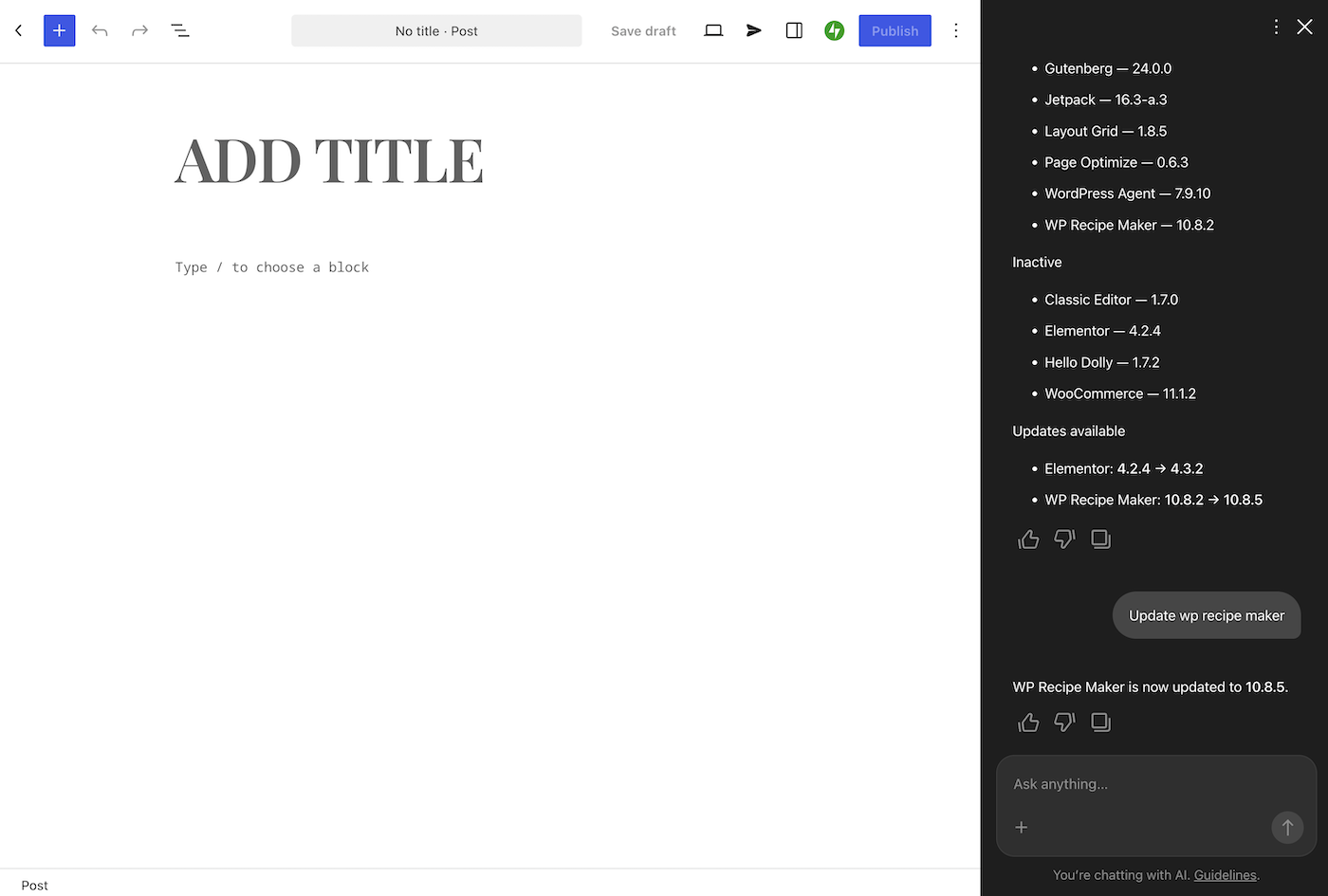
WordPress.com Changelog: Your Growing AI Toolbox
Let the WordPress Agent install plugins for you, connect Cursor to your site, and catch up on recent WordPress security releases and Reader updates.
 WordPress.com Blog
3 days ago
WordPress.com Blog
3 days ago
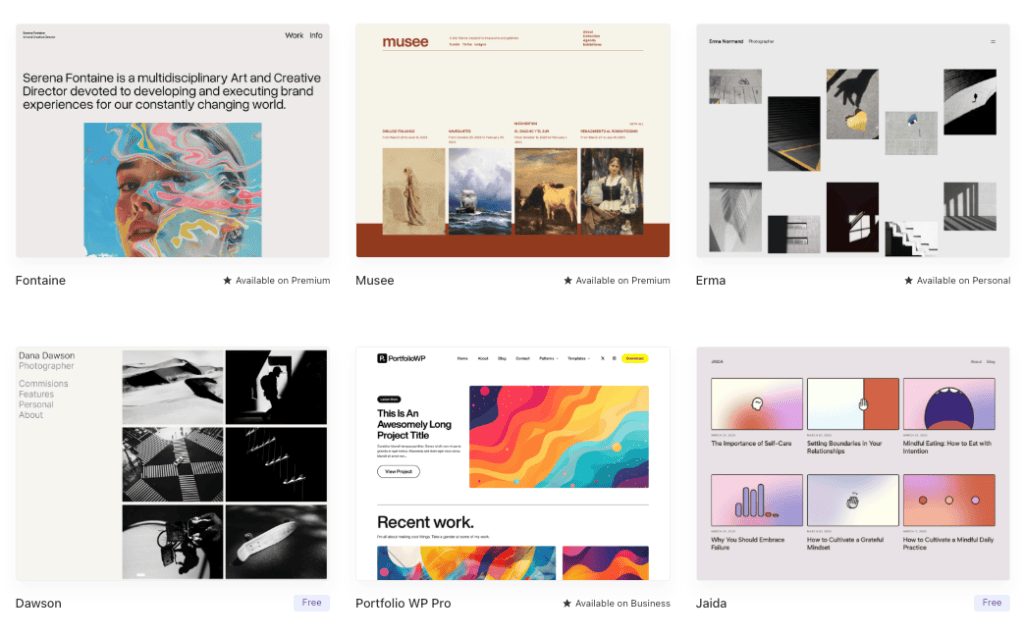
How Much Does a Website Really Cost? Year One vs. Year Two
Your first website probably needs fewer features than you think. The real challenge is knowing exactly what you need and how much it will cost. We compared current pricing ranges across major website platforms to show what a blog, business site, or online store costs in year one and beyond. …
WordPress.com Blog
3 days ago

Desktop Mode Is Now OpenStation: Your Whole WordPress Site in One Tab
Desktop Mode is now OpenStation, a free plugin from Automattic for working in WP Admin with windows. Keep your draft, media, and comments open side by side in one tab.
WordPress.com Blog
4 days ago

What Your Holiday Customers Are Already Telling You
One session at eCommerce Expo 2026 stood out: a practical look at customer data, marketing fatigue, and designing your store for gift buyers.
WordPress.com Blog
5 days ago
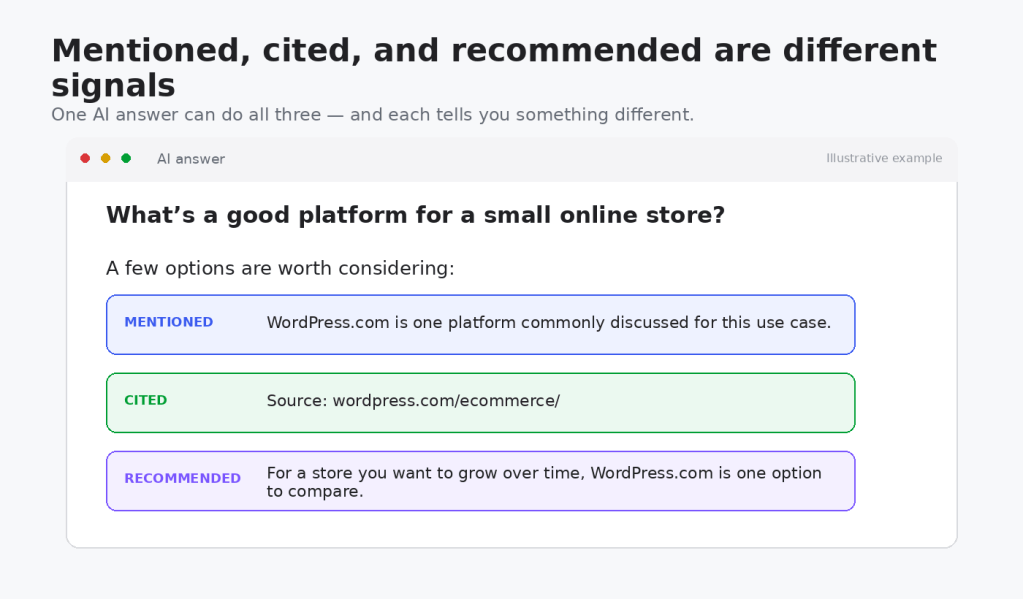
What Answer Engine Optimization (AEO) Actually Means
Heard people talk about AI search optimization or AEO? It’s less a new rulebook than clearer, more useful content that AI tools can understand and cite.
WordPress.com Blog
15 days ago

Meet Purple: A Head Start for Your Ecommerce Store
New stores on the WordPress.com Commerce plan start with Purple, a WooCommerce theme built by Woo. Its shop, product, cart, and checkout designs work together, giving you a storefront to make your own.
WordPress.com Blog
19 days ago
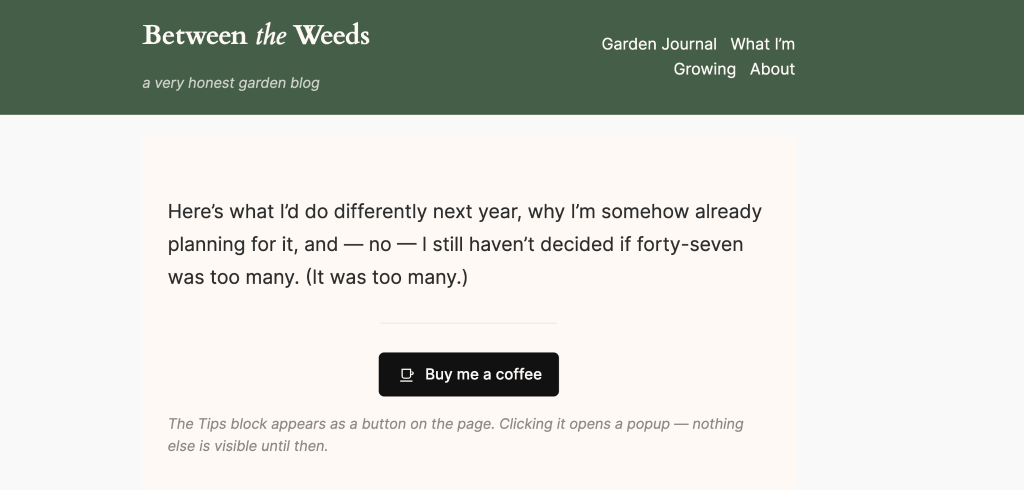
How to Monetize a Blog Without Turning It Into a Job
Want your blog to cover its own costs without becoming another job? Start small with tips, affiliate links, or one digital download—and stop whenever you reach “enough.”
WordPress.com Blog
19 days ago
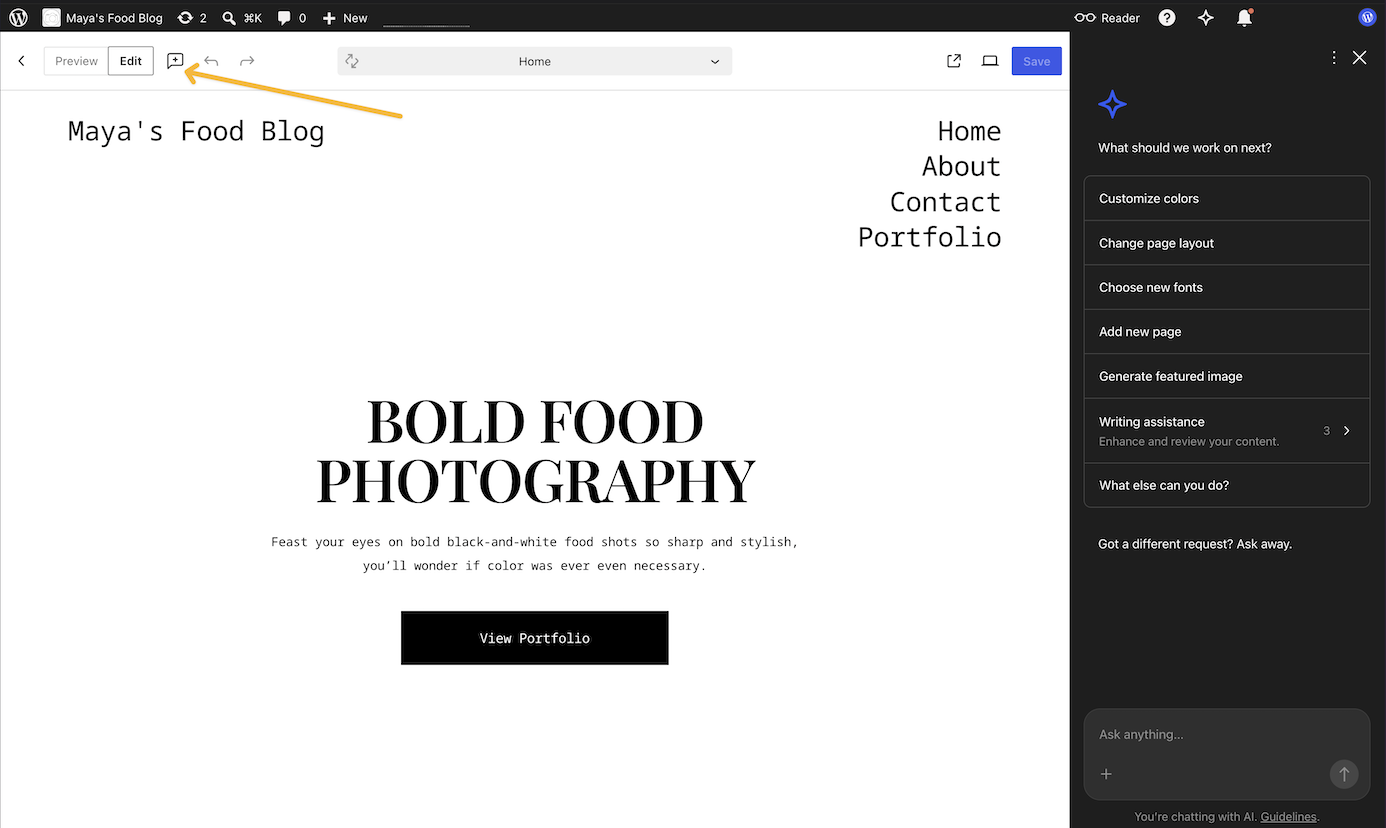
WordPress.com Changelog: Custom AI Themes and A New Video Player
See what's new on WordPress.com: a way to get an AI-generated custom theme, a redesigned video player, and various fixes across the site.
WordPress.com Blog
20 days ago

Twenty-Five Years Later, We Remember
Twenty-five years after 9/11, we look at how people across WordPress.com are keeping the memory of that day alive.
WordPress.com Blog
23 days ago
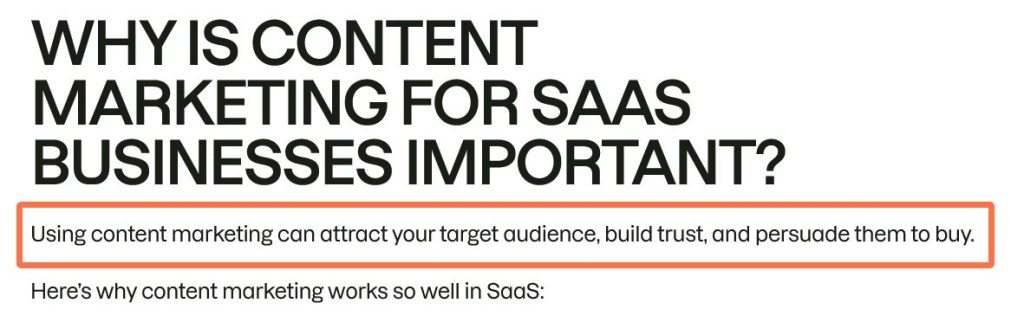
8 Ways to Grow Website Traffic When Google Sends Less of It
When Google sends fewer clicks, growing traffic takes more than a bigger content calendar. Here are eight practical ways to earn visits through useful content, email, partnerships, and a site people can trust.
WordPress.com Blog
26 days ago
WordPress.com Changelog: A New Hosting Dashboard, a ChatGPT Plugin, and WordPress 7.1
WordPress.com’s latest updates include a redesigned Hosting Dashboard, a new ChatGPT plugin, WordPress 7.1, and practical improvements for users.
WordPress.com Blog
about 1 month ago

WordCamp US 2026 Recap: The Artist and the Algorithm
Two months after my first WordCamp, I landed in Phoenix, AZ, for WordCamp US to experience it again, this time in another part of the world but with a similar group of people equally passionate about open source. At first glance, the Arizona desert seems simple, barren. But look closer, …
WordPress.com Blog
about 1 month ago
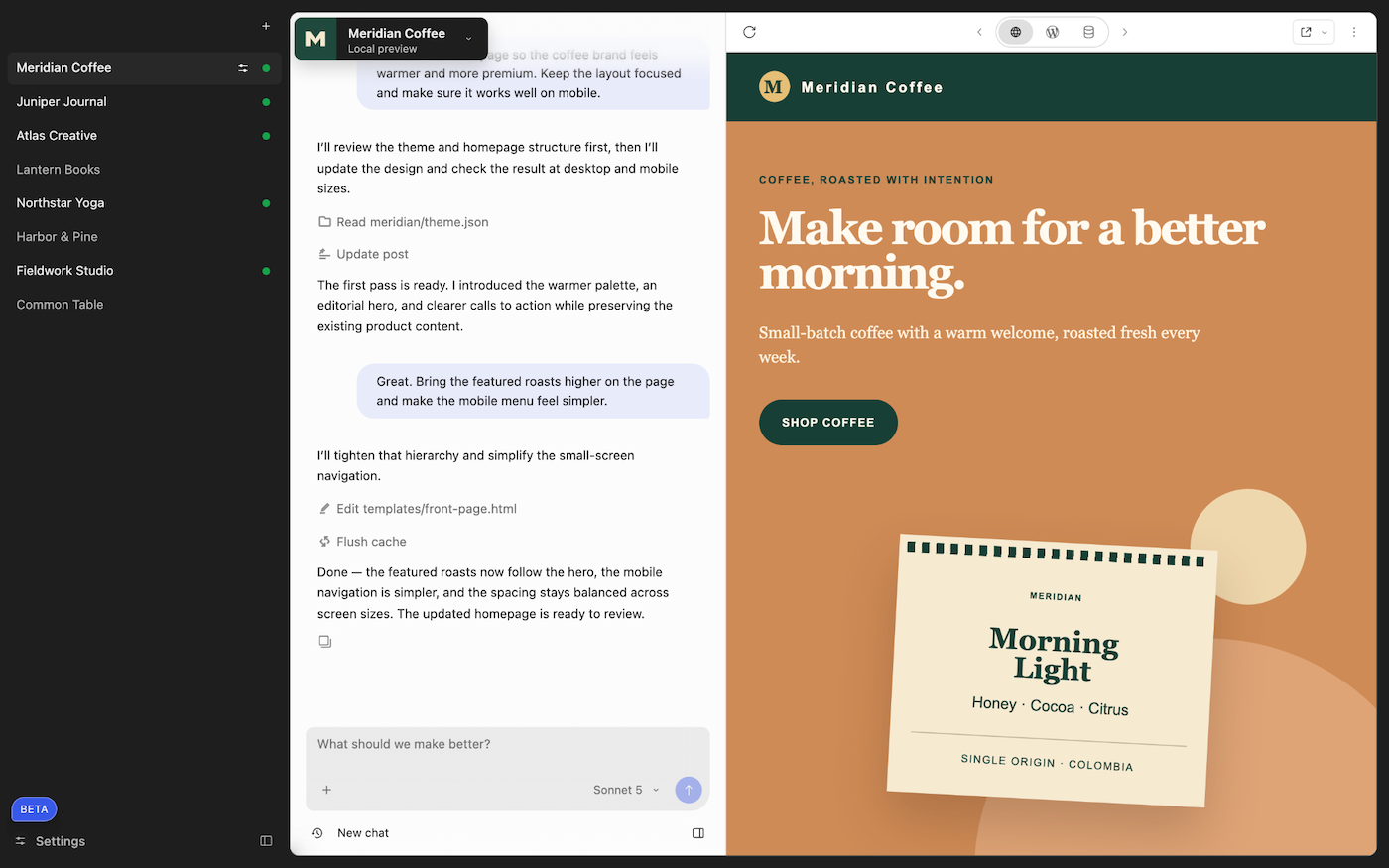
Build with Your Expert WordPress Agent: WordPress Studio’s New Desktop Experience is in Beta
We rebuilt the WordPress Studio desktop app around Studio Code, our expert WordPress agent. Your sites, the chat, and a live preview now sit side by side in one window, so you describe what you want, watch it build on real local WordPress, and point at anything that's off. It's in beta today on macOS, Windows, and Linux.
WordPress.com Blog
about 1 month ago
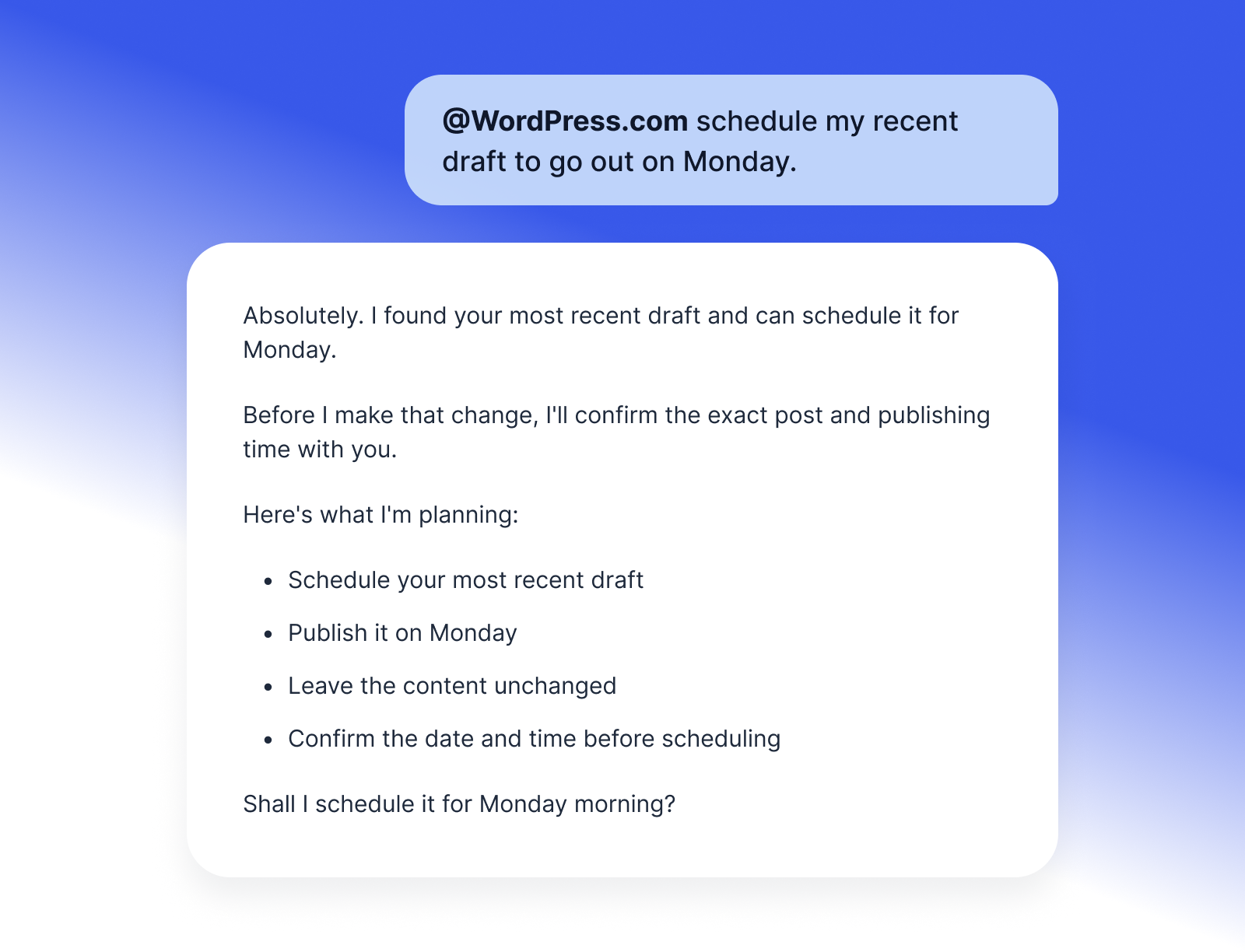
Your WordPress.com Site Now Works from Inside ChatGPT
The new WordPress.com ChatGPT plugin enables you to manage your site efficiently and safely, streamlining tasks like publishing, checking stats, and more.
WordPress.com Blog
about 1 month ago
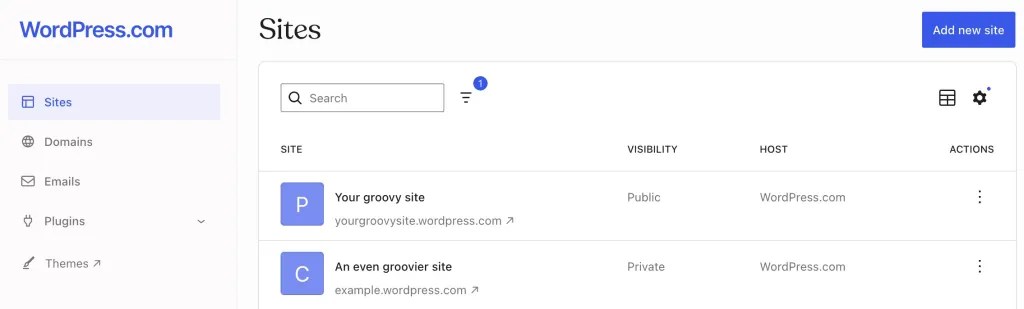
Every Site, One Click Away in the Hosting Dashboard
Manage all your WordPress.com sites from one consistent interface, with persistent navigation for domains, hosting, updates, and performance.
WordPress.com Blog
about 2 months ago
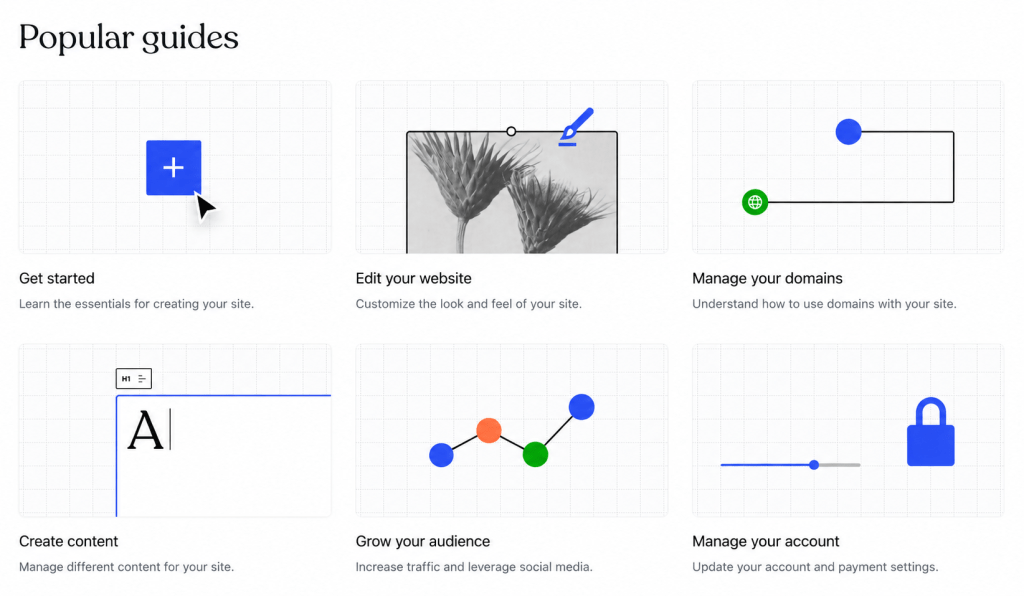
When WordPress.com Support Knows It’s Time for a Human
WordPress.com’s Support Assistant helps thousands of customers every day, from resetting forgotten passwords to connecting a domain name and explaining settings. It resolves most questions on its own, but we built it to get you the right help, fast. And sometimes the right help is a person. Talking to our …
WordPress.com Blog
about 2 months ago
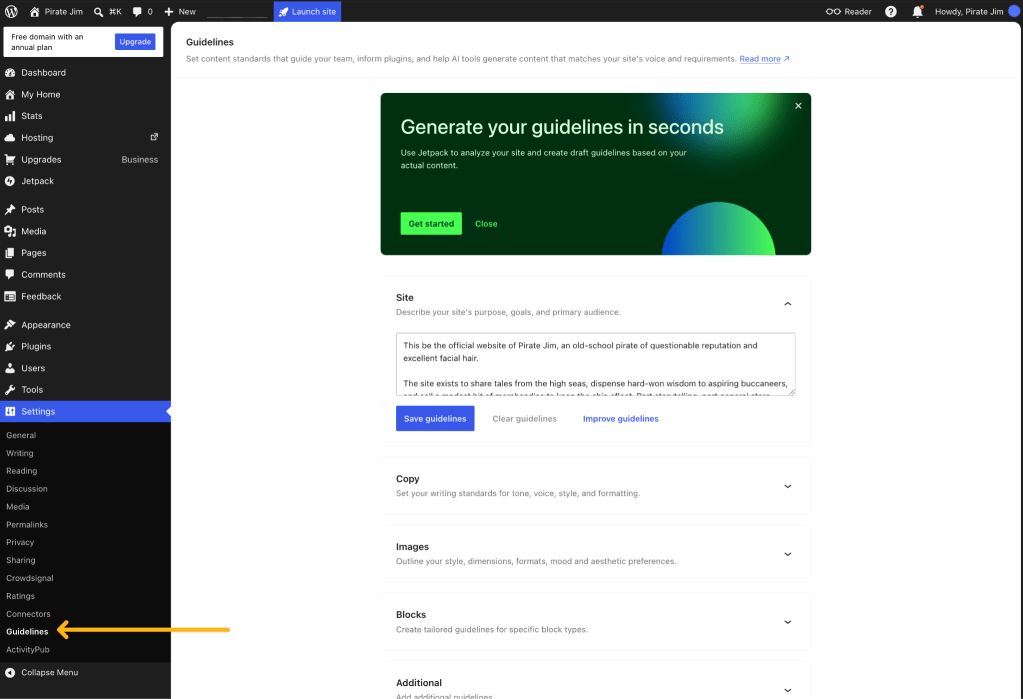
Give Your WordPress.com Site a Memory with Guidelines
Set your brand voice, visual style, and goals once with WordPress.com Guidelines, so WordPress Agent can work from the same context wherever you are.
WordPress.com Blog
about 2 months ago

The WordPress.com Student Plan Is Here: Give Your Students a Website They Can Keep
Today at WordCamp US 2026, we’re officially launching WordPress.com Education. A free dedicated Student Plan, built to give students the tools of a professional WordPress.com environment while they learn.
WordPress.com Blog
about 2 months ago
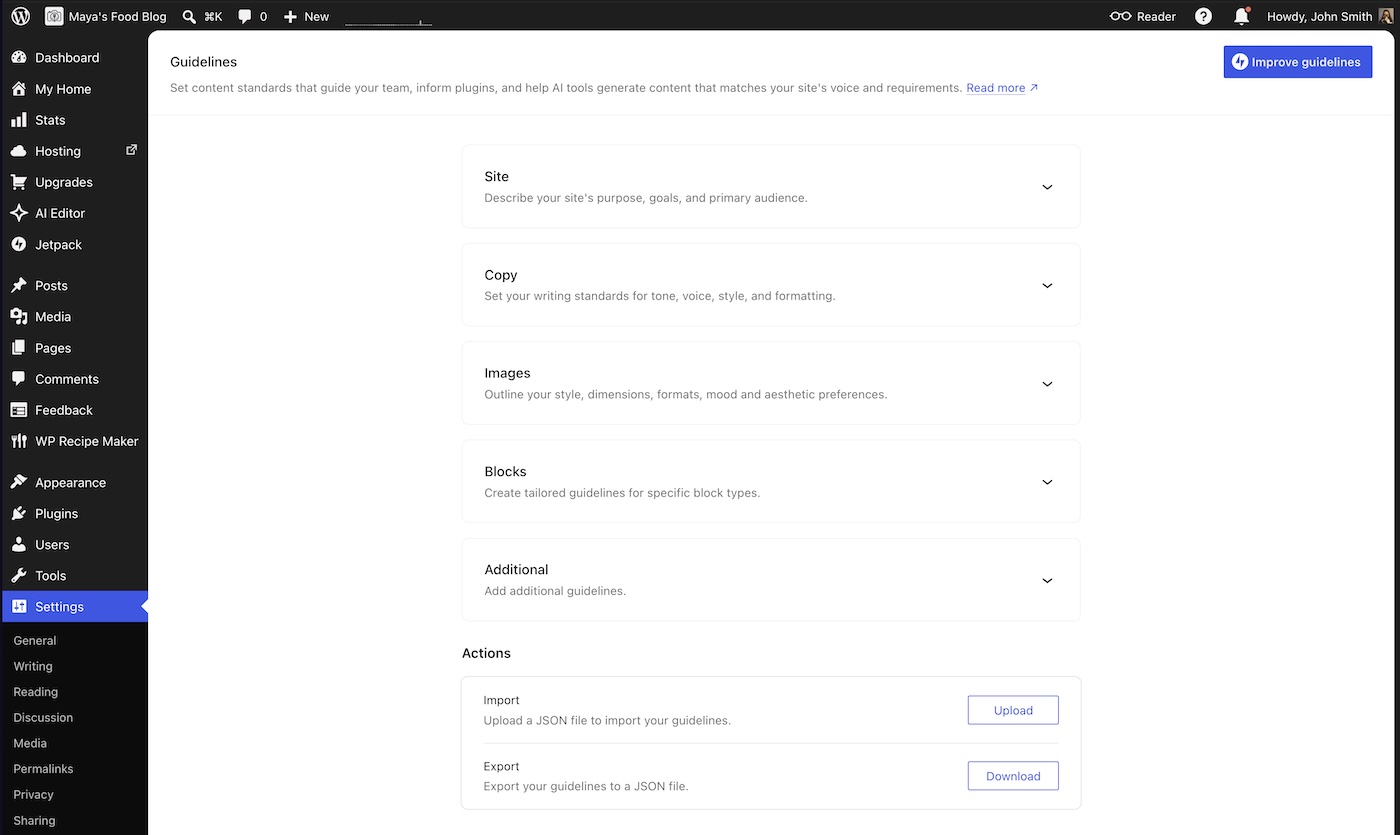
WordPress.com Changelog: Brand Memory and Better Renewal Warnings
A new AI tool for brand voice guidelines, plan expiration notices, and various fixes.
WordPress.com Blog
about 2 months ago

What to See at WordCamp US 2026: Speakers, Demos, and More
WordCamp US 2026 is coming to Phoenix for the first time on August 16–19, and there’s a lot competing for your time and attention. If you’re planning your schedule, start here: our selection of eight speakers worth catching, hands-on demos of WordPress Studio and WordPress Agent, and something new for …
WordPress.com Blog
about 2 months ago
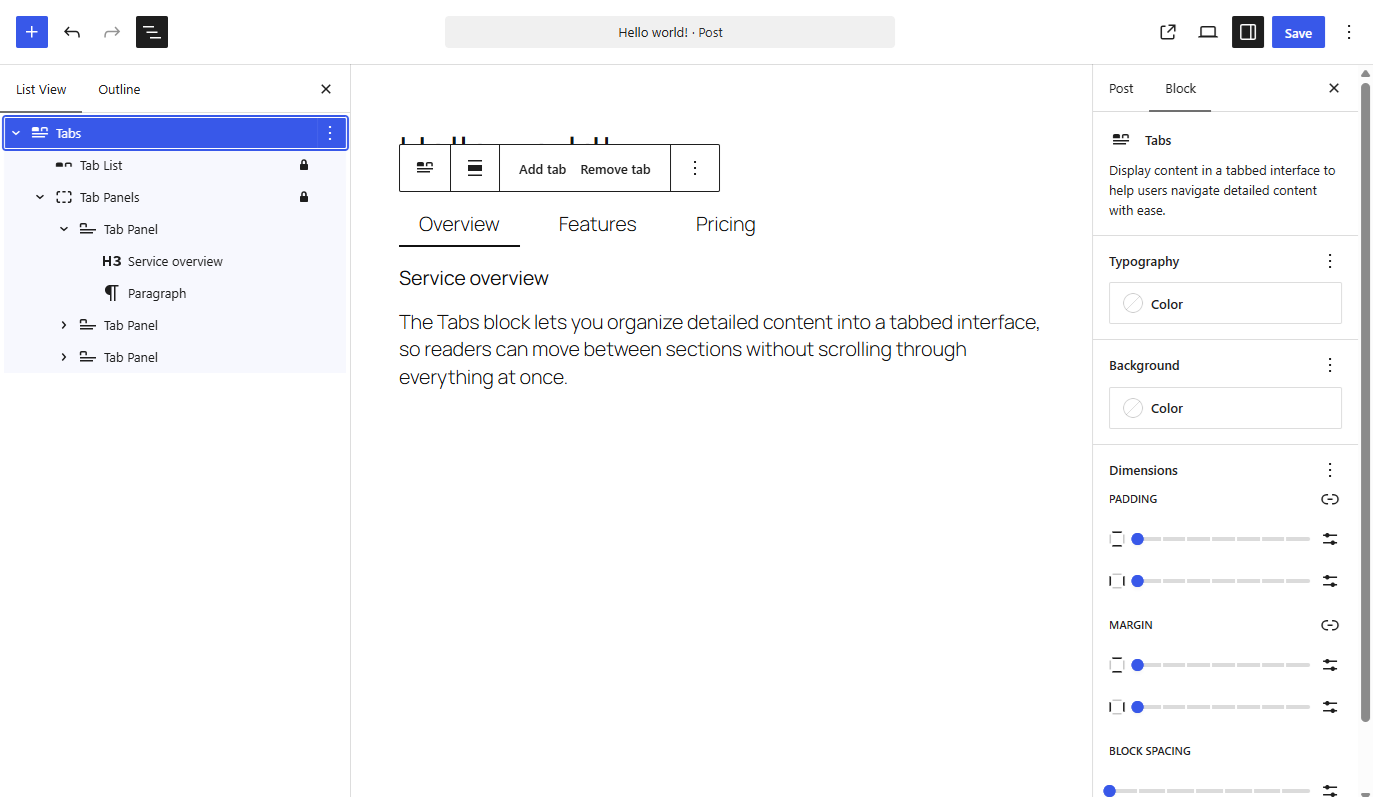
WordPress.com Changelog: New Blocks and Better Async Notes
New Tabs and Playlist blocks, self-filling galleries, phrase-level notes with @mentions, and self-service plan downgrades — here's what recently shipped on WordPress.com.
WordPress.com Blog
2 months ago
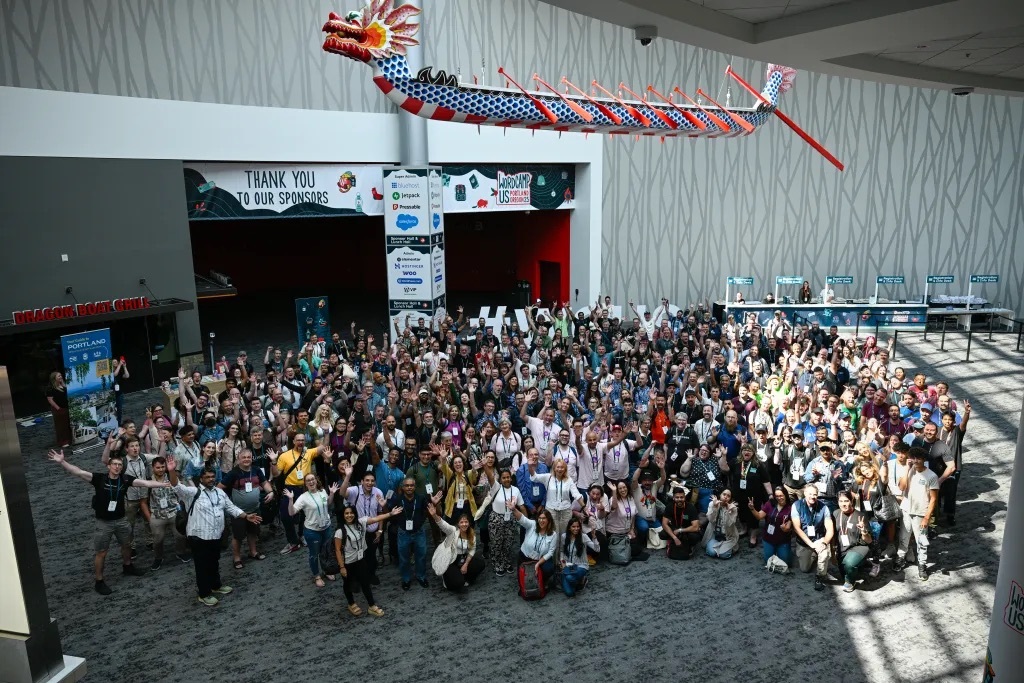
WordCamp US 2026: 7 Reasons to Connect with Your WordPress Community
WordCamp US 2026 heads to Phoenix this August, and WordPress.com will be there. Here are seven reasons to join the WordPress community in person.
WordPress.com Blog
2 months ago
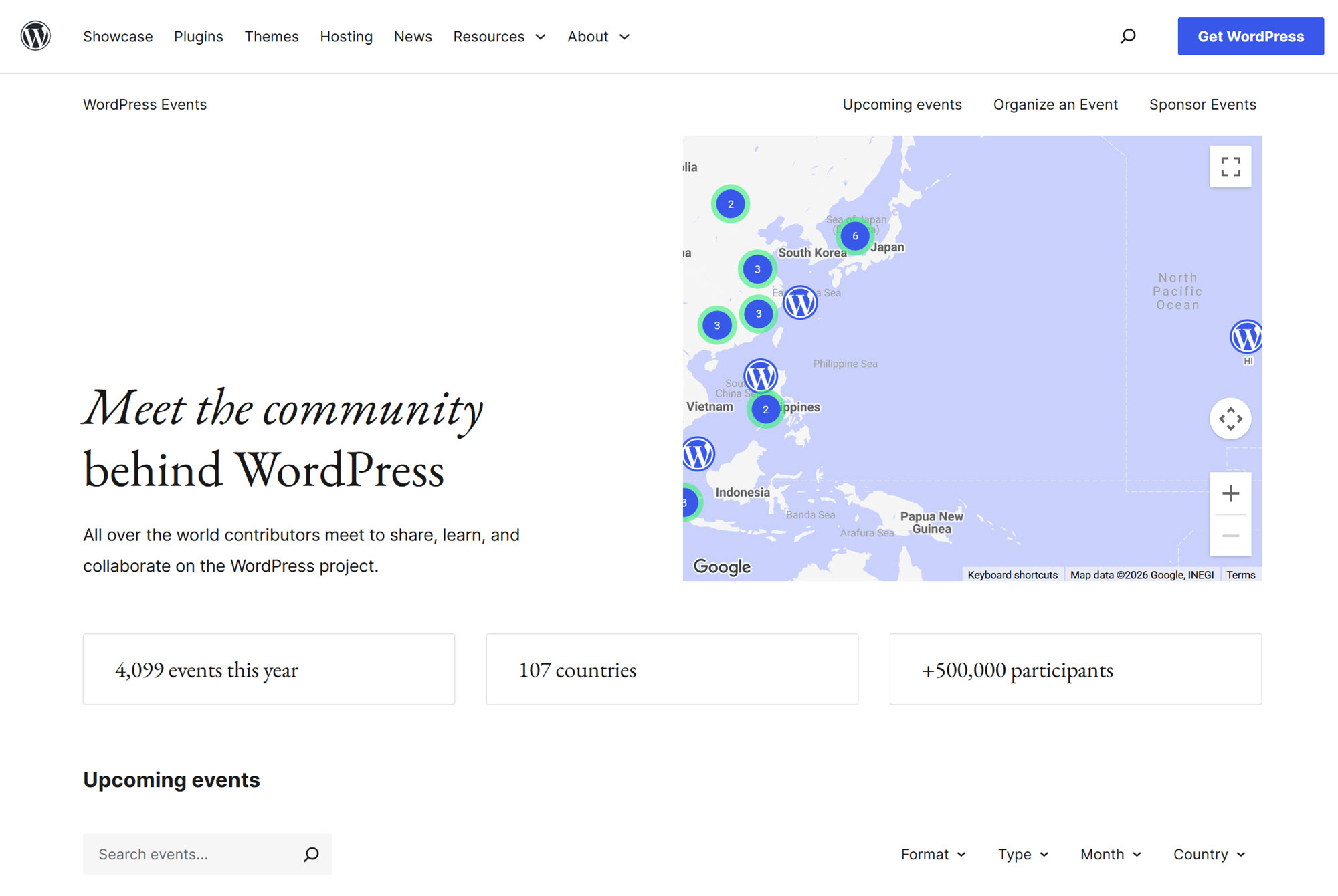
Discover Your Local WordPress Community
Three ways to find the WordPress community near you: local meetups, WordCamps, and the WordPress Events and News widget in WP Admin.
WordPress.com Blog
2 months ago

Master SEO & AIO: Get Your Site Found in Search and AI Answers
Search now includes AI answers, not just Google. Our free, beginner-friendly Master SEO & AIO course shows you how to get found either way.
WordPress.com Blog
3 months ago
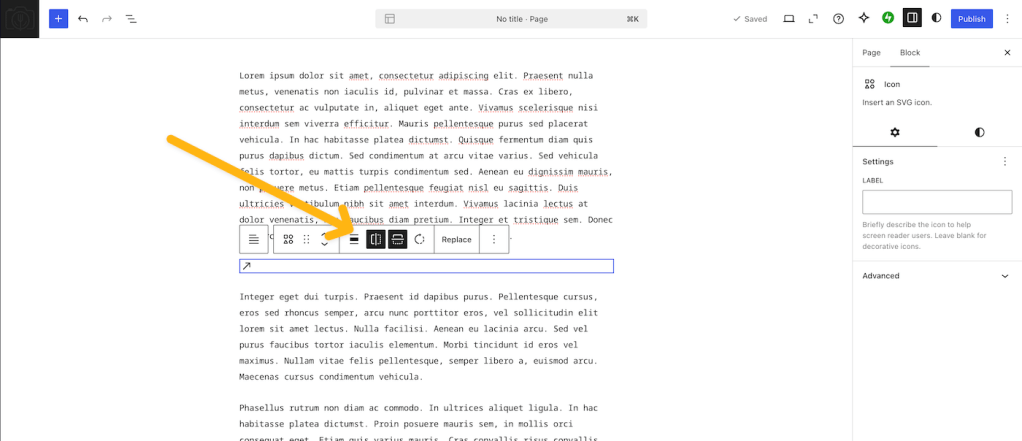
WordPress.com Changelog: A Resizable Editor and Sharper Image Cropping
Updates that let you size the editor to any screen, crop images more precisely, and edit icons — plus some reliability fixes.
WordPress.com Blog
3 months ago
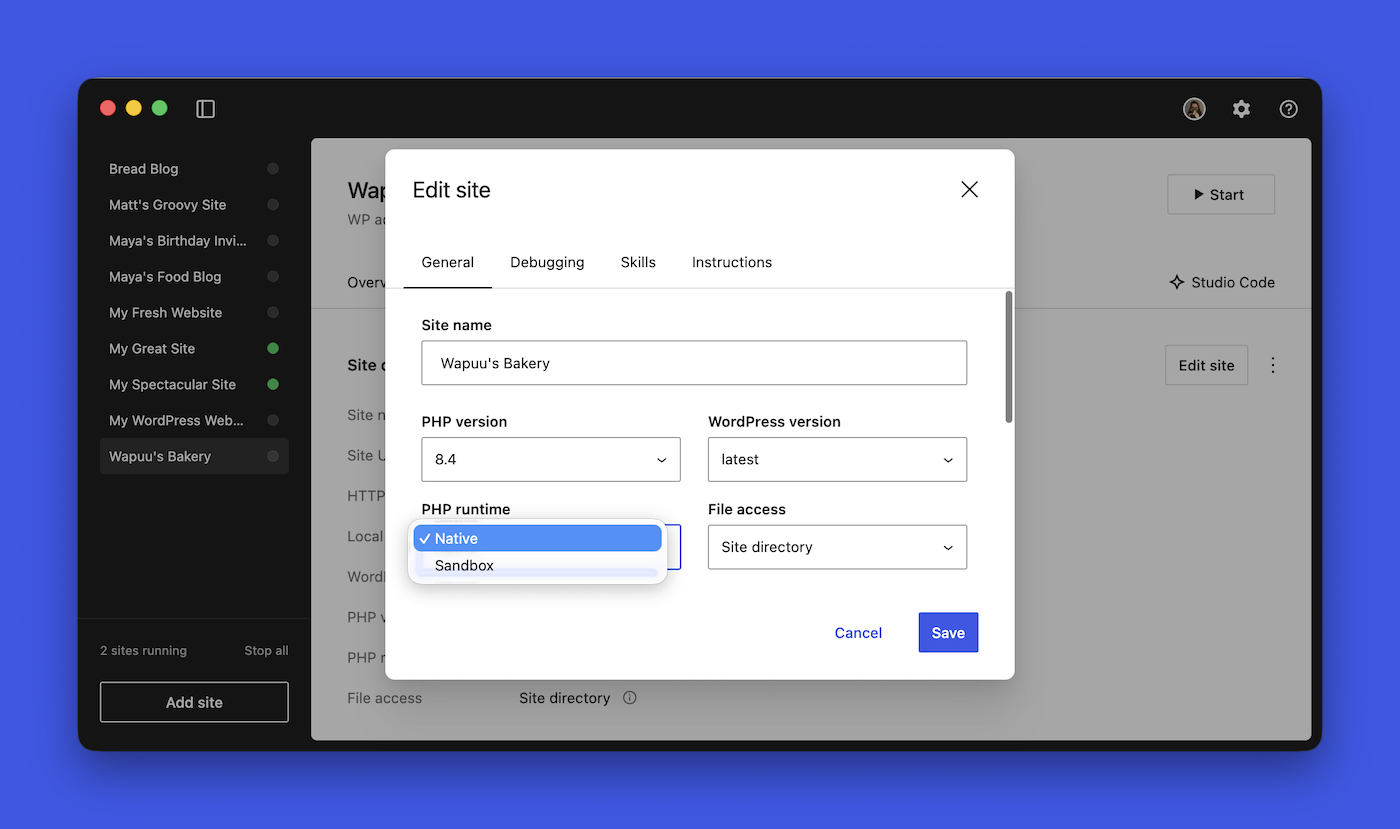
WordPress Studio Just Got Faster, the CLI is Now Dependency-Free, and Sonnet 5 is Supported
Faster local sites, a dependency-free CLI install, and Claude Sonnet 5 now the default in Studio Code — here's what's new in WordPress Studio.
WordPress.com Blog
3 months ago
Agentic Commerce Is Here: What Does It Mean for Your Store?
AI assistants are starting to shop for people: finding, comparing, and buying products on their behalf. Whether they can buy from your store depends on whether they can reach and read it, and that part is in your control.
WordPress.com Blog
3 months ago
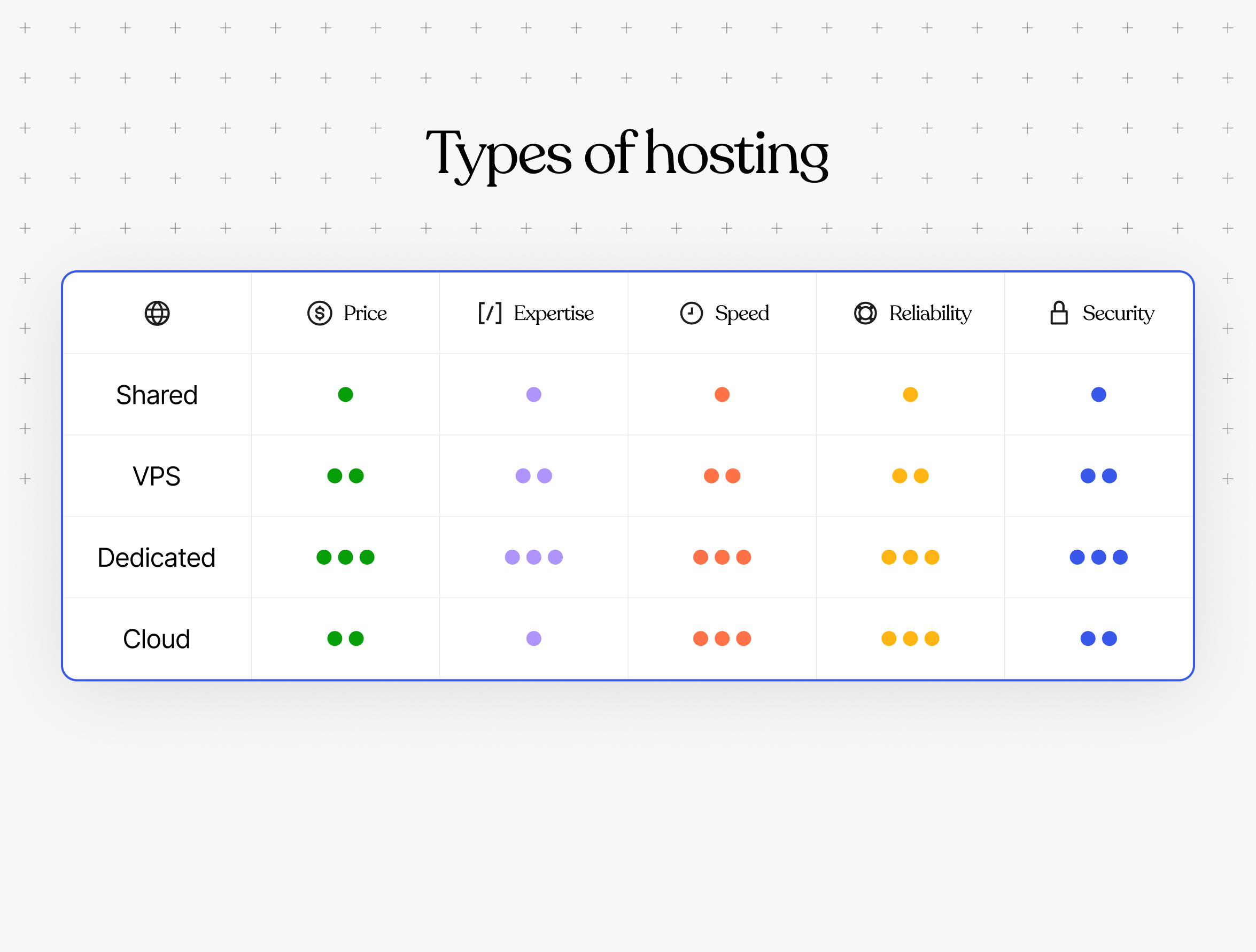
How to Choose a Web Host: 7 Steps to Make the Right Decision
How do you choose the right web host? Compare site type, hosting options, growth plans, technical skills, support, and costs to find the best fit.
WordPress.com Blog
3 months ago

WordPress.com Changelog: Shape Your Newsletter Signup and Get Domain Help in Chat
New on WordPress.com: tailor your newsletter signup experience and let the support assistant handle your domain settings.
WordPress.com Blog
3 months ago
How to build a WordPress plugin with AI (Cursor + WordPress Studio)
Learn to build your first WordPress plugin with AI, using Cursor and WordPress Studio, with no terminal or coding experience required.
WordPress.com Blog
3 months ago
WordPress.com Changelog: Your Growing AI Toolbox
Let the WordPress Agent install plugins for you, connect Cursor to your site, and catch up on recent WordPress security releases and Reader updates.
WordPress.com Blog
3 days ago
How Much Does a Website Really Cost? Year One vs. Year Two
Your first website probably needs fewer features than you think. The real challenge is knowing exactly what you need and how much it will cost. We compared current pricing ranges across major website platforms to show what a blog, business site, or online store costs in year one and beyond. …
WordPress.com Blog
3 days ago
Desktop Mode Is Now OpenStation: Your Whole WordPress Site in One Tab
Desktop Mode is now OpenStation, a free plugin from Automattic for working in WP Admin with windows. Keep your draft, media, and comments open side by side in one tab.
WordPress.com Blog
4 days ago
What Your Holiday Customers Are Already Telling You
One session at eCommerce Expo 2026 stood out: a practical look at customer data, marketing fatigue, and designing your store for gift buyers.
WordPress.com Blog
5 days ago
What Answer Engine Optimization (AEO) Actually Means
Heard people talk about AI search optimization or AEO? It’s less a new rulebook than clearer, more useful content that AI tools can understand and cite.
WordPress.com Blog
15 days ago
Meet Purple: A Head Start for Your Ecommerce Store
New stores on the WordPress.com Commerce plan start with Purple, a WooCommerce theme built by Woo. Its shop, product, cart, and checkout designs work together, giving you a storefront to make your own.
WordPress.com Blog
19 days ago
How to Monetize a Blog Without Turning It Into a Job
Want your blog to cover its own costs without becoming another job? Start small with tips, affiliate links, or one digital download—and stop whenever you reach “enough.”
WordPress.com Blog
19 days ago
WordPress.com Changelog: Custom AI Themes and A New Video Player
See what's new on WordPress.com: a way to get an AI-generated custom theme, a redesigned video player, and various fixes across the site.
WordPress.com Blog
20 days ago
Twenty-Five Years Later, We Remember
Twenty-five years after 9/11, we look at how people across WordPress.com are keeping the memory of that day alive.
WordPress.com Blog
23 days ago
8 Ways to Grow Website Traffic When Google Sends Less of It
When Google sends fewer clicks, growing traffic takes more than a bigger content calendar. Here are eight practical ways to earn visits through useful content, email, partnerships, and a site people can trust.
WordPress.com Blog
26 days ago
WordPress.com Changelog: A New Hosting Dashboard, a ChatGPT Plugin, and WordPress 7.1
WordPress.com’s latest updates include a redesigned Hosting Dashboard, a new ChatGPT plugin, WordPress 7.1, and practical improvements for users.
WordPress.com Blog
about 1 month ago
WordCamp US 2026 Recap: The Artist and the Algorithm
Two months after my first WordCamp, I landed in Phoenix, AZ, for WordCamp US to experience it again, this time in another part of the world but with a similar group of people equally passionate about open source. At first glance, the Arizona desert seems simple, barren. But look closer, …
WordPress.com Blog
about 1 month ago
Build with Your Expert WordPress Agent: WordPress Studio’s New Desktop Experience is in Beta
We rebuilt the WordPress Studio desktop app around Studio Code, our expert WordPress agent. Your sites, the chat, and a live preview now sit side by side in one window, so you describe what you want, watch it build on real local WordPress, and point at anything that's off. It's in beta today on macOS, Windows, and Linux.
WordPress.com Blog
about 1 month ago
Your WordPress.com Site Now Works from Inside ChatGPT
The new WordPress.com ChatGPT plugin enables you to manage your site efficiently and safely, streamlining tasks like publishing, checking stats, and more.
WordPress.com Blog
about 1 month ago
Every Site, One Click Away in the Hosting Dashboard
Manage all your WordPress.com sites from one consistent interface, with persistent navigation for domains, hosting, updates, and performance.
WordPress.com Blog
about 2 months ago
When WordPress.com Support Knows It’s Time for a Human
WordPress.com’s Support Assistant helps thousands of customers every day, from resetting forgotten passwords to connecting a domain name and explaining settings. It resolves most questions on its own, but we built it to get you the right help, fast. And sometimes the right help is a person. Talking to our …
WordPress.com Blog
about 2 months ago
Give Your WordPress.com Site a Memory with Guidelines
Set your brand voice, visual style, and goals once with WordPress.com Guidelines, so WordPress Agent can work from the same context wherever you are.
WordPress.com Blog
about 2 months ago
The WordPress.com Student Plan Is Here: Give Your Students a Website They Can Keep
Today at WordCamp US 2026, we’re officially launching WordPress.com Education. A free dedicated Student Plan, built to give students the tools of a professional WordPress.com environment while they learn.
WordPress.com Blog
about 2 months ago
WordPress.com Changelog: Brand Memory and Better Renewal Warnings
A new AI tool for brand voice guidelines, plan expiration notices, and various fixes.
WordPress.com Blog
about 2 months ago
What to See at WordCamp US 2026: Speakers, Demos, and More
WordCamp US 2026 is coming to Phoenix for the first time on August 16–19, and there’s a lot competing for your time and attention. If you’re planning your schedule, start here: our selection of eight speakers worth catching, hands-on demos of WordPress Studio and WordPress Agent, and something new for …
WordPress.com Blog
about 2 months ago
WordPress.com Changelog: New Blocks and Better Async Notes
New Tabs and Playlist blocks, self-filling galleries, phrase-level notes with @mentions, and self-service plan downgrades — here's what recently shipped on WordPress.com.
WordPress.com Blog
2 months ago
WordCamp US 2026: 7 Reasons to Connect with Your WordPress Community
WordCamp US 2026 heads to Phoenix this August, and WordPress.com will be there. Here are seven reasons to join the WordPress community in person.
WordPress.com Blog
2 months ago
Discover Your Local WordPress Community
Three ways to find the WordPress community near you: local meetups, WordCamps, and the WordPress Events and News widget in WP Admin.
WordPress.com Blog
2 months ago
Master SEO & AIO: Get Your Site Found in Search and AI Answers
Search now includes AI answers, not just Google. Our free, beginner-friendly Master SEO & AIO course shows you how to get found either way.
WordPress.com Blog
3 months ago
WordPress.com Changelog: A Resizable Editor and Sharper Image Cropping
Updates that let you size the editor to any screen, crop images more precisely, and edit icons — plus some reliability fixes.
WordPress.com Blog
3 months ago
WordPress Studio Just Got Faster, the CLI is Now Dependency-Free, and Sonnet 5 is Supported
Faster local sites, a dependency-free CLI install, and Claude Sonnet 5 now the default in Studio Code — here's what's new in WordPress Studio.
WordPress.com Blog
3 months ago
Agentic Commerce Is Here: What Does It Mean for Your Store?
AI assistants are starting to shop for people: finding, comparing, and buying products on their behalf. Whether they can buy from your store depends on whether they can reach and read it, and that part is in your control.
WordPress.com Blog
3 months ago
How to Choose a Web Host: 7 Steps to Make the Right Decision
How do you choose the right web host? Compare site type, hosting options, growth plans, technical skills, support, and costs to find the best fit.
WordPress.com Blog
3 months ago
WordPress.com Changelog: Shape Your Newsletter Signup and Get Domain Help in Chat
New on WordPress.com: tailor your newsletter signup experience and let the support assistant handle your domain settings.
WordPress.com Blog
3 months ago
How to build a WordPress plugin with AI (Cursor + WordPress Studio)
Learn to build your first WordPress plugin with AI, using Cursor and WordPress Studio, with no terminal or coding experience required.
WordPress.com Blog
3 months ago
WordPress.com Changelog: Your Growing AI Toolbox
Let the WordPress Agent install plugins for you, connect Cursor to your site, and catch up on recent WordPress security releases and Reader updates.
WordPress.com Blog
3 days ago
How Much Does a Website Really Cost? Year One vs. Year Two
Your first website probably needs fewer features than you think. The real challenge is knowing exactly what you need and how much it will cost. We compared current pricing ranges across major website platforms to show what a blog, business site, or online store costs in year one and beyond. …
WordPress.com Blog
3 days ago
Desktop Mode Is Now OpenStation: Your Whole WordPress Site in One Tab
Desktop Mode is now OpenStation, a free plugin from Automattic for working in WP Admin with windows. Keep your draft, media, and comments open side by side in one tab.
WordPress.com Blog
4 days ago
What Your Holiday Customers Are Already Telling You
One session at eCommerce Expo 2026 stood out: a practical look at customer data, marketing fatigue, and designing your store for gift buyers.
WordPress.com Blog
5 days ago
What Answer Engine Optimization (AEO) Actually Means
Heard people talk about AI search optimization or AEO? It’s less a new rulebook than clearer, more useful content that AI tools can understand and cite.
WordPress.com Blog
15 days ago
Meet Purple: A Head Start for Your Ecommerce Store
New stores on the WordPress.com Commerce plan start with Purple, a WooCommerce theme built by Woo. Its shop, product, cart, and checkout designs work together, giving you a storefront to make your own.
WordPress.com Blog
19 days ago
How to Monetize a Blog Without Turning It Into a Job
Want your blog to cover its own costs without becoming another job? Start small with tips, affiliate links, or one digital download—and stop whenever you reach “enough.”
WordPress.com Blog
19 days ago
WordPress.com Changelog: Custom AI Themes and A New Video Player
See what's new on WordPress.com: a way to get an AI-generated custom theme, a redesigned video player, and various fixes across the site.
WordPress.com Blog
20 days ago
Twenty-Five Years Later, We Remember
Twenty-five years after 9/11, we look at how people across WordPress.com are keeping the memory of that day alive.
WordPress.com Blog
23 days ago
8 Ways to Grow Website Traffic When Google Sends Less of It
When Google sends fewer clicks, growing traffic takes more than a bigger content calendar. Here are eight practical ways to earn visits through useful content, email, partnerships, and a site people can trust.
WordPress.com Blog
26 days ago
WordPress.com Changelog: A New Hosting Dashboard, a ChatGPT Plugin, and WordPress 7.1
WordPress.com’s latest updates include a redesigned Hosting Dashboard, a new ChatGPT plugin, WordPress 7.1, and practical improvements for users.
WordPress.com Blog
about 1 month ago
WordCamp US 2026 Recap: The Artist and the Algorithm
Two months after my first WordCamp, I landed in Phoenix, AZ, for WordCamp US to experience it again, this time in another part of the world but with a similar group of people equally passionate about open source. At first glance, the Arizona desert seems simple, barren. But look closer, …
WordPress.com Blog
about 1 month ago
Build with Your Expert WordPress Agent: WordPress Studio’s New Desktop Experience is in Beta
We rebuilt the WordPress Studio desktop app around Studio Code, our expert WordPress agent. Your sites, the chat, and a live preview now sit side by side in one window, so you describe what you want, watch it build on real local WordPress, and point at anything that's off. It's in beta today on macOS, Windows, and Linux.
WordPress.com Blog
about 1 month ago
Your WordPress.com Site Now Works from Inside ChatGPT
The new WordPress.com ChatGPT plugin enables you to manage your site efficiently and safely, streamlining tasks like publishing, checking stats, and more.
WordPress.com Blog
about 1 month ago
Every Site, One Click Away in the Hosting Dashboard
Manage all your WordPress.com sites from one consistent interface, with persistent navigation for domains, hosting, updates, and performance.
WordPress.com Blog
about 2 months ago
When WordPress.com Support Knows It’s Time for a Human
WordPress.com’s Support Assistant helps thousands of customers every day, from resetting forgotten passwords to connecting a domain name and explaining settings. It resolves most questions on its own, but we built it to get you the right help, fast. And sometimes the right help is a person. Talking to our …
WordPress.com Blog
about 2 months ago
Give Your WordPress.com Site a Memory with Guidelines
Set your brand voice, visual style, and goals once with WordPress.com Guidelines, so WordPress Agent can work from the same context wherever you are.
WordPress.com Blog
about 2 months ago
The WordPress.com Student Plan Is Here: Give Your Students a Website They Can Keep
Today at WordCamp US 2026, we’re officially launching WordPress.com Education. A free dedicated Student Plan, built to give students the tools of a professional WordPress.com environment while they learn.
WordPress.com Blog
about 2 months ago
WordPress.com Changelog: Brand Memory and Better Renewal Warnings
A new AI tool for brand voice guidelines, plan expiration notices, and various fixes.
WordPress.com Blog
about 2 months ago
What to See at WordCamp US 2026: Speakers, Demos, and More
WordCamp US 2026 is coming to Phoenix for the first time on August 16–19, and there’s a lot competing for your time and attention. If you’re planning your schedule, start here: our selection of eight speakers worth catching, hands-on demos of WordPress Studio and WordPress Agent, and something new for …
WordPress.com Blog
about 2 months ago
WordPress.com Changelog: New Blocks and Better Async Notes
New Tabs and Playlist blocks, self-filling galleries, phrase-level notes with @mentions, and self-service plan downgrades — here's what recently shipped on WordPress.com.
WordPress.com Blog
2 months ago
WordCamp US 2026: 7 Reasons to Connect with Your WordPress Community
WordCamp US 2026 heads to Phoenix this August, and WordPress.com will be there. Here are seven reasons to join the WordPress community in person.
WordPress.com Blog
2 months ago
Discover Your Local WordPress Community
Three ways to find the WordPress community near you: local meetups, WordCamps, and the WordPress Events and News widget in WP Admin.
WordPress.com Blog
2 months ago
Master SEO & AIO: Get Your Site Found in Search and AI Answers
Search now includes AI answers, not just Google. Our free, beginner-friendly Master SEO & AIO course shows you how to get found either way.
WordPress.com Blog
3 months ago
WordPress.com Changelog: A Resizable Editor and Sharper Image Cropping
Updates that let you size the editor to any screen, crop images more precisely, and edit icons — plus some reliability fixes.
WordPress.com Blog
3 months ago
WordPress Studio Just Got Faster, the CLI is Now Dependency-Free, and Sonnet 5 is Supported
Faster local sites, a dependency-free CLI install, and Claude Sonnet 5 now the default in Studio Code — here's what's new in WordPress Studio.
WordPress.com Blog
3 months ago
Agentic Commerce Is Here: What Does It Mean for Your Store?
AI assistants are starting to shop for people: finding, comparing, and buying products on their behalf. Whether they can buy from your store depends on whether they can reach and read it, and that part is in your control.
WordPress.com Blog
3 months ago
How to Choose a Web Host: 7 Steps to Make the Right Decision
How do you choose the right web host? Compare site type, hosting options, growth plans, technical skills, support, and costs to find the best fit.
WordPress.com Blog
3 months ago
WordPress.com Changelog: Shape Your Newsletter Signup and Get Domain Help in Chat
New on WordPress.com: tailor your newsletter signup experience and let the support assistant handle your domain settings.
WordPress.com Blog
3 months ago
How to build a WordPress plugin with AI (Cursor + WordPress Studio)
Learn to build your first WordPress plugin with AI, using Cursor and WordPress Studio, with no terminal or coding experience required.
WordPress.com Blog
3 months ago